WhoDo

WhoDo

Scarica su App Store
Logo di WhoDo

Scarica su App Store

Editore

Swamp Dog, LLC

Categoria

Productivity

Download

0

Valutazione

1.0/5

Valutazioni totali

0

Lingue

1

Efficienza in Azione

Scopri l'interfaccia usata da 0 utenti.
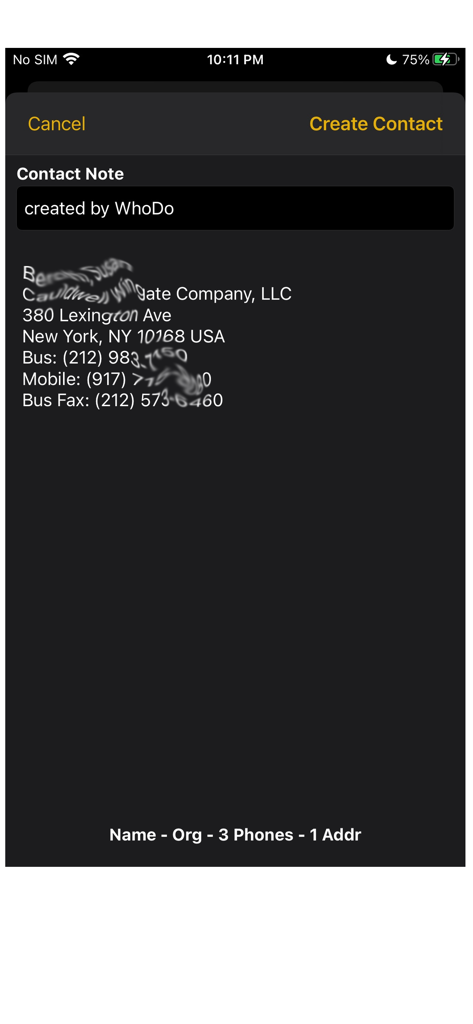
Screenshot dell'app WhoDo che mostra i dettagli di contatto estratti, inclusi indirizzo e numeri di telefono da una fonte di testo

Screenshot dell'app WhoDo che mostra i dettagli di contatto estratti, inclusi indirizzo e numeri di telefono da una fonte di testo

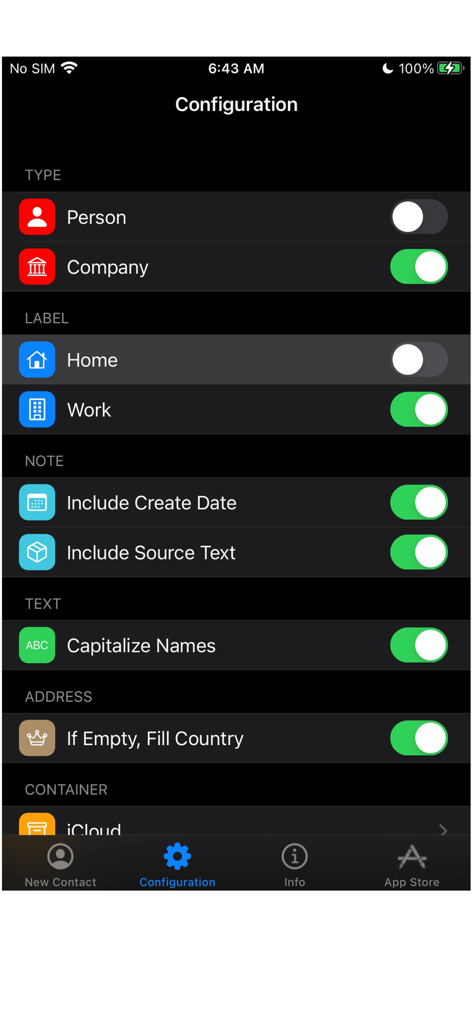
Schermata di configurazione dell'app WhoDo che mostra le impostazioni per tipo di contatto, etichette e formattazione del testo

Schermata di configurazione dell'app WhoDo che mostra le impostazioni per tipo di contatto, etichette e formattazione del testo

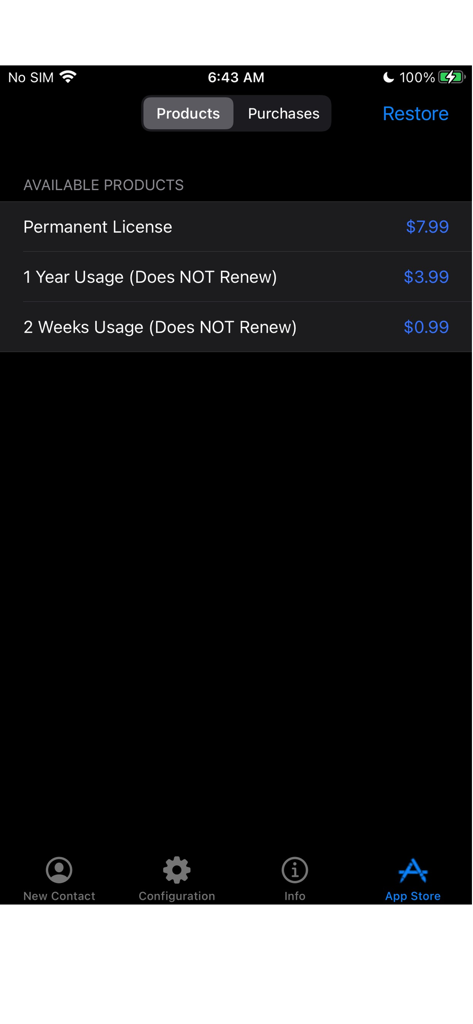
Schermata dell'App Store di WhoDo che mostra le opzioni di licenza non rinnovabile e acquisto permanente

Schermata dell'App Store di WhoDo che mostra le opzioni di licenza non rinnovabile e acquisto permanente

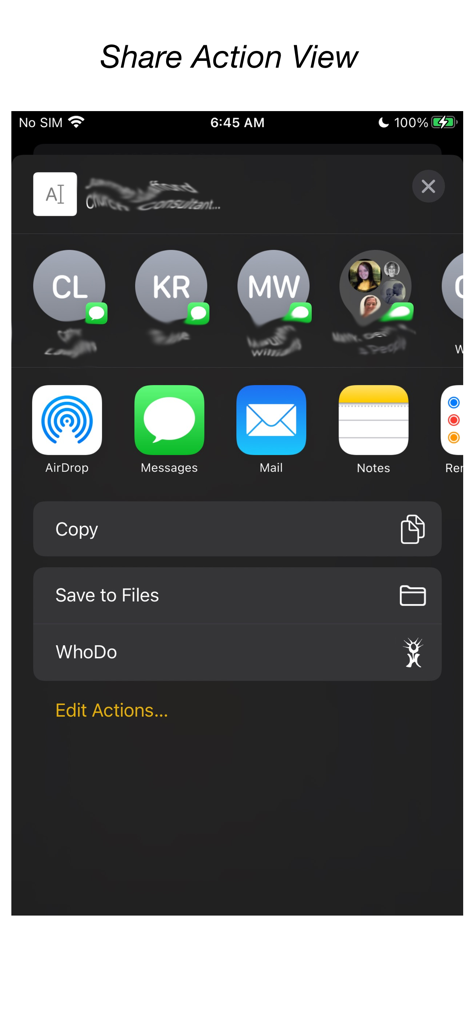
Integrazione dell'app WhoDo nel menu di condivisione di iOS

Integrazione dell'app WhoDo nel menu di condivisione di iOS

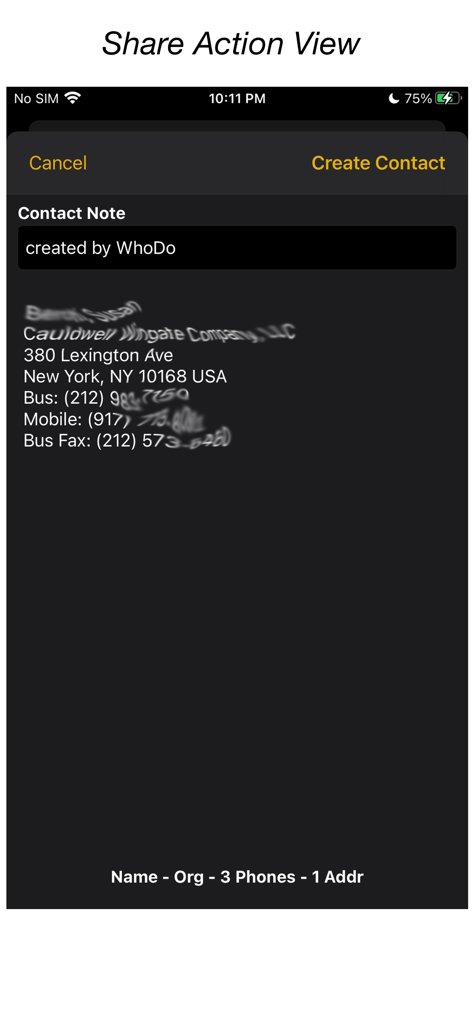
Interfaccia dell'app WhoDo che mostra le informazioni di contatto estratte dal testo tramite l'azione di condivisione di iOS

Interfaccia dell'app WhoDo che mostra le informazioni di contatto estratte dal testo tramite l'azione di condivisione di iOS

Automatizza il Tuo Raccoglitore

Gli strumenti che rendono questa app unica, scelti da 0 utenti.

Zero Digitazione Manuale

Utilizza l'azione Condividi di iOS per estrarre istantaneamente i dettagli di contatto da email, messaggi o pagine web senza digitare una sola lettera.

📈

Importazione Massiva da Fogli di Calcolo

Smetti di copiare uno per uno. Estrai facilmente più contatti dalle righe di Numbers o Excel per riempire la tua rubrica in pochi secondi.

🍏

Integrazione Nativa Apple

Sincronizzazione tra iPhone, iPad e Mac. Organizza i tuoi contatti in gruppi iCloud, Outlook o Gmail senza costi di abbonamento ricorrenti.

Info sull'app

Tutto quello che devi sapere su WhoDo.

Descrizione

The same WhoDo app runs on iPhone, iPad - put WhoDo on ALL your iOS devices! With Family Sharing - everybody in your family can also use WhoDo! You don't need to launch an application to use WhoDo! Just select the desired text in any application and use the Share action! If Share is unavailable or inconvenient, you can also use 'Copy' and then switch to WhoDo. Whenever you open WhoDo it immediately assesses the current clipboard for contact data. WhoDo can handle multiple rows in a spreadsheet - this works best if you include the header row WhoDo has a very minimal user interface - it has a single purpose and is designed to be the least possible interruption in your workflow. WhoDo uses Apple's data detectors and natural language processing. Download WhoDo for free - you can then create 3 contacts to verify WhoDo's functionality. After you have created the 3 free trial contacts you must make an in-app purchase. 2 weeks usage - 99¢ 1 year usage - $3.99 Permanent license - $7.99 WhoDo does NOT use subscriptions - there are no automated renewals. You can purchase either of the short term usages as many times as you need. WhoDo can: • assign the new contact to a specific Account (e.g. Gmail, Outlook, Yahoo, ...) • assign the new contact to a Group (if Groups are supported in the Account) • create either a Person or an Organization • assign unlabelled values with either Work or Home labels • automatically capitalize names of all types • automatically supply the area code for casual phone numbers • populate the new contact's ‘Note’ with text of your choosing; you can also add the date & time of creation as well as the full text of source data. • provides the contact in an editable Contact view for your final approval before you Save • each time you open WhoDo it can provide the contents of the clipboard for use a new contact so you can 'Copy' and then open WhoDo if that is more convenient than using 'Share' • extract multiple contacts from Numbers - best if you include the header row you can elect to process multiple contacts individually or in one bulk action. WhoDo works with iOS 15.4 and later Terms of Use: https://swampdog.info/whodo/core/termsOfUse/ NOTE: If you have any comments, general or technical issues, please contact us directly at developer@swampdog.info.  We will usually respond with one business day.

Ultima versione

3.0.1

Dimensione

3.4 MB

Data di lancio

18 feb 2019

Pronto a Smettere di Digitare e Iniziare a Fare Networking?

Unisciti a migliaia di professionisti che risparmiano ore di inserimento dati manuale. Ottieni WhoDo oggi stesso per un'estrazione di contatti senza interruzioni su tutti i tuoi dispositivi, senza abbonamenti mensili, mai.

Scarica su App Store

App information, icons, screenshots, and descriptions displayed on this page are sourced from the Apple App Store and are the property of their respective developers. Download estimates and rankings are based on MWM's proprietary models and may not reflect actual figures. This page is provided for informational and analytical purposes only.

Believe this page infringes your intellectual property? File a dispute