WristBoard - Watch Keyboard
Scarica su App Store

Questa pagina non è una pagina ufficiale dell'app o del suo sviluppatore, ma una pubblicazione editoriale indipendente creata a scopo informativo e di commento. Salvo espressa indicazione contraria, né l'app né il suo sviluppatore sono affiliati, approvati, sponsorizzati, autorizzati o altrimenti ufficialmente collegati a MWM, Apple, Google Play, all'editore dell'app o allo sviluppatore dell'app, e nulla in questa pagina implica che l'app sia stata sviluppata utilizzando i servizi di MWM. Tutti i marchi, loghi, screenshot e altri contenuti rimangono di proprietà dei rispettivi proprietari.

Logo di WristBoard - Watch Keyboard
Scarica su App Store

WristBoard - Watch Keyboard

Digita messaggi più velocemente e in modo più privato che mai. Porta una tastiera QWERTY completa al tuo polso con correzione automatica intelligente, gesti di scorrimento e temi personalizzati per la massima produttività in movimento.

Numeri Chiave

Download

240K+

Valutazione

2.9/5

Valutazioni totali

1K+

Editore

Adam Foot

Categoria

Productivity

Lingue

20

Ultima versione

7.1.1

Dimensione

17.1 MB

Data di lancio

21 feb 2019
Funzioni

L'esperienza di digitazione definitiva per il tuo polso

Smetti di parlare al tuo orologio e inizia a digitare. WristBoard porta una tastiera completa, privata ed efficiente sul tuo Apple Watch, così puoi rimanere produttivo senza dover prendere il telefono.

Digitazione rapida con scorrimento

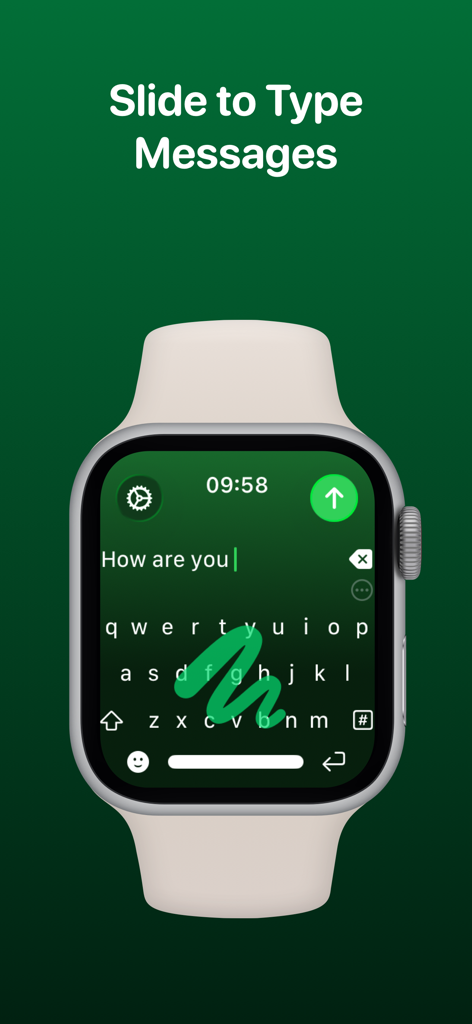
Scorri attraverso i messaggi con il modo più efficiente per digitare su un orologio. La nostra tecnologia di scorrimento rispecchia l'esperienza fluida che ami sul tuo iPhone per la massima velocità.

Privacy discreta

Mantieni la tua privacy negli spazi pubblici. Rispondi a iMessage ed email in silenzio con una tastiera QWERTY completa invece di utilizzare un'imbarazzante dettatura vocale.

Gli screenshot e la descrizione seguenti provengono direttamente dall'elenco ufficiale dello store dell'app e sono di proprietà dello sviluppatore.

App Store

Screenshot
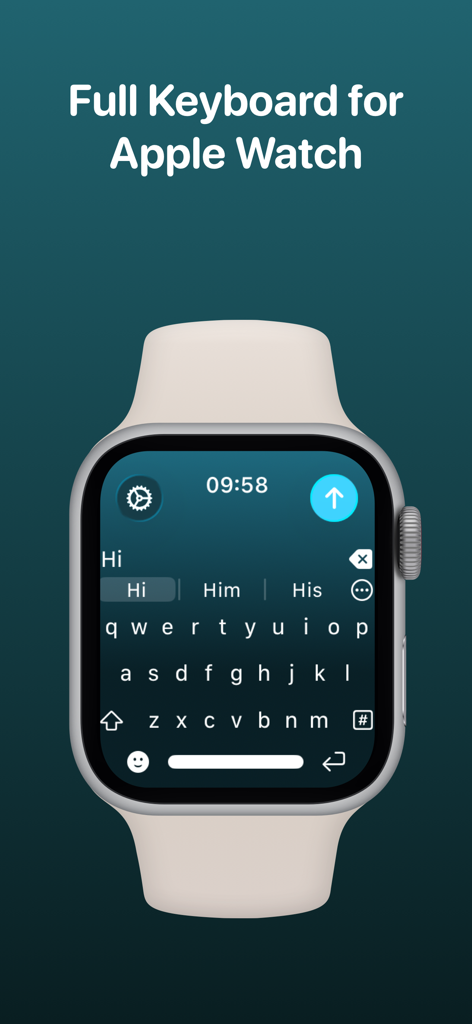
WristBoard - Watch Keyboard - L'app WristBoard che mostra una tastiera QWERTY completa su uno schermo di Apple Watch.
L'app WristBoard che mostra una tastiera QWERTY completa su uno schermo di Apple Watch.

WristBoard - Watch Keyboard - Un Apple Watch che mostra la tastiera WristBoard con un gesto di scorrimento per digitare su un'interfaccia verde.
Un Apple Watch che mostra la tastiera WristBoard con un gesto di scorrimento per digitare su un'interfaccia verde.

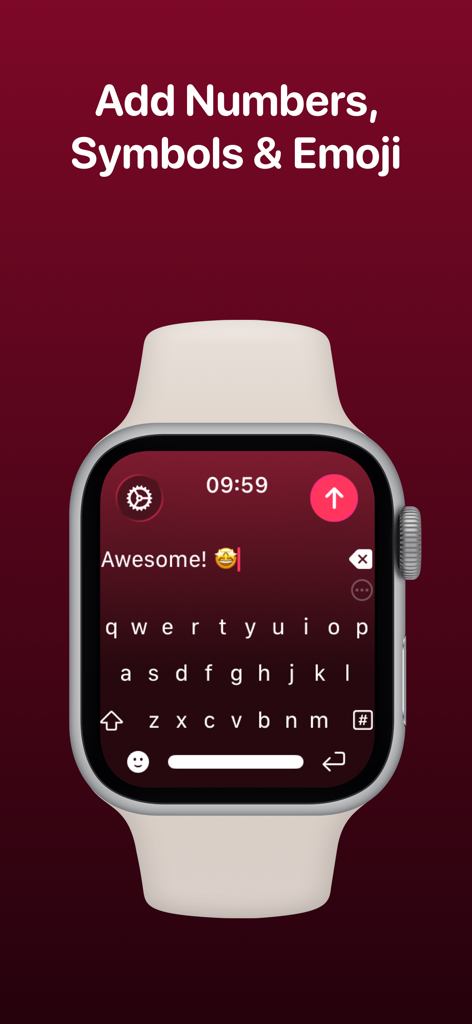
WristBoard - Watch Keyboard - Apple Watch che mostra l'interfaccia della tastiera QWERTY completa di WristBoard con un messaggio di testo e un'emoji.
Apple Watch che mostra l'interfaccia della tastiera QWERTY completa di WristBoard con un messaggio di testo e un'emoji.

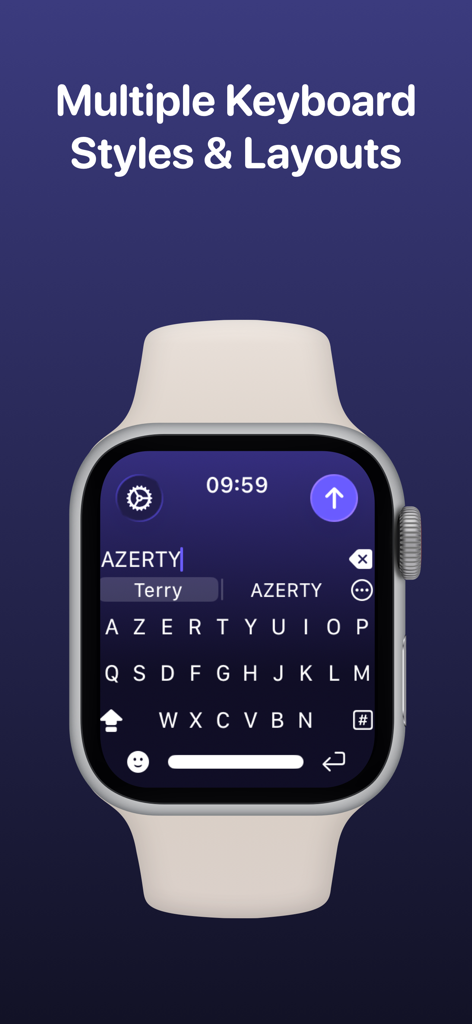
WristBoard - Watch Keyboard - Uno screenshot di un Apple Watch che mostra un layout di tastiera AZERTY nell'app WristBoard sotto l'intestazione Stili e Layout di Tastiera Multipli.
Uno screenshot di un Apple Watch che mostra un layout di tastiera AZERTY nell'app WristBoard sotto l'intestazione Stili e Layout di Tastiera Multipli.

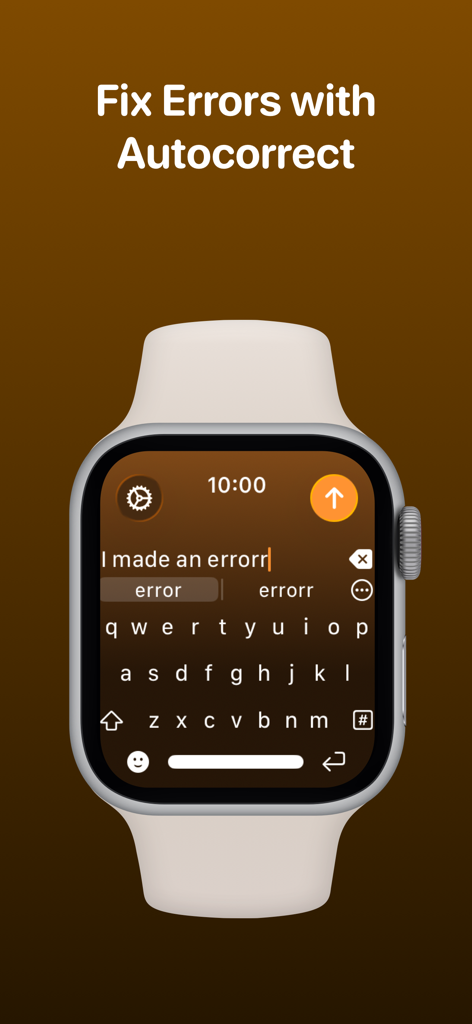
WristBoard - Watch Keyboard - Tastiera WristBoard su Apple Watch che mostra la funzione di correzione automatica per correggere gli errori di digitazione.
Tastiera WristBoard su Apple Watch che mostra la funzione di correzione automatica per correggere gli errori di digitazione.

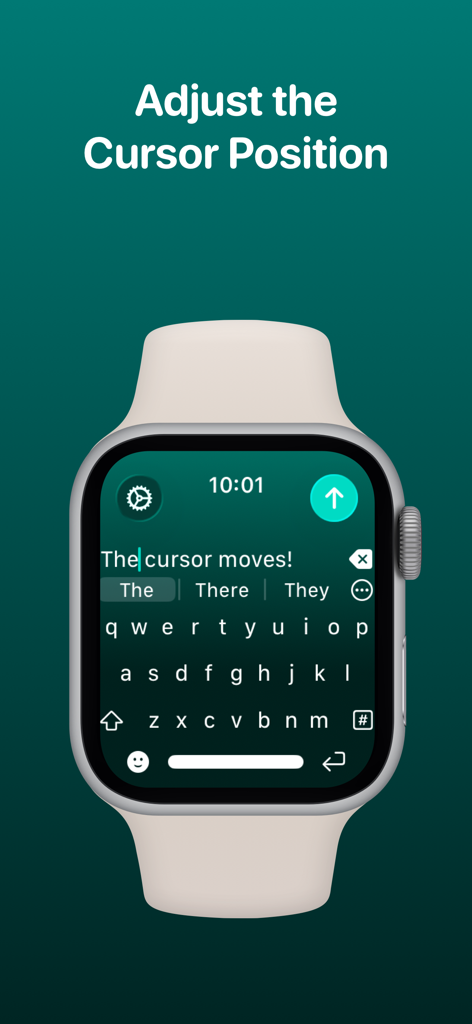
WristBoard - Watch Keyboard - L'app WristBoard che mostra la posizione del cursore che viene regolata sull'interfaccia della tastiera di Apple Watch.
L'app WristBoard che mostra la posizione del cursore che viene regolata sull'interfaccia della tastiera di Apple Watch.

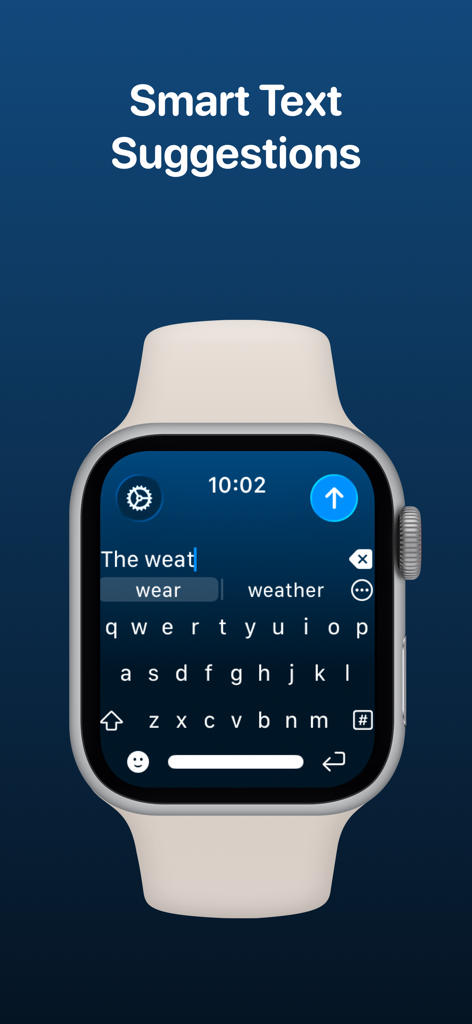
WristBoard - Watch Keyboard - L'app WristBoard su Apple Watch che mostra suggerimenti di testo intelligenti durante la digitazione su una tastiera QWERTY.
L'app WristBoard su Apple Watch che mostra suggerimenti di testo intelligenti durante la digitazione su una tastiera QWERTY.

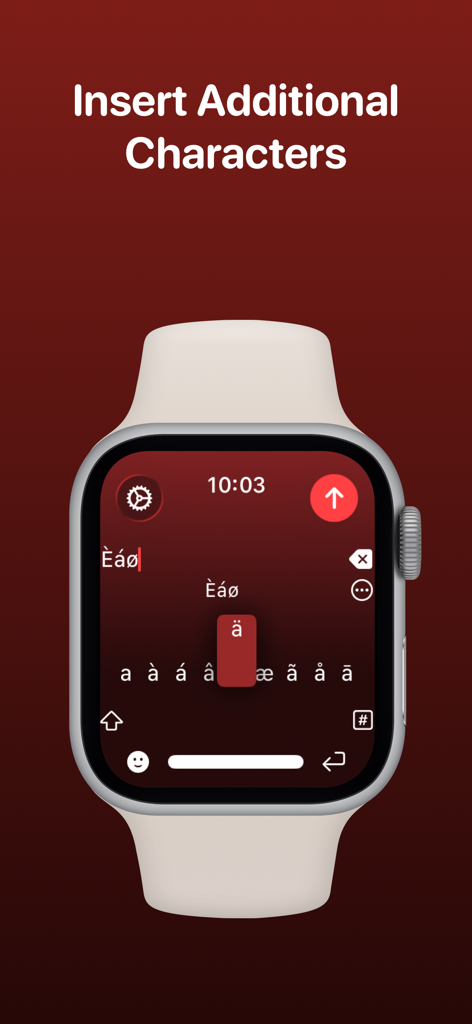
WristBoard - Watch Keyboard - Schermata di Apple Watch che mostra la selezione di caratteri accentati e speciali nell'app WristBoard.
Schermata di Apple Watch che mostra la selezione di caratteri accentati e speciali nell'app WristBoard.

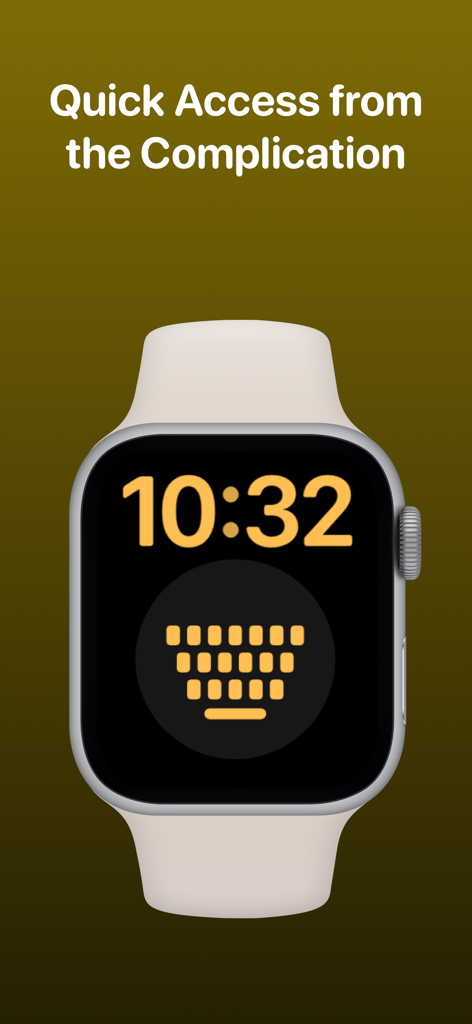
WristBoard - Watch Keyboard - Quadrante di Apple Watch con la complicazione della tastiera WristBoard per un accesso rapido.
Quadrante di Apple Watch con la complicazione della tastiera WristBoard per un accesso rapido.

WristBoard - Watch Keyboard - Loghi di pubblicazioni tecnologiche che hanno presentato WristBoard, tra cui 9to5Mac Cult of Mac iMore AppAdvice e TechRadar

Loghi di pubblicazioni tecnologiche che hanno presentato WristBoard, tra cui 9to5Mac Cult of Mac iMore AppAdvice e TechRadar

Descrizione

Swipe and type messages on your Apple Watch using a fully functional keyboard with WristBoard. * As featured on the App Store, 9to5Mac, Cult of Mac, iMore, AppAdvice, TechRadar & iPhon.fr * Typing messages on Apple Watch can be chore - Scribble doesn't always work and Dictation isn't great in public spaces. With WristBoard, you get a fully-fledged keyboard straight on your wrist, no awkward typos necessary! By adding a full QWERTY, AZERTY or QWERTZ keyboard to your Apple Watch, you can reply to iMessages quickly and privately. Autocorrect and smart text predictions quickly ensures what you type is accurate and makes senses. WristBoard contains these great features: FULL KEYBOARD Add a full QWERTY, AZERTY or QWERTZ keyboard to your Apple Watch. Keys are easy to press and there’s support for key previews as you swipe along the keyboard. SWIPE KEYBOARD WristBoard was the first app to introduce swipe typing on Apple Watch and provides a more efficient way to type out messages on your wrist. SENDING WristBoard uses the built-in Apple Messages app on your Apple Watch to send messages to your contacts. Type out your message, tap the send button and you’ll be taken to the Messages app with your message ready to go! There's support for the Apple Mail app too so you can emails all from your wrist! SUGGESTIONS As you’re typing, you can complete words using the suggestions bar above the keys. Tap on a suggestion to replace the current typed word with the full suggestion. Great for improving speed on the small screen! Access all suggestions by tapping the ellipsis icon next to the first suggestions. AUTOCORRECT Whilst typing, if you make a mistake, WristBoard will automatically replace the incorrect word with one it thinks is correct. OTHER CHARACTERS WristBoard has full support for adding symbols, numbers and other special characters. EMOJI WristBoard supports adding an unlimited amount of emoji to a single message! Simply tap the emoji icon to get started and pick from Apple’s library, or one of your most recently used ones. THEMES Customise the look and feel of your keyboard with support for themes. MESSAGE PREVIEW Before sending your message, just tap the text field to view a full preview of your message. HAPTICS Choose to receive Haptic Feedback on actions like key presses and button actions. COMPLICATION For quick and easy access, you can add the WristBoard Complication to your Watch Face. Just tap and the keyboard will launch. CURSOR Whilst typing on the keyboard, you can see exactly where you are with the pulsing blue cursor. Use the Digital Crown to move the cursor's position. SETTINGS Customize WristBoard your way. Access the Settings menu by using the options button on the keyboard and you’ll be able to change the layout and toggle auto correct, suggestions & more. If you like this app, I’d really appreciate it if you could take the time to leave a positive review! Having issues? Please get in touch: Email: support@adamfoot.dev Website: https://adamfoot.dev Please note, a supported Apple Watch is required for full app functionality. WristBoard supports sending messages via SMS & iMessage through the Messages app or email through the Mail app. Some features may require a WristBoard+ subscription which can be purchased in the app. You can cancel at anytime. Terms: https://adamfoot.dev/terms-of-use

Download

Scarica su App Store

Questa pagina non è una pagina ufficiale dell'app o del suo sviluppatore, ma una pubblicazione editoriale indipendente creata a scopo informativo e di commento. Salvo espressa indicazione contraria, né l'app né il suo sviluppatore sono affiliati, approvati, sponsorizzati, autorizzati o altrimenti ufficialmente collegati a MWM, Apple, Google Play, all'editore dell'app o allo sviluppatore dell'app, e nulla in questa pagina implica che l'app sia stata sviluppata utilizzando i servizi di MWM. Tutti i marchi, loghi, screenshot e altri contenuti rimangono di proprietà dei rispettivi proprietari.








