21 Day Slimple - The Easy Fix!

21 Day Slimple - The Easy Fix!

ダウンロード: App Store
ロゴ: 21 Day Slimple - The Easy Fix!

21 Day Slimple:あなたのフィットを、あなたのやり方で追跡する最も簡単な方法

コンテナ、水分補給、ワークアウトを完全に管理しましょう。最終的に、0.25単位のポーション精度とサイクル管理を備えたセルフペースの21日間コンパニオンが、あなたの現実のスケジュールにフィットします。

ダウンロード: App Store

開発元

Marc Balzarini

カテゴリ

Health & Fitness

ダウンロード

1K+

ユーザー評価

1.0/5

評価数

0

対応言語

1

Slimpleの違いを見てみよう

このインターフェースを利用する 1K+ 人のユーザー.

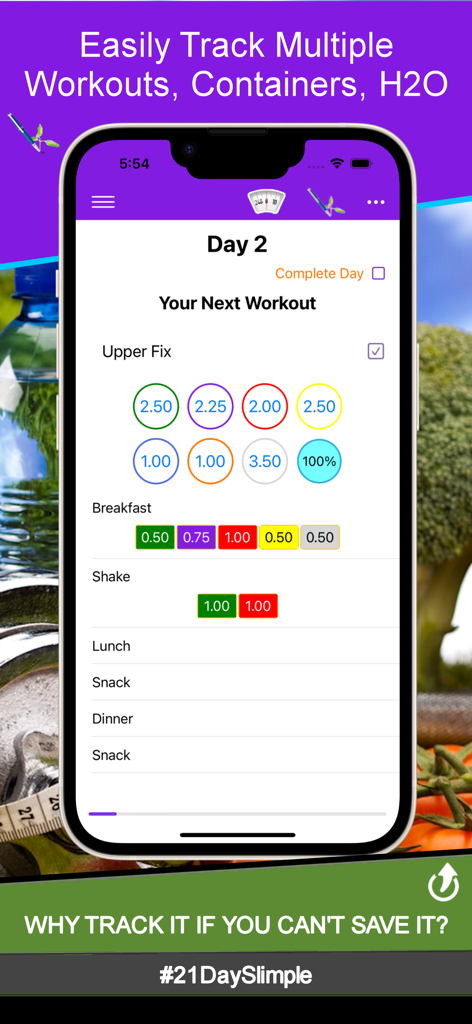
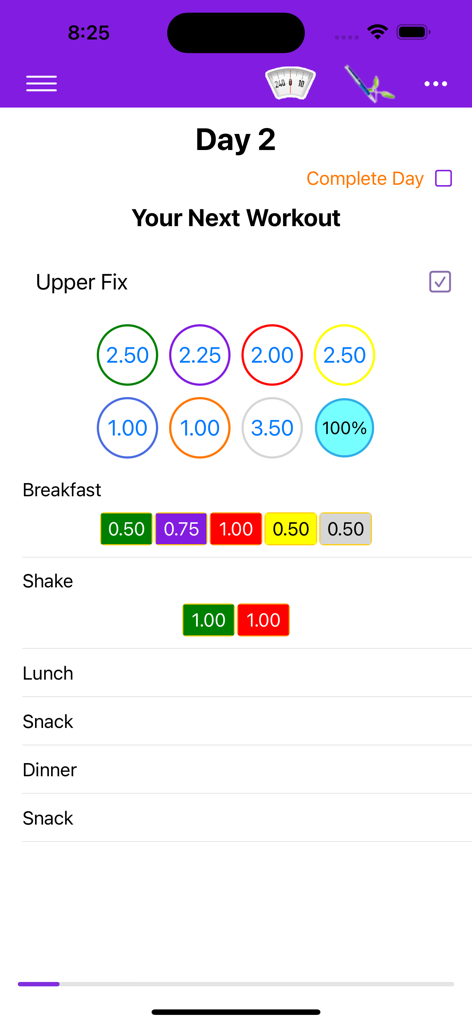
21 Day Slimpleアプリのインターフェース。2日目のワークアウトと、食事のための色分けされたコンテナポーションの追跡が表示されています。

21 Day Slimpleアプリのインターフェース。2日目のワークアウトと、食事のための色分けされたコンテナポーションの追跡が表示されています。

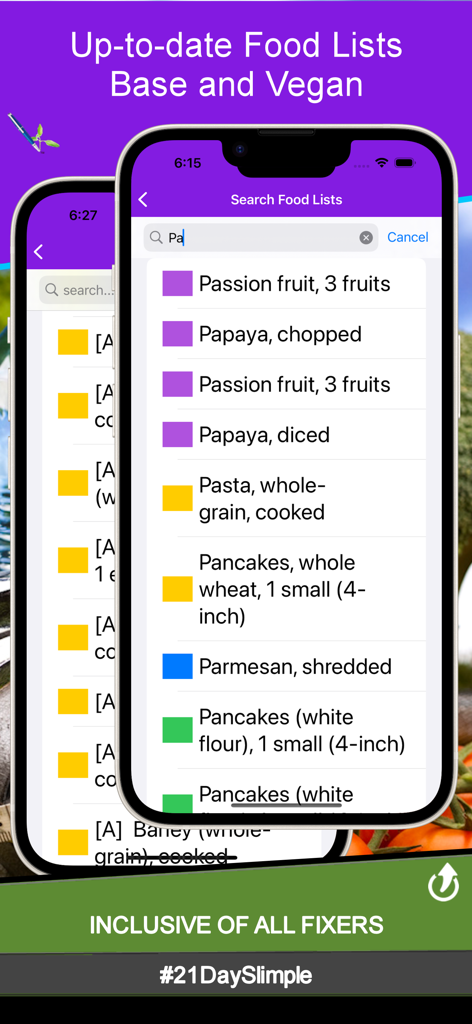
21 Day Slimpleアプリのモバイルインターフェース。検索可能な食品リストと、健康的な食事のための色分けされたポーションコンテナが表示されています。

21 Day Slimpleアプリのモバイルインターフェース。検索可能な食品リストと、健康的な食事のための色分けされたポーションコンテナが表示されています。

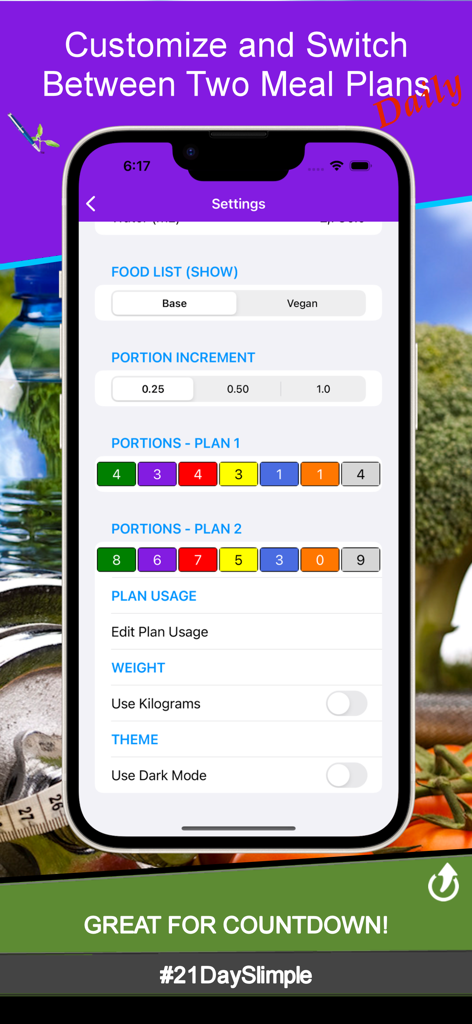
21 Day Slimpleアプリの設定画面。2つの食事プランとポーションの増分に対するカスタマイズが表示されています。

21 Day Slimpleアプリの設定画面。2つの食事プランとポーションの増分に対するカスタマイズが表示されています。

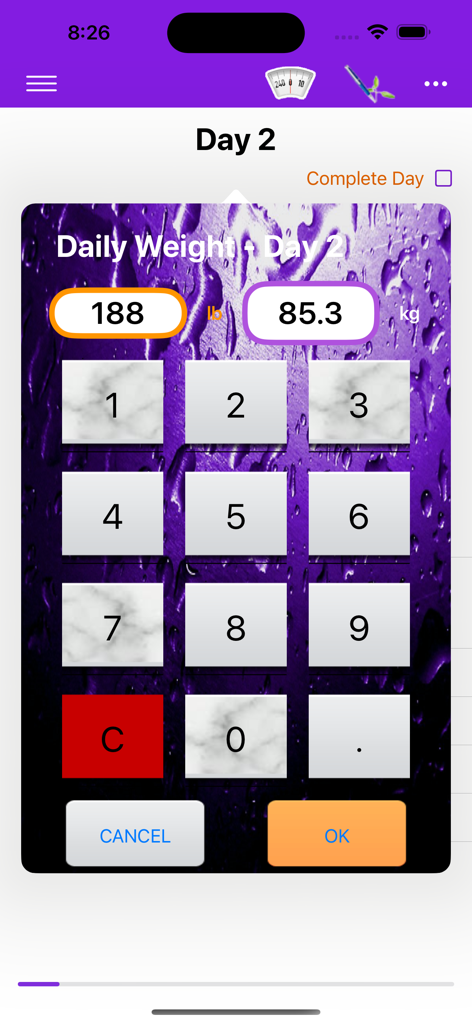
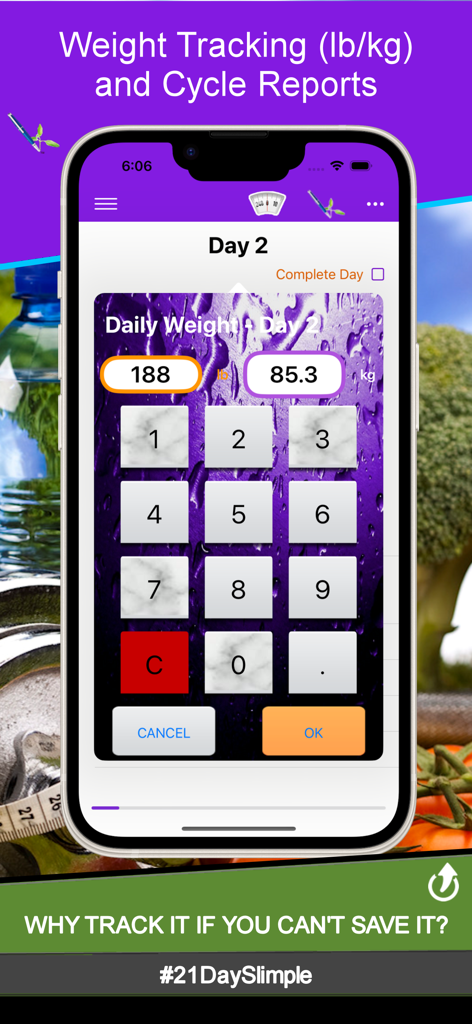
21 Day Slimpleアプリの体重入力画面。数字キーパッドが表示されています。

21 Day Slimpleアプリの体重入力画面。数字キーパッドが表示されています。

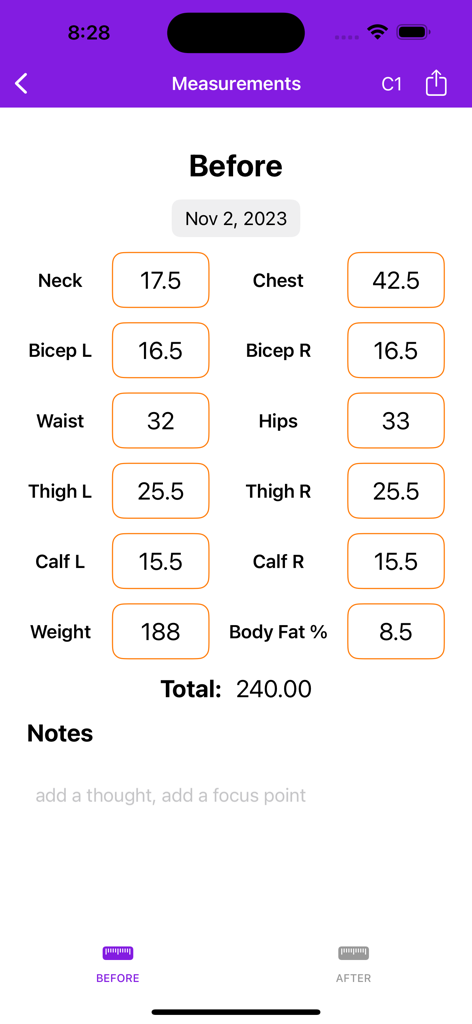
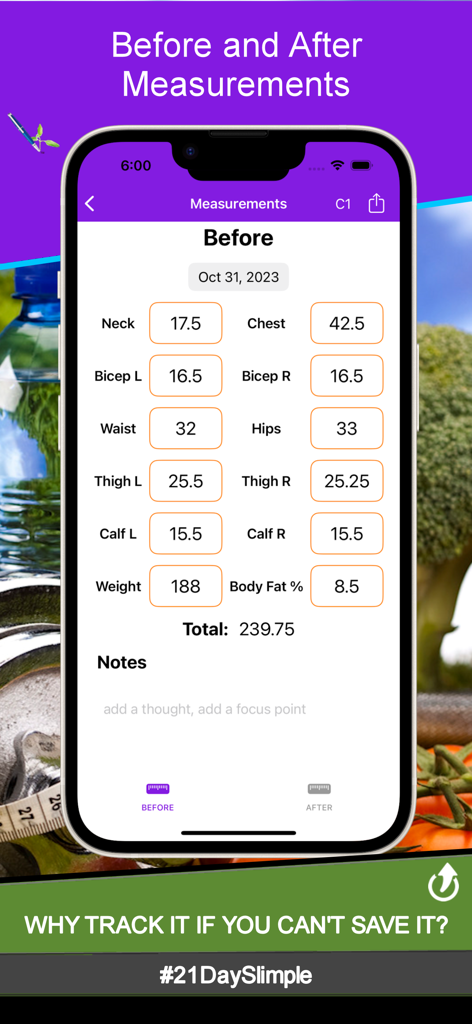
21 Day Slimpleアプリの測定前追跡画面。首、胸、上腕二頭筋、ウエスト、腰、太もも、ふくらはぎ、体重の統計が表示されています。

21 Day Slimpleアプリの測定前追跡画面。首、胸、上腕二頭筋、ウエスト、腰、太もも、ふくらはぎ、体重の統計が表示されています。

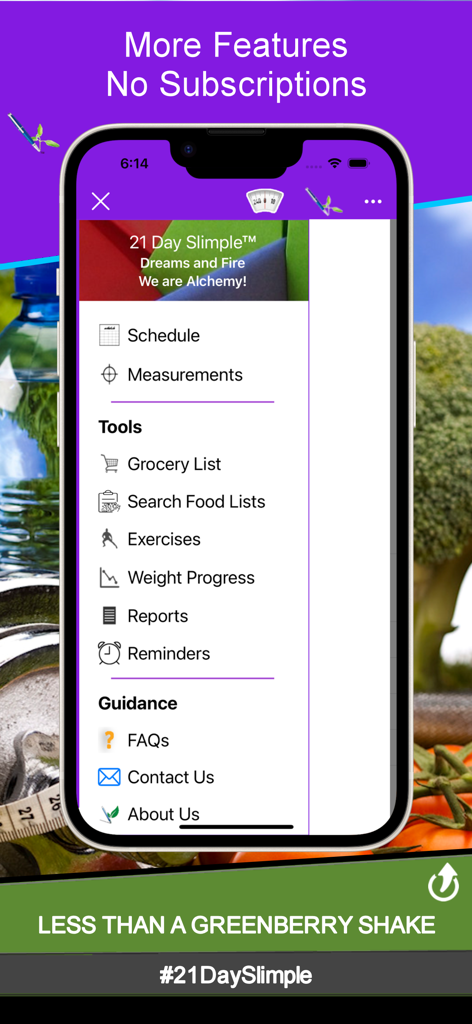
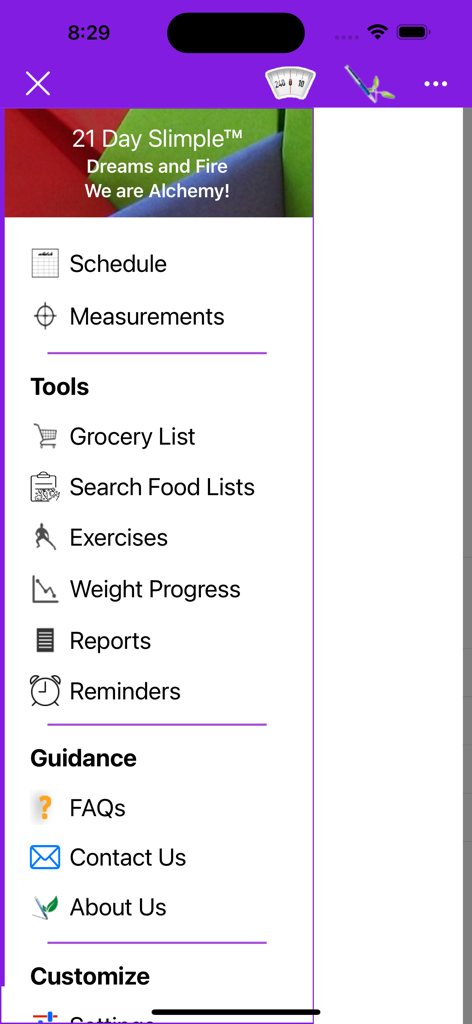
iPhone画面。21 Day Slimpleアプリのナビゲーションメニューが表示され、フィットネスと栄養追跡のオプションが含まれています。

iPhone画面。21 Day Slimpleアプリのナビゲーションメニューが表示され、フィットネスと栄養追跡のオプションが含まれています。

21 Day Slimpleアプリのインターフェース。毎日のワークアウトと色分けされた栄養コンテナポーションの追跡用です。

21 Day Slimpleアプリのインターフェース。毎日のワークアウトと色分けされた栄養コンテナポーションの追跡用です。

21日間のフィットネスサイクルの2日目の体重追跡画面を示すモバイルアプリのインターフェース。数字キーパッドと、ポンドとキログラムでの体重入力フィールドが表示されています。

21日間のフィットネスサイクルの2日目の体重追跡画面を示すモバイルアプリのインターフェース。数字キーパッドと、ポンドとキログラムでの体重入力フィールドが表示されています。

体組成測定と体重の進捗を追跡するためのモバイルアプリインターフェース。

体組成測定と体重の進捗を追跡するためのモバイルアプリインターフェース。

21 Day Slimpleアプリのサイドバーナビゲーションメニュー。フィットネストラッキングツールと測定オプションが表示されています。

21 Day Slimpleアプリのサイドバーナビゲーションメニュー。フィットネストラッキングツールと測定オプションが表示されています。

あなたの変化を、あなたのやり方で追跡

このアプリを際立たせるツール、 1K+ 人のユーザーが選択.

セルフペースの日管理

人生は常にカレンダー通りに進むわけではありません。手動の「完了」ボタンでコントロールし、準備ができたときだけ進めるようにしましょう。遅れていると感じることはありません。

🍱

超精密なポーション設定

0.25単位の精度でコンテナを記録しましょう。食事の名前をカスタマイズし、プランを簡単に切り替えて、あなたのユニークな栄養ニーズに合わせることができます。

📊

実行可能な進捗レポート

体重グラフと測定記録であなたの努力を可視化しましょう。プロフェッショナルなPDFレポートを生成して、あなたの勝利を祝い、フィットネスコミュニティと共有しましょう。

アプリについて

について知っておくべきこと 21 Day Slimple - The Easy Fix!.

説明

The 21 Day Slimple app is the simplest way to track your 21 Day program workouts, containers, and water. Fix it! Track it! Share it! *This app differs from the 21 Day tracking apps in that it allows you to control the when you move to the next day/workout* Why use this app? Simple, more bang for your buck! No other 21 Day app is simpler, gives you more features, more ways to track your progress, or better support! Not even the Official Beachbody app which launched a year after 21 Day Slimple! Beachbody is your community and these are your tools! Compare and contrast our features with the others. Highlights: - base 21 Day schedule - extreme 21 Day schedule - Switch between cycles! - Before and After measurement tracking (Photos soon) - Up-to-date Base and Vegan food list - Weight & Measurement reports and chart - why track it if you can't view it? Share your progress! - 0.25 portion increments (we all eat uniquely) - 2 meal plans. Yes two! Switch between them throughout your cycle. * Great for the Countdown Competition / boot camp diet or slowly changing your portions. - Add multiple workouts per day! - Reminders - Hydrate, Getup/Move, Time to Eat! - Grocery List - create a list right from the food lists. Container Tracking: - Don't just mark a container as used - know what meal it was used for! * Customize the meal names - Breakfast, Shake, Lunch... - 0.25 portion increments (we all eat uniquely) - Edit container portions anytime! and switch between 2 plans * Great for the Countdown Competition / boot camp diet or slowly changing your portions. Food List - Up to date food list or Vegan food list - eat clean and cleaner! * No more carrying around your book! Daily Weight Tracking - use LB or KG - View your progress with each entry. - Weight Report - generated and saved! Weight Progress Chart - See and share your progress as you move thru your cycle - View in LB or KG Measurements - Track how your body changes! - Before / After tracking, total, and share. - Measurement Reports show the change between each body part as well as total (in or cm) Water Tracker - We don't always drink using an 8 oz cup so why track that way? - Select between a myriad of water bottle sizes! - Edit H2O qty anytime! Reminders - Stay Active and Hydrated! - Set reminders throughout the day to drink water and get up n move. Reports - Why track it if you can't view it? - Cycle Measurement Reports (before / after comparison) - Cycle Weight Report (all 21 days in one PDF) Exercises - Add custom workouts to your day - Build your own 21 day program with your workouts! Cycle Manager: - At the end of your 21 day cycle just add another cycle. * You will not lose all your data in this app when you start a new cycle! * Reset current cycle without resetting the app! ************* QUICK QUESTIONS ************* * How do I move to Day 2? - The 21 Day Slimple app is a self-paced 21 day cycle-based app. To increment to the next scheduled day, simply click the Complete Day button. * Do I have to lose all my information to start another round? - Absolutely not! The 21 Day Slimple app includes a cycle manager. A cycle manager?! What does that mean Tone? It means that at the end of your 21 days you simply add another cycle and can track another 21 days. Permissions * * Storage and Notification permissions are needed for report/photo generation, and for reminder notifications * * #21DaySlimpleSP by The Modern Pen and Paper Company® Creating apps that save more than time! Designed, compiled, and proud to say, Made in U.S.A.

最新バージョン

1.0.7

サイズ

3.1 MB

リリース日

2023年11月5日

次の21日間サイクルを成功させる準備はできましたか?

あなたの忙しい生活のためにデザインされた、最もシンプルなコンテナとワークアウトトラッカーをダウンロードしましょう。強制的なスケジュールも、複雑さもなし—あなたの条件で、あなたが当然受けるべき結果だけが得られます。

ダウンロード: App Store

App information, icons, screenshots, and descriptions displayed on this page are sourced from the Apple App Store and are the property of their respective developers. Download estimates and rankings are based on MWM's proprietary models and may not reflect actual figures. This page is provided for informational and analytical purposes only.

Believe this page infringes your intellectual property? File a dispute