Accessibility Checker - AI EAA

Accessibility Checker - AI EAA

ダウンロード: App Store
ロゴ: Accessibility Checker - AI EAA

アクセシビリティ・チェッカー - AI EAA:外出先でもコンプライアンスとインクルーシブデザインをマスター

モバイルサイトの監査、WCAG 2.1/3.0カラーコントラストの検証、AIによる精密なADAおよびEAAコンプライアンスの確保を実現する、デザイナーと開発者のための究極のプロフェッショナルツールキット。

ダウンロード: App Store

開発元

Accessible Resources Ltd

カテゴリ

Utilities

ダウンロード

33K+

ユーザー評価

3.0/5

評価数

0

対応言語

1

アクセシビリティの可視化

このインターフェースを利用する 33K+ 人のユーザー.

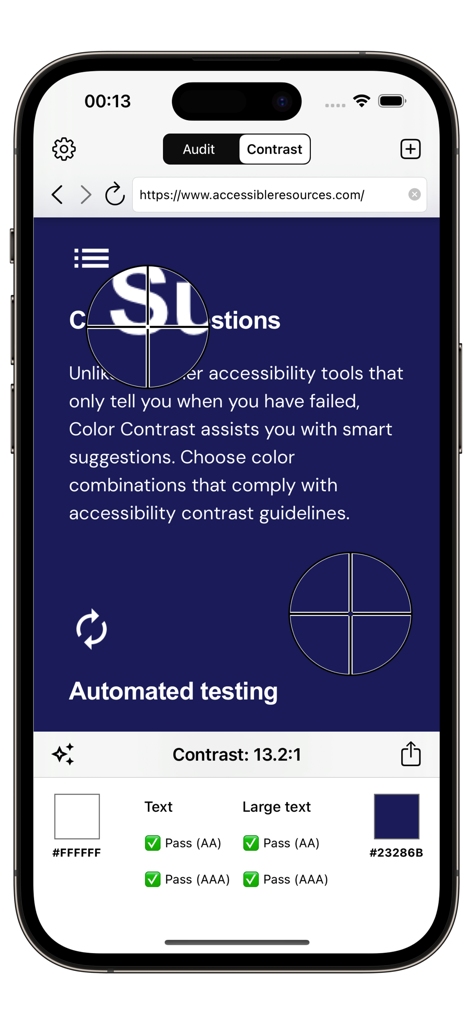
WCAGの結果に合格したカラーコントラストテストを表示するモバイルアプリのインターフェース

WCAGの結果に合格したカラーコントラストテストを表示するモバイルアプリのインターフェース

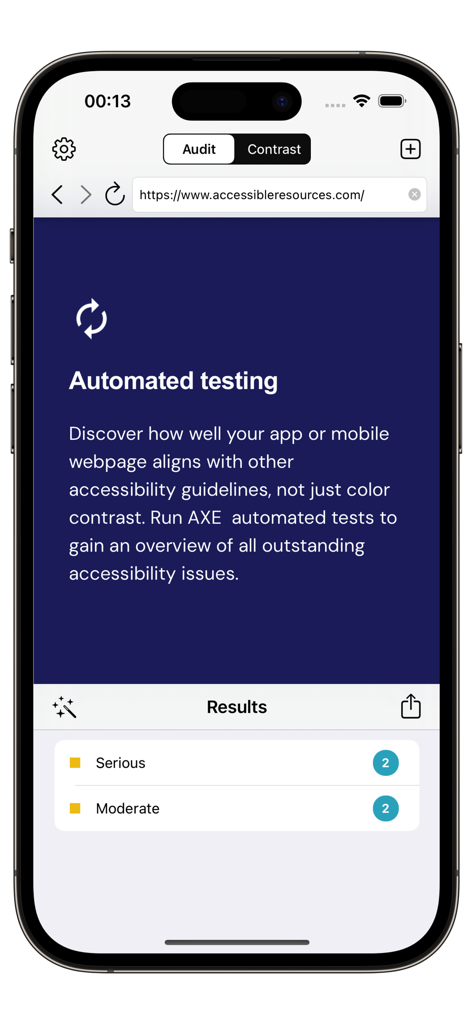
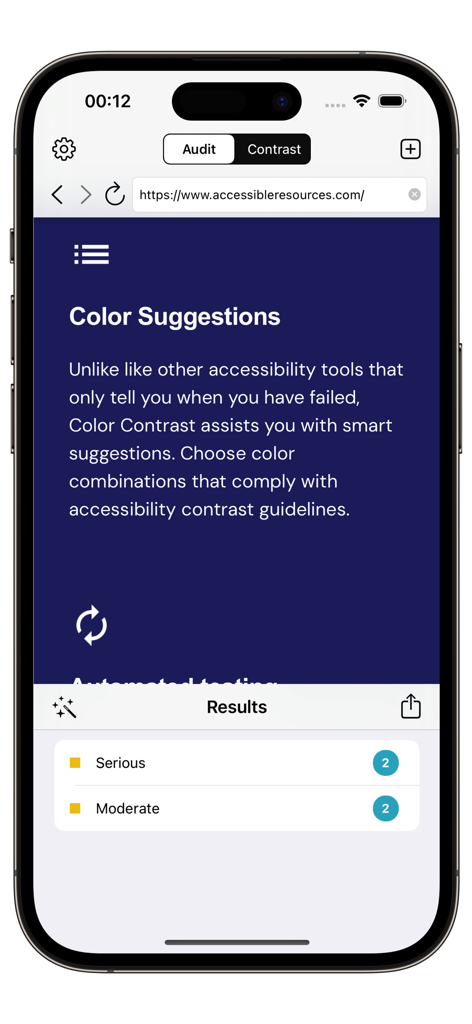
モバイルウェブサイトの自動アクセシビリティテスト結果を表示するアクセシビリティ・チェッカー・アプリのスクリーンショット。

モバイルウェブサイトの自動アクセシビリティテスト結果を表示するアクセシビリティ・チェッカー・アプリのスクリーンショット。

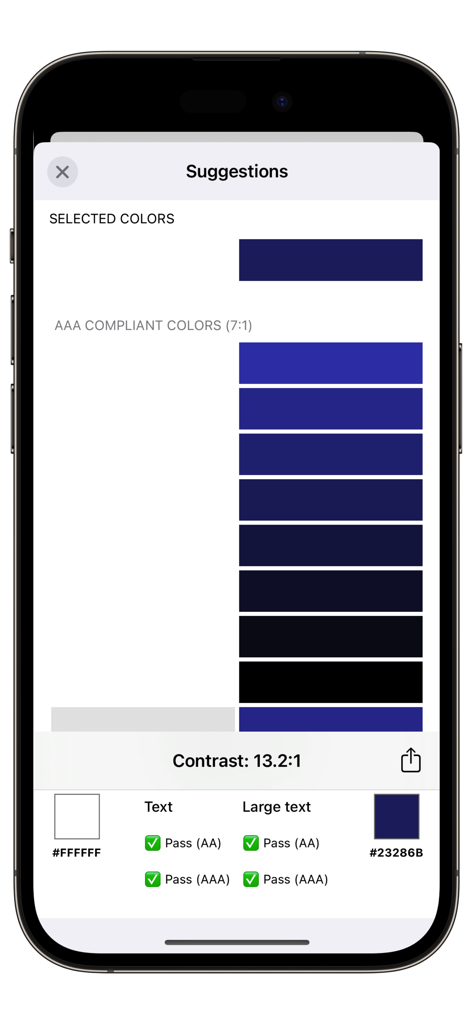
13.2対1の比率と、AAおよびAAAレベルのWCAGコンプライアンス合格を示すカラーコントラストチェックを表示するモバイルアプリのインターフェース。

13.2対1の比率と、AAおよびAAAレベルのWCAGコンプライアンス合格を示すカラーコントラストチェックを表示するモバイルアプリのインターフェース。

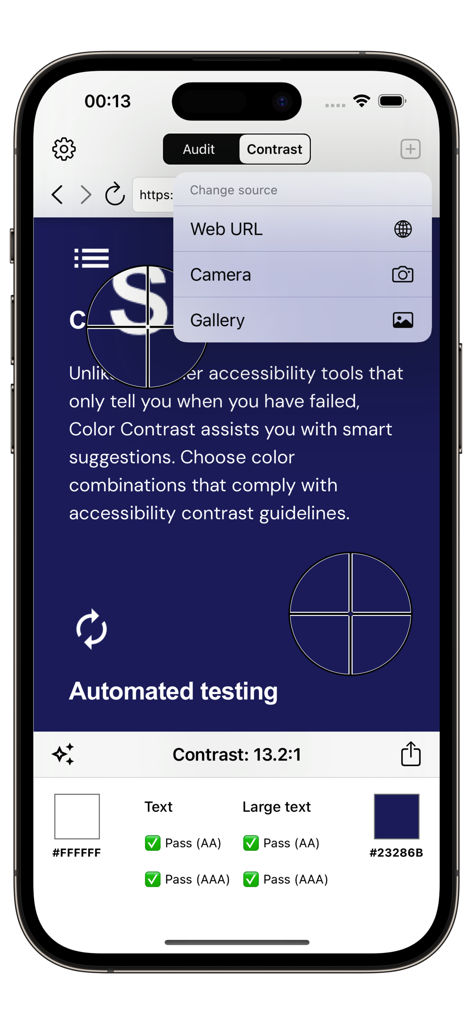
アクセシビリティ・チェッカー・アプリを使用して、WCAGコンプライアンスステータスを示すモバイルウェブサイトのカラーコントラスト分析

アクセシビリティ・チェッカー・アプリを使用して、WCAGコンプライアンスステータスを示すモバイルウェブサイトのカラーコントラスト分析

重大な問題や中程度の問題を含む、ウェブサイトの自動監査結果を表示するiPhone上のアクセシビリティ・チェッカー・アプリのインターフェース。

重大な問題や中程度の問題を含む、ウェブサイトの自動監査結果を表示するiPhone上のアクセシビリティ・チェッカー・アプリのインターフェース。

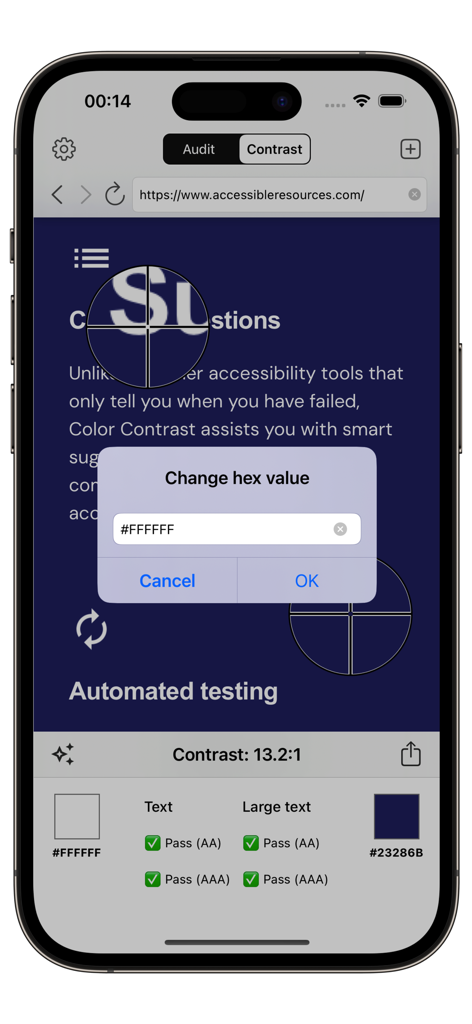
WCAG AAAアクセシビリティ・コンプライアンスのカラーコントラスト提案と合格結果を表示するモバイルアプリの画面

WCAG AAAアクセシビリティ・コンプライアンスのカラーコントラスト提案と合格結果を表示するモバイルアプリの画面

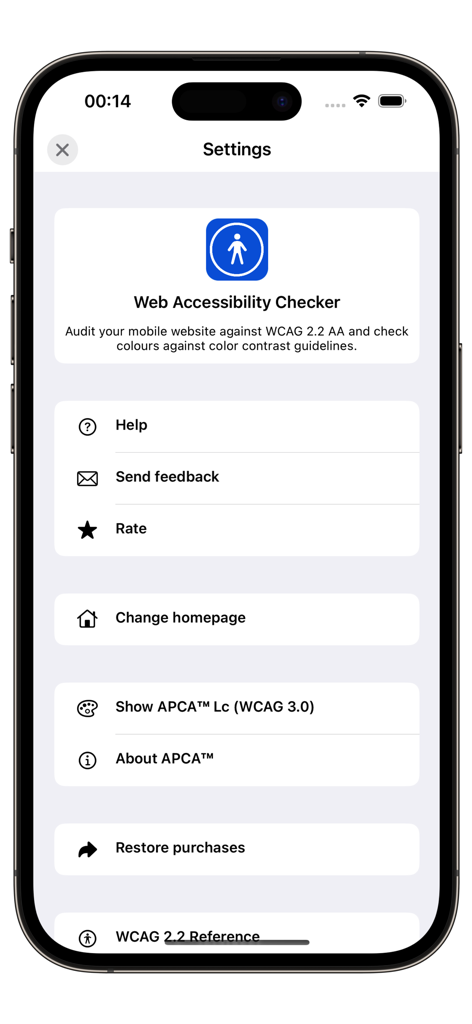
WCAG 2.2およびAPCA WCAG 3.0監査のオプションを表示するアクセシビリティ・チェッカー・アプリの設定画面

WCAG 2.2およびAPCA WCAG 3.0監査のオプションを表示するアクセシビリティ・チェッカー・アプリの設定画面

自信を持ってインクルーシブなデジタル製品を構築

このアプリを際立たせるツール、 33K+ 人のユーザーが選択.

🚀

即時の自動監査

AxeCoreを使用してモバイルウェブサイトをスキャンし、重大なアクセシビリティ違反を検出し、法的リスクを数秒で排除します。

🌈

高度なコントラスト分析

直感的なカラーピッキングと開発者向けのコードエクスポートにより、WCAG 2.1および3.0標準に照らしてテキストの可読性を検証します。

📄

プロフェッショナルなコンプライアンスレポート

詳細な監査レポートを即座に生成・共有し、ステークホルダーとの調整、デザイン決定の正当化、アクセシビリティの進捗状況の記録に役立てます。

アプリについて

について知っておくべきこと Accessibility Checker - AI EAA.

説明

The European Accessibility Act (EAA) is legislation adopted by the European Union (EU) aimed at improving the accessibility of products and services for people with disabilities across the EU. The act sets out harmonized accessibility requirements for a range of products and services, making it easier for people with disabilities to participate fully in society and the economy. Accessibility Checker can help assess websites for compliance with the EAA - while full conformance checking will require manual testing, a set of automated tests can determine a baseline level of accessibility and give an indication as to the level of conformance. There are two tools provided: 1. Run an automated accessibility test using AxeCore against a website. This will detect and provide a list of accessibility issues. 2. Color Contrast is a tool to measure the contrast between two colors in a screenshot or mobile website, helping ensure your app meets the internationally recognized recommendations in the Web Content Accessibility Guidelines (WCAG), for both versions 2.1 and 3.0 (Silver) Color Contrast has the following features: + Verify that the color contrast between two colors in an app, website or photo is sufficient to pass WCAG 2.1 accessibility guidelines / Section 508. + View suggested colors + Generate a report that can be shared using SMS, Email or Notes. + Verify color contrast directly from Safari and Photos app. To use Color Contrast 1. Load an image or website by tapping the icon in the top right corner. The image can be an existing image from the Photo Library or a new picture taken with the camera. Enter a URL to load a mobile website. 2. Move each color picker in turn to select two colors. You can also pan around the image by swiping left/right/up/down or pinch to zoom in/out. 3. The Color Contrast results will be displayed at the bottom of the screen. 4. Tap the 'Share' icon to create a report that can be emailed, added to notes, copied or saved to your Photo Library. About WCAG 2.2 WCAG 2.2 accessibility guidelines have three levels of compliance, A, AA and AAA. When considering large text (i.e. text which is above 18pt or larger), the minimum AA color contrast ratio is 3:1 and for AAA the ratio is 4.5:1. For normal text, the AA color contrast ratio is 4.5:1 and for AAA the color contrast ratio is 7:1. For more information about WCAG 2.2, see https://www.w3.org/TR/WCAG22/ * WCAG 3.0 (Silver) * The W3C Accessibility Guidelines 3.0 (Silver) reference an experimental color algorithm known as S-LUV Advanced Perceptual Contrast (SAPA) or Advanced Perceptual Contrast Algorithm (APCA). This algorithm can be enabled within the app via left-hand menu. To re-iterate, this algorithm is experimental and is likely to change in future. For more information on SAPC-APCA, visit https://github.com/Myndex/SAPC-APCA/ Copy colors to clipboard With Color Contrast you can also copy the current color to the clipboard in the follow formats: - HTML Hex (e.g. #EEFFEE) - UIColor from RGBA (e.g. UIColor(red:0, green:0, blue:0, alpha:0) ) - UIColor from HSB (e.g UIColor(hue:0, saturation:0, brightness:0, alpha:0)) We are continually improving Accessibility Checker, if you have any questions or feedback, please contact info@accessibleresources.com

最新バージョン

6.2

サイズ

28.2 MB

リリース日

2016年3月30日

すべてのピクセルをアクセシブルでコンプライアンスに準拠したものに

33,000人以上の開発者やデザイナーと共に、AI監査を活用してWCAG標準を満たし、ADA訴訟からビジネスを守りましょう。

ダウンロード: App Store

App information, icons, screenshots, and descriptions displayed on this page are sourced from the Apple App Store and are the property of their respective developers. Download estimates and rankings are based on MWM's proprietary models and may not reflect actual figures. This page is provided for informational and analytical purposes only.

Believe this page infringes your intellectual property? File a dispute