Authenticator App ・

Authenticator App ・

ダウンロード: App Store
ロゴ: Authenticator App ・

Authenticator App ・: iPhoneとApple Watchのためのプロフェッショナル2FAセキュリティ

暗号化され、オフラインでも利用可能な認証でデジタルIDを保護します。Face ID、プライベートiCloudバックアップ、iOSウィジェットや手首からのコードへの即時アクセスでアカウントを保護しましょう。

ダウンロード: App Store

開発元

TEAM V GAMES OYUN YAZILIM VE PAZARLAMA ANONIM SIRKETI

カテゴリ

Utilities

ダウンロード

5K+

ユーザー評価

4.5/5

評価数

0

対応言語

8

一目でわかるセキュリティ

このインターフェースを利用する 5K+ 人のユーザー.

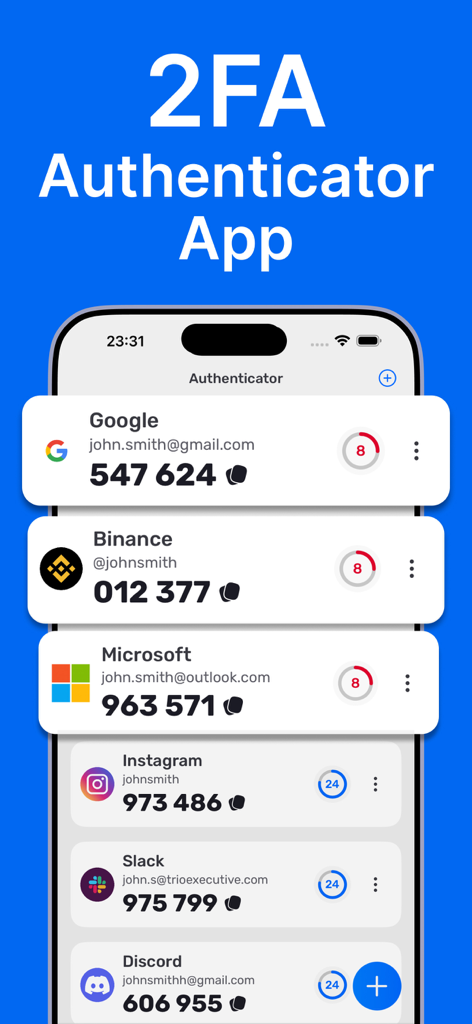
クリーンなiOSモバイルインターフェイス上のさまざまなサービス用の2FA認証コードのリスト

クリーンなiOSモバイルインターフェイス上のさまざまなサービス用の2FA認証コードのリスト

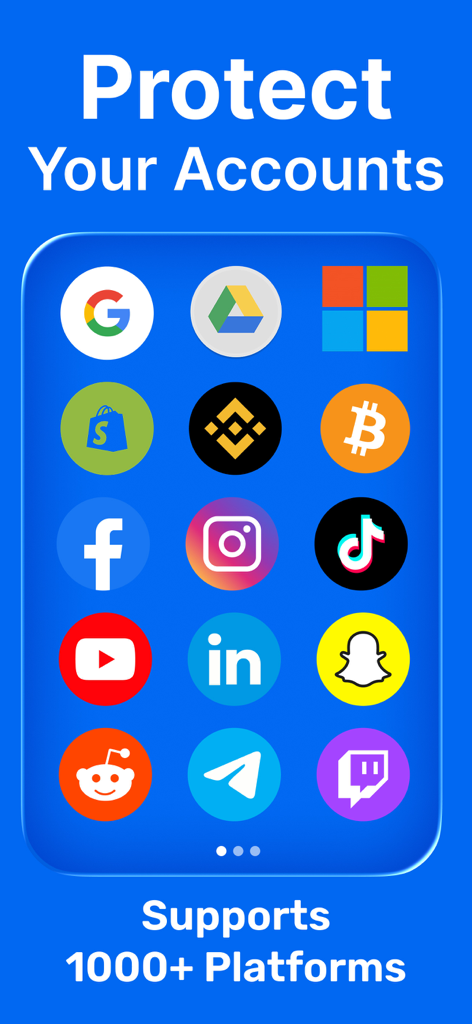
安全な二要素認証をサポートするさまざまなプラットフォームを表示する認証アプリ画面

安全な二要素認証をサポートするさまざまなプラットフォームを表示する認証アプリ画面

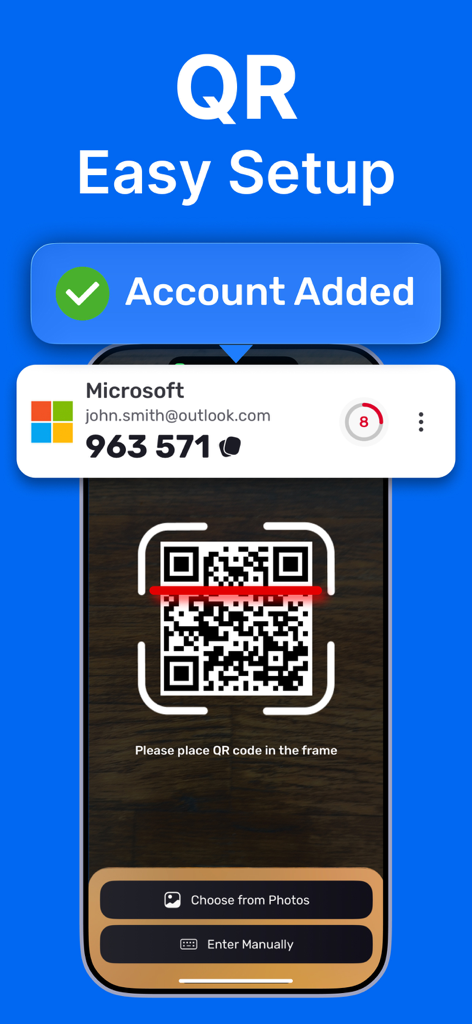
スマートフォンのQRコードスキャンによる簡単なアカウントセットアップと成功通知を表示する認証アプリインターフェイス。

スマートフォンのQRコードスキャンによる簡単なアカウントセットアップと成功通知を表示する認証アプリインターフェイス。

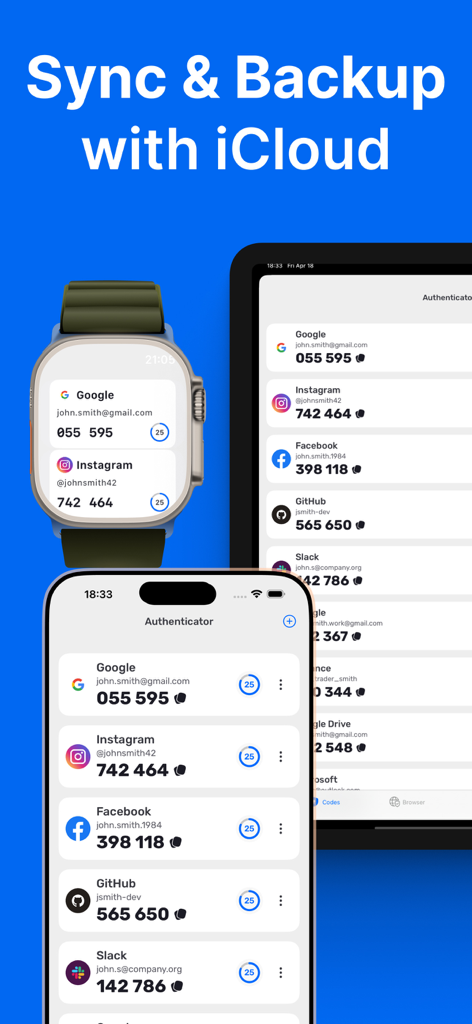
iCloudバックアップ経由でiPhone、Apple Watch、iPad間で同期された2FAコードを表示する認証アプリ

iCloudバックアップ経由でiPhone、Apple Watch、iPad間で同期された2FAコードを表示する認証アプリ

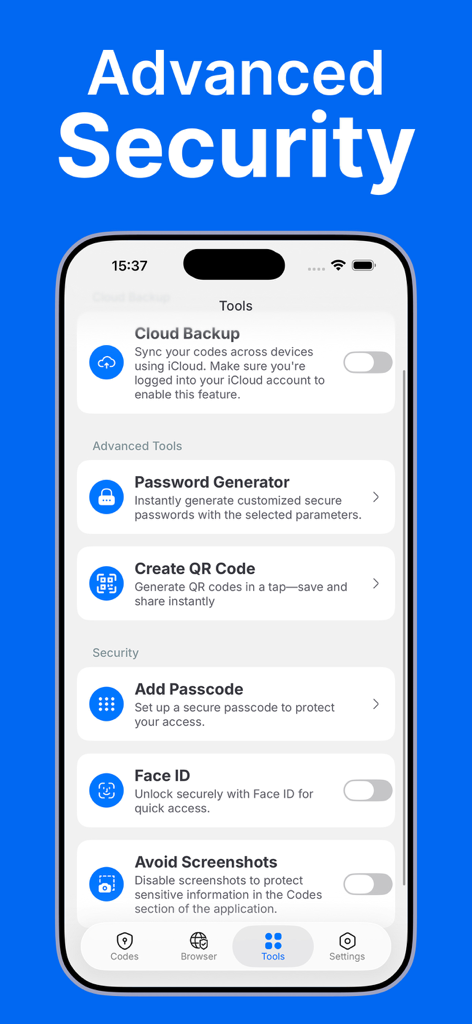
クラウドバックアップ、Face ID、パスワードジェネレーターなどの高度なセキュリティツールを表示する認証アプリのインターフェイス。

クラウドバックアップ、Face ID、パスワードジェネレーターなどの高度なセキュリティツールを表示する認証アプリのインターフェイス。

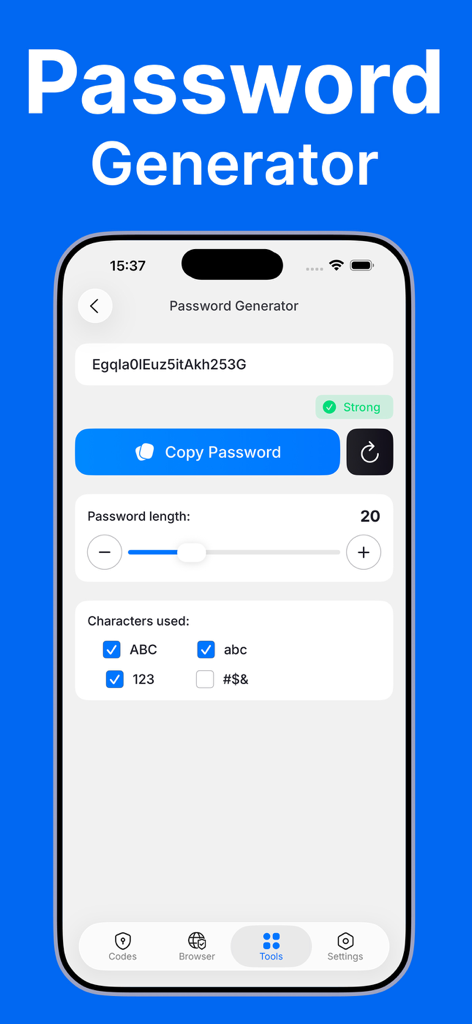
パスワードジェネレーター機能のインターフェイス。長さと文字タイプのカスタマイズオプションを表示。

パスワードジェネレーター機能のインターフェイス。長さと文字タイプのカスタマイズオプションを表示。

デジタルIDを簡単に強化

このアプリを際立たせるツール、 5K+ 人のユーザーが選択.

手首からの認証

Apple Watchまたはホーム画面ウィジェットから2FAコードに即座にアクセスできます。携帯電話に手を伸ばすことなく、ワークスペースや金融アカウントを認証できます。

🛡️

プライバシーファーストアーキテクチャ

あなたの秘密はあなただけのものです。暗号化されたiCloudバックアップと、スクリーンショットや画面録画の試みからコードを自動的に隠す高度な保護機能をご利用ください。

📶

シームレスなオフライン信頼性

QRコードをスキャンして数秒でセットアップできます。インターネット接続がない場所でも、世界中どこでも安全な時間ベースのパスワードを生成できるため、ロックアウトされることはありません。

アプリについて

について知っておくべきこと Authenticator App ・.

説明

# Authenticator App - Protect Your Accounts with Two-Factor Authentication Protect your accounts with a private, fast, and secure authenticator. Generate time-based one-time passwords (2FA/TOTP) for your favorite services and keep them encrypted on your device—ready when you need them, even offline. Features: - Effortless setup Scan a QR code or enter a setup key to add an account in seconds. Codes work offline, so you’re covered even without internet. - Secure. Encrypted. Your 2FA secrets are stored on your device with strong encryption. Access is protected by Face ID or Passcode. - iCloud Backup (Encrypted) Keep a secure, encrypted backup in iCloud so you can restore your codes on a new device when needed. - Apple Watch Support View and copy your verification codes right from your wrist for instant access on the go. - iOS Widgets Add widgets to your Home Screen or Lock Screen for quick code access when every second counts. - Extra Security Controls Face ID / Passcode lock, app-switcher privacy, and screenshot & screen-recording shielding that obscures codes when capture is detected. - Password Generator Create strong, unique passwords in seconds—no more guesswork. - Private Browser Open sign-in pages privately without unwanted tracking. - Works with your favorite services Supports thousands of sites that use TOTP, including Google, Microsoft, Facebook, Instagram, Gmail, Amazon, and many more. Built for Apple platforms: Optimized for iPhone and Apple Watch with smooth performance, accessibility, and native security features. This app is not connected to, endorsed by, or affiliated with any third-party platforms or services it is compatible with. Note: This app generates verification codes for services that support time-based one-time passwords (TOTP). Some services may require additional steps to enable 2FA. Privacy Policy: https://docs.google.com/document/d/17qlEq5t7IcmdIatX7B7uQCShzqPwYMO0mnQJgj6f0B8/edit?usp=sharing Terms & EULA: https://docs.google.com/document/d/1T5LjMl6bv6q7KaO36UxIwEsoZCllshymAqdLWKvHf5M/edit?usp=sharing

最新バージョン

1.6

サイズ

51.1 MB

リリース日

2025年8月10日

数秒であなたのデジタルワールドを保護

暗号化されたiCloudバックアップとApple Watchへの即時アクセスによるプロフェッショナルグレードの保護を体験してください。最も価値のあるアカウントの保護を私たちに託す何千人ものデジタルプロフェッショナルに加わりましょう。

ダウンロード: App Store
FAQ

よくある質問

について知っておくべきこと Authenticator App ・

Authenticator アプリの主な機能は何ですか?

Authenticator アプリは、時間ベースのワンタイムパスワード(2FA/TOTP)を生成することでアカウントを保護します。これらのコードはデバイス上で暗号化されて保存され、オフラインでもアクセスできます。

Authenticator アプリはどのように私の 2FA コードを保護しますか?

Authenticator アプリは、強力な暗号化を使用して 2FA シークレットをデバイスに保存します。これらのシークレットへのアクセスは、Face ID またはパスコードで保護されます。

Authenticator アプリは 2FA コードの iCloud バックアップをサポートしていますか?

はい、Authenticator アプリは安全で暗号化された iCloud バックアップをサポートしています。ユーザーは、このバックアップから新しいデバイスにコードを復元できます。

Authenticator アプリを Apple Watch で使用できますか?

はい、Authenticator アプリは Apple Watch をサポートしています。ユーザーは手元から直接確認コードを表示およびコピーできるため、すぐにアクセスできます。

Authenticator アプリでアカウントを設定するにはどうすればよいですか?

Authenticator アプリは、簡単なセットアップを提供します。ユーザーは QR コードをスキャンするか、セットアップキーを手動で入力することで、数秒でアカウントを追加できます。

Authenticator アプリはパスワードジェネレーターを提供していますか?

はい、Authenticator アプリにはパスワードジェネレーターが含まれています。この機能により、ユーザーは強力でユニークなパスワードをすばやく簡単に作成できます。

Authenticator アプリはどのようなセキュリティ管理を提供していますか?

Authenticator アプリは、Face ID/パスコードロック、アプリスイッチャーのプライバシー、スクリーンショットおよび画面録画の保護を含む、追加のセキュリティ管理を提供します。

Authenticator アプリはオフラインで動作しますか?

はい、Authenticator アプリはオフラインで機能するコードを生成します。これにより、インターネット接続がない場合でも、確認コードへのアクセスを継続できます。

Authenticator アプリでウィジェットを使用できますか?

はい、Authenticator アプリは iOS ウィジェットをサポートしています。ユーザーは、ホーム画面またはロック画面にウィジェットを追加して、コードにすばやくアクセスできます。

Authenticator アプリは多くのオンラインサービスと互換性がありますか?

はい、Authenticator アプリは、Google、Microsoft、Facebook、Instagram、Amazon など、TOTP を使用する数千のサービスで動作します。

App information, icons, screenshots, and descriptions displayed on this page are sourced from the Apple App Store and are the property of their respective developers. Download estimates and rankings are based on MWM's proprietary models and may not reflect actual figures. This page is provided for informational and analytical purposes only.

Believe this page infringes your intellectual property? File a dispute