Blue Iris

Blue Iris

ダウンロード: App Store
ロゴ: Blue Iris

Blue Iris:プライベートカメラネットワークのためのプロフェッショナルリモートアクセス

Blue Iris PCソフトウェア向けの究極のセキュアクライアント。高速H.264ストリーミング、ジオフェンシング自動化、高度な再生機能で監視を完全に制御—クラウドサブスクリプションは不要です。

開発元

Ken Pletzer

カテゴリ

Utilities

ダウンロード

298K+

ユーザー評価

4.0/5

評価数

1K+

対応言語

1

あなたのセキュリティコマンドセンター

このインターフェースを利用する 298K+ 人のユーザー.

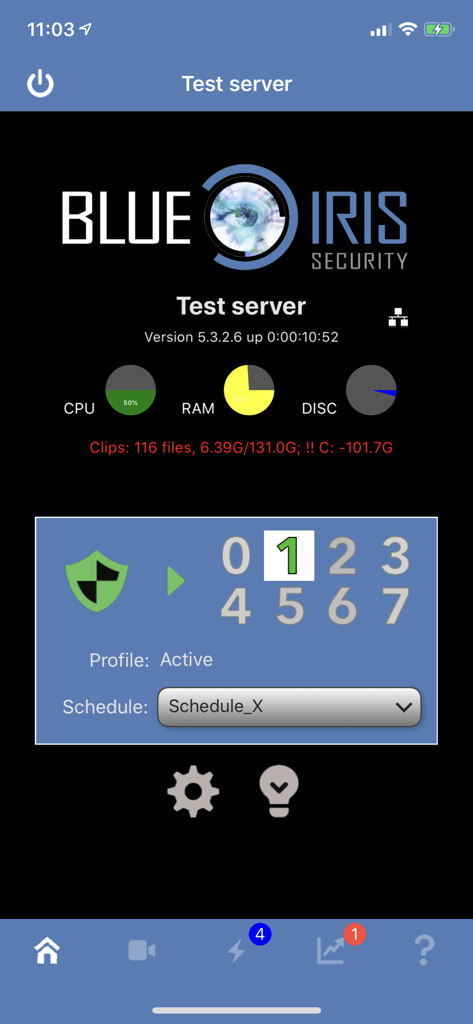
Blue Irisアプリのダッシュボードにサーバーパフォーマンスとセキュリティプロファイルステータスが表示されている

Blue Irisアプリのダッシュボードにサーバーパフォーマンスとセキュリティプロファイルステータスが表示されている

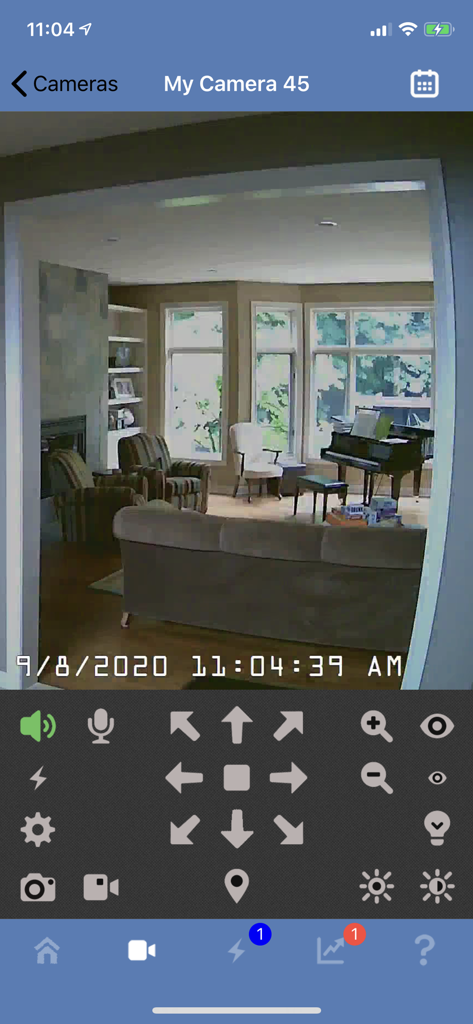
Blue Irisモバイルアプリのインターフェースに、PTZおよびオーディオコントロールを備えたリビングルームのライブセキュリティカメラフィードが表示されている

Blue Irisモバイルアプリのインターフェースに、PTZおよびオーディオコントロールを備えたリビングルームのライブセキュリティカメラフィードが表示されている

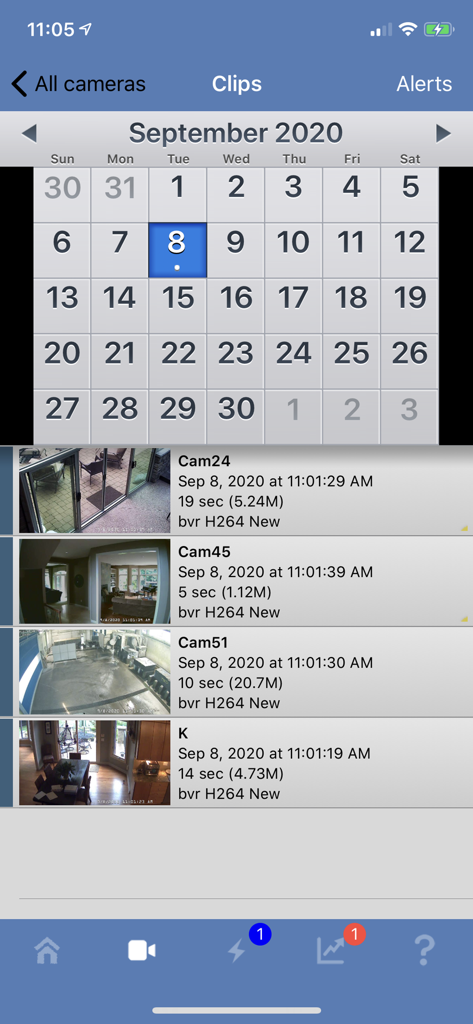
Blue Irisアプリのインターフェースに、タイムスタンプ付きの録画セキュリティカメラビデオクリップのカレンダーとリストが表示されている

Blue Irisアプリのインターフェースに、タイムスタンプ付きの録画セキュリティカメラビデオクリップのカレンダーとリストが表示されている

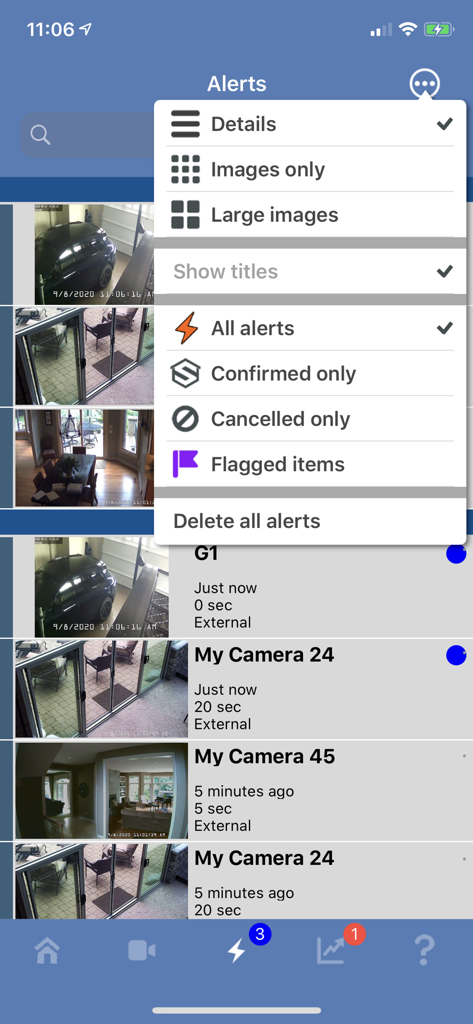
Blue Irisモバイルアプリのアラート画面に、カメラ通知リストとフィルタリングオプションメニューが開かれている

Blue Irisモバイルアプリのアラート画面に、カメラ通知リストとフィルタリングオプションメニューが開かれている

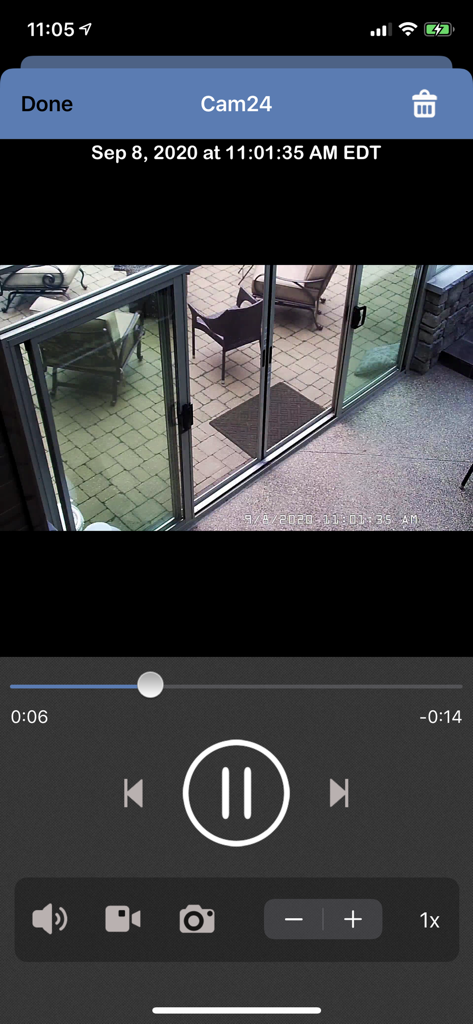
Blue Irisモバイルアプリのインターフェースに、タイムスタンプ付きのパティオのセキュリティカメラビデオ再生が表示されている

Blue Irisモバイルアプリのインターフェースに、タイムスタンプ付きのパティオのセキュリティカメラビデオ再生が表示されている

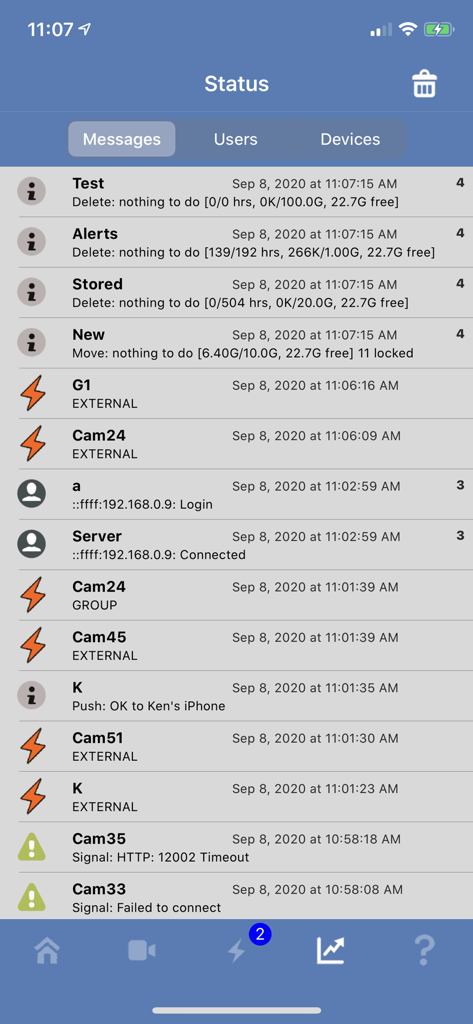
Blue Irisアプリのステータス画面に、システムメッセージとカメラアクティビティログが表示されている

Blue Irisアプリのステータス画面に、システムメッセージとカメラアクティビティログが表示されている

プロフェッショナル監視、あなたの管理下で

このアプリを際立たせるツール、 298K+ 人のユーザーが選択.

🔒

プライバシー第一のセキュアアクセス

クラウドストレージや月額料金は不要です。セキュアなセッションベースのプロトコルを介してWindows PCに直接接続し、プライベートフィードがあなたの管理下を離れないようにします。

📍

スマートジオフェンシングとアラート

ホームセキュリティを自動化します。あなたの現在地に基づいてシステムを自動的にアームまたはディスアームし、カメラがトリガーされた瞬間にインスタントプッシュ通知を受け取ります。

高性能再生

低遅延でH.264ビデオをストリーミングし、最大64倍速で映像を確認できます。PTZコントロールと双方向オーディオにより、リアルタイムで環境を管理できます。

アプリについて

について知っておくべきこと Blue Iris.

説明

This app is a CLIENT for the Blue Iris Windows PC software. In order to make use of this app, you must have Blue Iris version 5 installed and running on a Windows PC or VM. Instructions for connecting this app to the PC software are found in the Remote Access chapter of its Help file. This app provides a single point of contact to your home camera network. There is no need to insecurely open individual cameras to the Internet. This app connects using a secure and session-based protocol--no passwords are transmitted in plain text. Remote access does require router configuration or NGROK, which you can test without the app by using Safari. You should see your Blue Iris login page. Key features include: - Manage multiple Blue Iris installations - Geofencing: set status, send alerts, and more in response to device location * - Control the shield icon, schedule and profile selection - Receive iOS push notification alerts when a Blue Iris camera is triggered or there is a critical status message - Fast H.264 streaming - Control PTZ, IR and more for any camera that’s also controllable at the Blue Iris PC - Listen to and talk to any camera that’s also supported at the Blue Iris PC - Navigate cameras by tapping and swiping - Review recordings as stored on the Blue Iris PC, up to 64x speed - Download recorded video from the Blue Iris PC to the iOS device - Selectively delete recordings from the Blue Iris PC - Broadcast live video from the iOS device directly into a Blue Iris PC camera window - Remote control DIO output signals on compatible devices - Baby monitor functionality: continue to listen to audio with app closed or device in standby ** * Note that continued use of GPS running in the background can dramatically decrease battery life. ** Note that continued use of audio streaming running in the background can dramatically decrease battery life.

最新バージョン

2.04.06

サイズ

35.3 MB

リリース日

2012年12月15日

どこでもあなたのプロフェッショナルコマンドセンター

セッションベースのプロトコル、ジオフェンシング、64倍速再生でBlue Irisサーバーを安全に管理します。クラウドに依存せずに、ローカル監視を完全に制御できます。

ダウンロード: App Store

App information, icons, screenshots, and descriptions displayed on this page are sourced from the Apple App Store and are the property of their respective developers. Download estimates and rankings are based on MWM's proprietary models and may not reflect actual figures. This page is provided for informational and analytical purposes only.

Believe this page infringes your intellectual property? File a dispute