C Compiler(Pro)

C Compiler(Pro)

ダウンロード: App Store
ロゴ: C Compiler(Pro)

C Compiler(Pro): CS学生向けの究極のモバイルIDE

教科書とコードのギャップを埋めましょう。カメラでコードスニペットをスキャンし、最適化されたレイアウトでC言語の構文をマスターし、ノートPCなしで外出先でプロジェクトを管理できます。

ダウンロード: App Store

開発元

Hrishi Suthar

カテゴリ

Education

ダウンロード

2K+

ユーザー評価

1.0/5

評価数

0

対応言語

1

指先での精度

このインターフェースを利用する 2K+ 人のユーザー.

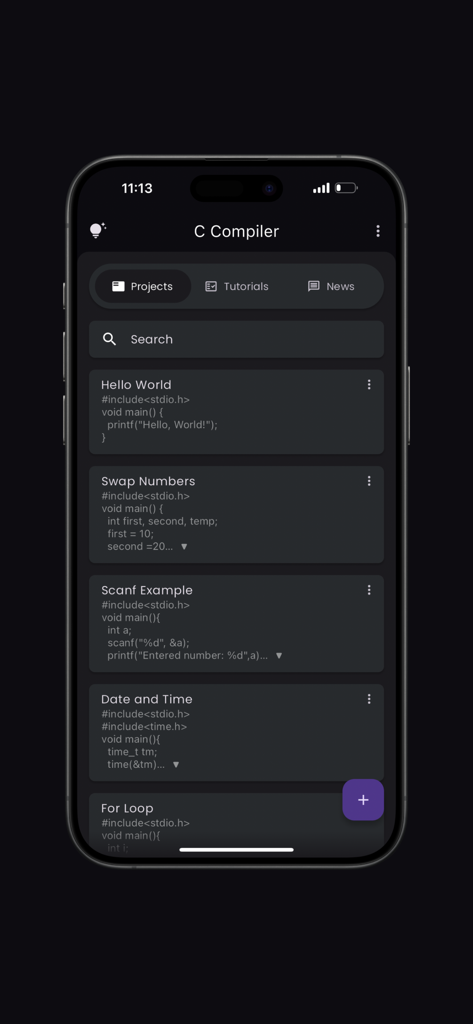
iPhone上のC Compiler Proアプリのプロジェクト管理インターフェイス。C言語コードプロジェクトのリストを表示。

iPhone上のC Compiler Proアプリのプロジェクト管理インターフェイス。C言語コードプロジェクトのリストを表示。

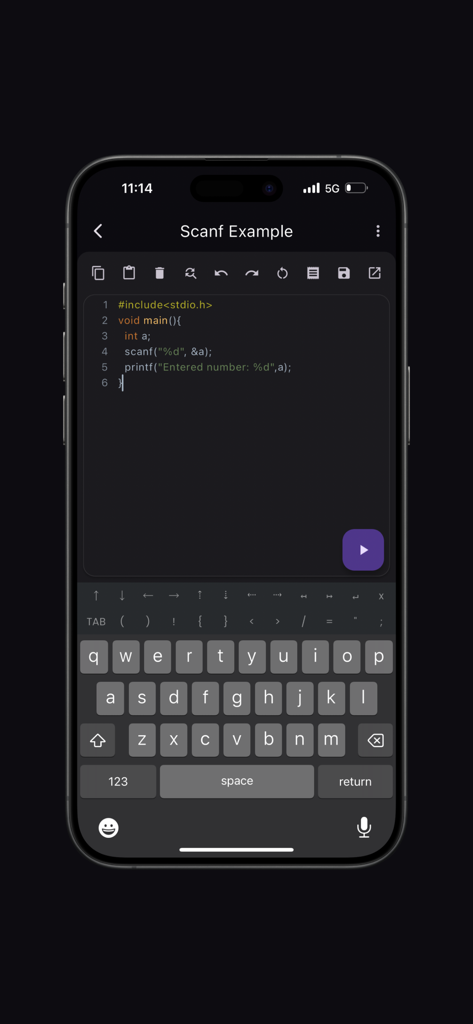
C Compiler Proアプリのインターフェイス。シンタックスハイライトと特殊なコーディングキーボードを備えたC言語コードエディタをiPhoneに表示。

C Compiler Proアプリのインターフェイス。シンタックスハイライトと特殊なコーディングキーボードを備えたC言語コードエディタをiPhoneに表示。

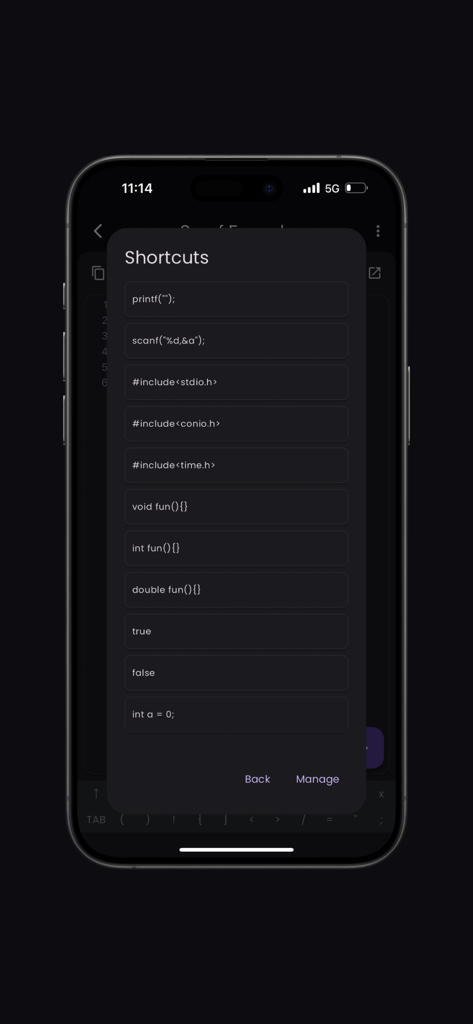
C言語プログラミングの一般的なコードスニペットを含むショートカットメニューが表示されたC Compilerアプリのモバイル画面。

C言語プログラミングの一般的なコードスニペットを含むショートカットメニューが表示されたC Compilerアプリのモバイル画面。

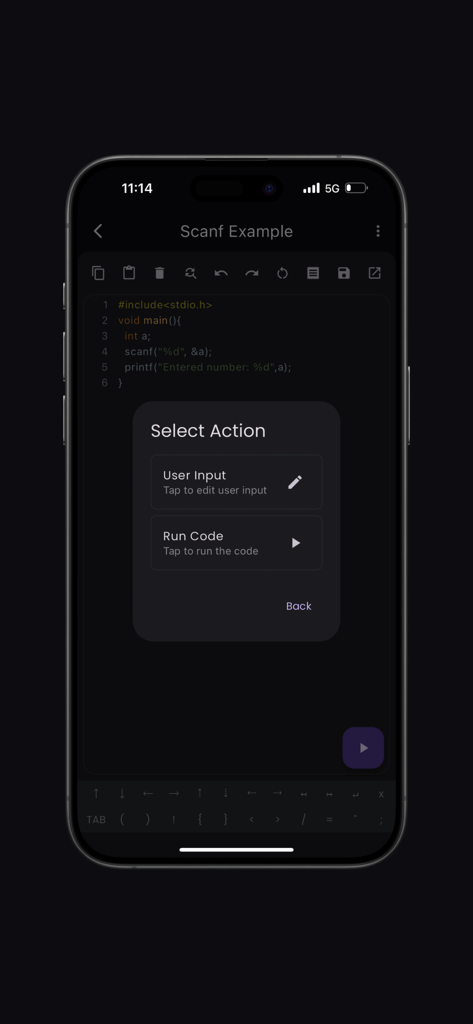
C Compiler Proアプリのインターフェイス。コードを実行するか、Cプログラムのユーザー入力を提供するオプションを含む選択アクションメニューを表示。

C Compiler Proアプリのインターフェイス。コードを実行するか、Cプログラムのユーザー入力を提供するオプションを含む選択アクションメニューを表示。

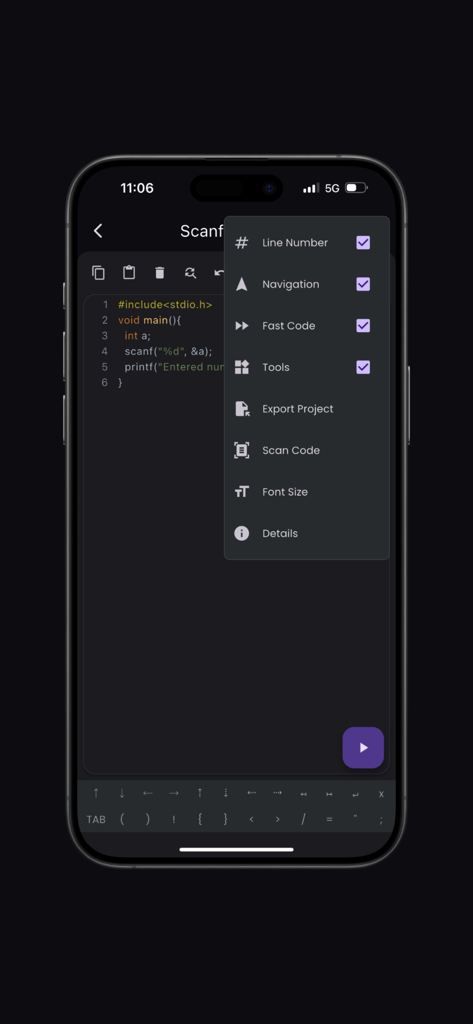
C Compiler Proアプリのインターフェイス。コードエディタと、コードスキャンや行番号などの機能が含まれるオプションメニューを表示。

C Compiler Proアプリのインターフェイス。コードエディタと、コードスキャンや行番号などの機能が含まれるオプションメニューを表示。

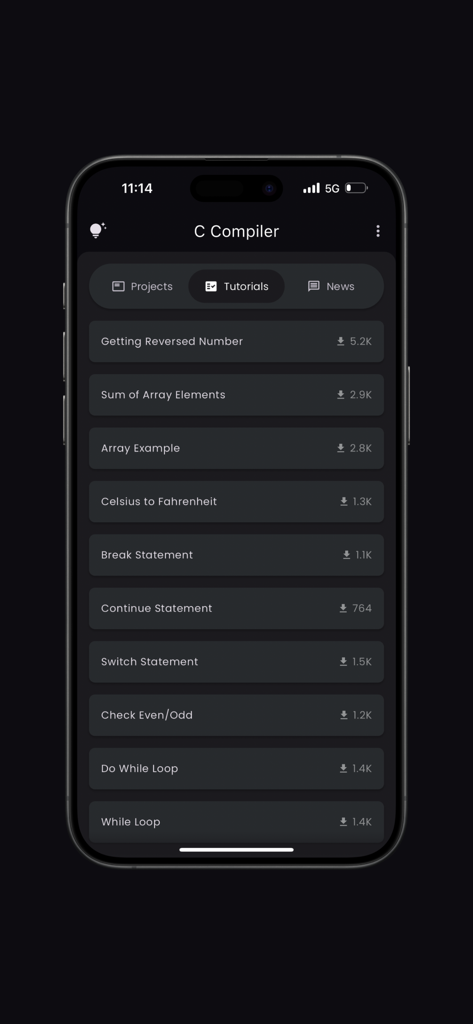
ループや配列の例を含む、さまざまなC言語プログラミングチュートリアルを表示するモバイル画面。

ループや配列の例を含む、さまざまなC言語プログラミングチュートリアルを表示するモバイル画面。

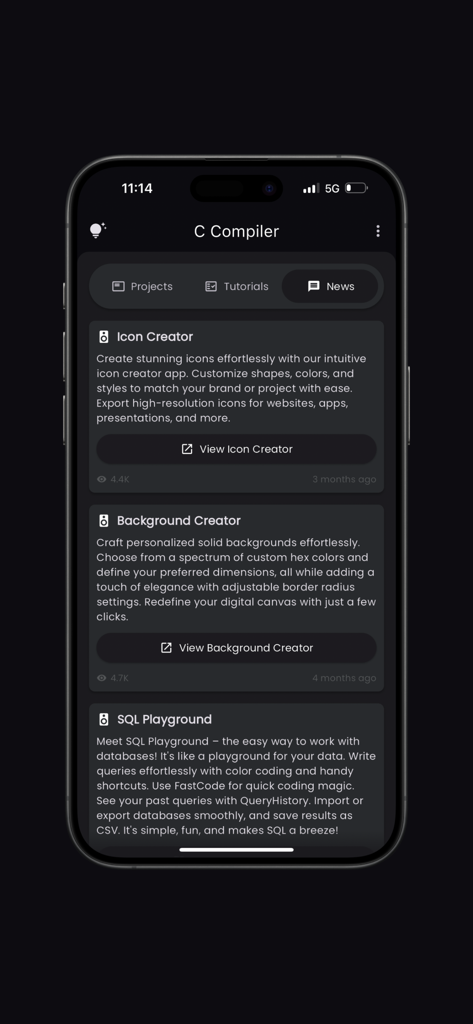
開発者ツールやチュートリアルを表示するC Compiler Proアプリのニュースセクションのインターフェイス。

開発者ツールやチュートリアルを表示するC Compiler Proアプリのニュースセクションのインターフェイス。

外出先でC言語プログラミングをマスター

このアプリを際立たせるツール、 2K+ 人のユーザーが選択.

📸

スキャンしてコード化

印刷されたコードスニペットをカメラで即座にスキャンし、物理的な教科書をデジタルプロジェクトに変えましょう。

モバイルファーストの生産性

高速なタッチスクリーンコーディングのために設計されたカスタムシンボルレイアウトとナビゲーションツールで、タイピングのフラストレーションをスキップしましょう。

🎓

時代を先取りする

意欲的なCS学生向けの統合チュートリアルと業界ニュースでスキルをレベルアップしましょう。

アプリについて

について知っておくべきこと C Compiler(Pro).

説明

Welcome to the ultimate C Compiler app, designed to provide an intuitive and powerful coding experience. The app is equipped with features that cater to both beginners and seasoned developers, ensuring a seamless coding journey. Key Features: Syntax Highlighting: Enjoy a vibrant and readable code editor with color-coded syntax highlighting, making it easy to distinguish between different parts of your code. Fast Code Layout: Our fast code layout includes frequently used symbols, allowing you to code more efficiently and with fewer keystrokes. Tools Layout: Access essential shortcuts such as copy, paste, undo, redo, share, and more, all from a convenient tools layout. Customize your own shortcuts to match your workflow and enhance productivity. Navigation Layout: Move your cursor effortlessly with our navigation layout, designed to make code navigation smooth and intuitive. Scan Code Feature: Quickly scan and import code snippets using your device's camera. Perfect for grabbing code from textbooks, whiteboards, or printed documents. Tutorials and News Section: Stay updated with the latest in Python development through our integrated tutorials and news section. Learn new techniques, best practices, and keep up with industry trends. Bookmarks and Project Management: Easily bookmark important code snippets and projects for quick access. Manage your projects efficiently with our built-in project organization tools. Elevate your coding experience with the C Compiler app, where every feature is crafted to support your development needs. Whether you're writing your first line of code or debugging complex projects, the app is your perfect coding companion. Developed by Anvaysoft Programmer- Hrishi Suthar Made with love in India

最新バージョン

2.0.7

サイズ

65.7 MB

リリース日

2023年2月3日

ノートPCなしでC言語をマスターしませんか?

何千人ものCS学生がモバイルデバイスをプロ仕様のコーディングワークステーションに変えています。教科書をスキャンし、プロジェクトを管理し、究極のモバイルIDEでどこでもコンパイルできます。

ダウンロード: App Store

App information, icons, screenshots, and descriptions displayed on this page are sourced from the Apple App Store and are the property of their respective developers. Download estimates and rankings are based on MWM's proprietary models and may not reflect actual figures. This page is provided for informational and analytical purposes only.

Believe this page infringes your intellectual property? File a dispute