
このページはアプリまたはその開発者の公式ページではなく、情報提供および論評を目的として作成された独立した編集出版物です。明示的に別段の記載がない限り、アプリおよびその開発者は、MWM、Apple、Google Play、アプリのパブリッシャー、またはアプリの開発者と提携、承認、後援、認可、またはその他の公式的な関係はなく、このページのいかなる内容も、アプリがMWMのサービスを使用して開発されたことを意味するものではありません。すべての商標、ロゴ、スクリーンショット、その他のコンテンツはそれぞれの所有者の財産です。

ダウンロード
100M+ユーザー評価
評価数
3.3M開発元
カテゴリ
Education対応言語
69最新バージョン
3.54.300046950サイズ
171.0 MBリリース日
2015年1月13日Google Classroom 主要機能分析
効率的な教育と学習を支援するプラットフォームの核となる要素
課題管理と評価の効率化
教員は、課題の作成、配布、回収、採点をペーパーレスで行うことができ、時間を大幅に節約することが可能です。
Google Drive連携による整理
各課題および生徒ごとにGoogle Driveフォルダが自動的に作成され、学習資料と成果物の整理が容易になります。
安全な学習環境
このアプリは広告を含まず、生徒のデータが広告目的で使用されることはなく、高いプライバシー保護のもとで安全な学習環境を提供します。
円滑なコミュニケーション機能
教員は、お知らせの送信やクラスディスカッションを即座に開始できます。生徒は、リソースを共有したり、質問への回答を提供したりすることが可能です。
生徒向けの課題管理
生徒は、課題ページで提出期限を確認し、クリックするだけで課題に取り掛かることが可能です。これにより、自身の学習進捗を管理できます。
モバイル対応と通知機能
iOSアプリを通じて、生徒や教員はリアルタイムでクラスを閲覧し、コミュニケーションを取ることができます。新しいコンテンツが追加されると通知が届きます。
容易なセットアップ
教員は生徒を直接追加するか、クラス参加コードを共有するだけで、短時間でクラスを設定できます。これにより、導入が容易になります。
課題資料の自動複製
各生徒用にGoogleドキュメントのコピーを自動的に作成する機能により、教員の資料配布にかかる時間を大幅に節約することが可能です。
よくある質問
について知っておくべきこと Google Classroom
What is Google Classroom?
Google Classroom is a free service connecting learners and instructors for education. It streamlines class creation, assignment distribution, communication, and organization, saving time and paper for schools, non-profits, and personal Google account users.
Is Google Classroom available at no cost?
Yes, Google Classroom is a free service. It is provided without charge for schools, non-profits, and any user with a personal Google account, making its features accessible to a wide audience.
How does Google Classroom assist teachers with assignment management?
Google Classroom helps teachers create, distribute, and grade assignments paperlessly. It automates tasks like making Google Document copies for each student and organizing materials into Drive folders, streamlining the workflow.
How can students track their assignments in Google Classroom?
Students can track all their assignments through a dedicated Assignments page in Google Classroom. This page shows what's due, allowing students to start working on their tasks with a single click and stay organized.
Does Google Classroom ensure user privacy and security?
Yes, Google Classroom ensures privacy and security. As part of Google Workspace for Education, it contains no advertisements and never uses content or student data for advertising purposes, protecting user information.
What communication features are available in Google Classroom?
Google Classroom enhances communication by enabling teachers to send instant announcements and initiate class discussions. Students can also share resources and provide answers to questions directly on the class stream.
Can I use Google Classroom on my iPhone or iPad?
Yes, Google Classroom has a mobile app for iOS. Students and teachers can view classes, communicate, open assignments, work from their iPhone or iPad, and receive notifications to stay updated.
How do teachers invite students to join a class in Google Classroom?
Teachers can invite students to Google Classroom by adding them directly or by sharing a unique class code. The setup process is designed to be quick, allowing classes to be operational in minutes.
Does Google Classroom automatically organize digital class materials?
Yes, Google Classroom improves organization by automatically filing all digital class materials, including documents, photos, and videos, into structured folders within Google Drive. This ensures everything is neatly categorized.
Can teachers provide real-time feedback and grades within Google Classroom?
Yes, teachers can provide direct, real-time feedback and assign grades directly within Google Classroom. They can also quickly see which students have turned in their work for any given assignment.
以下のスクリーンショットと説明は、アプリの公式ストアリスティングから直接取得されたものであり、アプリ開発者の所有物です。
アプリストア
スクリーンショット
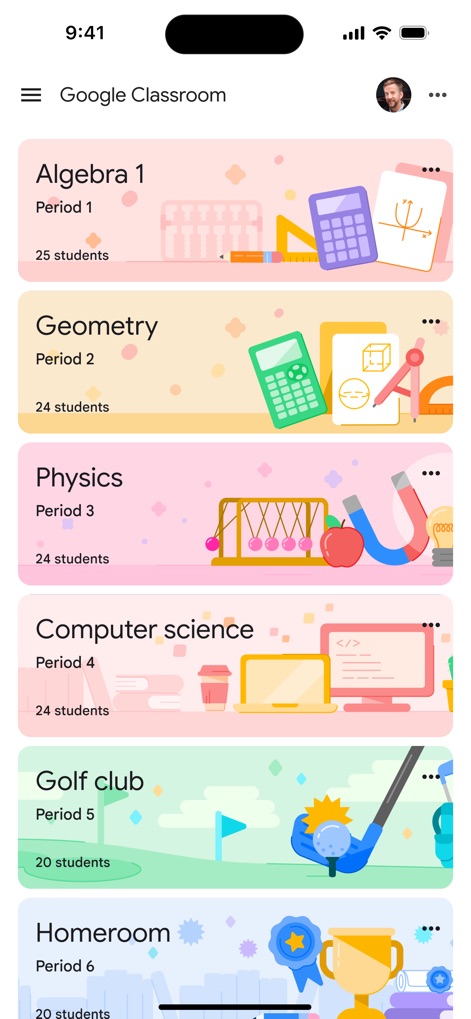
クラス一覧表示
本アプリのメイン画面では、カラフルなクラスカードを通じて参加中の全クラスを一覧で確認できます。各クラスの期間と生徒数が明確に表示され、ユーザーは学習状況を一目で把握できます。
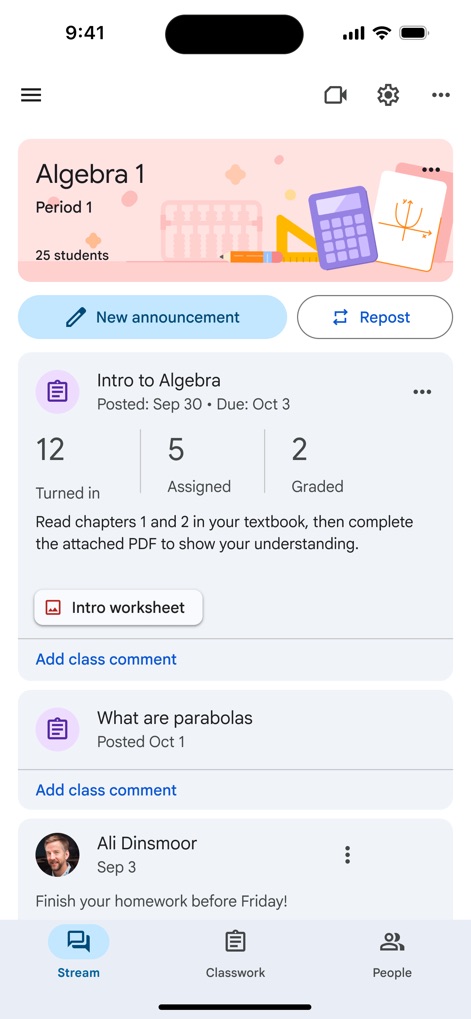
課題とコミュニケーション
クラスのストリームページでは、課題の提出状況(提出済み、割り当て済み、採点済み)を瞬時に確認でき、さらにリアルタイムのクラスコメント機能を通じて、教師と生徒間の活発なコミュニケーションが促進されます。
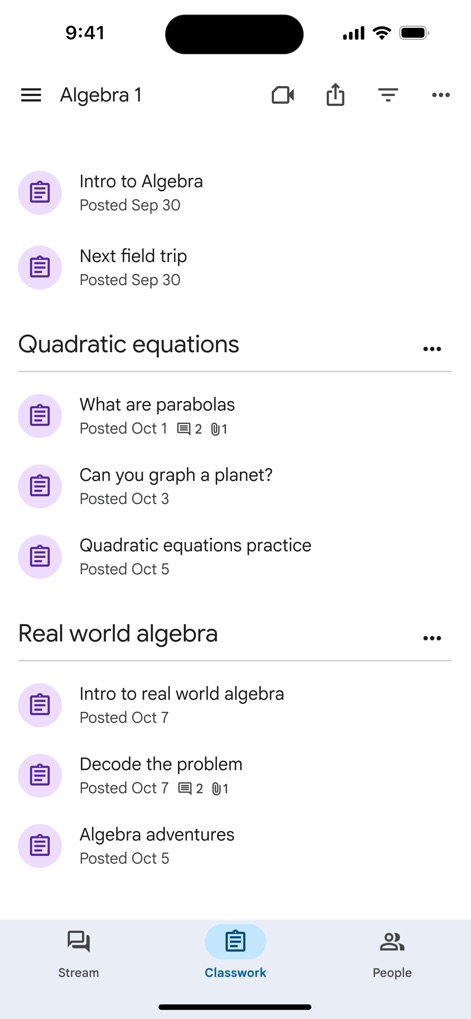
課題の整理
クラスワークタブでは、トピック別に整理された課題リストが提供され、ユーザーは各課題の公開日を容易に確認できるため、学習計画を効率的に立てることが可能です。
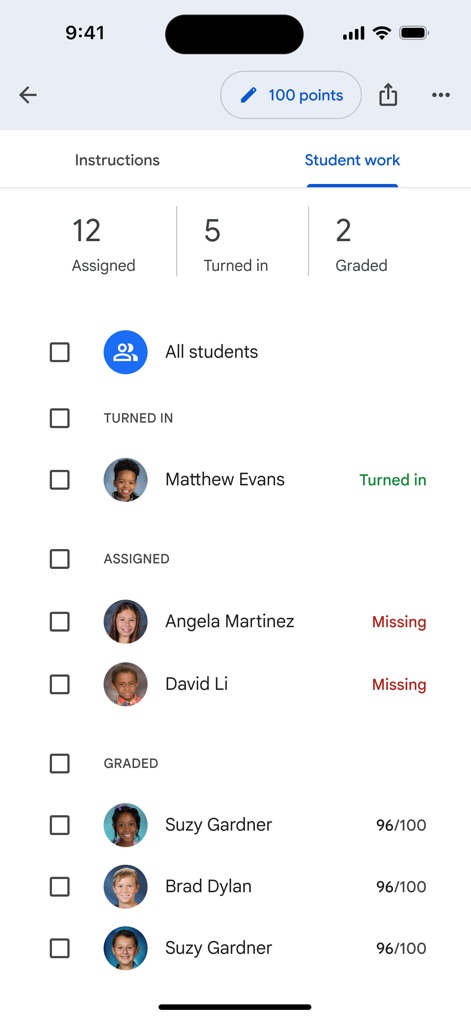
成績と提出状況
教師はこのビューで、生徒ごとの課題提出状況を詳細に把握し、さらに採点済み生徒には成績が即座に表示されるため、フィードバックと評価のプロセスが大幅に効率化されます。
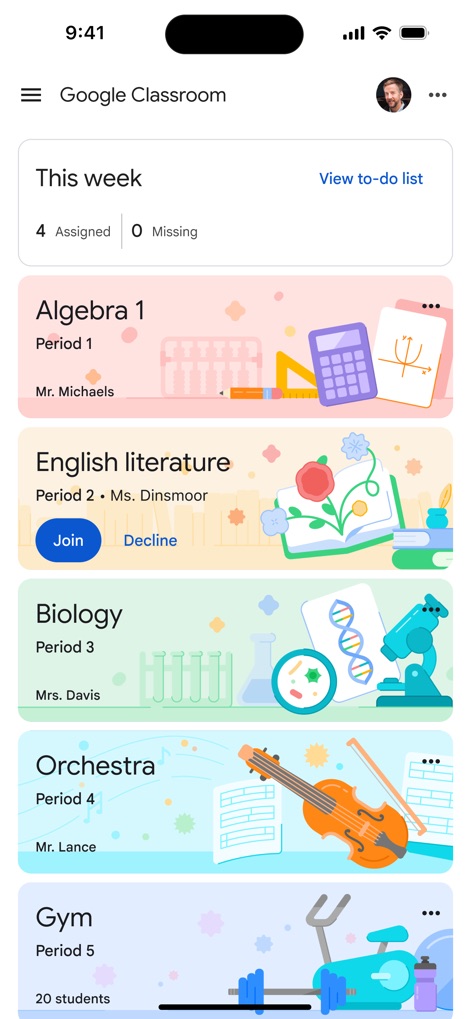
ホーム画面の概要
本アプリのホーム画面上部には、今週のタスク概要(割り当て済み、未提出)が表示され、ユーザーは新しいクラスへの参加オプション(参加、辞退)を通じて、簡単に学習環境を管理できます。
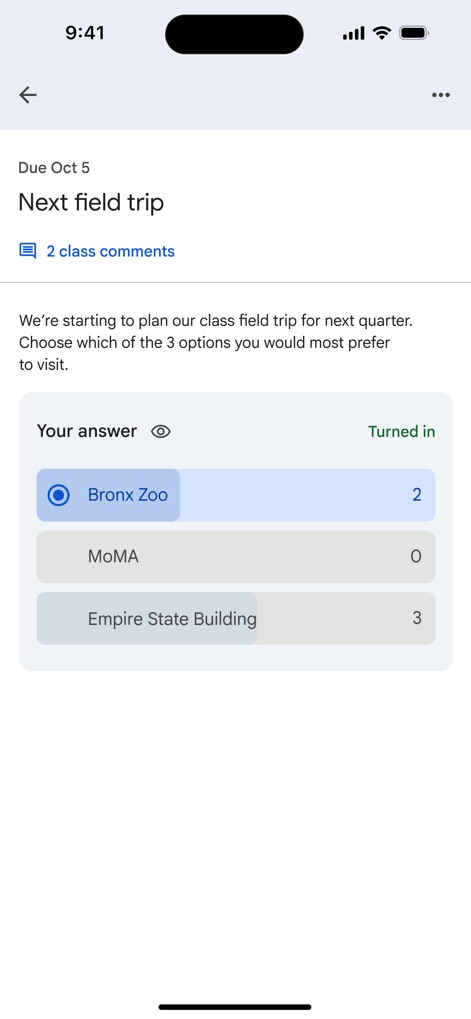
投票とフィードバック
ユーザーは投票形式の課題を通じて意見を提出でき、回答の即時集計機能により、クラス全体の意向を素早く把握することが可能で、活発な議論を促します。
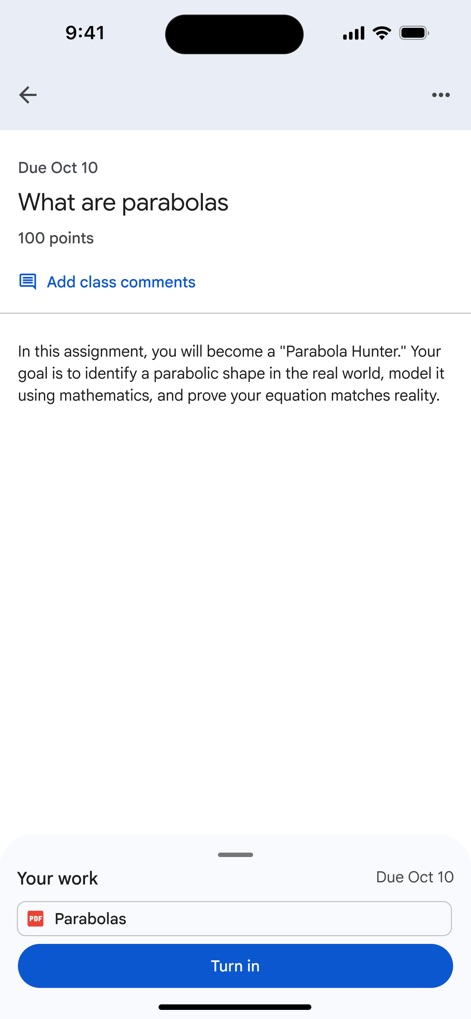
課題提出の流れ
各課題ページでは、詳細な説明と満点が明示されており、ユーザーは関連するファイルを添付し、簡単な操作で課題を提出できるため、学習プロセスがスムーズに進みます。
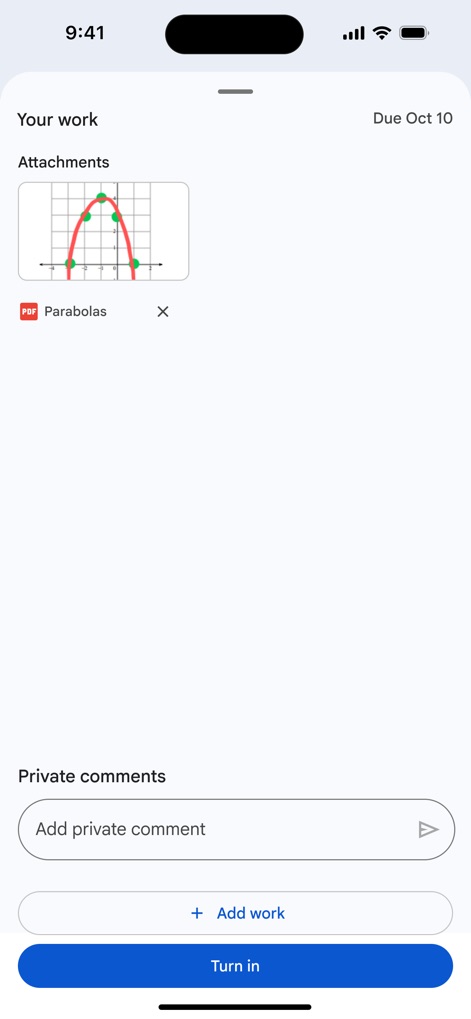
作業の共有と交流
課題提出時、ユーザーは複数の添付ファイル(例:画像、PDF)を追加できるほか、教師との個別かつプライベートなコメント機能を通じて、詳細なやり取りが可能です。
説明
Download
類似アプリ
似た機能とユーザー体験を持つアプリ

ClassDojo
ClassDojo, Inc.

Госуслуги Моя школа
MINKOMSVYAZ ROSSII, FKU

Remind: School Communication
PARENTSQUARE LLC

Agenda Edu SuperApp
Agenda Kids Ltda ME

FAMILIES | TalkingPoints
TalkingPoints Corp

Canvas by Instructure
Instructure, Inc.

ParentSquare
PARENTSQUARE LLC

Brightspace Pulse
D2L Corporation

PowerSchool Mobile
PowerSchool Group LLC
このページはアプリまたはその開発者の公式ページではなく、情報提供および論評を目的として作成された独立した編集出版物です。明示的に別段の記載がない限り、アプリおよびその開発者は、MWM、Apple、Google Play、アプリのパブリッシャー、またはアプリの開発者と提携、承認、後援、認可、またはその他の公式的な関係はなく、このページのいかなる内容も、アプリがMWMのサービスを使用して開発されたことを意味するものではありません。すべての商標、ロゴ、スクリーンショット、その他のコンテンツはそれぞれの所有者の財産です。