
このページはアプリまたはその開発者の公式ページではなく、情報提供および論評を目的として作成された独立した編集出版物です。明示的に別段の記載がない限り、アプリおよびその開発者は、MWM、Apple、Google Play、アプリのパブリッシャー、またはアプリの開発者と提携、承認、後援、認可、またはその他の公式的な関係はなく、このページのいかなる内容も、アプリがMWMのサービスを使用して開発されたことを意味するものではありません。すべての商標、ロゴ、スクリーンショット、その他のコンテンツはそれぞれの所有者の財産です。


Workday
このアプリは、デスクトップに縛られていた企業の中枢機能をモバイルへと解き放ち、ユーザーに時間と場所を超えた即座の意思決定と行動の自由を与える。企業運営の生命線は、もはや手のひらの上にある。
ダウンロード
25M+ユーザー評価
評価数
2.3M開発元
カテゴリ
Business対応言語
21最新バージョン
2026.03.1サイズ
196.6 MBリリース日
2009年6月5日Workdayモバイルアプリの機能分析
ビジネスプロフェッショナルの効率を高める主要機能の評価
セキュリティ強化されたモバイルアクセス
このアプリは、Touch IDやFace IDといった生体認証に対応しており、ユーザーの機密情報を安全に保護します。紛失や盗難時にもデータ漏洩のリスクを最小限に抑えます。
従業員向けセルフサービス機能
ユーザーは給与明細の確認、休暇の申請と確認、勤怠の打刻、タイムシートの提出、経費精算をモバイルデバイスから迅速かつ簡単に行うことが可能です。
マネージャーによる申請承認
マネージャーは、従業員からの各種申請(休暇、経費、勤怠など)をどこからでも迅速に承認し、業務の滞りを防ぐことができます。
マネージャー向けチーム人事管理
マネージャーは、チームメンバーや個人のプロフィールを閲覧し、異動や報酬変更、パフォーマンス評価といった役割に応じた人事アクションをアプリから直接実行することが可能です。
リアルタイム通知とアクション
本ツールは、勤怠記録、重要な更新情報、承認事項に関するプッシュ通知とリマインダーを提供し、ユーザーはアプリから直接迅速な対応を取ることが可能です。
社内ディレクトリと学習リソース
ユーザーは、社内ディレクトリの閲覧、同僚のプロフィールの安全な確認、フィードバックの提供、および学習コースの受講をモバイルで利用できます。
よくある質問
について知っておくべきこと Workday
What can employees do with the Workday app?
Employees use the Workday app to review pay, view or request time off, check in and out, submit timesheets and expenses. They can also browse the company directory, view profiles, leave feedback, and take learning courses.
What actions can managers perform using the Workday app?
Managers use the Workday app to approve employee requests, view team profiles, and perform actions like job changes or compensation adjustments. They can also provide performance feedback and gain business insights through interactive reports and dashboards.
Is the Workday app secure?
Yes, the Workday app secures user data. If a mobile device is lost or stolen, data remains safe. The app supports Touch ID and Face ID for authorized access, ensuring only the user can access their information.
Do I need authorization to use the Workday mobile app?
Yes, an organization must authorize access to the Workday mobile app. Users only access mobile features enabled by their organization and based on their specific role. Not all Workday features are available on mobile.
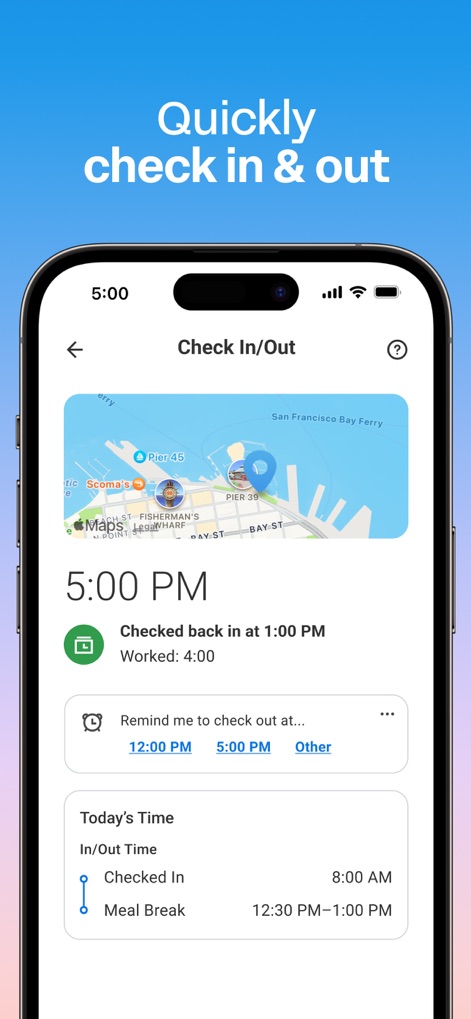
Can I check in and out for work using the Workday app?
Yes, employees can quickly check in and out for work directly from the Workday app. The app also allows users to view their time worked and set reminders for checking in or out.
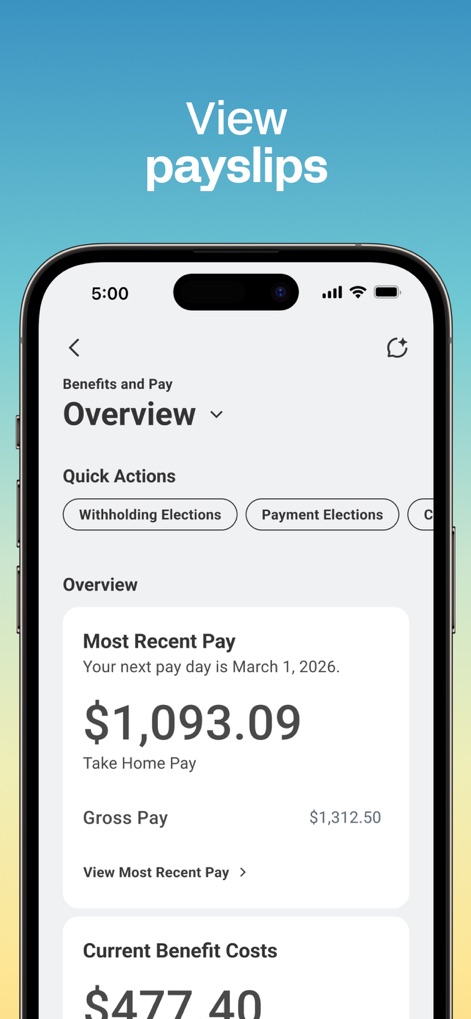
How do I view my payslips on the Workday app?
Users can view their payslips and pay details through the Workday app. The "Benefits and Pay" section displays information such as most recent pay, gross pay, and current benefit costs.
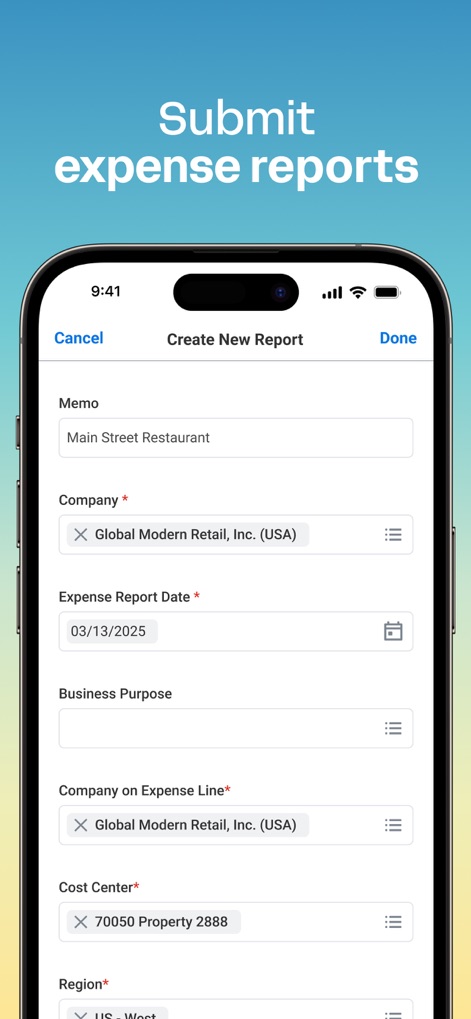
Does the Workday app allow submitting expense reports?
Yes, the Workday app allows users to submit expense reports. The app provides a dedicated interface to create new reports, including fields for memo, company, expense date, and business purpose.
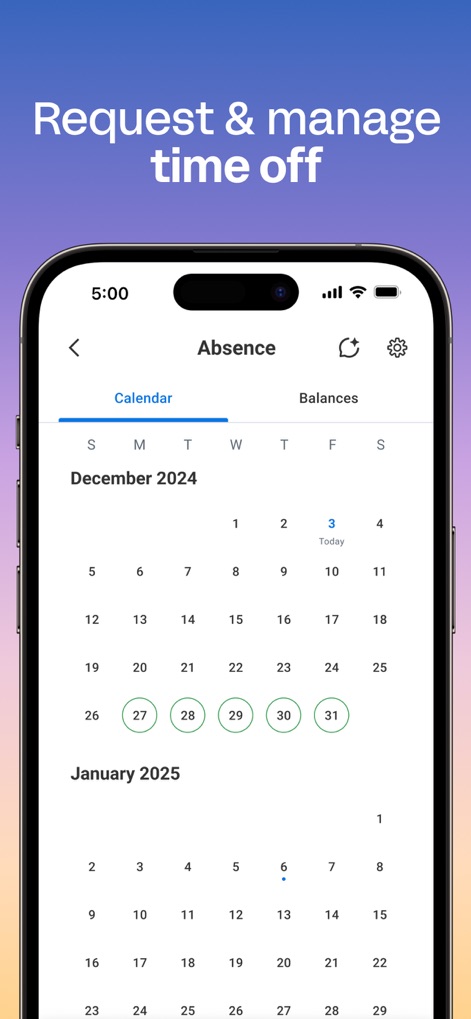
Can I request and manage time off with the Workday app?
Yes, users can request and manage time off using the Workday app. The app features a calendar view to track absences and shows the approval status for vacation hours.
Does the Workday app send push notifications?
Yes, the Workday app sends push notification alerts and reminders. These notifications cover time tracking, important updates, and approvals, allowing users to take immediate action directly from the app.
Can I view coworker profiles and the organizational chart in the Workday app?
Yes, the Workday app allows users to browse the company directory and securely view coworker profiles. Managers can view team profiles and the organizational chart.
以下のスクリーンショットと説明は、アプリの公式ストアリスティングから直接取得されたものであり、アプリ開発者の所有物です。
アプリストア
スクリーンショット

パーソナルダッシュボード
このアプリのホーム画面では、ユーザーは最新の「お知らせ」を即座に確認し、「最もよく使用するアプリ」に素早くアクセスできます。
スマートな勤怠管理
この画面では、地図上で勤務地を確認しながら、正確な「出勤・退勤時刻」を記録し、本日の「勤務時間」の内訳を表示します。
給与明細を確認
ユーザーは、自身の「最新の給与額」を簡単に確認でき、給与関連の「クイックアクション」から様々な設定を変更できます。
経費報告を提出
この画面では、「経費レポート日」などの詳細情報を入力し、「コストセンター」を選択して、迅速に経費精算レポートを作成できます。
休暇の申請と管理
ユーザーは、この「カレンダー表示」で利用可能な休暇日を確認し、「申請済みの休暇日」を一目で管理できます。
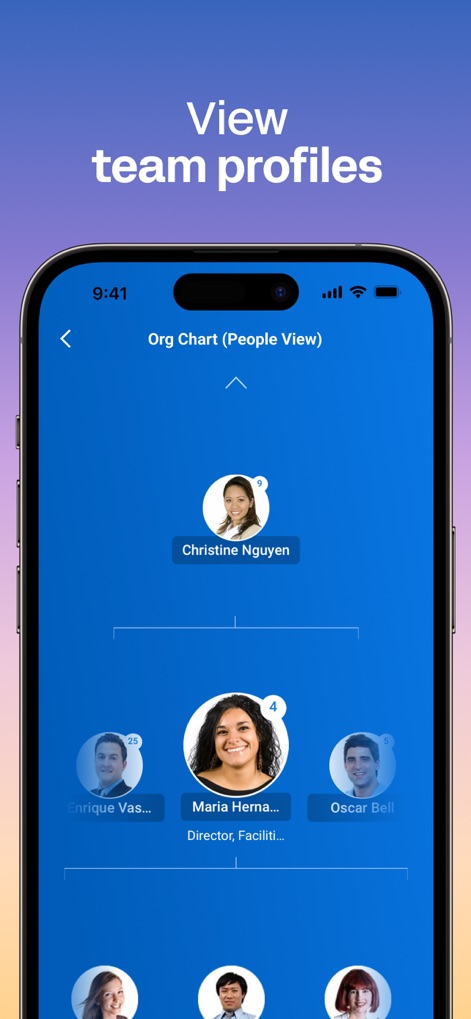
チーム情報を見る
この「組織図(人物表示)」では、ユーザーはチームの階層を視覚的に把握し、各「チームメンバーのプロフィール」を確認できます。
説明
Download
類似アプリ
似た機能とユーザー体験を持つアプリ









このページはアプリまたはその開発者の公式ページではなく、情報提供および論評を目的として作成された独立した編集出版物です。明示的に別段の記載がない限り、アプリおよびその開発者は、MWM、Apple、Google Play、アプリのパブリッシャー、またはアプリの開発者と提携、承認、後援、認可、またはその他の公式的な関係はなく、このページのいかなる内容も、アプリがMWMのサービスを使用して開発されたことを意味するものではありません。すべての商標、ロゴ、スクリーンショット、その他のコンテンツはそれぞれの所有者の財産です。