
このページはアプリまたはその開発者の公式ページではなく、情報提供および論評を目的として作成された独立した編集出版物です。明示的に別段の記載がない限り、アプリおよびその開発者は、MWM、Apple、Google Play、アプリのパブリッシャー、またはアプリの開発者と提携、承認、後援、認可、またはその他の公式的な関係はなく、このページのいかなる内容も、アプリがMWMのサービスを使用して開発されたことを意味するものではありません。すべての商標、ロゴ、スクリーンショット、その他のコンテンツはそれぞれの所有者の財産です。


Zoom Workplace
ユーザーはAIを駆使し、会話と文書の膨大な流れから瞬時に本質を抽出し、時間と意識を情報整理から解放される。これは、まさに「知の自動運転」である。
ダウンロード
250M+ユーザー評価
評価数
8.8M開発元
カテゴリ
Business対応言語
17最新バージョン
7.0.0サイズ
408.4 MBリリース日
2012年8月15日統合型コラボレーションプラットフォーム『Zoom Workplace』機能概要
AI活用による生産性向上とシームレスなチーム連携を評価
統一されたコミュニケーションハブ
ビデオ会議、チャット、電話、メール、カレンダーを単一のアプリケーション内で一元管理することで、アプリ間の切り替えの手間を削減し、コミュニケーションの効率を最大化します。
AIコンパニオンによる会議の要約と次のステップの自動生成
ユーザーは会議のメモを取る必要がなくなり、重要な情報を瞬時に把握し、次のアクションに迅速に移行できます。見逃した内容も効率的に確認可能です。
AI活用によるコンテンツ作成支援
AIコンパニオンがメールのドラフト作成、チャット返信、ホワイトボードのアイデア生成などを支援し、ユーザーは迅速かつ効率的にコンテンツを作成できます。
リアルタイム共同作業ドキュメント
会議中にドキュメントを共同で作成、編集できるため、チームはリアルタイムで連携し、情報共有と意思決定のプロセスを加速できます。
インタラクティブなAI強化ホワイトボード
仮想ホワイトボード上で自由にアイデアを出し合い、AIコンパニオンによるマインドマップ生成支援を受けることで、ブレインストーミングや企画立案を効率的かつ創造的に行えます。
非同期型ビデオメッセージ (Clips)
短いビデオメッセージや画面録画を共有することで、チームメンバーは自分の都合の良い時間に情報を確認でき、タイムゾーンの違いや即時性の制約を超えた効率的な情報更新が可能です。
よくある質問
について知っておくべきこと Zoom Workplace
What is Zoom Workplace?
Zoom Workplace is an AI-first, open collaboration platform combining team chat, meetings, phone, whiteboard, calendar, mail, and docs. It streamlines communication and boosts productivity.
Does Zoom Workplace include an AI assistant?
Yes, Zoom Workplace includes AI Companion. It summarizes unread messages, drafts content, and provides meeting summaries. It is available with a paid Zoom license.
Is AI Companion an additional cost with Zoom Workplace?
No, AI Companion is available at no additional cost with your paid Zoom license for Zoom Workplace. It functions as your personal assistant across the platform.
Can I use Zoom Workplace on my mobile device?
Yes, you can use Zoom Workplace for iOS with any free or paid Zoom license. AI Companion features are also available on your mobile device.
Does Zoom Workplace support SMS messaging?
Yes, Zoom Workplace supports sending SMS text messages through its integrated phone functionality. This feature is part of its streamlined communication tools.
What productivity tools does Zoom Workplace offer?
Zoom Workplace helps improve productivity with Zoom Docs for organizing information, automated meeting summaries via AI Companion, and virtual whiteboards for brainstorming.
Can I move a Zoom Workplace meeting between devices?
Yes, you can seamlessly move a live meeting or call between different devices with a single tap in Zoom Workplace, enabling flexible work across locations.
Does Zoom Workplace offer security features?
Yes, Zoom Workplace ensures data security with enterprise-grade security and supports Single Sign-On (SSO). This protects your information while working on the go.
How do I upgrade to Zoom Workplace Pro?
You upgrade your free account to Zoom Workplace Pro. This subscription includes AI Companion, unlimited meetings up to 30 hours, and cloud recording.
What are the benefits of Zoom Workplace Pro?
Zoom Workplace Pro offers unlimited meetings up to 30 hours each, cloud recording up to 10GB, and the ability to assign meeting co-hosts and schedulers, plus AI Companion.
Can Zoom Workplace integrate with Apple CarPlay?
Yes, Zoom Workplace supports Apple CarPlay, allowing users to stay focused on the road. It also offers customizable Siri Shortcuts for hands-free voice commands.
Does Zoom Workplace allow chat message summarization?
Yes, Zoom Workplace uses AI Companion to provide a summary of your unread Team Chat messages, helping you get caught up quickly and efficiently.
以下のスクリーンショットと説明は、アプリの公式ストアリスティングから直接取得されたものであり、アプリ開発者の所有物です。
アプリストア
スクリーンショット
AIコラボレーション始動
Zoom Workplaceのロゴと「Your AI-Powered Collaboration Platform」のキャッチフレーズが、アプリのAI統合型コラボレーション機能を紹介しています。
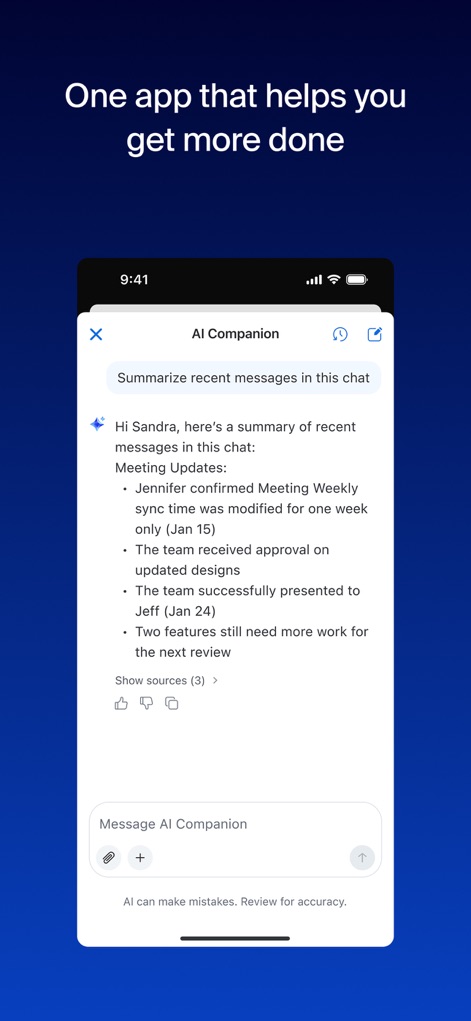
チャットを瞬時に要約
AI Companionがチャットメッセージを自動で要約する画面です。上部には「AI Companion」のタイトルがあり、要約されたテキストとそのソースが表示されています。
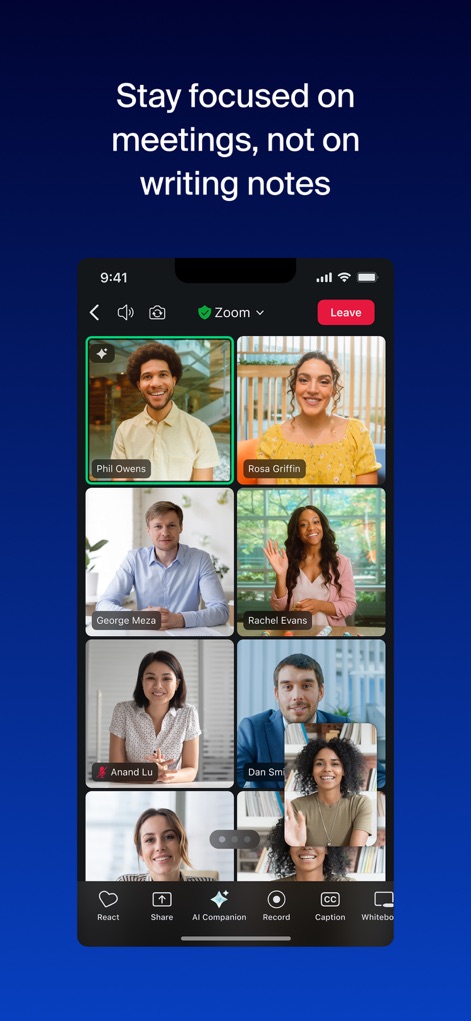
会議に集中、メモ不要
複数の参加者が映るビデオ会議画面です。下部メニューには「AI Companion」ボタンと「Record」ボタンがあり、会議中のAIサポートと記録機能が利用可能です。
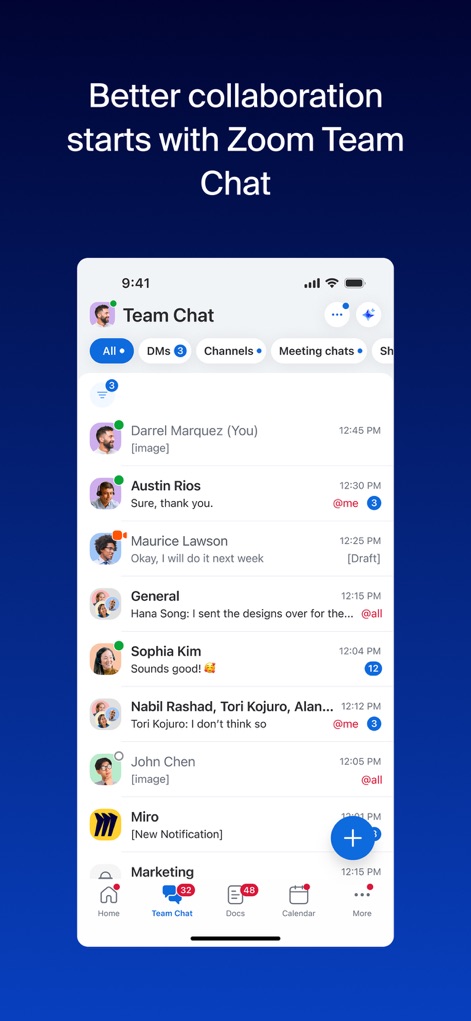
チーム連携を強化
個人間のDMやグループチャンネル、会議チャットなどが一覧表示されるチームチャット画面です。下部のナビゲーションバーには「Home」と「Team Chat」のアイコンが確認できます。
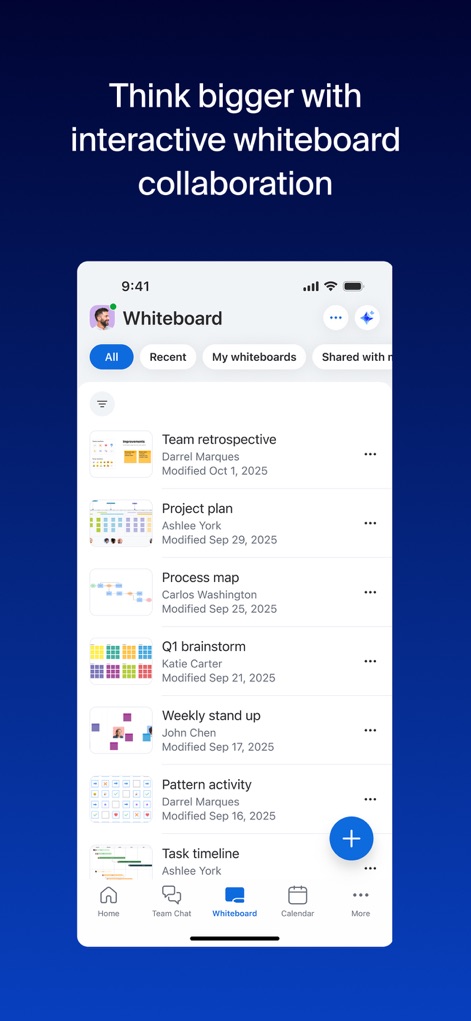
直感的ホワイトボード
複数のホワイトボードファイルが一覧で表示される画面です。各エントリにはプロジェクトプランやレトロスペクティブのタイトルがあり、下部のナビゲーションには「Whiteboard」アイコンが強調されています。
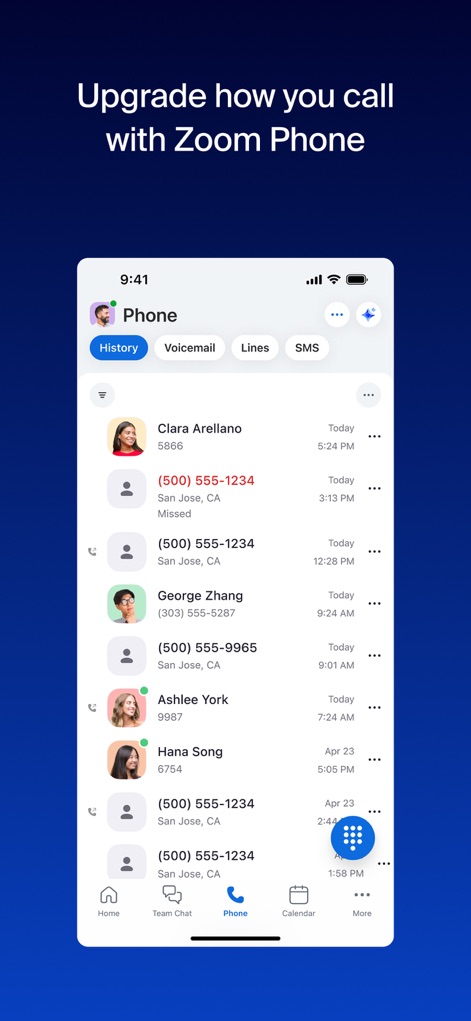
Zoom Phoneで通話
通話履歴が表示されるZoom Phoneのインターフェースです。個別の通話記録と、画面下部の「Phone」タブが強調され、通話機能へのアクセスを示しています。
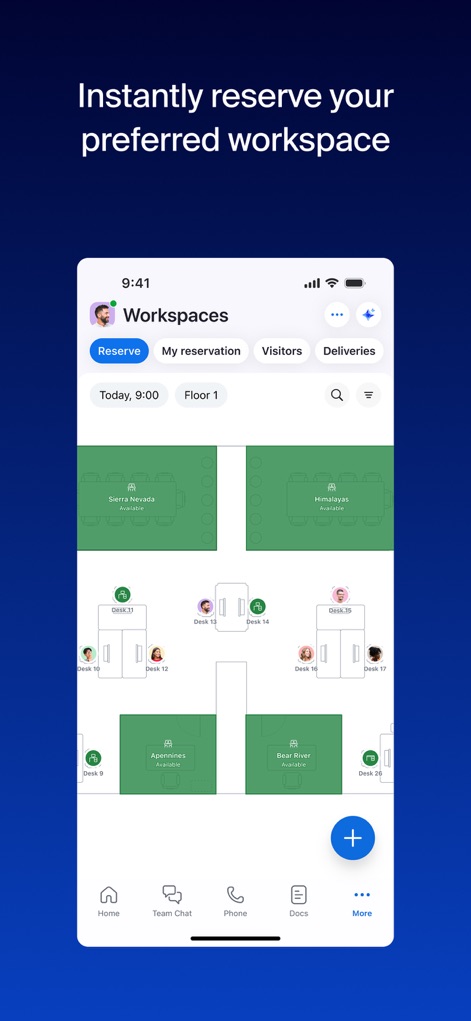
ワークスペース予約
フロアプラン上で利用可能なデスクやワークスペースが表示される予約画面です。画面上部の「Reserve」ボタンと、マップに表示された具体的なワークスペース名(例: Desk 13、Desk 14)が視覚的特徴です。
オールインワンAI
Zoom Workplaceのロゴと共に、「Available all on one AI-powered platform」というメッセージが表示されています。中央の輝くエンブレムと、統一された青い背景が印象的です。
説明
Download
類似アプリ
似た機能とユーザー体験を持つアプリ

GoTo
GoTo Group, Inc.

Lark - Team Collaboration
LARK TECHNOLOGIES PTE. LTD.

RingCentral
RingCentral, Inc

MTS Link
VEBINAR TEKHNOLOGII, OOO

Pronto Team Communication
Hit Labs, Inc.

Zoho Cliq - Team Communication
Zoho Corporation

Microsoft Teams
Microsoft Corporation

Google Meet
Google LLC

Google Chat
Google LLC
このページはアプリまたはその開発者の公式ページではなく、情報提供および論評を目的として作成された独立した編集出版物です。明示的に別段の記載がない限り、アプリおよびその開発者は、MWM、Apple、Google Play、アプリのパブリッシャー、またはアプリの開発者と提携、承認、後援、認可、またはその他の公式的な関係はなく、このページのいかなる内容も、アプリがMWMのサービスを使用して開発されたことを意味するものではありません。すべての商標、ロゴ、スクリーンショット、その他のコンテンツはそれぞれの所有者の財産です。