
このページはアプリまたはその開発者の公式ページではなく、情報提供および論評を目的として作成された独立した編集出版物です。明示的に別段の記載がない限り、アプリおよびその開発者は、MWM、Apple、Google Play、アプリのパブリッシャー、またはアプリの開発者と提携、承認、後援、認可、またはその他の公式的な関係はなく、このページのいかなる内容も、アプリがMWMのサービスを使用して開発されたことを意味するものではありません。すべての商標、ロゴ、スクリーンショット、その他のコンテンツはそれぞれの所有者の財産です。

Google Meet
遠隔地の対話に、まるでその場にいるかのような臨場感をもたらす。物理的距離は、もはや会話の障壁ではない。
ダウンロード
100M+ユーザー評価
評価数
3.7M開発元
カテゴリ
Social Networking対応言語
55最新バージョン
352.0サイズ
306.7 MBリリース日
2016年9月2日Google Meet 主要機能分析
テックアナリストによる、ビジネス、教育、個人利用におけるGoogle Meetの主要機能とその影響度評価
高品質ビデオ通話
本アプリは、ユーザーがどこにいても、友人、家族、同僚、クラスメートとの有意義で楽しい交流を可能にする、高品質なビデオ通話機能を提供します。
Google Workspace連携
本ツールは、Gmail、Docs、Slides、Calendarといった他のGoogle Workspaceアプリと統合されており、ユーザーはシームレスなワークフローと生産性の向上を享受できます。
リアルタイム翻訳字幕
70以上の言語に対応したリアルタイム翻訳字幕機能により、ユーザーは好みの言語で会話を追跡し、言語の壁を越えたコミュニケーションを実現できます。
マルチデバイス対応
モバイル、タブレット、ウェブ、スマートデバイスといった多様なプラットフォームで利用可能であり、ユーザーは場所やデバイスを問わず会議に参加できます。
通話内チャットと共有機能
会話の流れを中断することなくアイデアを共有したり、質問をしたり、フィードバックを提供したりするために、通話内チャットを利用できます。また、写真、ビデオ、プレゼンテーションなどの視覚資料を共有して、効果的なコラボレーションが可能です。
会議録画
会議を録画する機能により、ユーザーは重要な議論や決定事項を後で確認したり、参加できなかったメンバーと共有したりすることが可能です。(一部有料機能)
ノイズキャンセリング
このアプリは、周囲の騒音を低減するノイズキャンセリング機能を提供し、ユーザーはよりクリアな音声で集中して会議に参加できます。(一部有料機能)
無料利用枠
最大24時間の1対1ビデオ通話や、最大100人までの60分間の会議を費用なしでホストすることができ、ユーザーは気軽にサービスを開始できます。
よくある質問
について知っておくべきこと Google Meet
What is Google Meet?
Google Meet is a high-quality video calling application designed for meaningful interactions with friends, family, colleagues, and classmates. It supports spontaneous calls, scheduled meetings, and video messages across various devices.
Is Google Meet free to use?
Yes, Google Meet offers free usage for one-on-one video calls up to 24 hours. Users can also host meetings for up to 60 minutes with up to 100 people at no cost.
How many people can join a Google Meet call?
Google Meet allows up to 100 people to join a meeting for up to 60 minutes at no cost. One-on-one video calls can last up to 24 hours.
Does Google Meet offer real-time captions?
Yes, Google Meet provides real-time translated captions in over 70 languages, allowing users to follow conversations in their preferred language.
Can I use Google Meet on multiple devices?
Yes, Google Meet is accessible on various devices including mobile phones, tablets, web browsers, and smart devices, ensuring broad compatibility.
What integrated features does Google Meet offer for meetings?
Google Meet integrates with Google Workspace apps and offers features like in-call chat, noise cancellation, meeting recordings, and custom effects including backgrounds, filters, and animations.
Is Google Meet secure for conversations?
Yes, Google Meet is secure by design. It implements security measures to ensure conversations are kept safe and private for all participants.
Does Google Meet have custom backgrounds and effects?
Yes, Google Meet provides stackable effects, allowing participants to add multiple backgrounds, filters, and animations to personalize their video call experience.
Can I record meetings in Google Meet?
Yes, meeting recording is available in Google Meet. This feature is offered as a premium option. More details regarding pricing are available on the Workspace website.
What is on-the-go mode in Google Meet?
On-the-go mode in Google Meet provides an audio-only experience with larger call controls. This mode helps reduce distractions when taking calls while walking, driving, or using public transportation.
以下のスクリーンショットと説明は、アプリの公式ストアリスティングから直接取得されたものであり、アプリ開発者の所有物です。
アプリストア
スクリーンショット
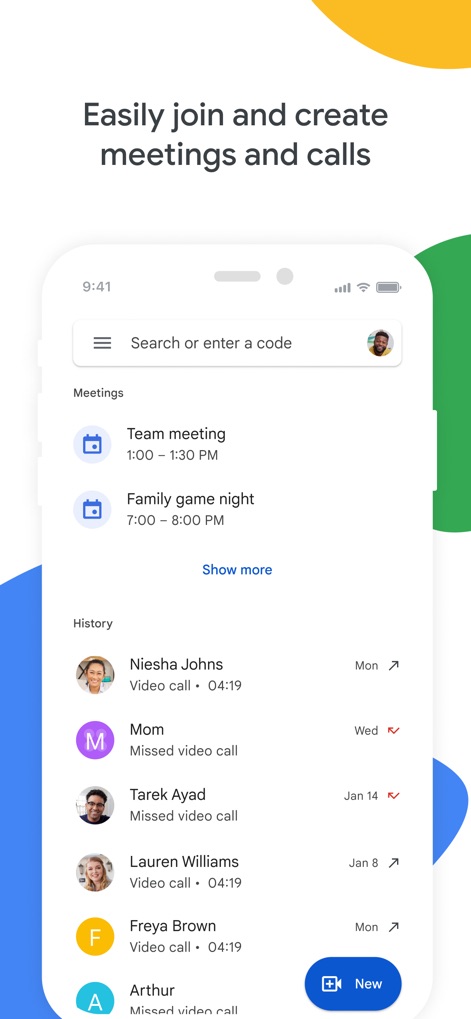
会議を簡単管理
このアプリは、今後のスケジュールされた会議のリストと、過去の通話履歴の表示機能を提供し、ユーザーがミーティングを効率的に管理できます。
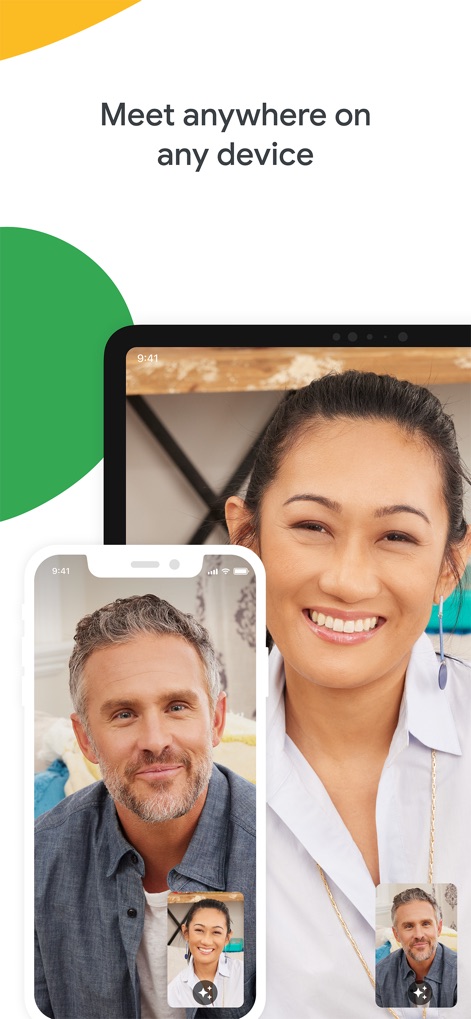
どこでも接続
ユーザーは、スマートフォンとタブレットの両方でシームレスなビデオ通話インターフェースを利用でき、あらゆるデバイスで高品質なコミュニケーションを体験できます。

楽しいエフェクト
このツールは、ユーザーの顔に適用される先進的なエフェクトや、他の参加者に表示されるアバターフィルター機能を提供し、ビデオ通話をより魅力的に演出します。

リアルタイム字幕
本アプリは、会話内容をリアルタイムで表示する字幕機能と、発言者を識別する話者識別機能を備えており、すべての参加者が円滑にコミュニケーションできます。
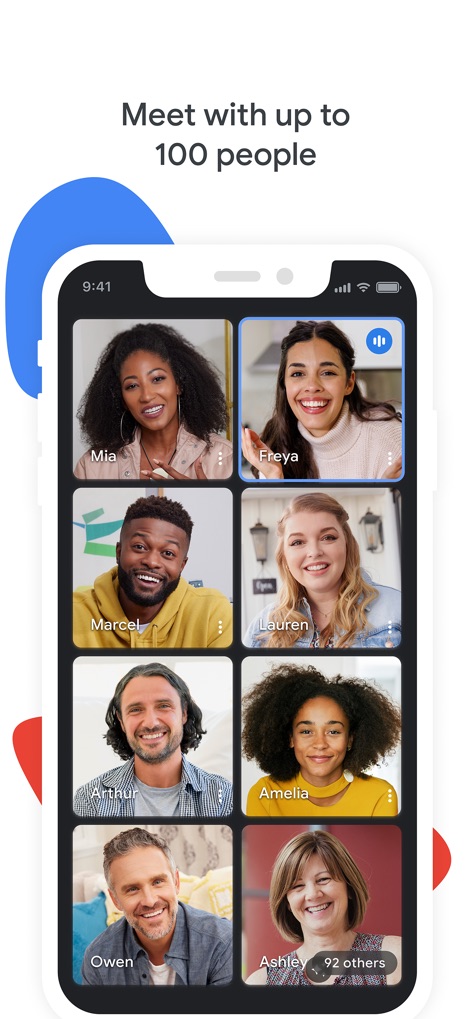
大規模ミーティング
ユーザーは、複数参加者のグリッド表示を活用して、最大100人以上が参加する大規模な会議を主催でき、すべての参加者の顔を一度に確認できます。

安全な会話
このアプリは、中央に配置されたセキュリティシールドアイコンと、参加者のプロファイルアイコンを通じて、ユーザーの会話が設計段階から保護されていることを視覚的に示し、安全なコミュニケーションを保証します。
説明
Download
類似アプリ
似た機能とユーザー体験を持つアプリ

GoTo
GoTo Group, Inc.

Lark - Team Collaboration
LARK TECHNOLOGIES PTE. LTD.

RingCentral
RingCentral, Inc

MTS Link
VEBINAR TEKHNOLOGII, OOO

Pronto Team Communication
Hit Labs, Inc.

Zoho Cliq - Team Communication
Zoho Corporation

Microsoft Teams
Microsoft Corporation

Zoom Workplace
Zoom Communications, Inc.
Google Chat
Google LLC
このページはアプリまたはその開発者の公式ページではなく、情報提供および論評を目的として作成された独立した編集出版物です。明示的に別段の記載がない限り、アプリおよびその開発者は、MWM、Apple、Google Play、アプリのパブリッシャー、またはアプリの開発者と提携、承認、後援、認可、またはその他の公式的な関係はなく、このページのいかなる内容も、アプリがMWMのサービスを使用して開発されたことを意味するものではありません。すべての商標、ロゴ、スクリーンショット、その他のコンテンツはそれぞれの所有者の財産です。