CDR Viewer Plus

CDR Viewer Plus

ダウンロード: App Store
ロゴ: CDR Viewer Plus

CDR Viewer Plus:シームレスなCorelDrawファイルアクセスとバージョン変換

印刷業者やデザイナー向けの究極のユーティリティ。あらゆるCDRファイルを開き、バージョンをX4-2020に変換し、移動中でも制作ワークフローを合理化するための即時の技術的洞察を得ます。

開発元

Foshan Ourfuture Technology Co., Ltd.

カテゴリ

Graphics & Design

ダウンロード

1K+

ユーザー評価

1.0/5

評価数

0

対応言語

3

インターフェース内部

このインターフェースを利用する 1K+ 人のユーザー.

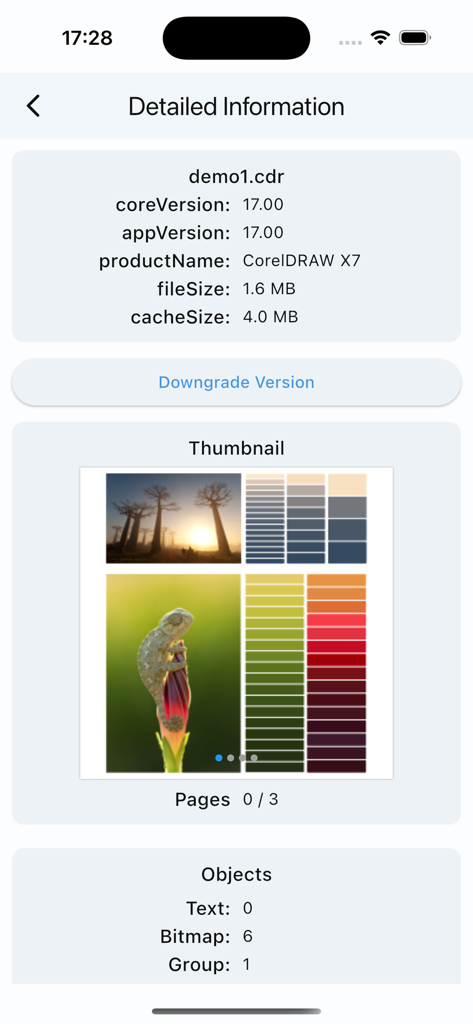
CorelDRAW X7ファイルのバージョン情報とオブジェクト数を示すCDR Viewer Plusのインターフェース。

CorelDRAW X7ファイルのバージョン情報とオブジェクト数を示すCDR Viewer Plusのインターフェース。

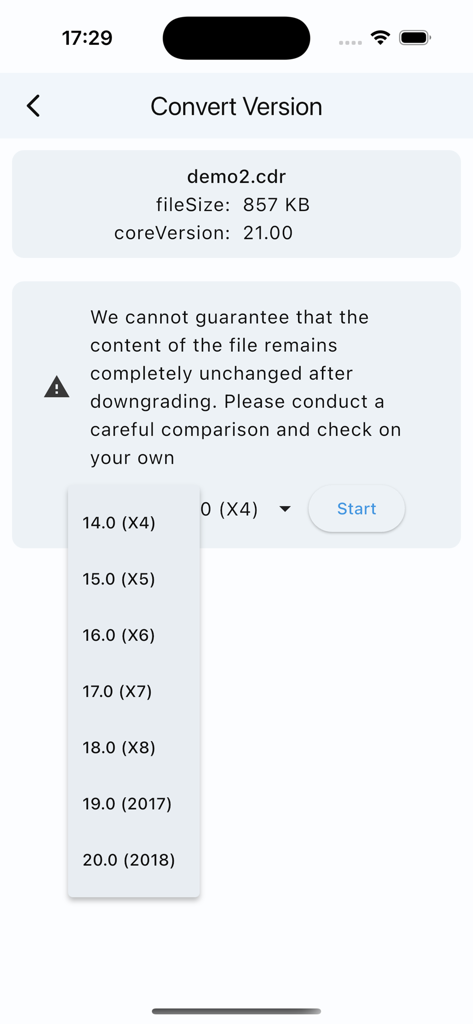
CorelDrawバージョン変換画面。ファイルダウングレードのためにX4から2018までの古いバージョンのドロップダウンリストが表示されます。

CorelDrawバージョン変換画面。ファイルダウングレードのためにX4から2018までの古いバージョンのドロップダウンリストが表示されます。

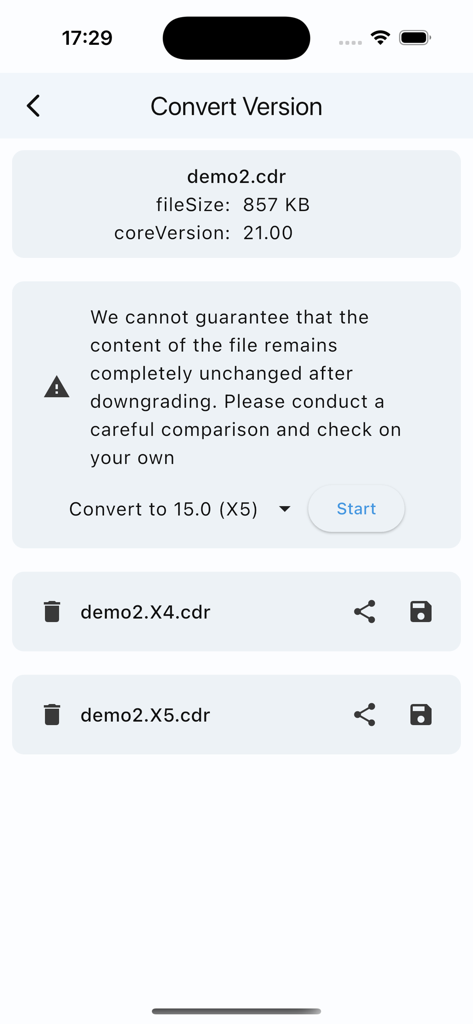
CDR Viewer Plusアプリで、バージョン21からX5へのCorelDrawファイルバージョン変換を示すモバイルインターフェース。

CDR Viewer Plusアプリで、バージョン21からX5へのCorelDrawファイルバージョン変換を示すモバイルインターフェース。

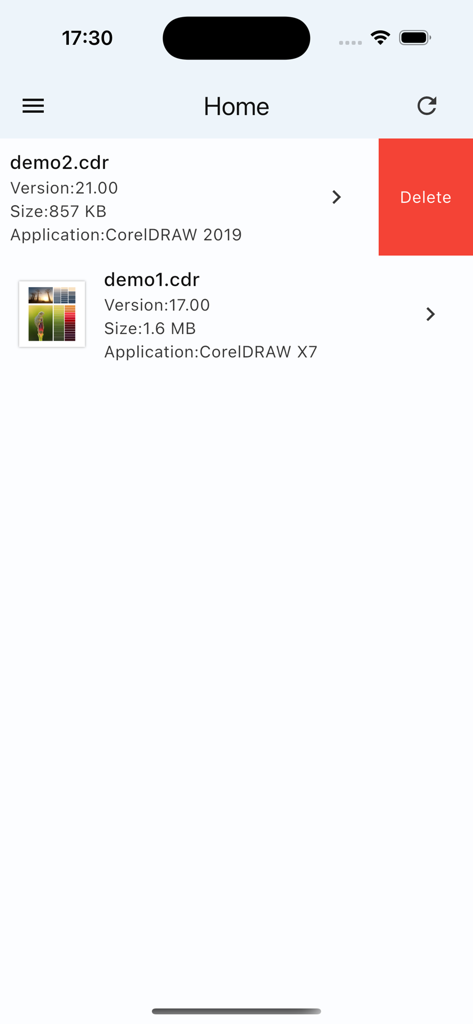
バージョンとサイズ情報を含むCorelDrawファイルのリストを表示するCDR Viewer Plusアプリのホーム画面。

バージョンとサイズ情報を含むCorelDrawファイルのリストを表示するCDR Viewer Plusアプリのホーム画面。

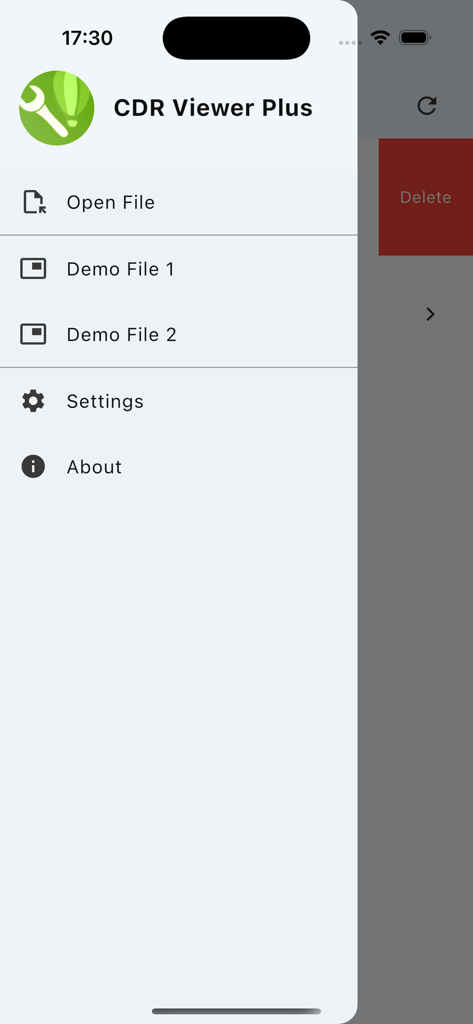
ファイルを開くオプションや設定を含む、CDR Viewer Plusアプリのサイドナビゲーションメニュー。

ファイルを開くオプションや設定を含む、CDR Viewer Plusアプリのサイドナビゲーションメニュー。

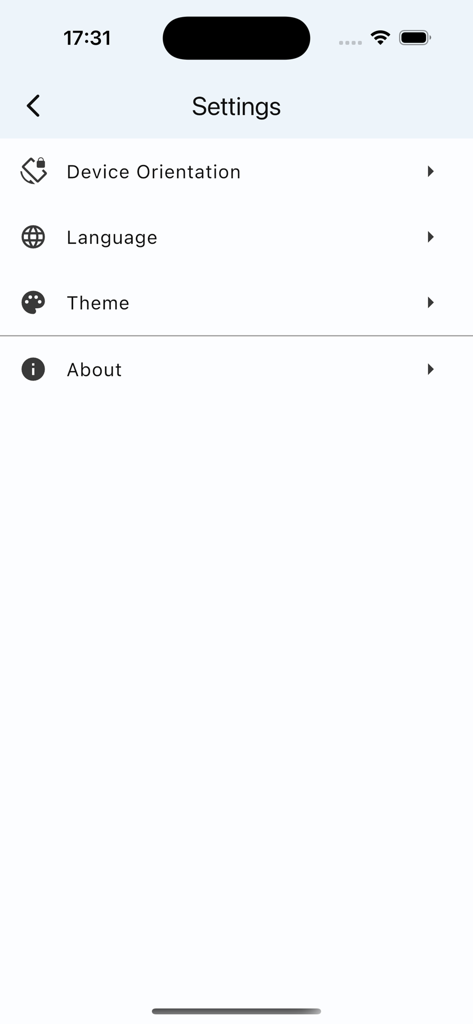
デバイスの向き、言語、テーマのオプションを示すCDR Viewer Plusアプリの設定メニュー。

デバイスの向き、言語、テーマのオプションを示すCDR Viewer Plusアプリの設定メニュー。

プロフェッショナルCDRツールを指先で

このアプリを際立たせるツール、 1K+ 人のユーザーが選択.

🔄

ワンクリックバージョンダウングレード

最新ファイルをX4やX7などの古いバージョンにシームレスに変換し、制作互換性を確保します。

📊

詳細な技術監査

要素数とエフェクトを即座に表示し、プロジェクトを正確に見積もり、ワークフローを最適化します。

📱

移動中のファイル検証

CDRバージョンをモバイルデバイスで直接プレビューおよび検査し、デスクから離れている時間を節約します。

アプリについて

について知っておくべきこと CDR Viewer Plus.

説明

Dear designers, Have you ever been frustrated by not being able to open higher-version CorelDraw files? Want to get detailed information about CDR files? Now, all of this is possible! We proudly launch a brand new app - CDR Viewer Plus. Designed specifically for designers, this app offers the following powerful features: ======One-click version conversion====== 1. Convert to X4 and X5, Safety Rating: ** 2. Convert to X6 and X7, Safety Rating: *** 3. Convert to X8~2020, Safety Rating: **** Important reminder: Please carefully check the consistency of the content before and after conversion!!! ======Basic Information Display====== 1. Version Number Display: Quickly view the CorelDraw file version number to ensure file compatibility. 2. Element Count: Detailed count of the number of elements within a file, such as text and curves, helps you fully understand the file content. 3. Effect Count: Counts the number of effects like gradients and prisms used in a file, allowing you to clearly see the impact of your design. 4. Fill and Outline Type Count: Detailed counts of fill and outline types used in a file help you better manage and optimize your designs. This app is not only powerful but also easy to use with a user-friendly interface, making your design work more efficient and convenient. Download CDR Viewer Plus now and start your efficient design journey!

最新バージョン

1.2.5

サイズ

47.3 MB

リリース日

2025年7月24日

ファイルバージョンで制作を遅らせるのをやめましょう

CDR Viewer Plusを入手して、自信を持ってすべてのCorelDrawファイルを処理しましょう。古いバージョンを変換し、いつでもどこでもデザインの詳細を監査できます。

ダウンロード: App Store

App information, icons, screenshots, and descriptions displayed on this page are sourced from the Apple App Store and are the property of their respective developers. Download estimates and rankings are based on MWM's proprietary models and may not reflect actual figures. This page is provided for informational and analytical purposes only.

Believe this page infringes your intellectual property? File a dispute