
このページはアプリまたはその開発者の公式ページではなく、情報提供および論評を目的として作成された独立した編集出版物です。明示的に別段の記載がない限り、アプリおよびその開発者は、MWM、Apple、Google Play、アプリのパブリッシャー、またはアプリの開発者と提携、承認、後援、認可、またはその他の公式的な関係はなく、このページのいかなる内容も、アプリがMWMのサービスを使用して開発されたことを意味するものではありません。すべての商標、ロゴ、スクリーンショット、その他のコンテンツはそれぞれの所有者の財産です。


ibis Paint X
もはやデバイスは言い訳にならない。指先ひとつで、プロの創作環境をポケットに収める究極の自由。
ダウンロード
75M+ユーザー評価
評価数
936.3K開発元
カテゴリ
Graphics & Design対応言語
19最新バージョン
14.0.0サイズ
111.4 MBリリース日
2011年8月1日モバイル環境で本格的なイラスト制作を志向するユーザーに向けた主要機能の深掘り。
ibis Paint X 機能分析:デジタルクリエイターのための包括的評価
無制限のレイヤー機能
レイヤー数に制限がなく、不透明度や合成モードなど高度な設定で複雑な作品制作をサポートします。
豊富なブラシライブラリ
多様な表現を可能にする47000種類以上のブラシで、あらゆるスタイルに対応します。
描画プロセスの動画記録
制作過程を動画として記録し、SNSでの共有や自身の学習、技術向上に役立てることができます。
SNSコミュニティ機能
他のユーザーの描画プロセス動画を視聴し、デジタルイラストの技術やインスピレーションを得ることが可能です。
クリッピングマスク機能
特定のレイヤーの描画内容を下のレイヤーの形に合わせてマスクできるため、効率的な色塗りや質感表現が可能です。
多彩な定規ツール
放射線定規や対称定規などの多様な定規機能により、正確で美しい線描画を容易にします。
漫画制作向け高度テキストツール
縦書き、横書き、縁取り、フォント選択など、漫画制作に特化した豊富なテキスト機能を提供します。
手ぶれ補正機能
線のぐらつきを自動的に補正し、滑らかで安定した描線を実現することで、より精度の高い描画が可能です。
よくある質問
について知っておくべきこと ibis Paint X
What is ibis Paint X?
ibis Paint X is a versatile drawing app providing over 47,000 brushes, 27,000 materials, 2,100 fonts, filters, screentones, and blending modes. It allows recording drawing processes and offers professional features for digital art creation.
How many brushes does ibis Paint X offer?
ibis Paint X offers over 47,000 kinds of brushes. These include dip pens, felt tip pens, digital pens, air brushes, fan brushes, oil brushes, and charcoal brushes, supporting smooth drawing at up to 120 fps.
Does ibis Paint X have layer features?
Yes, ibis Paint X includes comprehensive layer features. Users can add unlimited layers, adjust opacity, blending modes, and utilize clipping features. It also provides layer commands like duplication, inversion, rotation, and import from the photo library.
Can I record my drawing process in ibis Paint X?
Yes, ibis Paint X allows users to record their drawing process as a video. This feature also enables sharing drawing technique videos with other users via its SNS functionality.
What is the difference between ibis Paint X (free) and ibis Paint (paid)?
The primary difference between ibis Paint X (free version) and ibis Paint (paid version) is the presence or absence of advertisements. They offer identical features, and purchasing the Remove Ads Add-on for ibis Paint X eliminates ads.
What benefits does the Prime Membership offer in ibis Paint X?
Prime Membership in ibis Paint X offers 20GB cloud storage, Vector tool, Prime Materials, Prime Canvas Papers, Prime Fonts, Tone Curve filter, Gradation Map filter, Levels Adjustment filter, Prime Adjustment Layers, and no advertisements.
Is there a free trial for the ibis Paint X Prime Membership?
Yes, ibis Paint X offers a 7-day or 1-month free trial for the Prime Membership for first-time users. After the trial, the renewal fee is automatically charged unless canceled 24 hours prior.
Does ibis Paint X support manga creation features?
Yes, ibis Paint X offers a full range of manga features. These include 46 types of screentones, a text tool with vertical, horizontal, stroke, and font selection functions, speech bubbles, and frame divider tools.
Can I use vector tools in ibis Paint X?
Yes, ibis Paint X includes a vector tool as a Prime Membership feature. Users can try the vector tool for free for up to 1 hour per day. It is perfect for line art, including Vector Dip Pen, Vector Eraser, and Vector Select Tool.
How many materials and fonts are available in ibis Paint X?
ibis Paint X provides over 28,000 materials and over 3,000 fonts. The materials include tracing sketches, textures, backgrounds, and accessories, while fonts support diverse text functionalities.
How does ibis Paint X ensure a smooth drawing experience?
ibis Paint X ensures a smooth and comfortable drawing experience through the implementation of OpenGL technology. This technology optimizes performance, allowing for fluid strokes and responsiveness during creative work.
Does ibis Paint X include filters for artwork enhancement?
Yes, ibis Paint X includes over 80 highly effective filters for artwork enhancement. Prime Membership further unlocks advanced filters such as Tone Curve, Gradation Map, Levels Adjustment, and Prime Adjustment Layers.
Is ibis Paint X compatible with multiple devices and offers cloud storage?
Yes, ibis Paint X is compatible with a variety of devices. It also offers cloud storage for automatic sync and transfer of artwork, with Prime Membership providing 20GB of cloud storage capacity.
以下のスクリーンショットと説明は、アプリの公式ストアリスティングから直接取得されたものであり、アプリ開発者の所有物です。
アプリストア
スクリーンショット
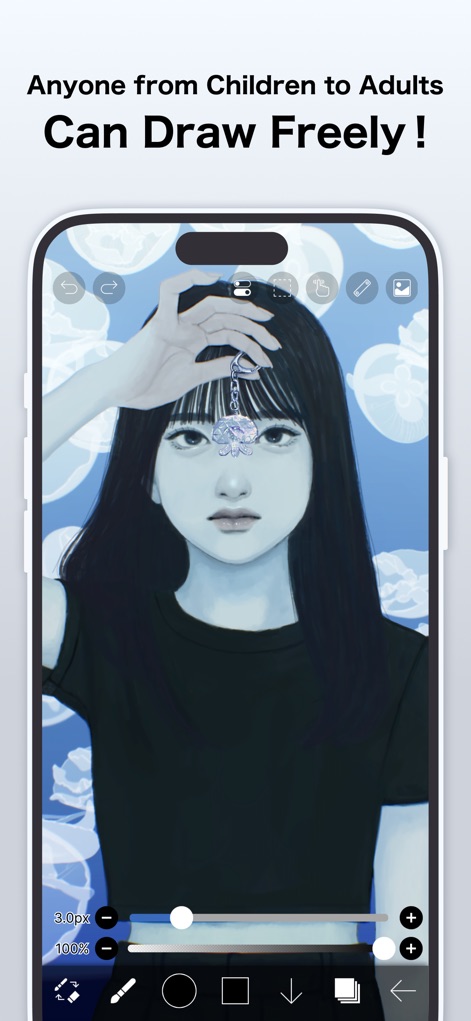
直感的なインターフェースと細かく調整可能なブラシ設定により、年齢やスキルレベルに関わらず、誰もがデジタルアート制作を気軽に始められます。
描く楽しさ、誰でも
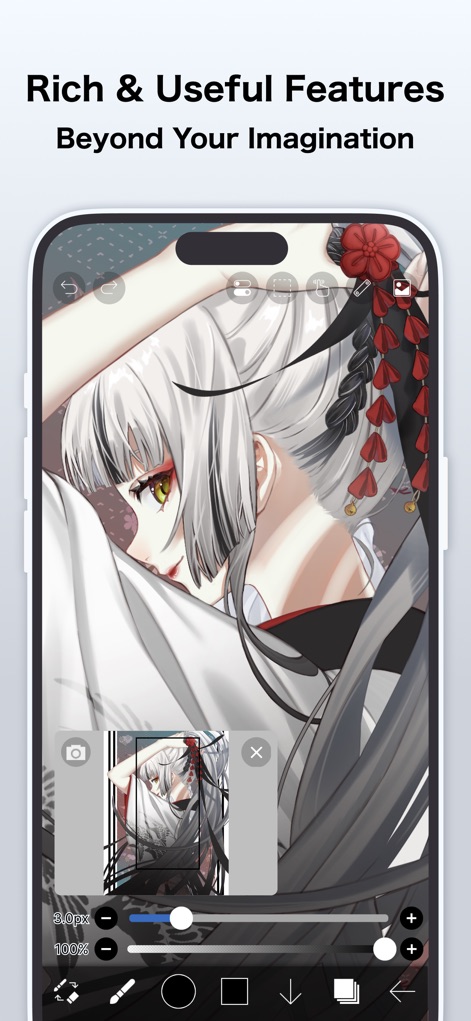
想像を超える豊富な機能で、複雑なイラスト制作もスムーズに。高度なレイヤー管理と多様な編集ツールがクリエイティブな表現をサポートします。
高機能、思いのままに
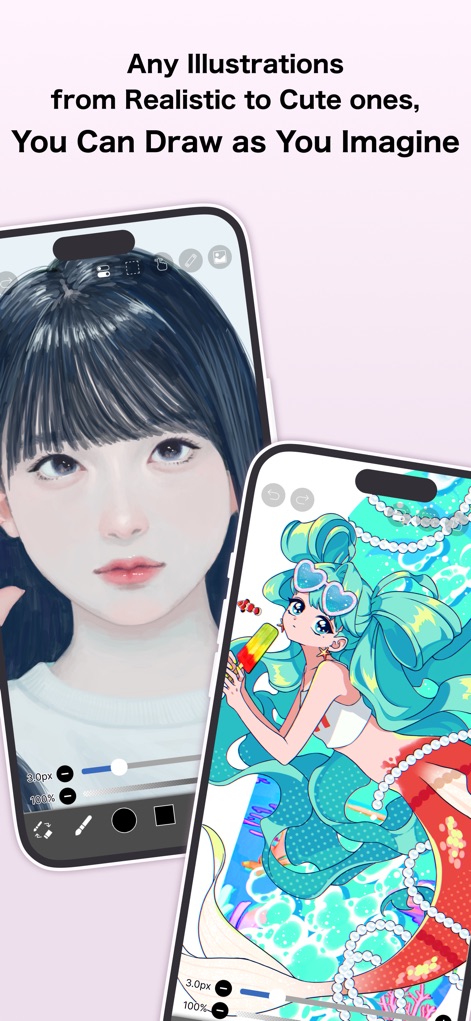
リアルな描写からキュートなキャラクターまで、ユーザーの創造力を最大限に引き出す多様な表現スタイルに対応。豊富なブラシエンジンと鮮やかな色彩表現で、思い描くイメージを形にできます。
広がる表現、自在に
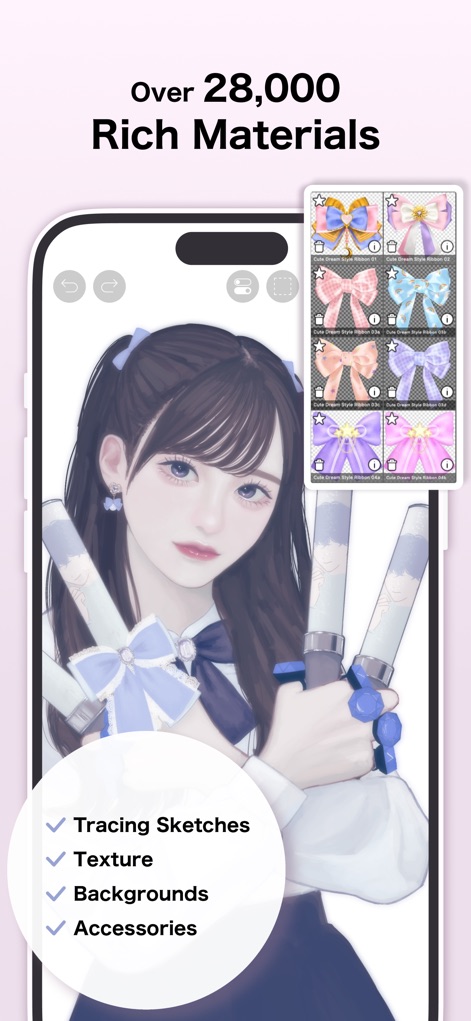
28,000種類以上の豊富な素材を収録し、イラストの装飾や背景作成をサポートします。トレーシングスケッチやテクスチャなどの多様な素材が、作品に深みと個性を加えます。
豊富な素材、創造無限
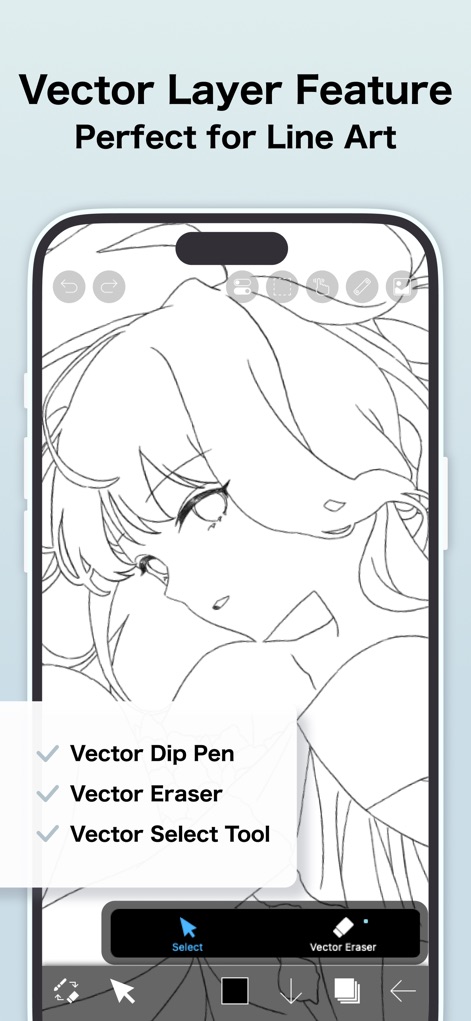
ベクトルレイヤー機能により、線画の拡大縮小や変形を劣化なく行えます。ベクターディップペンやベクター消しゴムといった専用ツールで、プロフェッショナルな線画作成が可能です。
精密線画、ベクトルで
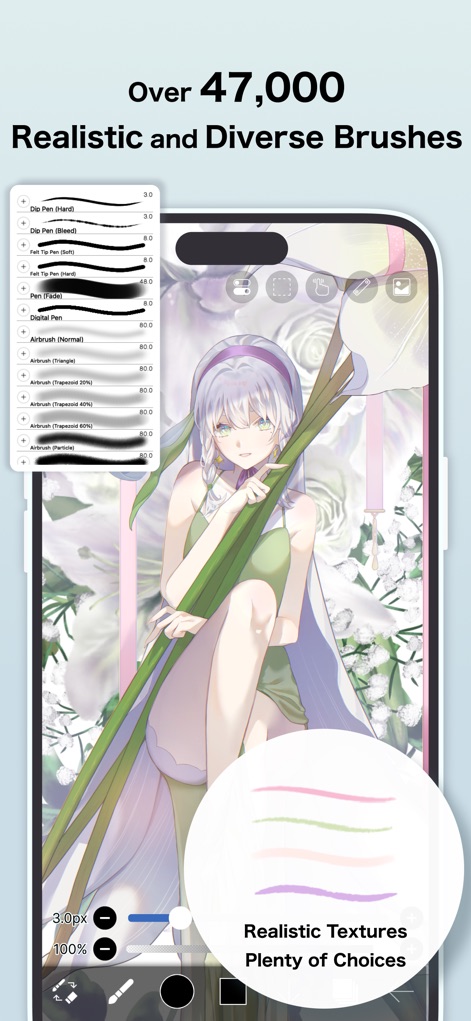
47,000種類以上ものリアルで多様なブラシが用意されており、あらゆる画風に対応します。ディップペンやエアブラシなど豊富なブラシタイプとテクスチャ表現で、理想のタッチを実現できます。
多彩なブラシ、表現無限
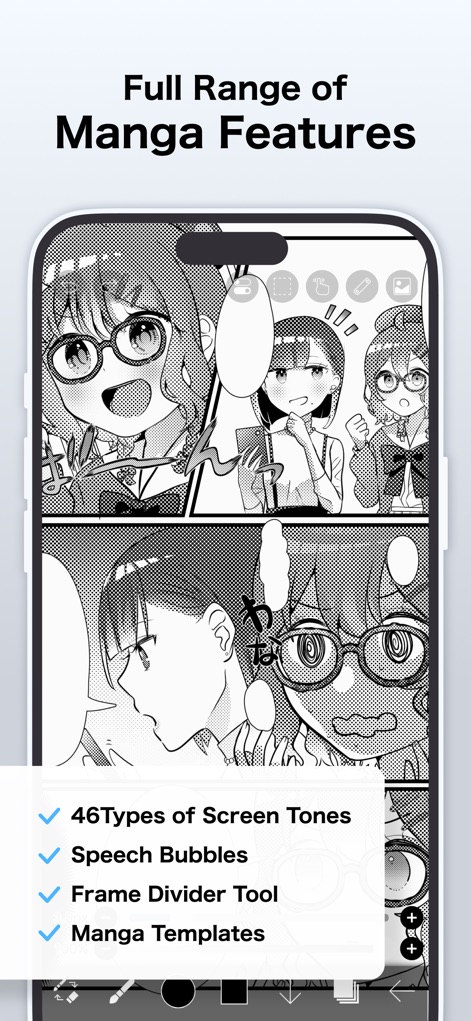
46種類ものスクリーントーンやフキダシ、フレーム分割ツールなど、マンガ制作に必要なプロフェッショナル機能を網羅しています。テンプレートを活用することで、効率的な作品作りが可能です。
マンガ制作、プロの機能
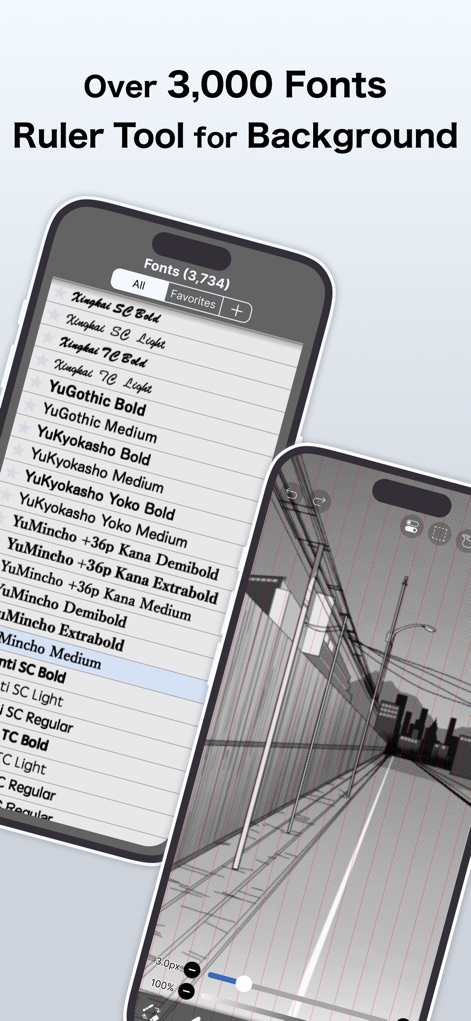
3,000種類以上の豊富なフォントから選択でき、テキスト表現の幅を広げます。また、背景描画に役立つルーラーツールを活用することで、正確な遠近感のあるイラストも簡単に作成できます。
文字表現、背景も自在
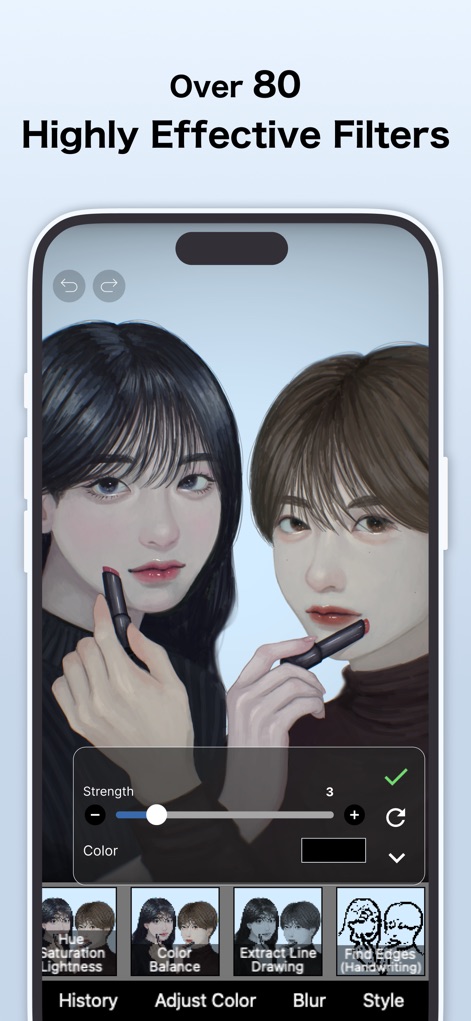
80種類以上もの効果的なフィルターを搭載し、イラストの雰囲気を瞬時に変えられます。色相・彩度・明度やカラーバランス調整フィルターを用いて、作品に最適な表現を追求できます。
魅力的な加工、指先で
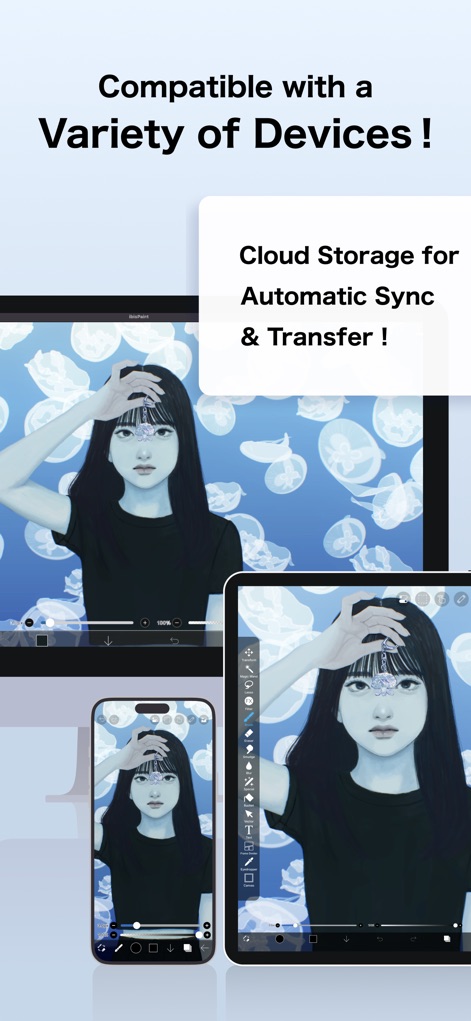
スマートフォンやタブレットなど多様なデバイスに対応し、場所を選ばずに制作を続けられます。クラウドストレージ機能により、作品の自動同期と転送が実現し、作業が中断されることはありません。
いつでもどこでも、制作を
説明
Download
類似アプリ
似た機能とユーザー体験を持つアプリ

Sketchbook®
Sketchbook, Inc.

Mental Canvas Draw
Mental Canvas, Inc.

ibis Paint
ibis inc.

Paper: Sketch, Draw & Create
Evernote Corporation

Adobe Fresco: Draw & Paint App
Adobe Inc.

Art Set 4
Lofopi Ltd

MediBang Paint – Drawing & Art
MediBang inc.

Tayasui Sketches
SKETCHES SRL

Clip Studio Paint
CELSYS,Inc.
このページはアプリまたはその開発者の公式ページではなく、情報提供および論評を目的として作成された独立した編集出版物です。明示的に別段の記載がない限り、アプリおよびその開発者は、MWM、Apple、Google Play、アプリのパブリッシャー、またはアプリの開発者と提携、承認、後援、認可、またはその他の公式的な関係はなく、このページのいかなる内容も、アプリがMWMのサービスを使用して開発されたことを意味するものではありません。すべての商標、ロゴ、スクリーンショット、その他のコンテンツはそれぞれの所有者の財産です。