CEPOWER JKBMS Monitor

CEPOWER JKBMS Monitor


ダウンロード: App Store
ロゴ: CEPOWER JKBMS Monitor

CEPOWER JKBMS Monitor:高精度リアルタイムバッテリーインテリジェンス

DIYソーラー、RV、オフグリッドシステム向けの高精度データで、JK BMSを完全に制御します。いつでもどこでも、ログイン不要で即座にセル電圧とシステムヘルスにアクセスできます。

ダウンロード: App Store

開発元

Elie Harfouche

カテゴリ

Utilities

ダウンロード

100

ユーザー評価

1.0/5

評価数

0

対応言語

1

一目でわかる精度

このインターフェースを利用する 100 人のユーザー.

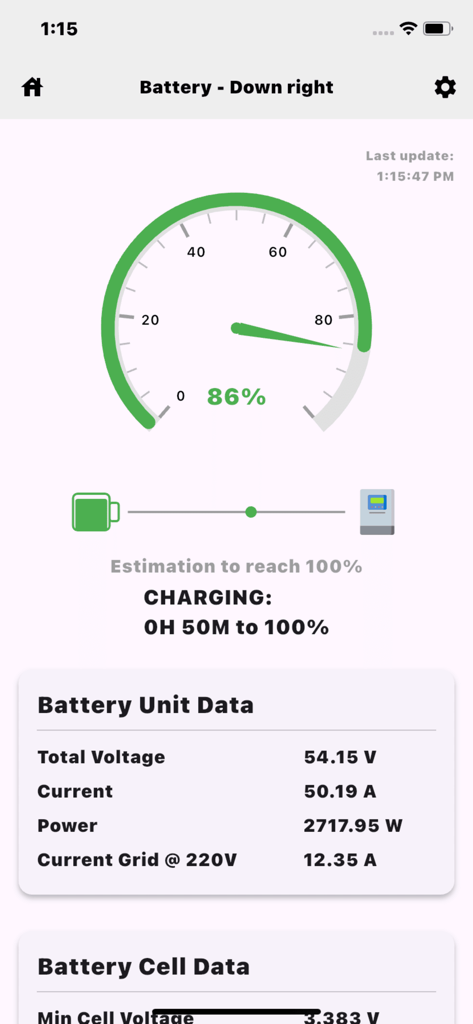
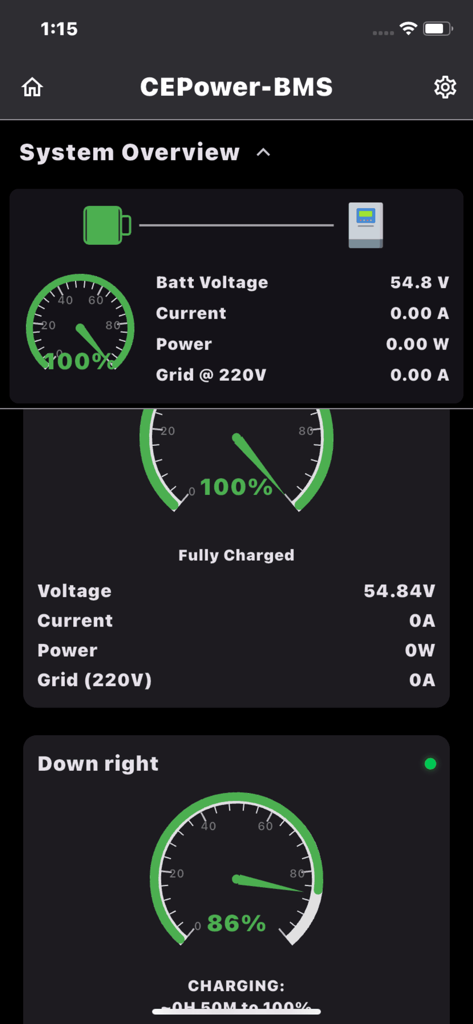
CEPOWER JKBMS Monitorダッシュボード。バッテリー充電ステータスが86%で、電圧と電流データが表示されています。

CEPOWER JKBMS Monitorダッシュボード。バッテリー充電ステータスが86%で、電圧と電流データが表示されています。

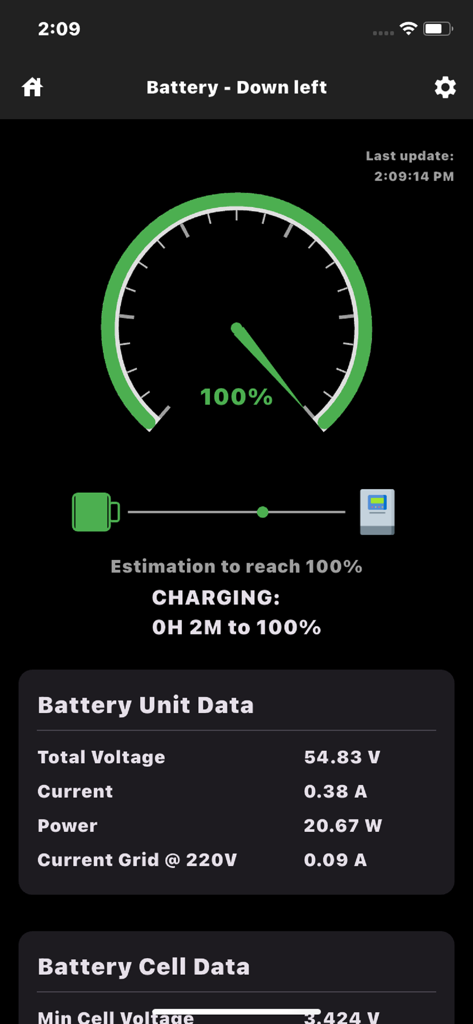
リアルタイムのバッテリー充電率と電圧データを表示するモバイルインターフェース。

リアルタイムのバッテリー充電率と電圧データを表示するモバイルインターフェース。

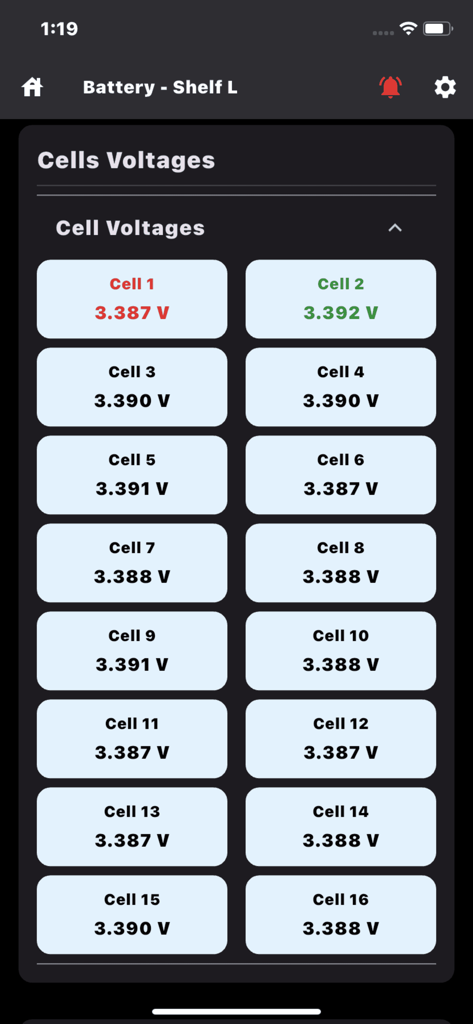
CEPOWER JKBMSアプリでの個々のバッテリーセル電圧のリアルタイム監視。

CEPOWER JKBMSアプリでの個々のバッテリーセル電圧のリアルタイム監視。

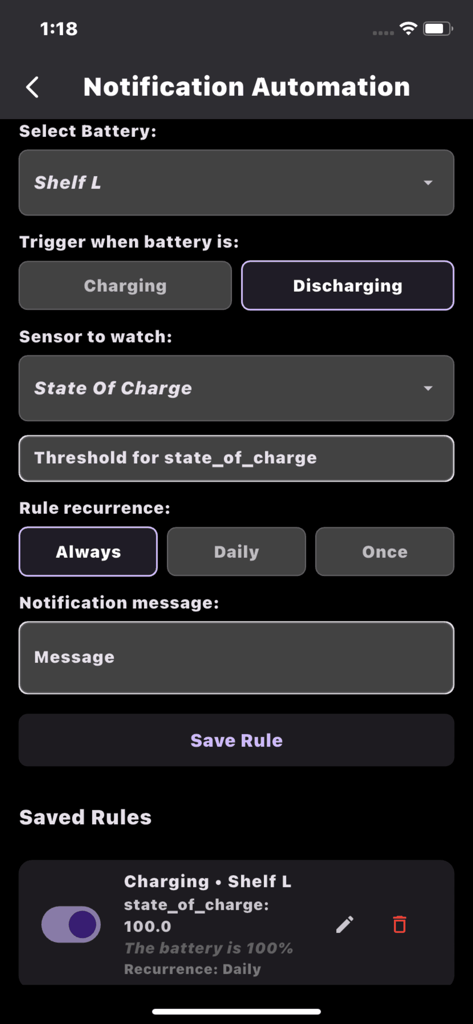
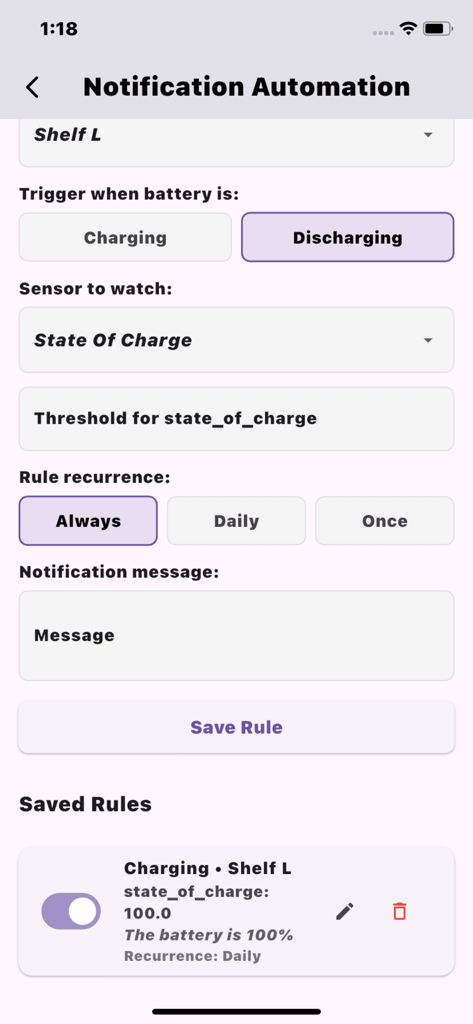
CEPOWER JKBMS Monitorアプリで、カスタムバッテリーアラートと充電状態しきい値を設定するための通知自動化画面。

CEPOWER JKBMS Monitorアプリで、カスタムバッテリーアラートと充電状態しきい値を設定するための通知自動化画面。

CEPOWER JKBMS Monitorアプリで、カスタムバッテリーアラートを設定するための通知自動化画面。

CEPOWER JKBMS Monitorアプリで、カスタムバッテリーアラートを設定するための通知自動化画面。

CEPOWER JKBMS Monitorシステムダッシュボード。バッテリー充電率とリアルタイム電圧メトリクスが表示されています。

CEPOWER JKBMS Monitorシステムダッシュボード。バッテリー充電率とリアルタイム電圧メトリクスが表示されています。

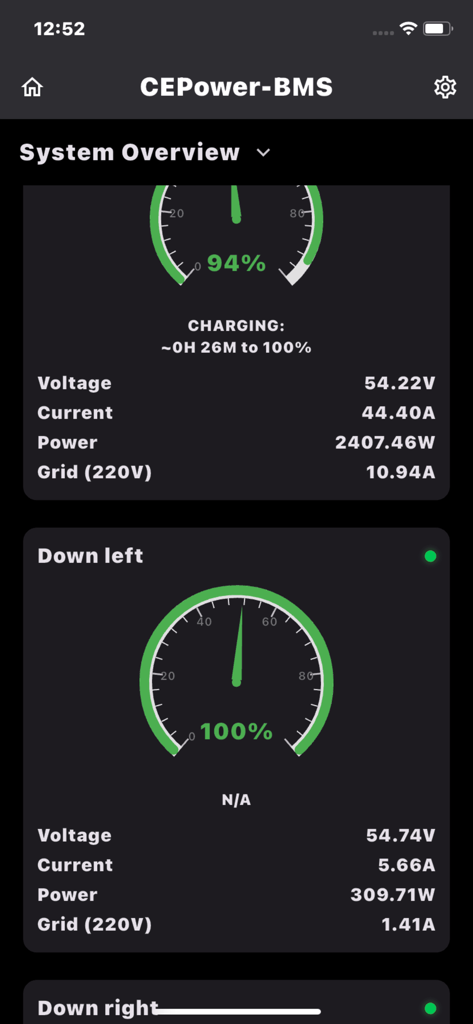
CEPOWER JKBMS Monitorアプリのダッシュボード。オフグリッドエネルギーシステム用のリアルタイムバッテリー電圧、電流、充電状態ゲージが表示されています。

CEPOWER JKBMS Monitorアプリのダッシュボード。オフグリッドエネルギーシステム用のリアルタイムバッテリー電圧、電流、充電状態ゲージが表示されています。

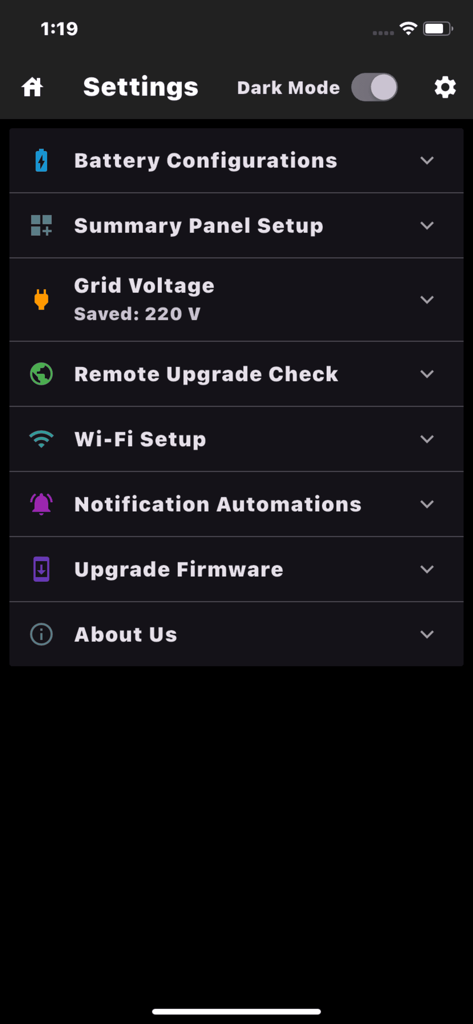
CEPOWER JKBMS Monitorアプリの設定メニュー。バッテリー構成とファームウェアアップデートのオプションが表示されています。

CEPOWER JKBMS Monitorアプリの設定メニュー。バッテリー構成とファームウェアアップデートのオプションが表示されています。

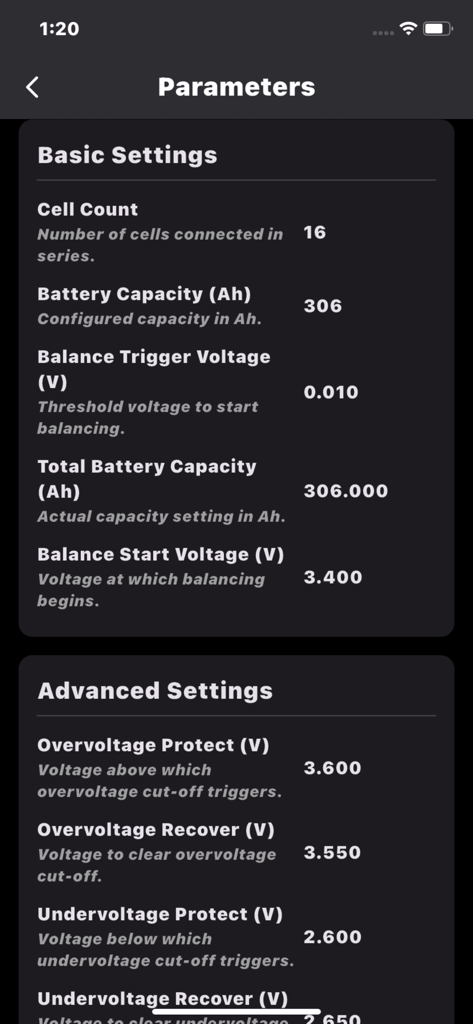
CEPOWER JKBMS Monitorアプリの技術的バッテリーパラメータ(容量や電圧保護設定など)のスクリーンショット。

CEPOWER JKBMS Monitorアプリの技術的バッテリーパラメータ(容量や電圧保護設定など)のスクリーンショット。

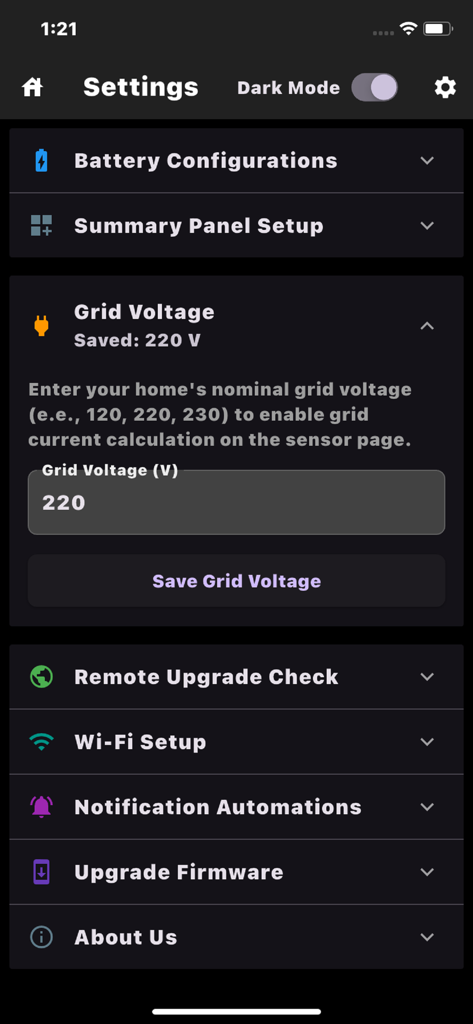
CEPOWER JKBMS Monitorアプリの設定メニュー。グリッド電圧構成とシステムオプションが表示されています。

CEPOWER JKBMS Monitorアプリの設定メニュー。グリッド電圧構成とシステムオプションが表示されています。

電力管理をシンプルに

このアプリを際立たせるツール、 100 人のユーザーが選択.

詳細なセル分析

すべてのセルのリアルタイム電圧を表示し、内部抵抗を追跡して、バッテリーバンクが完全にバランスが取れて健康な状態に保たれていることを確認します。

🔒

摩擦のない接続

登録やパスワードは不要です。ユニークなデバイスIDのみを使用してバッテリーデータに即座にアクセスでき、プライバシーと使いやすさを最大限に確保します。

📈

高度な履歴とアラート

15日間の詳細なパフォーマンスログを確認し、カスタム通知ルールを設定して、アプリが閉じている間でもハードウェアを保護します。

アプリについて

について知っておくべきこと CEPOWER JKBMS Monitor.

説明

CEPOWER JKBMS Monitor – Real-time battery monitoring made simple. Monitor one or multiple batteries in real time using a unique Device ID. No registration, no passwords, no hassle. Just connect and instantly view live battery data from anywhere. Track charge level, voltage, current, cell voltages, temperature, runtime, and more. CEPOWER JKBMS Monitor is designed specifically for JK BMS systems to provide a clear, reliable, and accurate overview of battery performance. Access your batteries from iPhone, iPad, or any web browser. Key Features: Monitor one or multiple batteries simultaneously Combine multiple batteries to view total consumption and charge View all sensors on a single screen, including cell-by-cell voltages with automatic highest and lowest detection View all parameters on one page, including internal resistance value Rename each battery for easy identification and organization Accurate consumption tracking based on grid voltage Create custom notification rules for voltage, current, or individual cells and receive alerts even when the app is closed Review up to 15 days of history logs for troubleshooting and performance analysis Installers and administrators can monitor multiple clients remotely Each battery uses a unique Device ID for easy access across users and locations Upgrade battery firmware directly from the app Built for ESP32-based modules with full JK BMS integration No login required. Just your Device ID, and you’re ready to go. For inquiries or to obtain a Device ID, contact support@cepower.org or visit https://www.cepower.org

最新バージョン

2.3.4

サイズ

33.8 MB

リリース日

2025年7月2日

エネルギー設定をマスターする準備はできましたか?

登録不要で、プロフェッショナルグレードのJK BMSインサイトを即座に取得。パスワードも手間も不要—高精度なバッテリーデータが指先で利用できます。

ダウンロード: App Store

App information, icons, screenshots, and descriptions displayed on this page are sourced from the Apple App Store and are the property of their respective developers. Download estimates and rankings are based on MWM's proprietary models and may not reflect actual figures. This page is provided for informational and analytical purposes only.

Believe this page infringes your intellectual property? File a dispute