ClassWiz Calc App QR

ClassWiz Calc App QR

ダウンロード: App Store
ロゴ: ClassWiz Calc App QR

ClassWiz Calc App QR: モバイルのための本物のカシオ関数電卓

物理的なClassWizを再現した公式ツールで、STEMパフォーマンスを向上させましょう。自然表示で複雑な方程式を解き、インスタントQR接続でグラフを可視化できます。

開発元

CASIO COMPUTER CO., LTD.

カテゴリ

Education

ダウンロード

45K+

ユーザー評価

1.5/5

評価数

100

対応言語

10

見慣れたパワーを、新しく

このインターフェースを利用する 45K+ 人のユーザー.

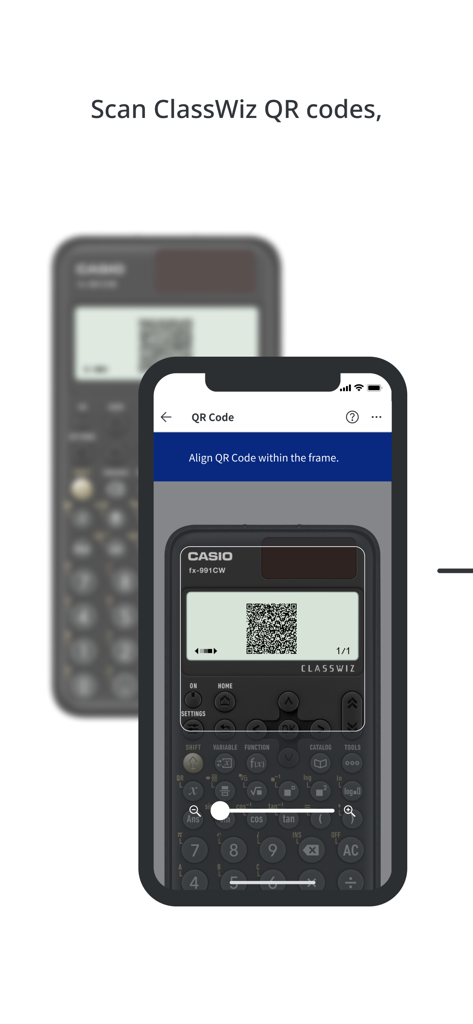
ClassWizアプリを使用して、物理的なカシオ関数電卓画面からQRコードをスキャンするスマートフォン

ClassWizアプリを使用して、物理的なカシオ関数電卓画面からQRコードをスキャンするスマートフォン

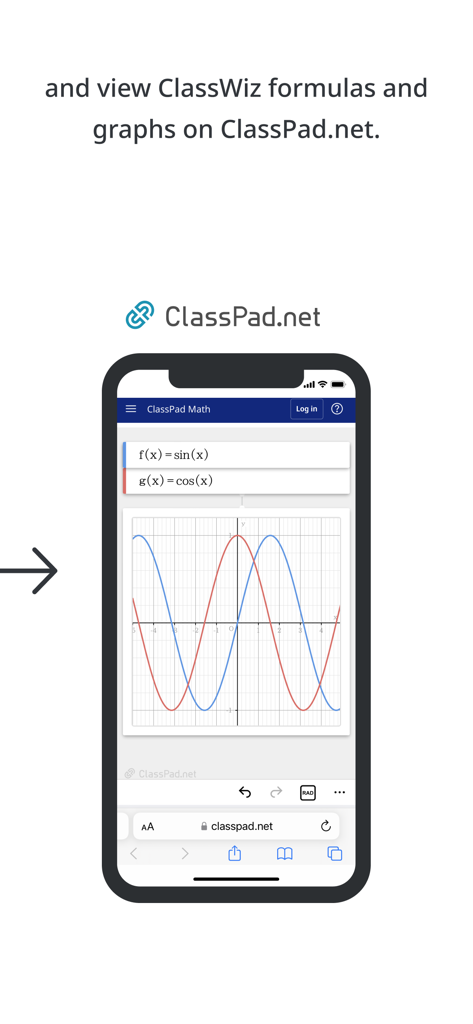
ClassPad.netでサイン波とコサイン波のグラフを表示するスマートフォン

ClassPad.netでサイン波とコサイン波のグラフを表示するスマートフォン

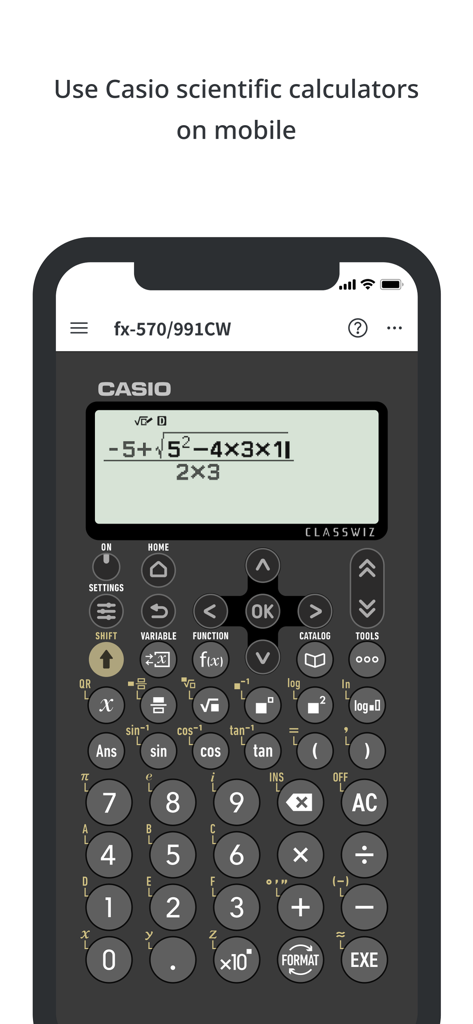
モバイルフォン上のカシオClassWiz関数電卓アプリのインターフェース、数式を表示

モバイルフォン上のカシオClassWiz関数電卓アプリのインターフェース、数式を表示

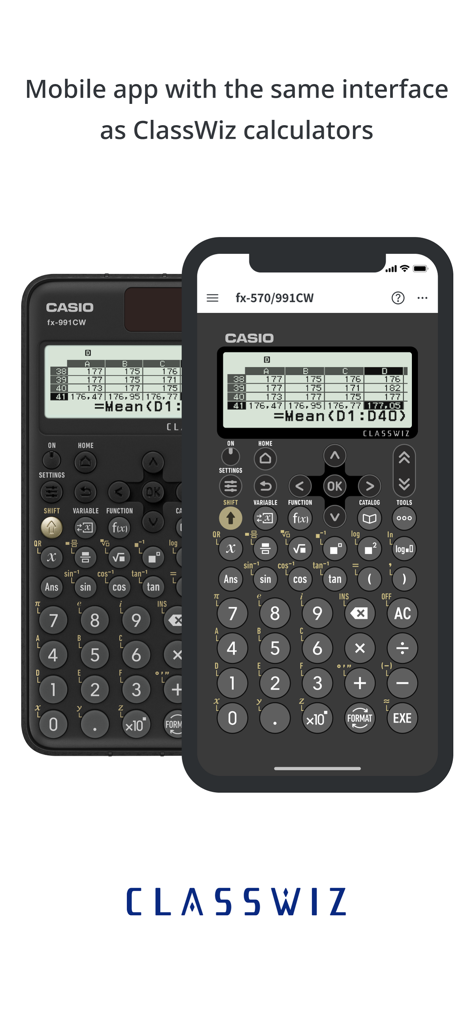
物理的なカシオClassWiz電卓とモバイルアプリインターフェースの比較

物理的なカシオClassWiz電卓とモバイルアプリインターフェースの比較

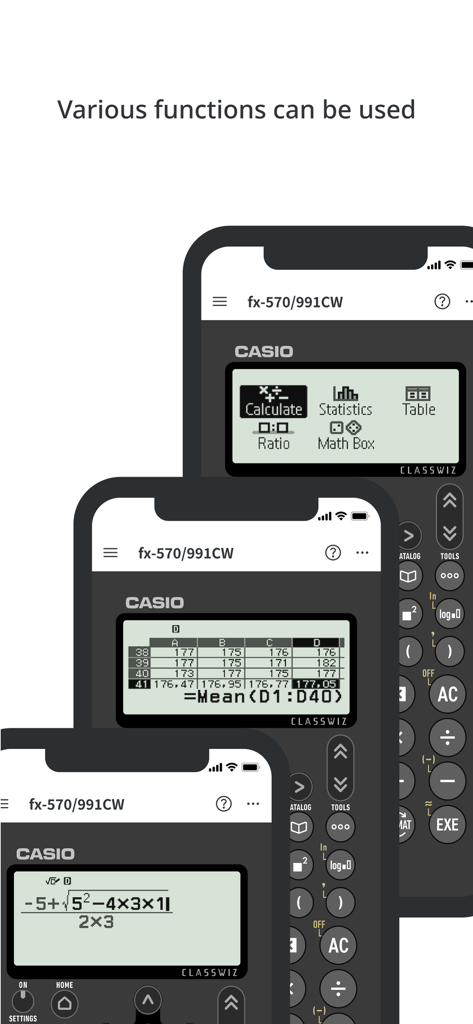
様々な関数電卓機能を備えたCASIO ClassWiz Calc Appのスクリーンショット

様々な関数電卓機能を備えたCASIO ClassWiz Calc Appのスクリーンショット

スマートフォン画面上に表示された様々なカシオClassWiz関数電卓モデル

スマートフォン画面上に表示された様々なカシオClassWiz関数電卓モデル

外出先でも数学と科学をマスター

このアプリを際立たせるツール、 45K+ 人のユーザーが選択.

📲

使い慣れたカシオインターフェース

学習曲線なし。物理的な関数電卓からすでに知っている全く同じコントロールと機能を使用して、シームレスな学習を実現します。

📈

スマートデータ可視化

QRコードを生成して、ClassPad.netで高解像度のグラフやチャートを即座に表示し、ハードウェア画面の制限を解決します。

🎓

教科書スタイルの入力

教科書に表示される通りに分数、対数、方程式を表示・入力し、構文エラーを減らし、精度を高めます。

アプリについて

について知っておくべきこと ClassWiz Calc App QR.

説明

The ClassWiz Calc App QR is a mobile app from Casio that enables users to utilize the functions of genuine Casio ClassWiz Series scientific calculators on their smartphone or tablet. Users can use a wide range of ClassWiz functions with ease, including statistical calculations, spreadsheets, matrix calculations and graph display through connectivity with Casio's ClassPad.net online service. ■ Various calculations can be performed. Fractions, trigonometric functions, logarithmic functions and other calculations can be performed simply by inputting as shown in the textbook. Statistical calculations, spreadsheets and matrix calculations can be operated using the intuitive UI. ■ Works just like a physical product The app is operated in the same way as Casio’s physical ClassWiz scientific calculators. ■ ClassWiz QR code reading function for connectivity to online services Users can scan the QR code on a physical ClassWiz scientific calculator to display ClassWiz formulas and graphs through Casio's online service ClassPad.net and to access online instruction manuals. ■ Available models: fx-570/fx-991CW fx-82/fx-85/fx-350CW fx-570/fx-991EX fx-82/fx-350EX fx-570/fx-991AR X See the website for details. https://edu.casio.com/app/classwiz/license_qr/en ● Note The following operating system (OS) versions are recommended when using the ClassWiz Calc App QR. Correct operation cannot be guaranteed with OS versions other than those listed below. Supported OS versions: iOS 15 or later Supported languages English *1 Even when used with a supported OS version, there may be cases in which the app does not function or display correctly due to factors such as device software updates or device display specifications. *2 The ClassWiz Calc App QR is intended for use on iPhones and iPads. *3 Correct operation cannot be guaranteed on other devices, including feature phones (flip phones). *4 QR Code is a registered trademark of DENSO WAVE INCORPORATED in Japan and in other countries.

最新バージョン

3.8.0

サイズ

77.5 MB

リリース日

2023年7月30日

次のSTEM試験を突破する準備はできましたか?

45,000人以上の学生に加わり、本物のカシオClassWizのパワーをiPhoneまたはiPadにもたらしましょう。どこにいても、信頼できる自然表示を体験してください。

ダウンロード: App Store

App information, icons, screenshots, and descriptions displayed on this page are sourced from the Apple App Store and are the property of their respective developers. Download estimates and rankings are based on MWM's proprietary models and may not reflect actual figures. This page is provided for informational and analytical purposes only.

Believe this page infringes your intellectual property? File a dispute