ClinoScope

ClinoScope

ダウンロード: App Store
ロゴ: ClinoScope

ClinoScope:精密レベリングのためのプロフェッショナル3D傾斜計

iPhoneを建設、オーディオキャリブレーション、スポーツ向けの高性能ツールに変身させます。リアルタイムのグラフでピッチ、ロール、ヨーを追跡し、タイムスタンプ付きのスナップショットで作業の証明を記録します。

ダウンロード: App Store

開発元

TOON,LLC

カテゴリ

Utilities

ダウンロード

2K+

ユーザー評価

1.0/5

評価数

0

対応言語

1

可視化された精度

このインターフェースを利用する 2K+ 人のユーザー.

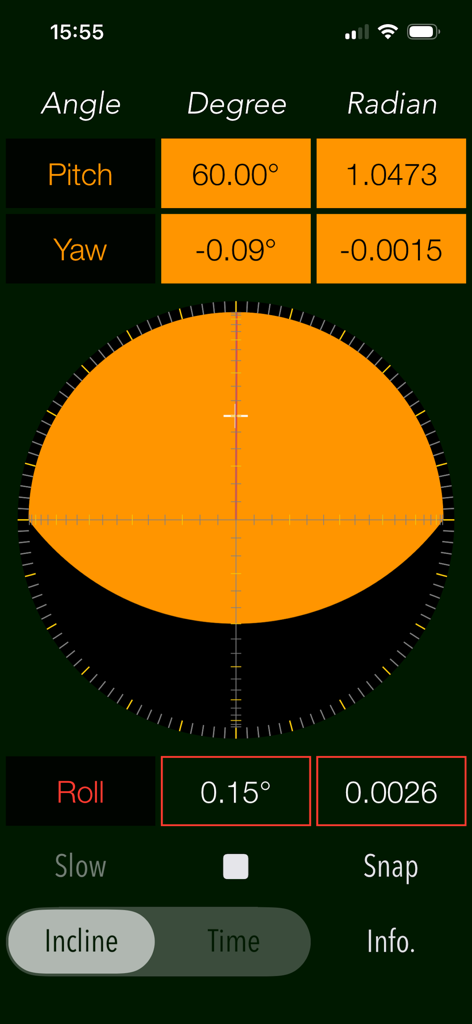
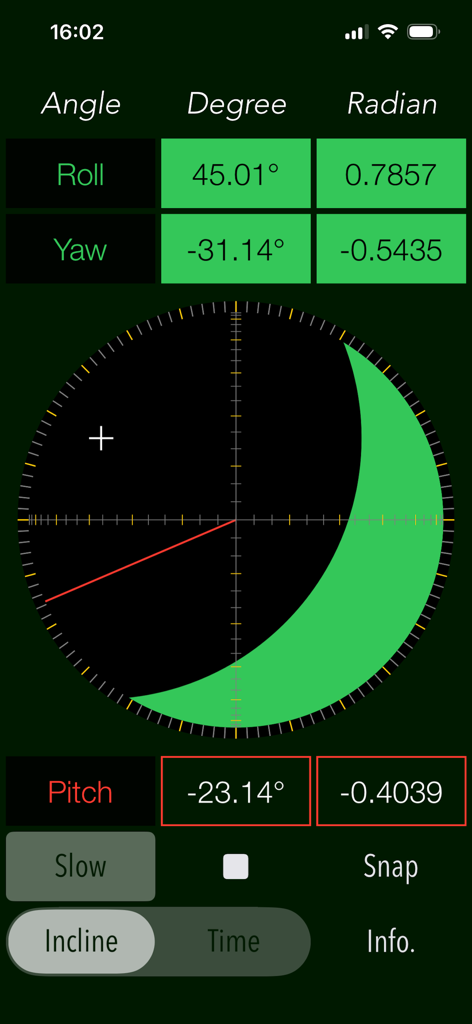
ピッチ、ヨー、ロールをリアルタイムで測定するClinoScope 3D傾斜計のインターフェース

ピッチ、ヨー、ロールをリアルタイムで測定するClinoScope 3D傾斜計のインターフェース

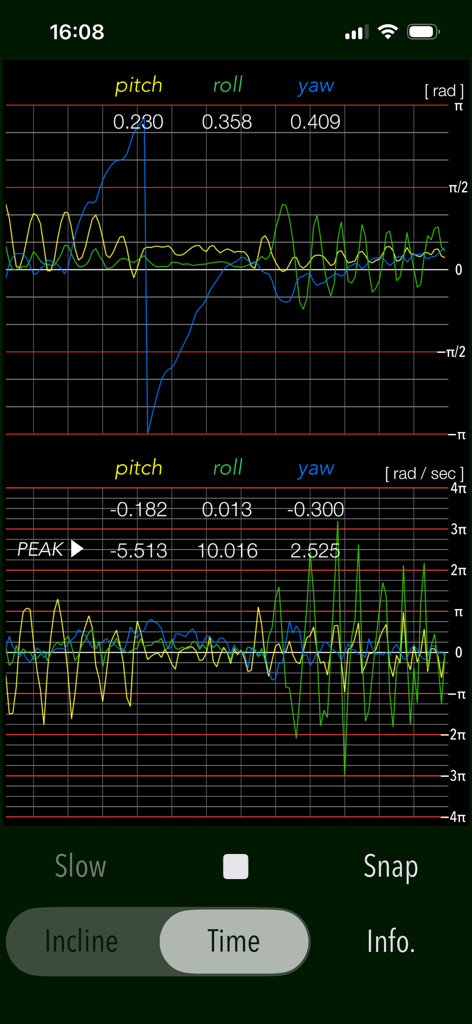
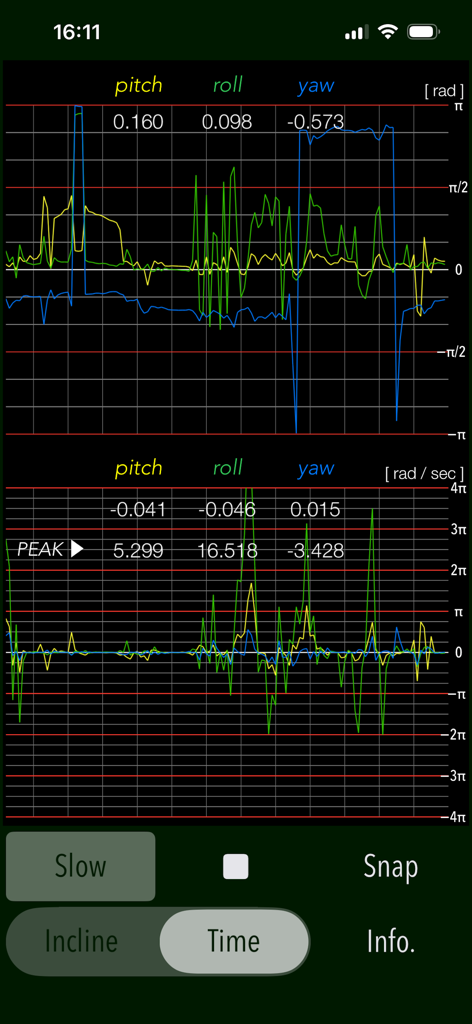
ClinoScopeアプリにおけるピッチ、ロール、ヨーセンサーのリアルタイムグラフ

ClinoScopeアプリにおけるピッチ、ロール、ヨーセンサーのリアルタイムグラフ

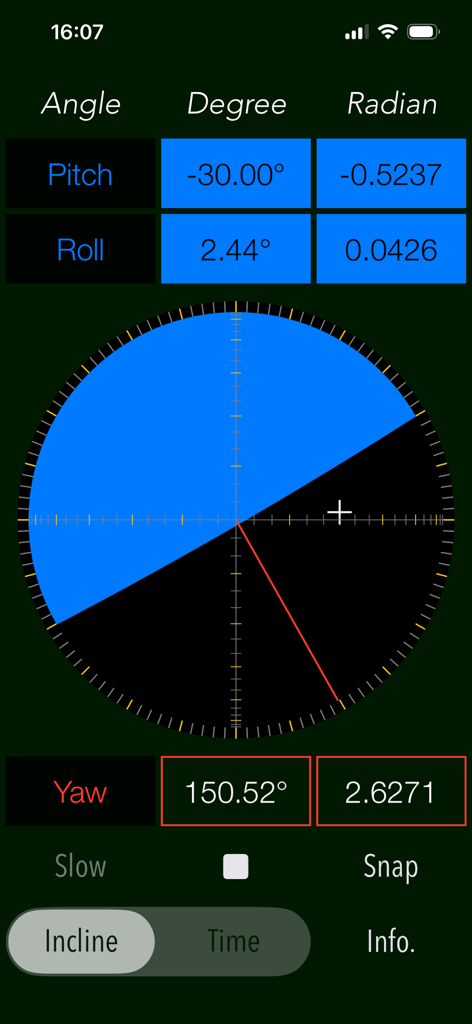
ピッチ、ロール、ヨーの測定値で3D傾斜を表示するClinoScopeアプリのインターフェース

ピッチ、ロール、ヨーの測定値で3D傾斜を表示するClinoScopeアプリのインターフェース

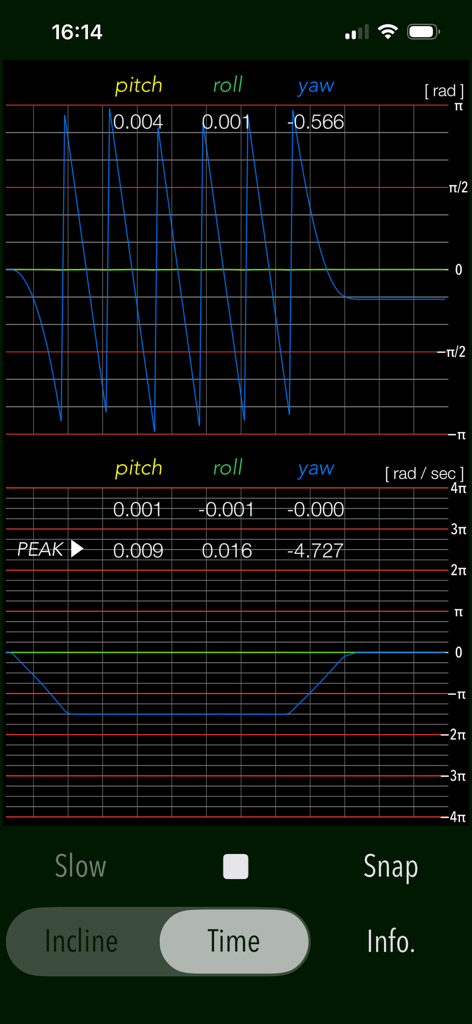
ClinoScopeアプリのTIMEモードにおけるリアルタイムのピッチ、ロール、ヨー測定グラフ

ClinoScopeアプリのTIMEモードにおけるリアルタイムのピッチ、ロール、ヨー測定グラフ

ロール、ヨー、ピッチの3次元傾斜計測定値を度とラジアンで表示するClinoScopeアプリのインターフェース

ロール、ヨー、ピッチの3次元傾斜計測定値を度とラジアンで表示するClinoScopeアプリのインターフェース

ClinoScopeアプリにおけるピッチ、ロール、ヨーの角度と角速度のリアルタイムグラフ

ClinoScopeアプリにおけるピッチ、ロール、ヨーの角度と角速度のリアルタイムグラフ

プロフェッショナルな精度であらゆる角度をマスター

このアプリを際立たせるツール、 2K+ 人のユーザーが選択.

🎯

高精度3軸センシング

iPhoneの内蔵センサーを活用し、ピッチ、ロール、ヨーにわたる臨床グレードの傾斜データを、リアルタイムの視覚的フィードバックとともに提供します。

📊

リアルタイム・モーショントラッキング

TIMEモードを使用して角速度と安定性をグラフ化し、繊細な機器のキャリブレーションに必要な科学的知見を提供します。

作業の記録と証明

タイムスタンプと方位データを含む測定値を即座にキャプチャして保存し、クライアントやプロジェクト記録のためにレベリングの精度を証明します。

アプリについて

について知っておくべきこと ClinoScope.

説明

"ClinoScope" is a handy incline analysis tool that measures tilt angles and the three-dimensional inclination of objects relative to gravity, using your iPhone’s accelerometer and gyro sensors. You can quickly check slopes in various places, like uneven floors, leaning buildings, or leveling equipment. It can display the current terminal posture in real time by two measurement modes: INCLINE mode for inclinometer readings and TIME mode for a gyro-positioning time graph. Features: - Optimized for iPhone, Compact code size. - Measurement of three-dimensional angles of elevation, slope or inclination. - Inclination measurement function (INCLINE) - Gyro-positioning time graph function (TIME) - Switching function of sensor sampling period (SLOW): fast 10Hz / slow 1Hz - Snapshot (SNAP): Capture the measurement results to Photos. Applications: - Measurement of tilt states, such as furniture and floors. - Adjustment of the horizontal reference level when installing the equipment. - Measuring angle on moving vehicles. - Setting adjustment, such as audio equipment. - Use in various Sports, for example, measurement of the green inclination angle of the golf. Functions: 1) INCLINE (3-dimensional inclinometer) INCLINE mode utilizes the information of the acceleration sensor and operates as the three-dimensional inclinometer. It displays the angle and gradient in visually in accordance with the spatial attitude of the iPhone devices. The measurement display is slightly different by the terminal posture state (FaceUp, Portrait, Landscape) as follows: - FaceUP (Terminal horizontal, Flat): FaceUP is the state that the terminal has become horizontal to the ground plane. In this case, it appears the angle of pitch and roll in the arc, and the angle of yaw in the circle needle. It also displays the cross mark (+) on the position of the zenith (or the nadir), such as seeing the terminal from directly above. - Portrait (Vertical possession): Portrait is a state that you have hold the terminal to the vertical. The lower side of the Home button is standard. In this case, it appears the angle of pitch and yaw in the arc, and the angle of the roll in a circle needle. - Landscape (Horizontal possession): Landscape is the state that you have got sideways a terminal, the home button right side will be the standard. In this case, it appears the angle of roll and yaw in the arc, and the angle of the pitch in the circle needle. 2) TIME (time graph) TIME mode is used to see in real time the data of the 3-axis (pitch / yaw / roll) angle and the angular velocity output from the gyro sensor to display the graph. Please use this mode in the state of FaceUP. - Angle display: pitch: -π/2 - π/2 [rad] (-90° - +90°) yaw: -π - π [rad] (-180° - +180°) roll: -π - π [rad] (-180°- +180°) - Acceleration: pitch/yaw/roll: -4π(-12.56) - +4π(12.56) [rad/sec] 3) Snapshot Measurement results can be saved as a picture image in the Photo Library. Time stamp and device orientation information will also be displayed. # Display of device orientation: - Flat: indicates terminal horizontal and is synonymous with FaceUP. - Portrait: indicates Vertical possession. - Landscape: indicates Horizontal possession. Note: - Avoid using the device with excessive acceleration as it may cause device malfunction. - To ensure accurate posture measurement, turn off “Portrait Orientation Lock” in the iPhone's Control Center. Please visit our iOS app support page for more information on this app.

最新バージョン

7.0

サイズ

0.4 MB

リリース日

2016年4月26日

ポケットに精度を。信頼できる結果を。

現場の水平出し、高級オーディオの調整、ゴルフのグリーン読取など、データに基づいた必要な精度を手に入れましょう。今すぐClinoScopeをダウンロードして、iPhoneをプロ仕様の3D傾斜計に変えましょう。

ダウンロード: App Store

App information, icons, screenshots, and descriptions displayed on this page are sourced from the Apple App Store and are the property of their respective developers. Download estimates and rankings are based on MWM's proprietary models and may not reflect actual figures. This page is provided for informational and analytical purposes only.

Believe this page infringes your intellectual property? File a dispute