Clipboard : Keyboard Manager

Clipboard : Keyboard Manager


ダウンロード: App Store
ロゴ: Clipboard : Keyboard Manager

クリップボード:キーボードマネージャー - モバイル生産性をマスターする

あらゆるアプリから、クリップボード履歴全体に即座にアクセス。スニペットを安全なフォルダに整理し、100%オフラインのプライバシーでコピー&ペーストのワークフローを管理しましょう。

ダウンロード: App Store

開発元

Junaid Mukadam

カテゴリ

Utilities

ダウンロード

9K+

ユーザー評価

4.5/5

評価数

300

対応言語

1

効率を実践で示す

このインターフェースを利用する 9K+ 人のユーザー.

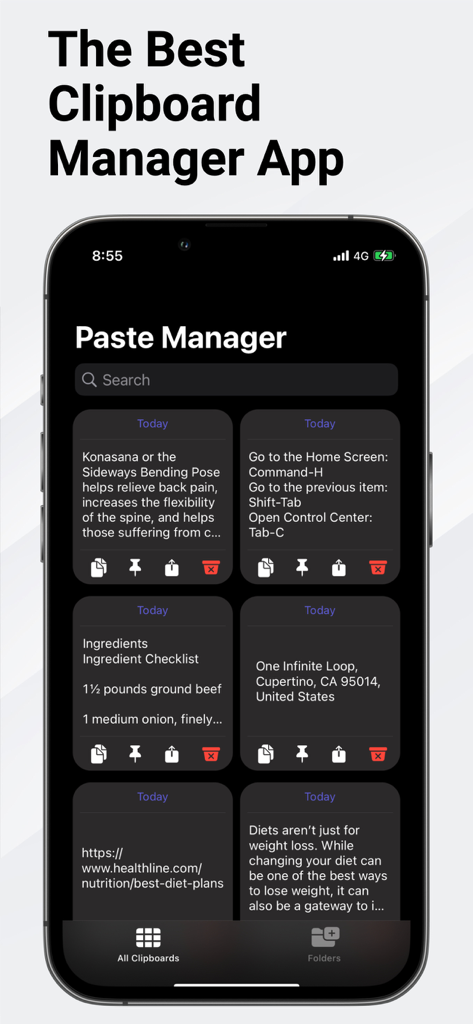
テキストスニペットのコレクション(ショートカット、住所、URLを含む)が表示されているペーストマネージャーアプリを示すiPhone画面

テキストスニペットのコレクション(ショートカット、住所、URLを含む)が表示されているペーストマネージャーアプリを示すiPhone画面

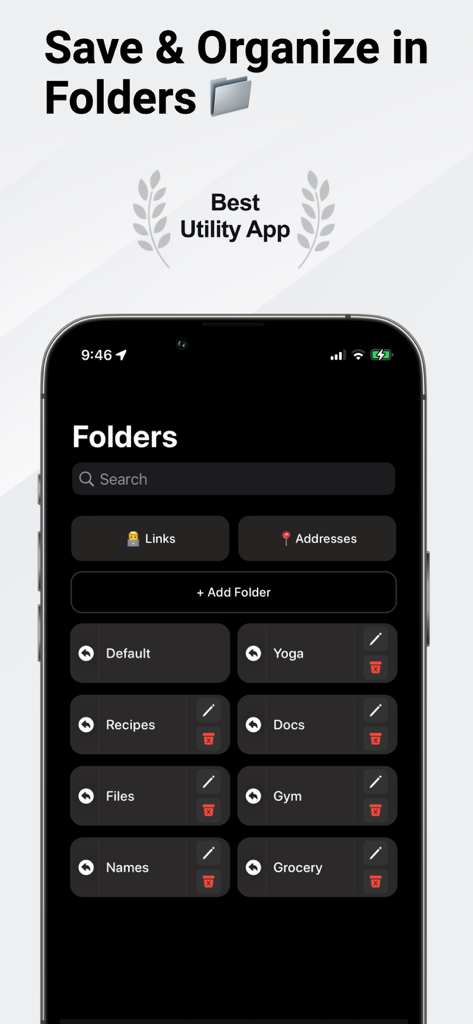
クリップボードキーボードマネージャーアプリでクリップボード履歴を整理するためのフォルダ機能を示すスマートフォン画面

クリップボードキーボードマネージャーアプリでクリップボード履歴を整理するためのフォルダ機能を示すスマートフォン画面

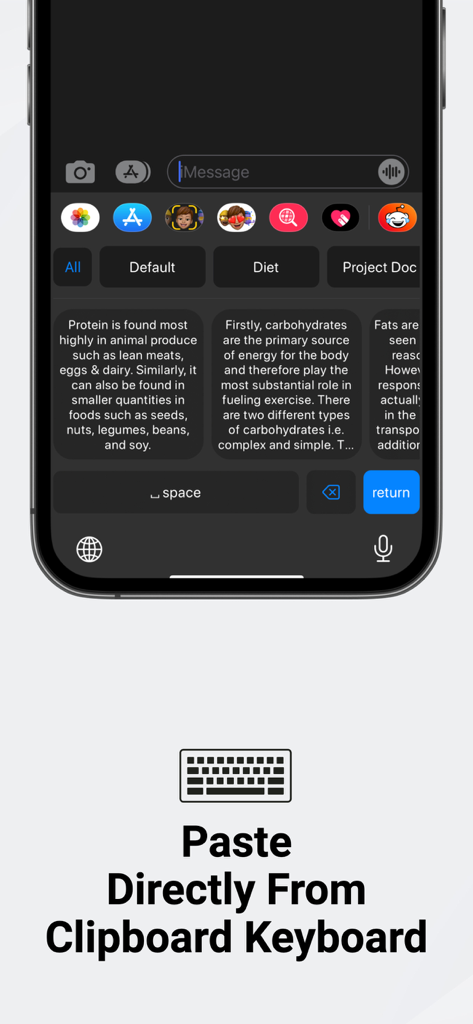
高速貼り付けのために複数のクリップボード履歴アイテムを表示するカスタムiPhoneキーボード

高速貼り付けのために複数のクリップボード履歴アイテムを表示するカスタムiPhoneキーボード

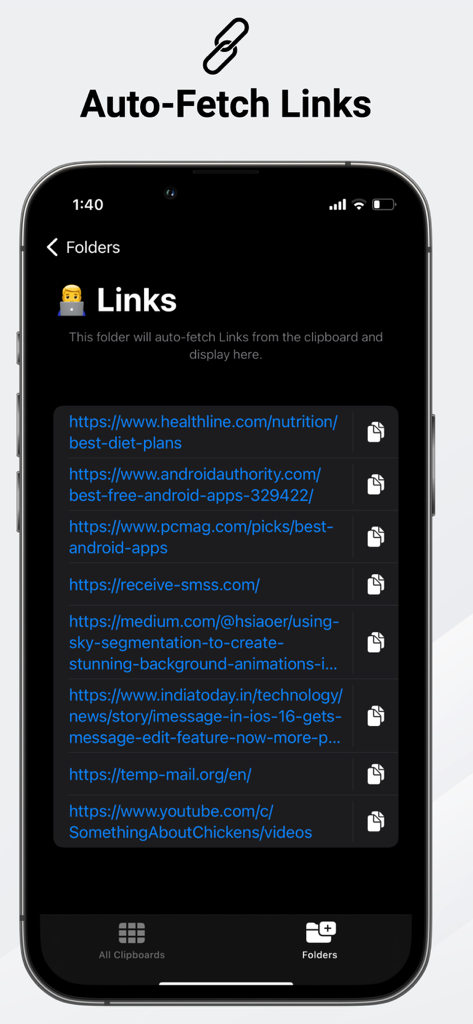
クリップボードキーボードマネージャーアプリの自動リンク取得フォルダを示すモバイル画面

クリップボードキーボードマネージャーアプリの自動リンク取得フォルダを示すモバイル画面

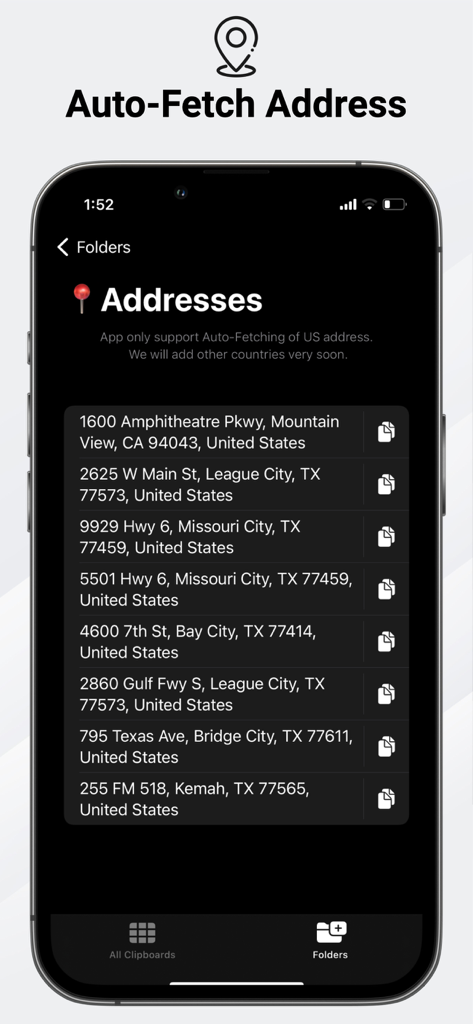
クリップボードキーボードマネージャーアプリの住所フォルダのスクリーンショット。自動保存された米国住所が表示されています。

クリップボードキーボードマネージャーアプリの住所フォルダのスクリーンショット。自動保存された米国住所が表示されています。

モバイル生産性を最大化する

このアプリを際立たせるツール、 9K+ 人のユーザーが選択.

⌨️

シームレスなキーボードアクセス

アプリの切り替えをやめましょう。カスタムキーボードから、あらゆるアプリで履歴全体や保存したスニペットに直接アクセスし、即座に貼り付けられます。

🔒

100%プライベート&オフライン

機密データを安全に保管しましょう。このアプリは完全にオフラインで動作し、追跡やデータアップロードはありません。情報がデバイスに留まることを保証します。

📂

スマートな整理

カスタムフォルダでスニペットを簡単に分類し、エンジンにリンク、URL、住所を自動的にソートさせ、素早く取得できるようにしましょう。

アプリについて

について知っておくべきこと Clipboard : Keyboard Manager.

説明

Paste Manager Pro is an easy, simple & powerful app to manage your clipboard, keep history of it, fast access to your notes & paste via Custom Keyboard anywhere in any app. Keyboard Manager enables you to remap whole copy - paste thing in the iPhone. You can directly paste text to the app and have history of clipboard which can access via keyboard anytime in any app. Copy your text anywhere and clip will be added to history and access that history via keyboard. You can also separate you data by making folders to better organise you data. This app also has some ability to separate Links, URls & Addresses automatically. Some features - • Customise & Edit collections of data • View history by data and edit content • Quick menu for delete, copy and paste • No tracking or Uploading your data to anywhere (100% Offline app) Note - A purchase amount and period purchase will be applied to your iTunes account at the end of the trial or intro on confirmation. Subscriptions will automatically renew unless canceled within 24-hours before the end of the current period. You can cancel anytime with your iTunes account settings. Any unused portion of a free trial will be forfeited if you purchase a subscription. Terms of Use - https://appsdevelopers.in/termsofuse.html Privacy policy - https://appsdevelopers.in/privacy.html

最新バージョン

4.5

サイズ

27.6 MB

リリース日

2022年7月11日

これまでにない最も生産的なワークフローを解き放つ

何千人ものハイアチーバーに加わり、クリップボードマネージャーを使って時間を節約し、スニペットを整理し、お気に入りのアプリを離れることなく安全に貼り付けましょう。

ダウンロード: App Store

App information, icons, screenshots, and descriptions displayed on this page are sourced from the Apple App Store and are the property of their respective developers. Download estimates and rankings are based on MWM's proprietary models and may not reflect actual figures. This page is provided for informational and analytical purposes only.

Believe this page infringes your intellectual property? File a dispute