Docker Management

Docker Management

ダウンロード: App Store
ロゴ: Docker Management

Docker管理: ポケットからインフラを安全に管理

DevOpsエンジニアおよびホームラボ愛好家向けの究極のツール。Dockerデーモンポートを開く必要なく、SSH経由でコンテナ、イメージ、ボリュームを安全に管理し、リアルタイムイベント通知を受け取れます。

開発元

Nevis Shkenza

カテゴリ

Developer Tools

ダウンロード

59K+

ユーザー評価

3.3/5

評価数

0

対応言語

1

あなたのインフラを、視覚化

このインターフェースを利用する 59K+ 人のユーザー.

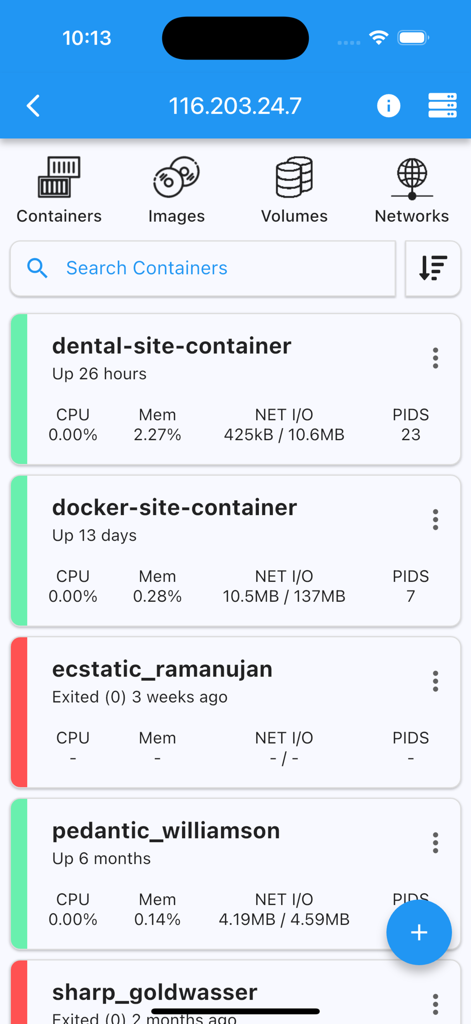
Dockerコンテナのリストをリアルタイムステータスとリソース使用率統計とともに表示するモバイルアプリケーションインターフェース

Dockerコンテナのリストをリアルタイムステータスとリソース使用率統計とともに表示するモバイルアプリケーションインターフェース

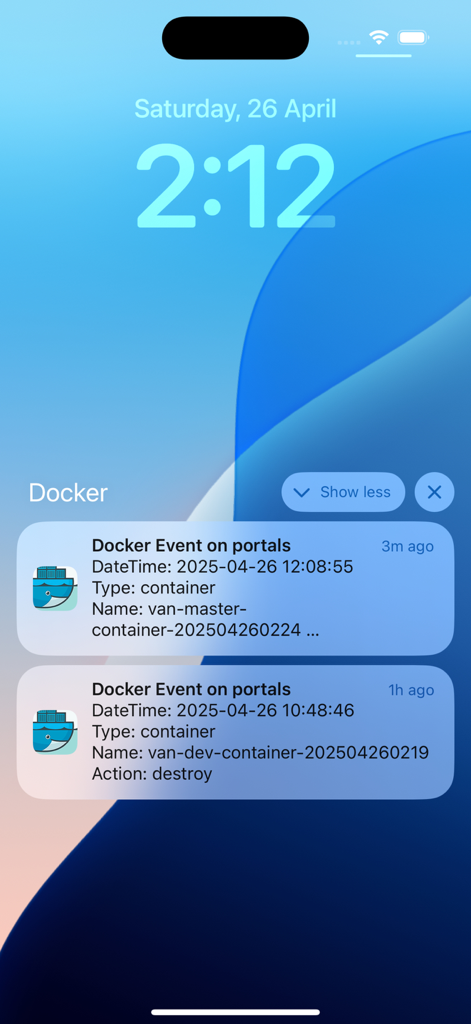
Dockerコンテナのリアルタイムイベント通知を表示するiPhoneロック画面

Dockerコンテナのリアルタイムイベント通知を表示するiPhoneロック画面

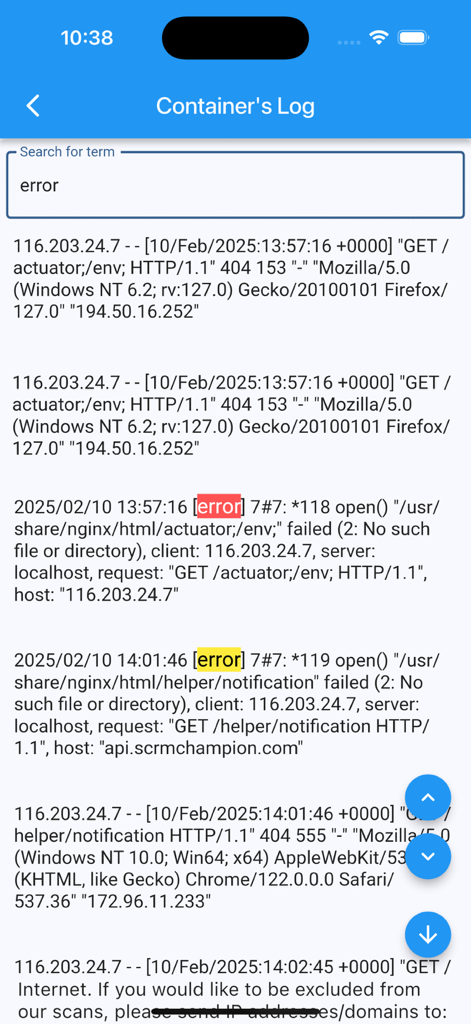
Docker管理アプリのインターフェースで、'error'という単語の検索後に強調表示されたエラーメッセージを含むコンテナのログを表示

Docker管理アプリのインターフェースで、'error'という単語の検索後に強調表示されたエラーメッセージを含むコンテナのログを表示

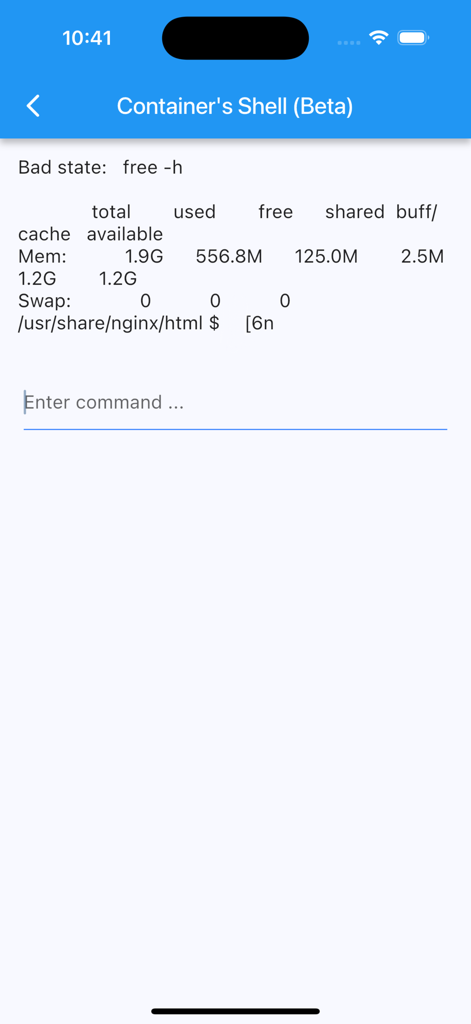
Dockerコンテナのモバイルターミナルインターフェースで、システムメモリ使用量とコマンドプロンプトを表示

Dockerコンテナのモバイルターミナルインターフェースで、システムメモリ使用量とコマンドプロンプトを表示

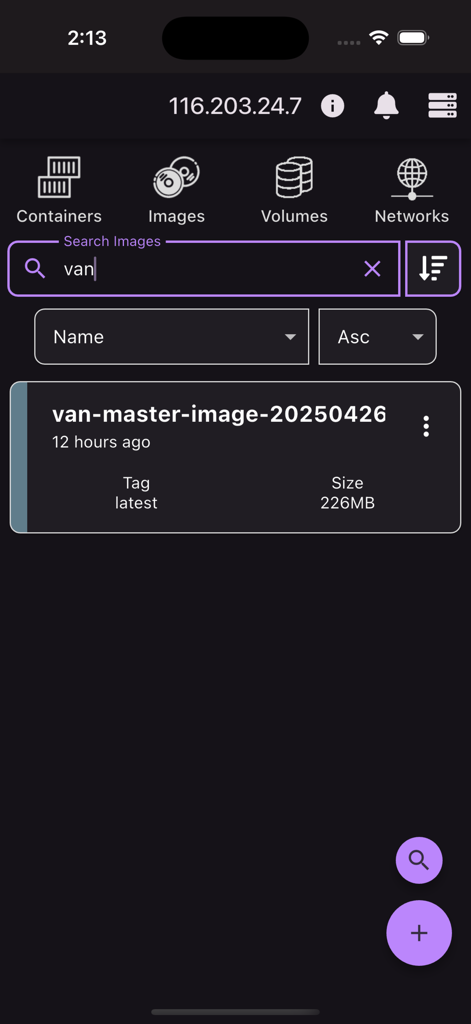
Docker管理アプリで、名前、タグ、サイズの詳細を含むDockerイメージの検索結果を表示するインターフェース

Docker管理アプリで、名前、タグ、サイズの詳細を含むDockerイメージの検索結果を表示するインターフェース

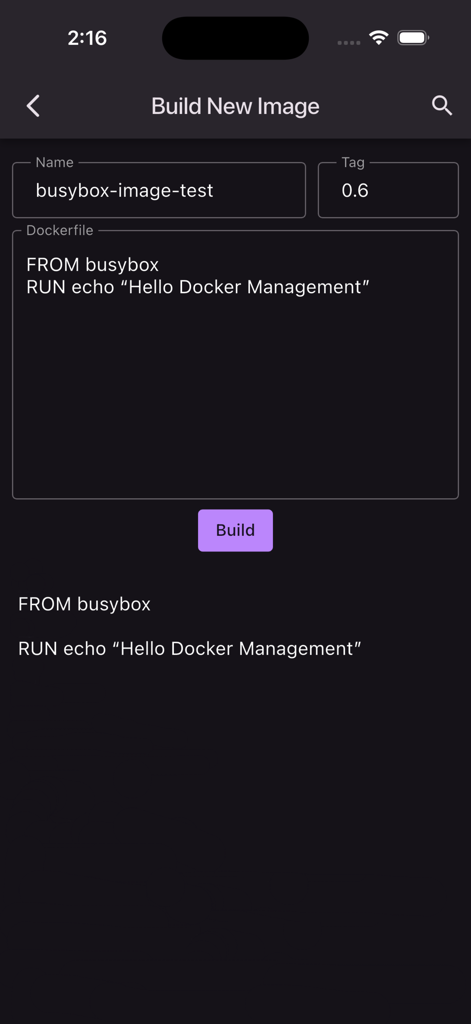
Docker管理アプリで、Dockerfileから新しいDockerイメージをビルドするためのインターフェース

Docker管理アプリで、Dockerfileから新しいDockerイメージをビルドするためのインターフェース

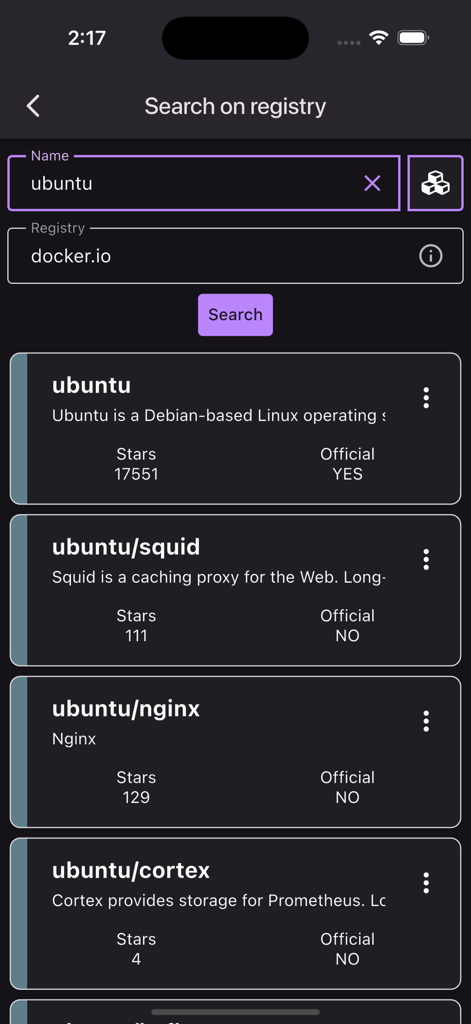
Docker管理アプリのモバイル画面で、Dockerレジストリ上のubuntuコンテナイメージの検索結果を表示

Docker管理アプリのモバイル画面で、Dockerレジストリ上のubuntuコンテナイメージの検索結果を表示

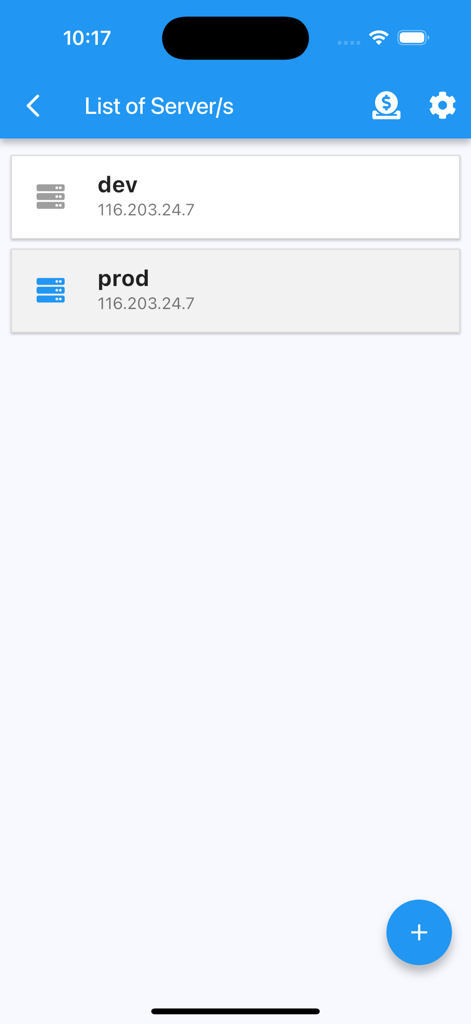
Docker管理アプリのインターフェースで、IPアドレスとともにdevおよびprodというラベルのサーバーリストを表示

Docker管理アプリのインターフェースで、IPアドレスとともにdevおよびprodというラベルのサーバーリストを表示

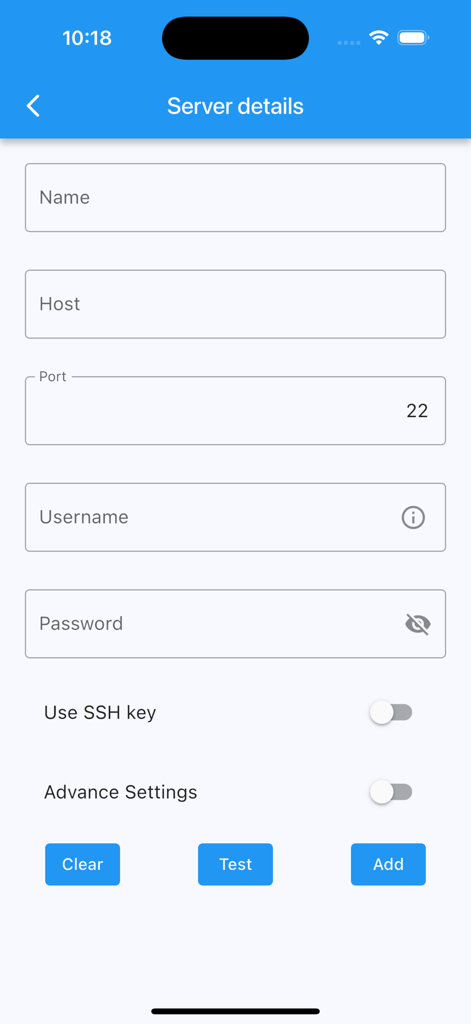
SSH接続用のホスト名、ポート、認証情報を含むサーバー詳細を追加するためのフォーム

SSH接続用のホスト名、ポート、認証情報を含むサーバー詳細を追加するためのフォーム

あなたのインフラを、ポケットに

このアプリを際立たせるツール、 59K+ 人のユーザーが選択.

🛡️

プライバシー重視のセキュリティ

パスワードまたはキーを使用してSSHで接続します。Docker APIの公開は不要で、機密性の高いサーバー認証情報はデバイスから離れることはありません。

🔔

リアルタイムイベントアラート

デスクから離れているときでも、コンテナのクラッシュ、作成、削除に関するカスタマイズ可能なプッシュ通知でダウンタイムを回避しましょう。

フルライフサイクル管理

コンテナの開始、停止、再起動、ライブログの表示、システムリソースのクリーンアップなどをタップで行えます。モバイル画面での複雑なターミナルコマンドの必要性を排除します。

アプリについて

について知っておくべきこと Docker Management.

説明

Receive notifications of docker events such as "start,create,delete,tag etc" of "container/image/volume/network" directly to your mobile. Connect via ssh to your Linux/MacOS machine to monitor/manage your docker. This application allows you to: - add multiple servers - connect through password or ssh key - receive notifications on docker events - ability to customize notification triggers - select events to be notified - choose what to exclude/include - pick a silence window (to not receive notifications) - list containers - create containers - start containers (multiple at once) - stop containers (multiple at once) - restart containers (multiple at once) - remove containers (multiple at once) - inspect containers - view resource usage of containers - view logs of containers (real time) - search on logs of containers - enter shell of containers - list images - build images - search images on registries - pull images (also from private registries) - remove images (multiple at once) - inspect images - list volumes - remove volumes (multiple at once) - inspect volumes - list networks - remove networks (multiple at once) - inspect networks Features - Server info is stored on phone only (the data is wiped out once the app is removed) - Receive notifications on docker events - Run "docker system prune" to clean up unnecessary resources NOTE No docker daemon or docker api is required to be enabled for this app, simply connect via ssh. It is strongly recommended NOT to open unnecessary ports on your server (such as enabling docker daemon) as it can expose your server to more security threads. Q/A Q: Why I can not connect with non-root users? A: The docker commands are executed by the app without "sudo" so you will need to add your non-root user to the docker group with the following command: sudo usermod -aG docker $USER sudo reboot Q: How to connect to Docker Desktop on MacOS? A: On MacOS, enable 'Remote Login' and if using non-root user, add user to the docker group. Q: How to connect to Synology server? A: If using non-root user, then add user to docker group on your server: sudo synogroup --add docker sudo synogroup --memberadd docker $USER sudo chown root:docker /var/run/docker.sock Q: How to connect to QNAP server? A: If non-root user, then add user to docker group on your server: sudo addgroup $USER administrators Terms of Use (EULA) - https://www.apple.com/legal/internet-services/itunes/dev/stdeula/ Found a bug? Send an email to: nevis.applications@gmail.com

最新バージョン

5.9.1

サイズ

49.4 MB

リリース日

2021年8月28日

あなたのインフラを、ポケットに

59,000人以上のDevOpsプロフェッショナルおよびホームラボ愛好家に加わりましょう。Dockerデーモンを公開することなく、SSH経由でコンテナ、イメージ、ボリュームを安全に管理できます。

ダウンロード: App Store

App information, icons, screenshots, and descriptions displayed on this page are sourced from the Apple App Store and are the property of their respective developers. Download estimates and rankings are based on MWM's proprietary models and may not reflect actual figures. This page is provided for informational and analytical purposes only.

Believe this page infringes your intellectual property? File a dispute