Dual Messenger - Multi Social

Dual Messenger - Multi Social


ダウンロード: App Store
ロゴ: Dual Messenger - Multi Social

デュアルメッセンジャー - マルチソーシャル:2つのアカウント、1台のデバイス、手間いらず

マルチタスクをこなすプロフェッショナルのための究極のツールキット。お気に入りのメッセンジャーをクローンし、プライベートブラウジングにアクセスし、強力な生産性ハックでソーシャルメディアをマスターしましょう。

ダウンロード: App Store

開発元

Eyermin Colon Sanchez

カテゴリ

Social Networking

ダウンロード

321K+

ユーザー評価

4.3/5

評価数

1K+

対応言語

11

あなたのデジタルコマンドセンター

このインターフェースを利用する 321K+ 人のユーザー.

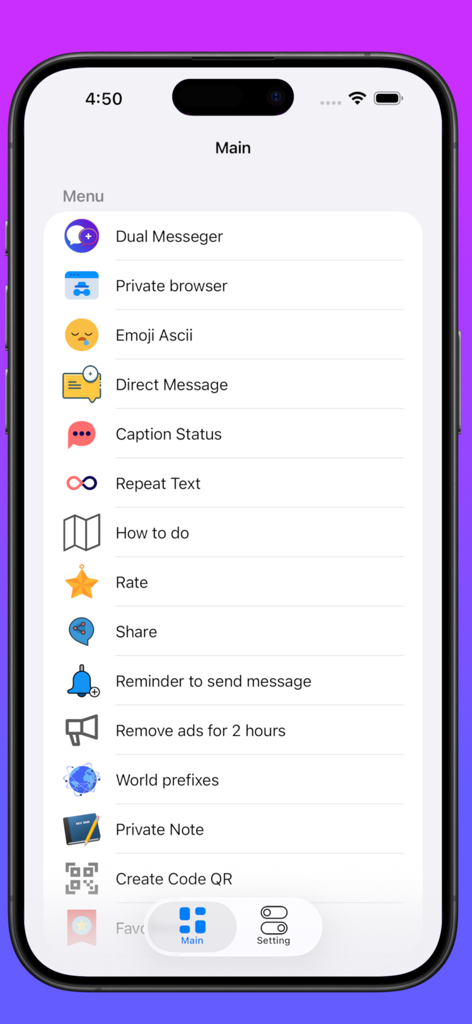
デュアルメッセンジャーアプリのメインメニューインターフェイス。さまざまなソーシャルおよびユーティリティ機能が表示されています。

デュアルメッセンジャーアプリのメインメニューインターフェイス。さまざまなソーシャルおよびユーティリティ機能が表示されています。

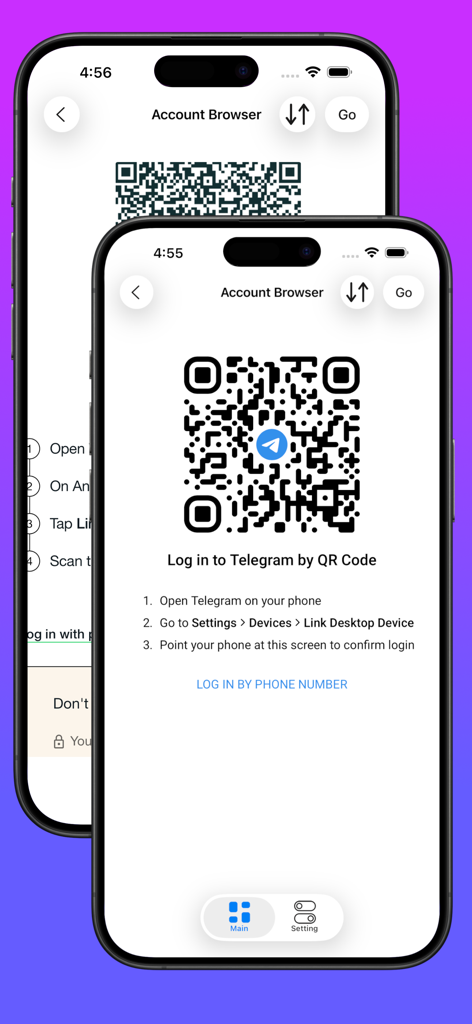
デュアルメッセンジャーアプリインターフェイス内でのTelegramログイン用のQRコードを表示する画面。

デュアルメッセンジャーアプリインターフェイス内でのTelegramログイン用のQRコードを表示する画面。

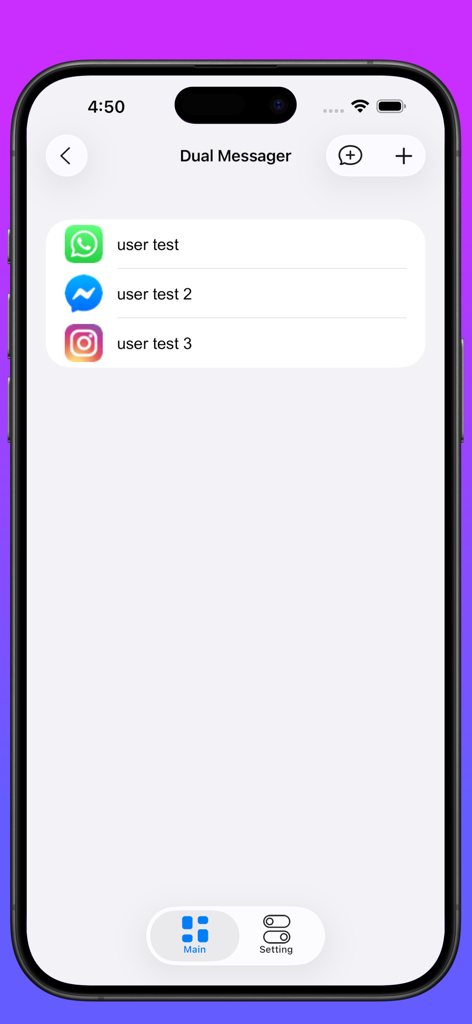
デュアルメッセンジャーアプリのインターフェイス。WhatsAppやInstagramを含む接続されたソーシャルメディアアカウントのリストが表示されています。

デュアルメッセンジャーアプリのインターフェイス。WhatsAppやInstagramを含む接続されたソーシャルメディアアカウントのリストが表示されています。

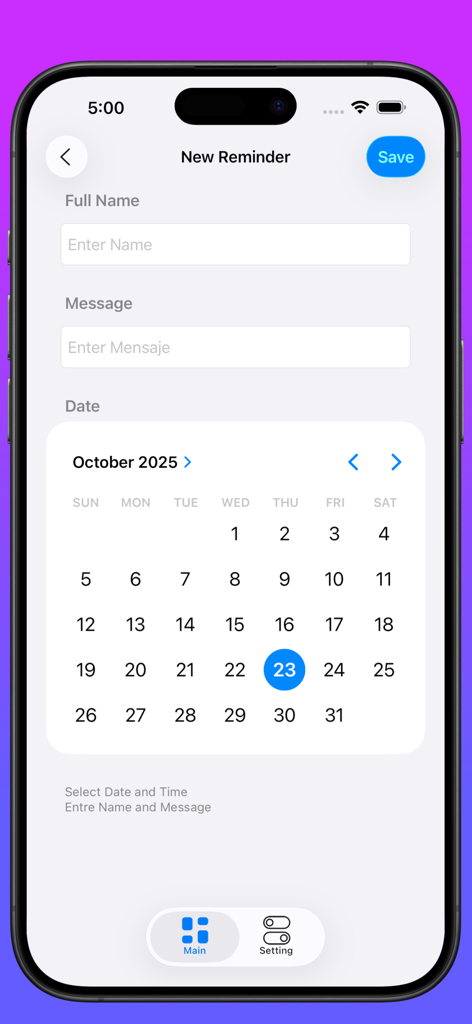
デュアルメッセンジャーアプリのインターフェイス。月間カレンダービューで新しいリマインダー作成画面が表示され、ソーシャルメディアメッセージをスケジュールできます。

デュアルメッセンジャーアプリのインターフェイス。月間カレンダービューで新しいリマインダー作成画面が表示され、ソーシャルメディアメッセージをスケジュールできます。

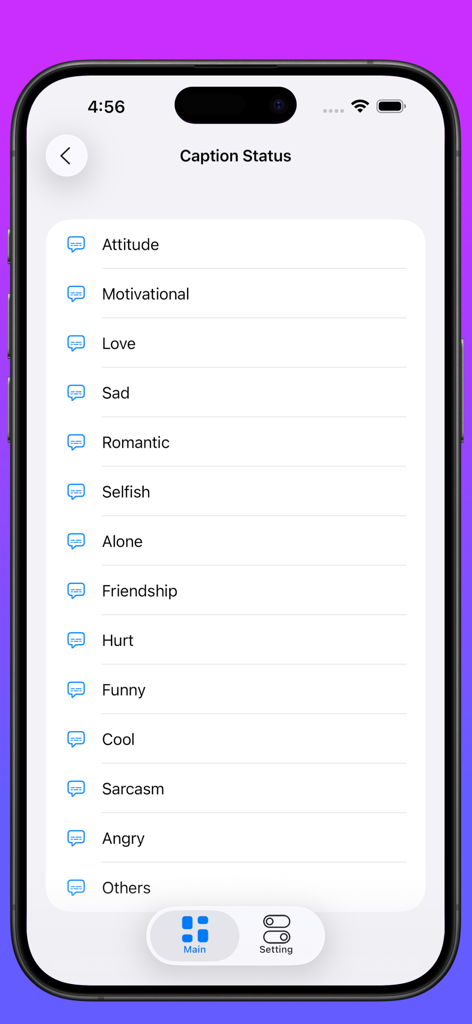
デュアルメッセンジャーアプリのモチベーション、愛、友情などのソーシャルメディアキャプションカテゴリのリスト。

デュアルメッセンジャーアプリのモチベーション、愛、友情などのソーシャルメディアキャプションカテゴリのリスト。

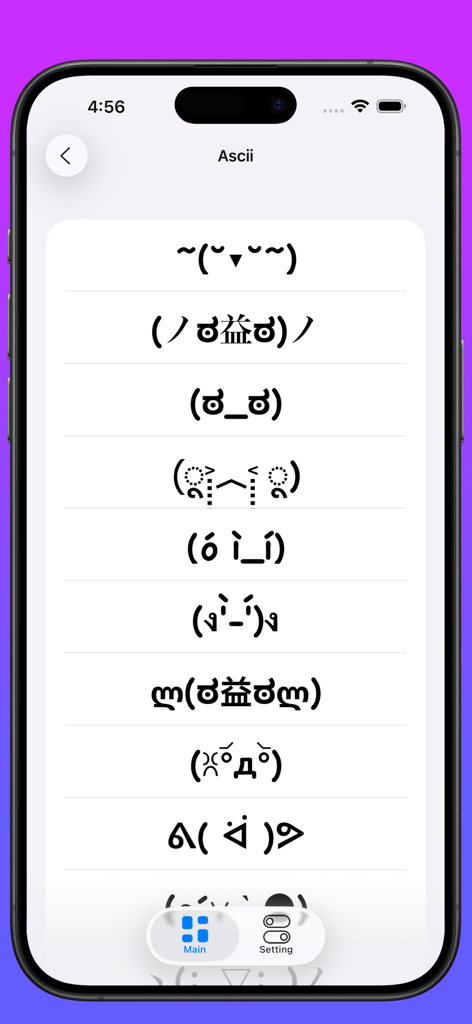
デュアルメッセンジャーアプリのインターフェイス。ソーシャルメッセージング用のASCIIアートフェイスと顔文字のコレクションを表示しています。

デュアルメッセンジャーアプリのインターフェイス。ソーシャルメッセージング用のASCIIアートフェイスと顔文字のコレクションを表示しています。

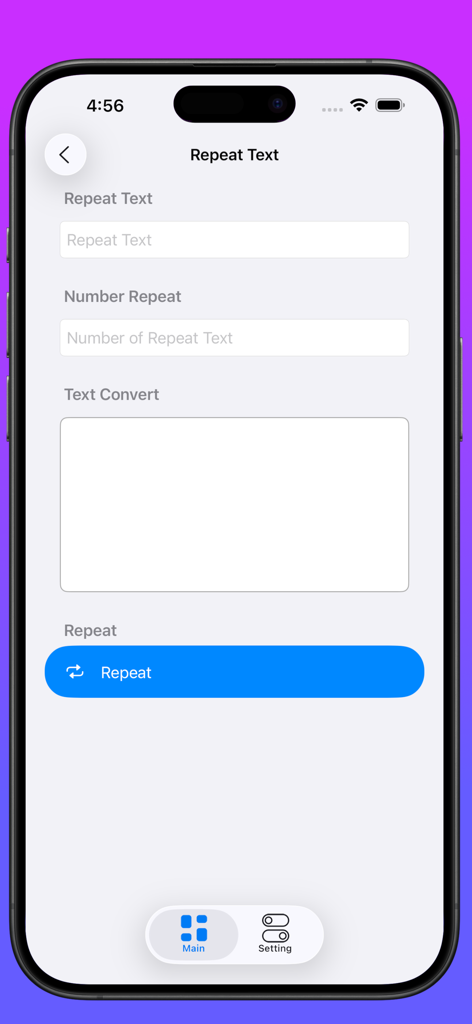
テキスト入力と繰り返し回数のオプションが表示される、デュアルメッセンジャーアプリ内のテキストリピーターツールのインターフェイス。

テキスト入力と繰り返し回数のオプションが表示される、デュアルメッセンジャーアプリ内のテキストリピーターツールのインターフェイス。

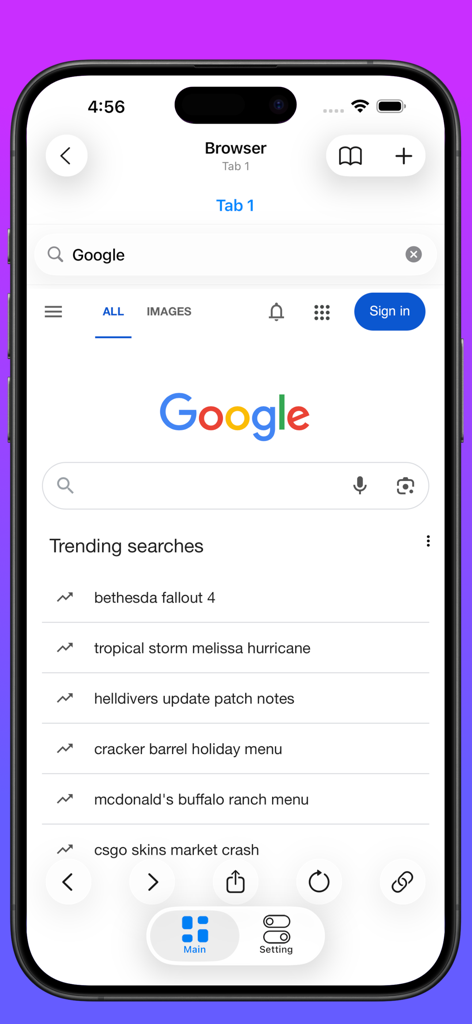
デュアルメッセンジャーマルチソーシャルアプリ内のプライベートWebブラウザ機能のインターフェイス。

デュアルメッセンジャーマルチソーシャルアプリ内のプライベートWebブラウザ機能のインターフェイス。

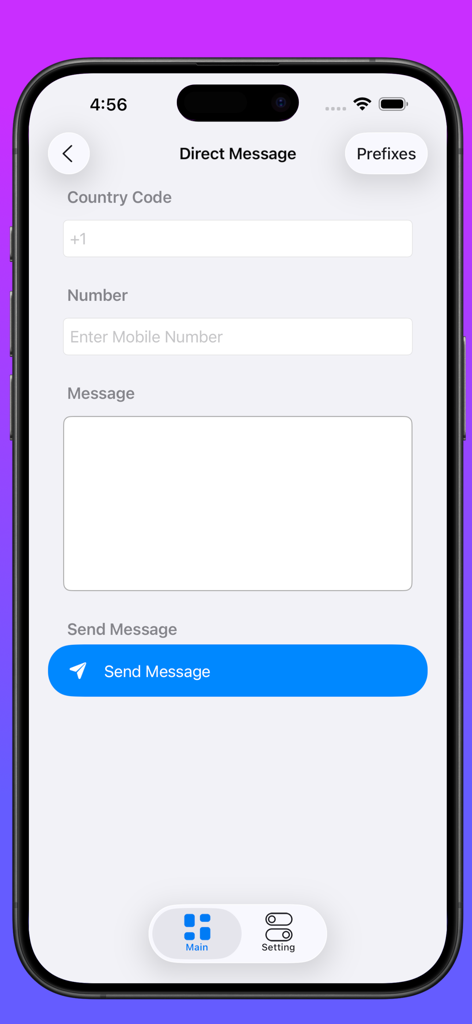
国コード、電話番号、メッセージテキストのフィールドを備えたダイレクトメッセージ送信用のインターフェイス。

国コード、電話番号、メッセージテキストのフィールドを備えたダイレクトメッセージ送信用のインターフェイス。

究極のマルチアカウントコマンドセンター

このアプリを際立たせるツール、 321K+ 人のユーザーが選択.

📱

デュアルアカウント管理

単一のデバイスでWhatsApp、Instagram、またはTelegramの2つの別々のアカウントを実行し、ビジネスチャットと個人チャットを整理しましょう。

インスタントダイレクトメッセージ

連絡先リストに番号を保存せずにWhatsAppで誰にでもメッセージを送信し、時間を節約し、アドレス帳をきれいに保ちましょう。

🔒

プライベートプロフェッショナルボールト

統合されたプライベートブラウザと暗号化されたノートで機密情報を保護し、ビジネスデータが機密のままであることを保証します。

アプリについて

について知っておくべきこと Dual Messenger - Multi Social.

説明

The best application for users who are not satisfied with having a social network this app is for those who have multiple social network accounts. You will find a how to do it that contains a WhatsApp guide and many more that consists of several tricks and tips to simplify lovers of this world of social networks. With this application you will learn to take advantage of 100% of social applications. * How to do it * Phone change number without losing messages * Disable automatic image download WhatsApp * Hide Your WhatsApp Image * Hide WhatsApp Last Seen for your WhatsApp * Change your Friend's Profile Picture * Some Category - Dual messeger - Private browser - Private notes - Reminder to send messages - Send whatsapp message without saving number - Ascii Faces Creator - Text Repeator - Caption for whatsapp - Text to Emoji Creator - Security so that you have your information safe - Among other things --Dual messenger * Whatsapp * Instagram * Facebook * Messenger * Telegram * Twitter * LinkedIn * Skype * Snapchat * Wechat The dual messeger part allows you to open two accounts on the same device or the same account on multiple devices by simply scanning the web QR code of WhatsApp and other applications. Too easy You just have to open the app and scan the QR code of the other account and now you are done to use the dual chat feature with this web clone app. Start testing it now: Follow these three steps and use the dual chat feature. 1) Open Whats web scan app where you get the QR code. 2) Open the Whats application on another mobile device and go to 3 dots in the upper right corner. 3) Open the Whats Web option and point to the previously opened QR code. Premium users have access to all the features described above. Once the signature is done, you don't have to worry about the renewal being done automatically. If you change your mind, you can cancel the subscription or turn off auto-renew at any time in your iTunes account (As long as it is done at least 24 hours before the subscription renewal). the value of the current signature cannot be returned and the service cannot be interrupted in case of withdrawal during the validity period. You can manage your subscription with your iTunes account. To access your account: iTunes> iTunes Store> Your Account> Settings> Manage Subscriptions. Terms of use and privacy policy: https://ecapps.info/terms-of-use-and-privacy-policy/

最新バージョン

1.0.31

サイズ

92.6 MB

リリース日

2020年10月14日

デバイスを増やすのではなく、効率を2倍に

デジタルライフを簡素化した30万人以上のパワーユーザーに参加しましょう。すべてのアカウントを管理し、プライバシーを保護し、単一のコマンドセンターからワークフローをマスターしましょう。

ダウンロード: App Store

App information, icons, screenshots, and descriptions displayed on this page are sourced from the Apple App Store and are the property of their respective developers. Download estimates and rankings are based on MWM's proprietary models and may not reflect actual figures. This page is provided for informational and analytical purposes only.

Believe this page infringes your intellectual property? File a dispute