ECU Connect

ECU Connect

ダウンロード: App Store
ロゴ: ECU Connect

ECU Connect: プロフェッショナルなワイヤレスチューニングとパフォーマンスダッシュボード

Phone-Flashテクノロジーで、あなたの車の完全なコントロールを手にしましょう。マスターチューナーからのチューンを受け取り、RaceROM機能をその場で調整し、スマートフォンやタブレットから直接リアルタイムのエンジンデータを監視できます。

ダウンロード: App Store

開発元

EcuTek Technologies Limited

カテゴリ

Utilities

ダウンロード

1K+

ユーザー評価

4.0/5

評価数

100

対応言語

1

指先にある精度

このインターフェースを利用する 1K+ 人のユーザー.

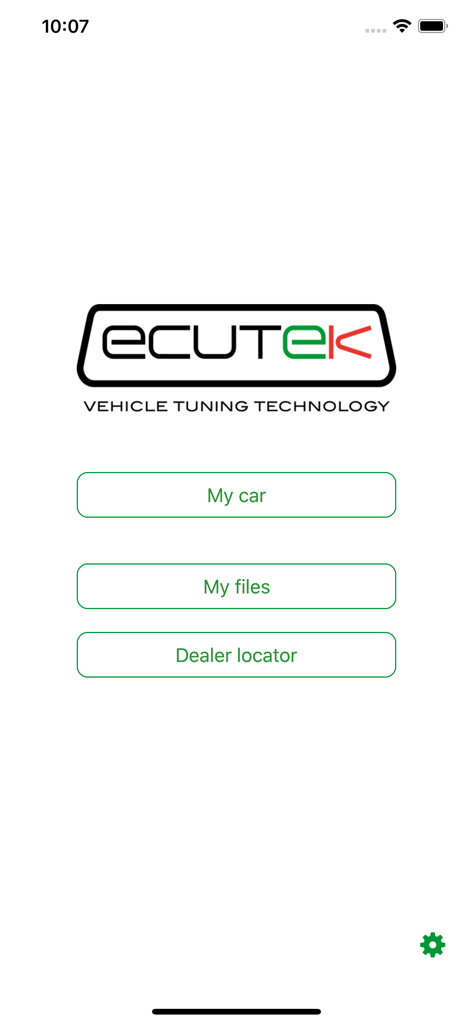
ECU Connectアプリのメインメニュー。マイカー、マイファイル、ディーラーロケーターのボタンが表示されています。

ECU Connectアプリのメインメニュー。マイカー、マイファイル、ディーラーロケーターのボタンが表示されています。

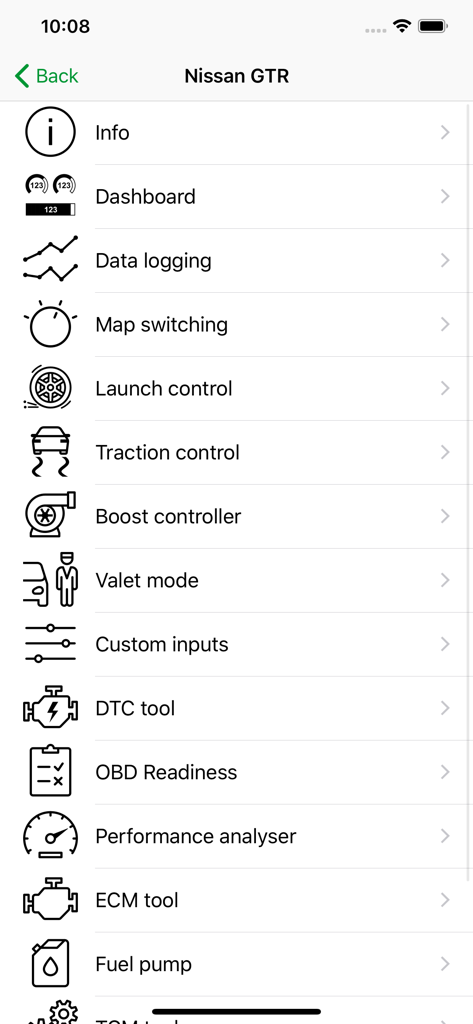
ECU Connectアプリでの日産GTRのパフォーマンスチューニングメニュー

ECU Connectアプリでの日産GTRのパフォーマンスチューニングメニュー

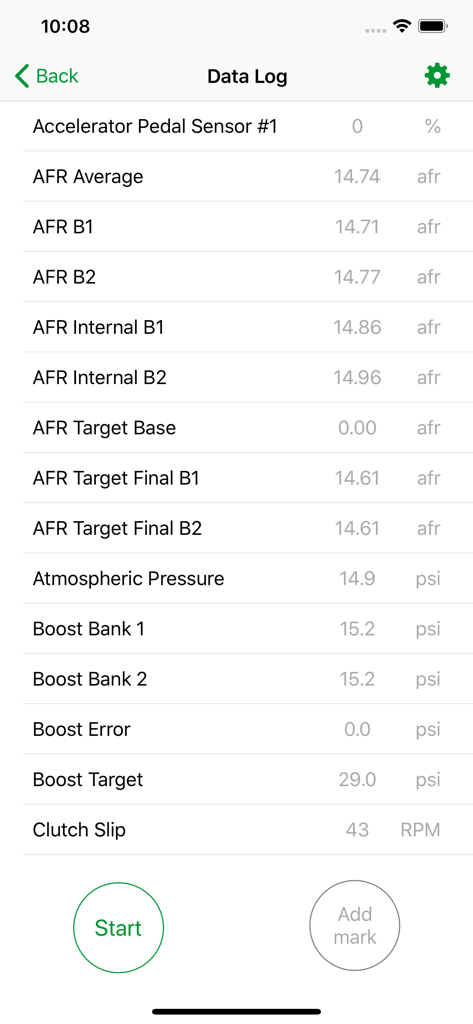
ECU Connectアプリのデータログ画面。AFR、ブースト圧、気圧などのリアルタイムエンジンパラメータが表示されています

ECU Connectアプリのデータログ画面。AFR、ブースト圧、気圧などのリアルタイムエンジンパラメータが表示されています

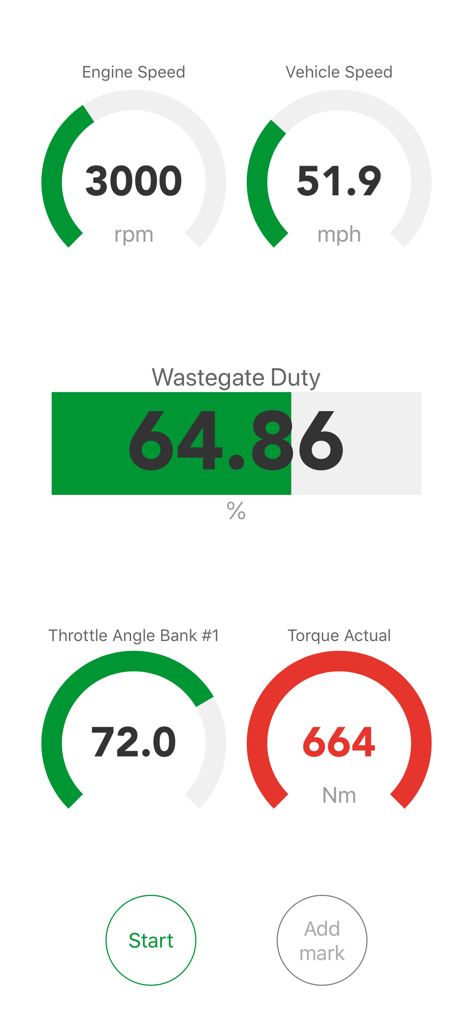
ECU Connectモバイルアプリの画面。エンジンスピードとトルクゲージを備えたデジタルダッシュボードが表示されています

ECU Connectモバイルアプリの画面。エンジンスピードとトルクゲージを備えたデジタルダッシュボードが表示されています

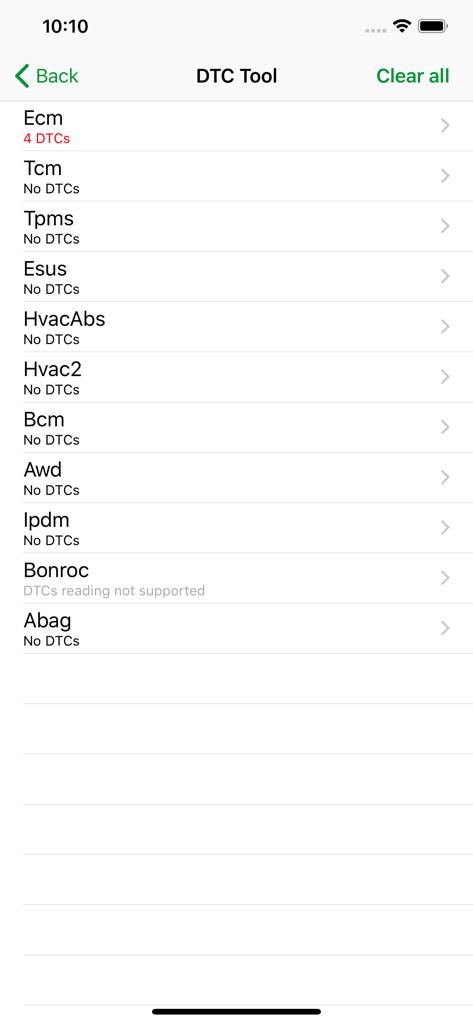
車の診断用ECU ConnectアプリDTCツール画面

車の診断用ECU ConnectアプリDTCツール画面

あなたの車の真のポテンシャルを解き放つ

このアプリを際立たせるツール、 1K+ 人のユーザーが選択.

📲

ラップトップ不要のスマホフラッシング

Bluetooth経由でEcuTekマスターチューナーからカスタムチューンをワイヤレスで受信・プログラム。高性能な再キャリブレーションが、タップするだけで可能になりました。

📈

精密なデータロギング

GPS精度ですべてのエンジンパラメータを表示・記録。ストリートでもトラックでも、車の状態を監視するためにカスタムダッシュボードを作成できます。

🏁

インスタントRaceROMコントロール

ローンチRPM、トラクションコントロール、マップ切り替えをその場で調整。あらゆる道路状況やレースシナリオに合わせて、車の挙動を瞬時に調整できます。

アプリについて

について知っておくべきこと ECU Connect.

説明

IMPORTANT This app requires an EcuTek Bluetooth Vehicle Interface to connect to your car's ECU. These are available from EcuTek Tuners. Find your nearest one at www.ecutek.com/dealers. If you don't have an interface, run the demo mode within the app to see ECU Connect in action. ECU Connect is the free companion app to the new pocket-size Bluetooth Vehicle Interface produced by specialist tuning firm EcuTek Technologies. Once you have purchased your EcuTek Vehicle Interface, plug it into your car's OBD vehicle diagnostic socket, pair it with your phone in the app and you will open up a whole new world of enjoyment with your car. With ECU Connect, you can receive and program in a tuned file from one of our EcuTek Master Tuners just with your phone. No laptop, no wires, no fuss. Just create an account in the app, select the tuner you want to work with, and you are ready to receive the tuned file. Discuss with your tuner what you want to achieve from the tune and once the file has been created, you will receive a notification that the file is ready. Go to Program ECU, select the file and follow the on-screen instructions. It's as easy as that. All that's left is for you to enjoy the car! For more details on programming your car’s ECU with ECU Connect go to www.ecutek.com/phone-flash Your EcuTek Tuner can also set up some unique RaceROM features which allows you to control and adjust some aspects of the tune with your phone: Launch RPM; Traction Control settings; boost and torque levels; switch between different set ups such as track mode, economy mode, fast road and flexfuel on the fly. These are just some of the example set ups. Speak to your EcuTek Master Tuner and discuss with them what you'd like. There are lots of options to choose from. For a list of supported models together with their ECU Connect Features go to www.ecutek.com/ecu-connect Whether your car is tuned on EcuTek or not, with ECU Connect you can instantly see how your engine is performing as you drive it (even if the car is not officially supported, ECU Connect provides basic support for most cars using generic OBD2 CAN communication protocol available on nearly all vehicles manufactured from 2008 onwards). You can view and log any parameter the ECU records and even create unlimited personalised dashboards if you want to monitor specific groups of parameters. Save and send these logs direct from the app to your tuner. You can also record GPS coordinates in the log files, so you can see what was happening at any given point on your logging run (very useful on track days).

最新バージョン

7.5.1

サイズ

76.9 MB

リリース日

2016年11月23日

エンジンのポテンシャルを最大限に引き出す準備はできましたか?

今すぐECU Connectをダウンロードして、カスタムチューンをフラッシュし、RaceROM機能をその場で調整し、iPhoneをプロ仕様のパフォーマンスダッシュボードに変えましょう。

ダウンロード: App Store

App information, icons, screenshots, and descriptions displayed on this page are sourced from the Apple App Store and are the property of their respective developers. Download estimates and rankings are based on MWM's proprietary models and may not reflect actual figures. This page is provided for informational and analytical purposes only.

Believe this page infringes your intellectual property? File a dispute