Filerev for Google Drive

Filerev for Google Drive


ダウンロード: App Store
ロゴ: Filerev for Google Drive

Google ドライブ用 Filerev:ストレージを取り戻し、払いすぎをやめましょう

「ストレージがいっぱいです」というアラートにうんざりしていませんか?重複ファイル、巨大なフォルダ、隠れたファイルを見つけて、デジタルライフを整理し、不必要なサブスクリプションアップグレードを回避しましょう。

ダウンロード: App Store

開発元

Filerev Inc

カテゴリ

Utilities

ダウンロード

0

ユーザー評価

1.0/5

評価数

0

対応言語

1

一目でわかる明確さ

このインターフェースを利用する 0 人のユーザー.

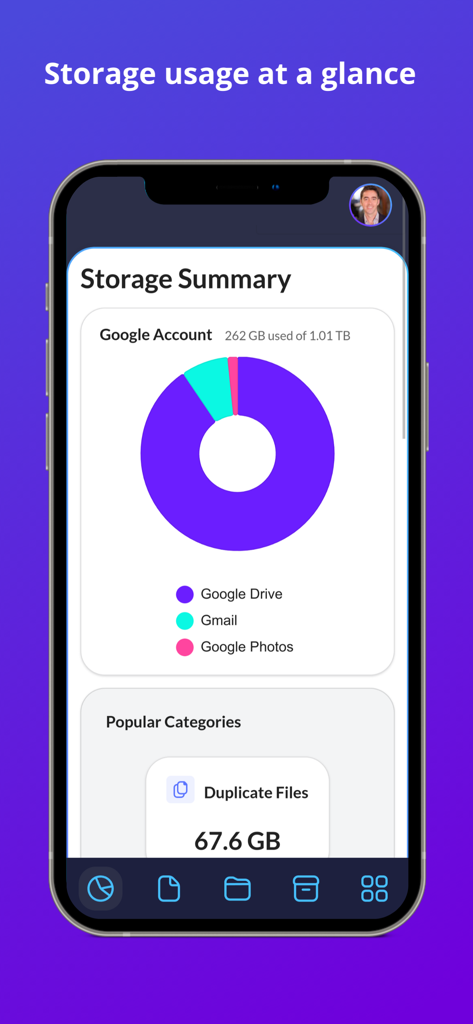
Filerev の Google ドライブストレージ使用量と重複ファイルを示すダッシュボード

Filerev の Google ドライブストレージ使用量と重複ファイルを示すダッシュボード

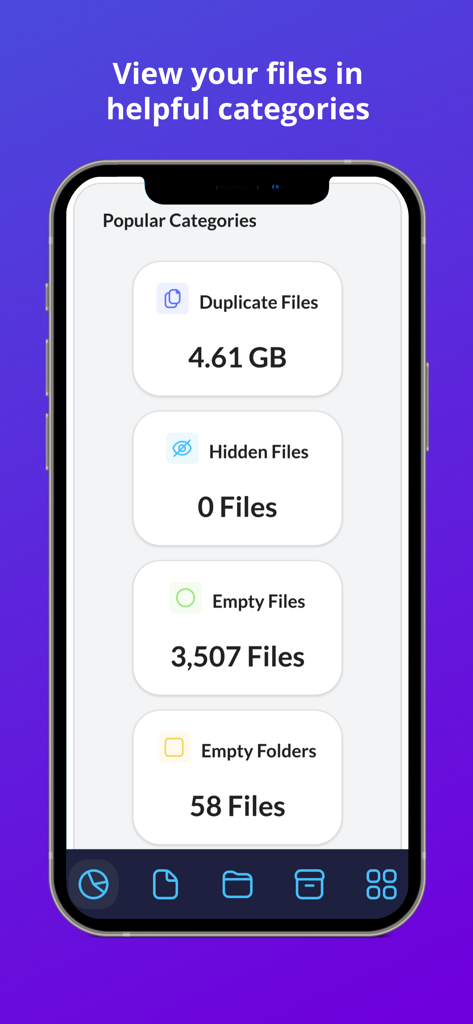
Filerev アプリ画面。Google ドライブの整理に役立つ、重複ファイル、隠しファイル、空のフォルダなどのストレージカテゴリを表示

Filerev アプリ画面。Google ドライブの整理に役立つ、重複ファイル、隠しファイル、空のフォルダなどのストレージカテゴリを表示

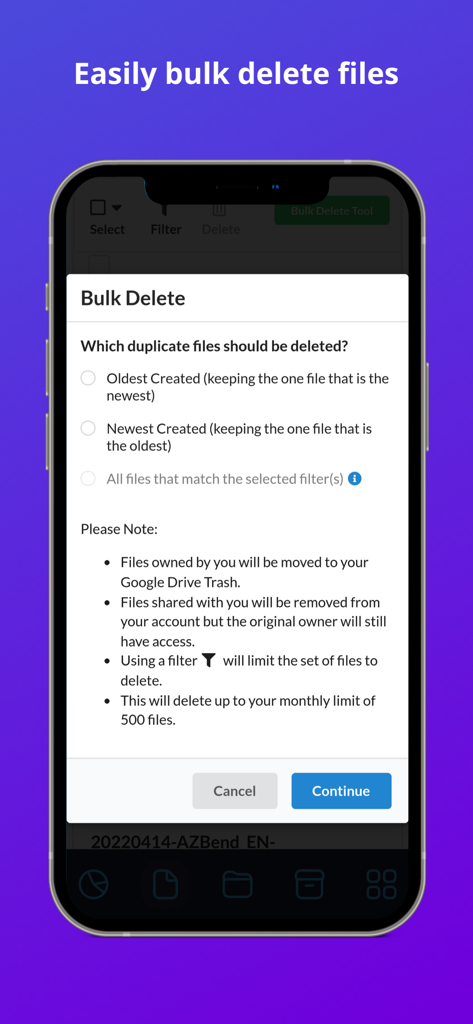
Google ドライブのストレージと重複ファイルを管理するための Filerev の一括削除ツールのインターフェース

Google ドライブのストレージと重複ファイルを管理するための Filerev の一括削除ツールのインターフェース

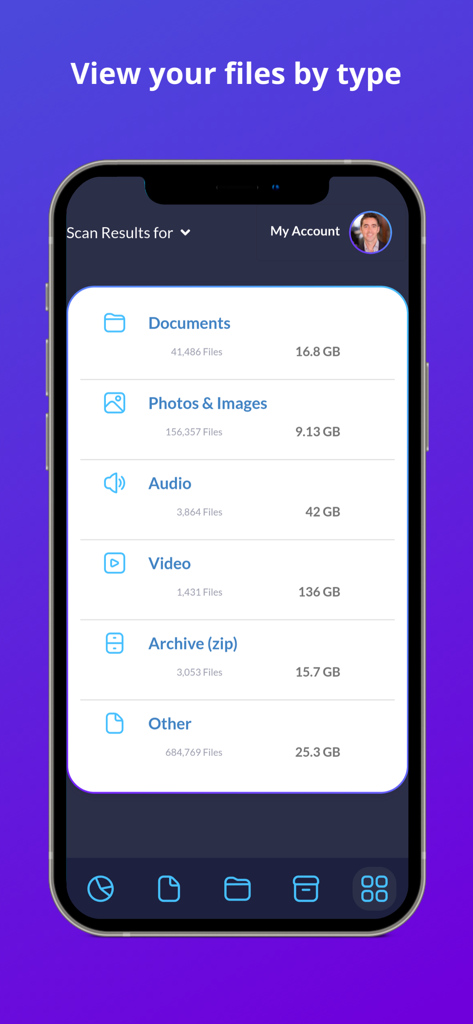
Google ドライブのファイルをタイプとストレージサイズ別に分類する Filerev アプリのモバイルインターフェース

Google ドライブのファイルをタイプとストレージサイズ別に分類する Filerev アプリのモバイルインターフェース

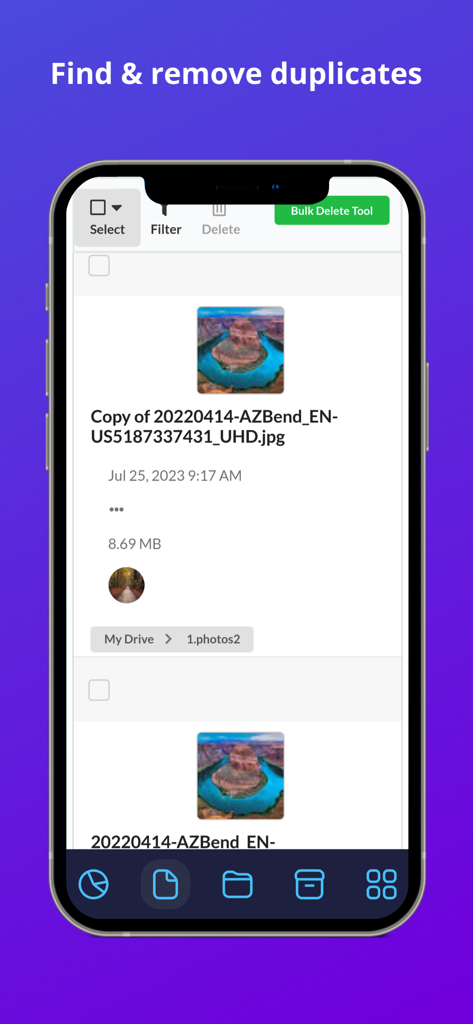
Google ドライブの重複画像ファイルのリストと一括削除オプションを表示する Filerev アプリインターフェース

Google ドライブの重複画像ファイルのリストと一括削除オプションを表示する Filerev アプリインターフェース

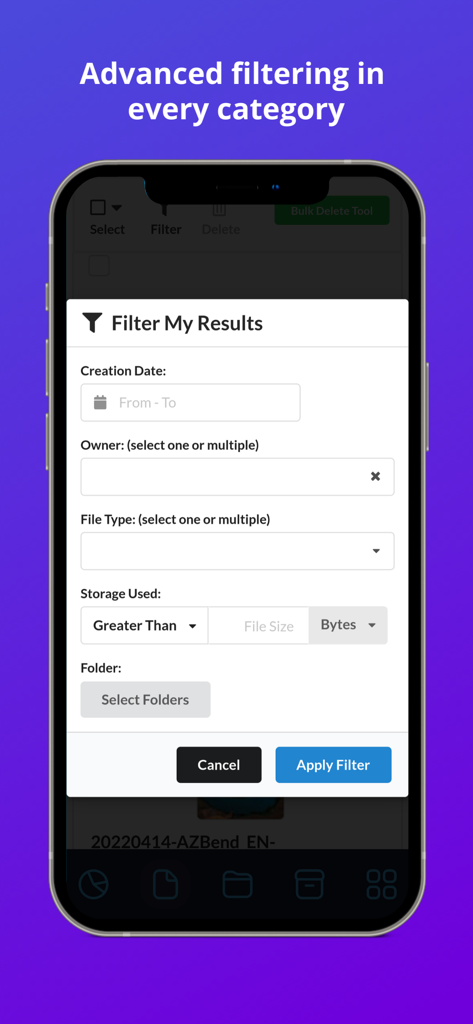
Filerev アプリの Google ドライブファイル用高度フィルターオプションを表示するインターフェース

Filerev アプリの Google ドライブファイル用高度フィルターオプションを表示するインターフェース

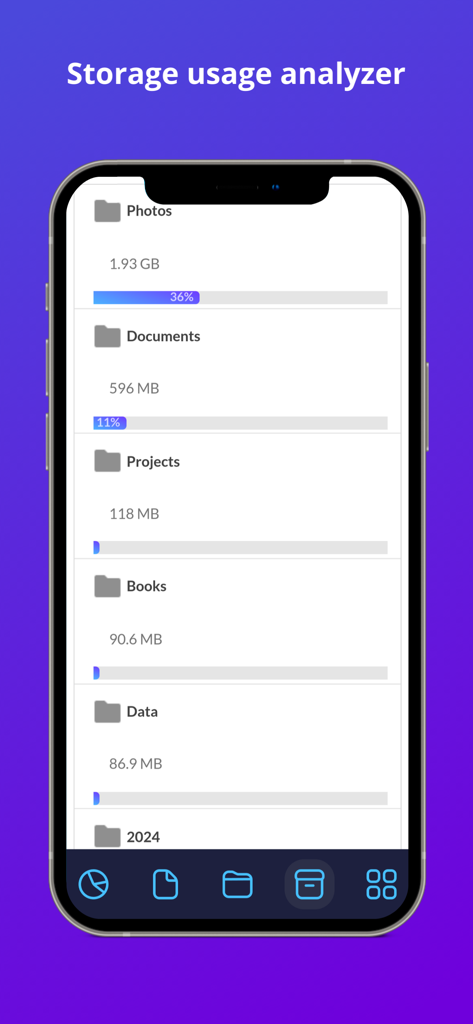
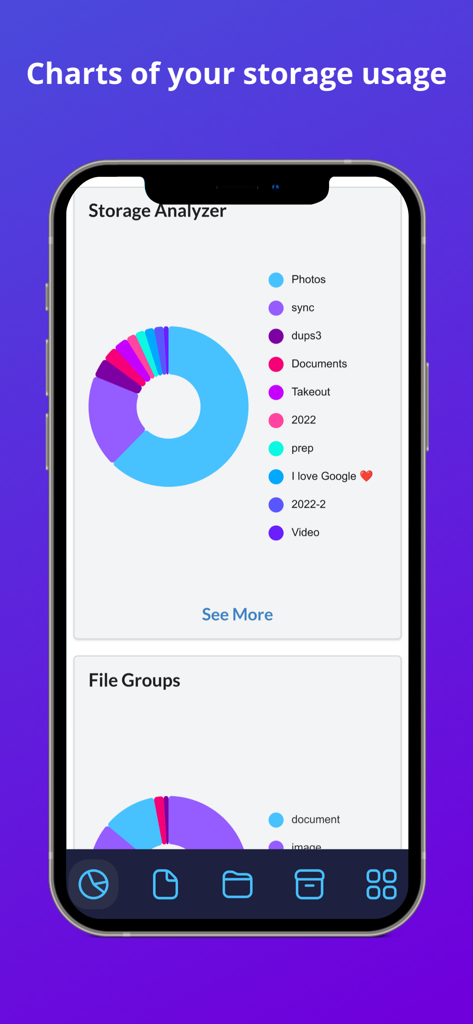
Filerev アプリのストレージ使用量アナライザー画面。Google ドライブのフォルダサイズとストレージパーセンテージを表示

Filerev アプリのストレージ使用量アナライザー画面。Google ドライブのフォルダサイズとストレージパーセンテージを表示

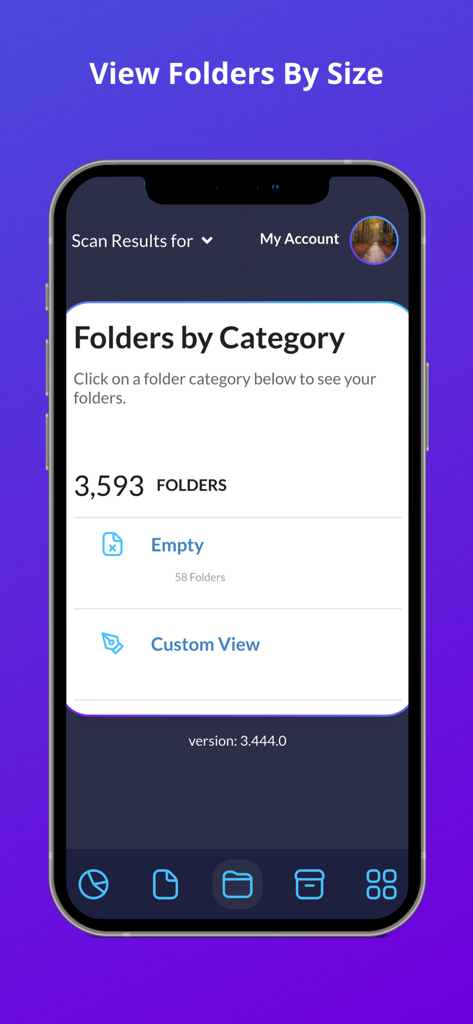
Filerev アプリのスクリーンショット。空のフォルダを含むカテゴリ別に整理された Google ドライブフォルダを表示

Filerev アプリのスクリーンショット。空のフォルダを含むカテゴリ別に整理された Google ドライブフォルダを表示

Filerev for Google Drive のストレージアナライザーチャート。カテゴリ別のストレージ内訳を表示

Filerev for Google Drive のストレージアナライザーチャート。カテゴリ別のストレージ内訳を表示

クラウドストレージを管理しましょう

このアプリを際立たせるツール、 0 人のユーザーが選択.

📑

隠れた重複ファイルを削除

デジタルワークスペースで無駄なスペースを消費し、混乱を引き起こす同一のファイルや写真を特定して一括削除します。

📂

大きなフォルダを可視化

Google ドライブのネイティブインターフェースが隠している詳細な洞察により、どのフォルダが本当にストレージを消費しているかを発見します。

スマートな一括クリーニング

空のフォルダ、古いアーカイブ、一時ファイルをワンクリックで削除するための高度なフィルターを使用して、手動でのソートに費やす時間を節約します。

アプリについて

について知っておくべきこと Filerev for Google Drive.

説明

Organize your Google Drive files with Filerev and reduce your storage usage. This software will find your duplicate files, large files, large folders, hidden files, empty folders and so much more. It displays your files in an organized way so you can quickly see the files that are cluttering up your Google Drive account. When you first log in to the Filerev app with your Google account the software will scan your files and then present you with a report of how your storage is being used. The software will show your duplicate files, large files, hidden files, large folders, empty folders and let you browse files by specific file types. You can use filters to further drill down to specific files and folders. It can also bulk delete files and folders, making tasks like removing thousands of duplicate files a breeze. After your scan is complete you will be presented with a report of your storage usage. You will see a graph showing your storage usage by Google Drive, Gmail and Google Photos as well as the number of files and folders that exist in your account. Then you will see your files in specific categories such as: - Duplicate Files - Hidden Files - Empty Files - Files Larger than X MB - Files Older than X years - Files not owned by me - Temporary Files - Files by Extension - Custom Files, where you can view files by custom criteria. - Google Drive Trash In each category, you will see the total storage space that your files are consuming and how many files are in the category. Below the files there is another category for your folders where you will see: - Folders Larger than X MB - Empty Folders - Custom Folders where you can filter folders by custom criteria. You can also browse your files by specific file types. The file types are first broken down into high-level types such as: - Documents - Photos & Images** - Audio - Video - Archive (zip) - Other ** Please note, you can find and remove photos that exist in Google Drive but Filerev does not currently find files in Google Photos. When you view any one of these categories you will see your files further broken down into categories for specific file types (Microsoft Word, PDF, JPG, Excel, Google Sheets, Powerpoint, etc). When you view your files or folders in any of the categories listed above you will be presented with information about each file and folder. You can easily clear the clutter from your Google Drive account by selecting specific files or folders. You can also use the bulk delete feature to remove specific files or folders with a simple click. * PRICING * With the free plan, you can scan up to 1 million files in your Google Drive account and view how your storage is being used. You can see the number of duplicate files, empty folders, large folders and more that are taking up space in your Google Drive account. Then each month, you can delete up to 100 files and folders. Upgrade to a paid plan that starts for as little as 4 per month (paid annually) to unlock more features. The paid plans have additional features, and you can scan more files, delete more files and view large folders and empty folders. * SECURE & PRIVATE * We care about the privacy of your data and are committed to protecting it. Our motivation is to help you organize your Google Drive account, and we will not use your information for anything other than that. Everything is transferred over a secure SSL connection, and we encrypt any account information that we store. You can read more about this in our Privacy Policy (https://filerev.com/privacy) and our terms (https://filerev.com/terms). We also submit Filerev to security reviews and audits to ensure your data stays safe.

最新バージョン

3.786.0

サイズ

18.4 MB

リリース日

2023年10月31日

不要なストレージへの支払いをやめましょう

Filerev を利用して重複ファイルを見つけ、隠れた不要ファイルを削除し、数分で Google ドライブの容量を回復させている何千人ものプロフェッショナルやフリーランサーに参加しましょう。

ダウンロード: App Store

App information, icons, screenshots, and descriptions displayed on this page are sourced from the Apple App Store and are the property of their respective developers. Download estimates and rankings are based on MWM's proprietary models and may not reflect actual figures. This page is provided for informational and analytical purposes only.

Believe this page infringes your intellectual property? File a dispute