Find My Bluetooth Device

Find My Bluetooth Device

ダウンロード: App Store
ロゴ: Find My Bluetooth Device

Bluetoothデバイスファインダー:紛失したAirPods、Watch、イヤホンを即座に見つけよう

パニックはもうやめましょう。交換費用も節約できます。高精度のシグナルトラッカーとサウンドアラートが、車やソファの下に隠れていても、紛失したギアまで正確に誘導します。

開発元

On Hand Apps

カテゴリ

Utilities

ダウンロード

630K+

ユーザー評価

3.9/5

評価数

3K+

対応言語

5

あなたのデジタルレーダー

このインターフェースを利用する 630K+ 人のユーザー.

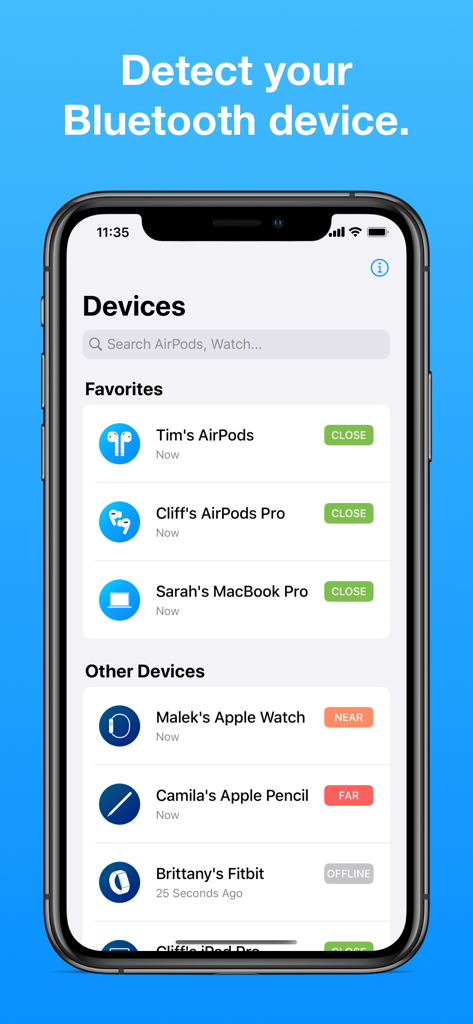
Find My Bluetooth Deviceアプリのインターフェースのスクリーンショット。AirPodsやApple Watchなどのデバイスリストと、近く、中間、遠いなどの接近度インジケーターが表示されています。

Find My Bluetooth Deviceアプリのインターフェースのスクリーンショット。AirPodsやApple Watchなどのデバイスリストと、近く、中間、遠いなどの接近度インジケーターが表示されています。

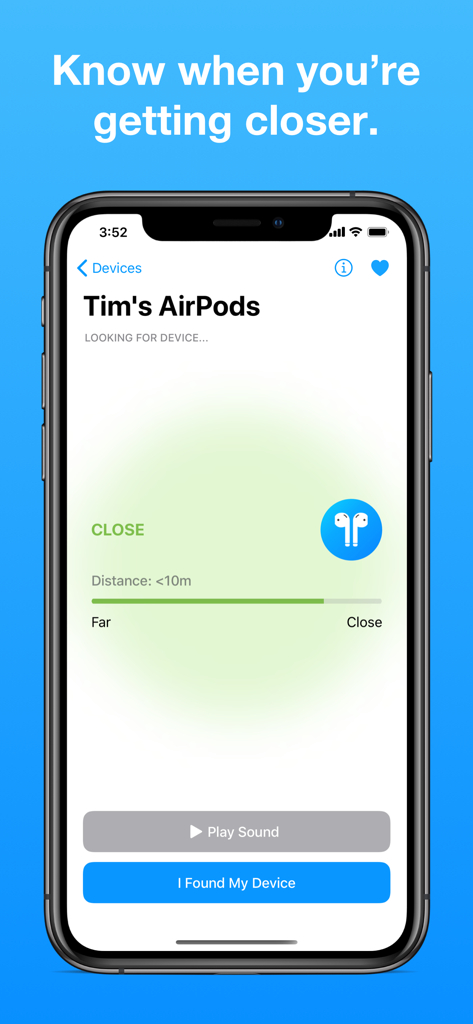
Find My Bluetooth Deviceアプリで紛失したAirPodsまでの距離を示す近接画面

Find My Bluetooth Deviceアプリで紛失したAirPodsまでの距離を示す近接画面

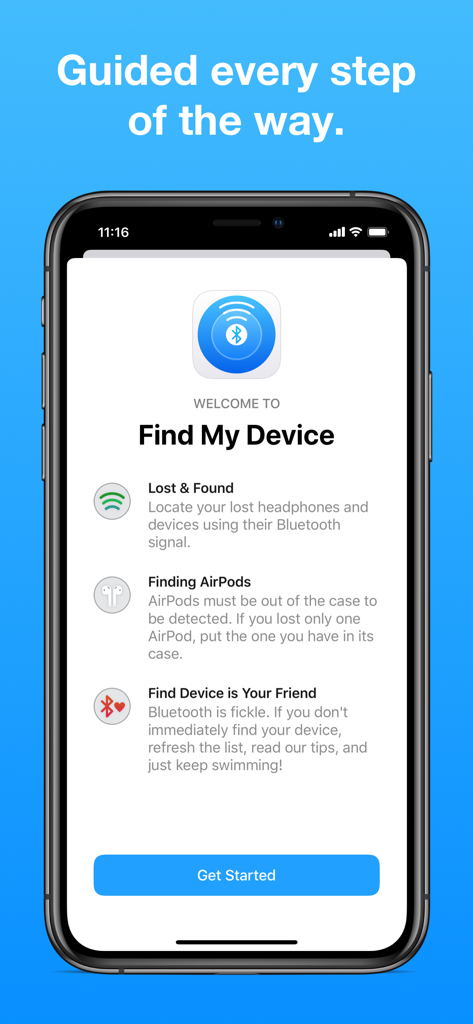
iPhone上のFind My Bluetooth Deviceアプリのウェルカムおよびオンボーディング画面

iPhone上のFind My Bluetooth Deviceアプリのウェルカムおよびオンボーディング画面

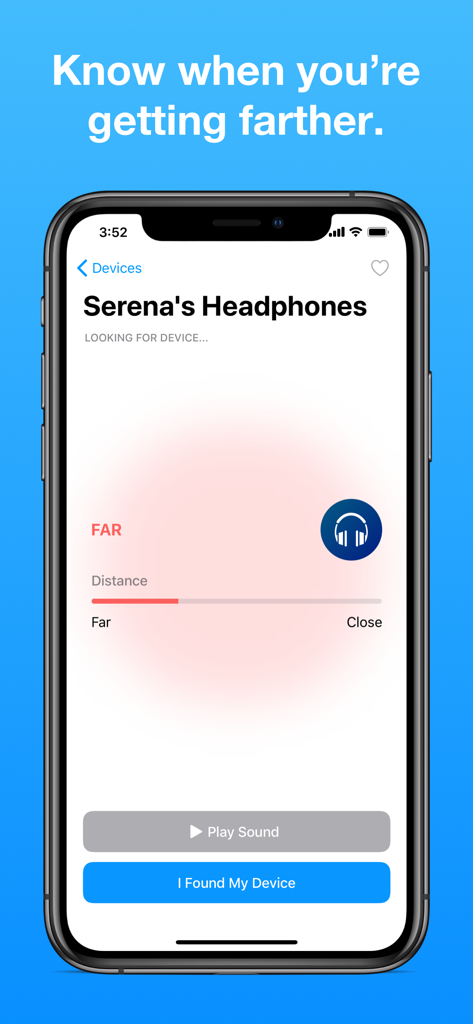
Find My Bluetooth Deviceアプリのインターフェース。紛失したヘッドフォンの距離追跡を表示します。

Find My Bluetooth Deviceアプリのインターフェース。紛失したヘッドフォンの距離追跡を表示します。

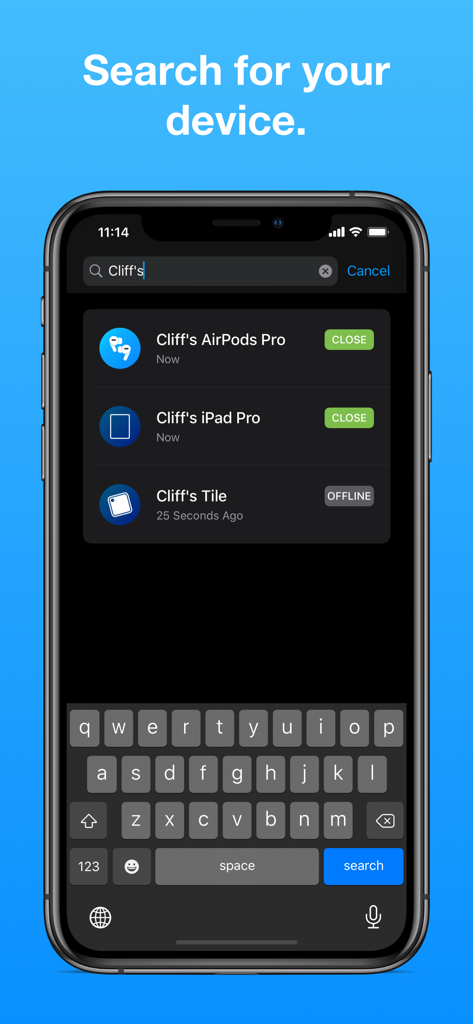
Find My Bluetooth DeviceアプリでAirPods、iPad、TileなどのBluetoothデバイスの検索結果を表示するスマートフォンの画面

Find My Bluetooth DeviceアプリでAirPods、iPad、TileなどのBluetoothデバイスの検索結果を表示するスマートフォンの画面

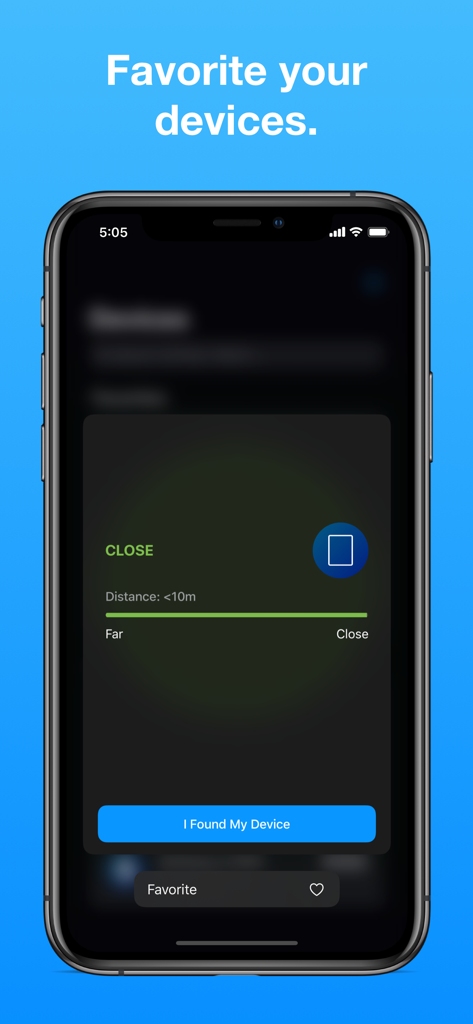
Find My Bluetooth Deviceアプリの画面。近接追跡とデバイスをお気に入りに追加するオプションを表示します。

Find My Bluetooth Deviceアプリの画面。近接追跡とデバイスをお気に入りに追加するオプションを表示します。

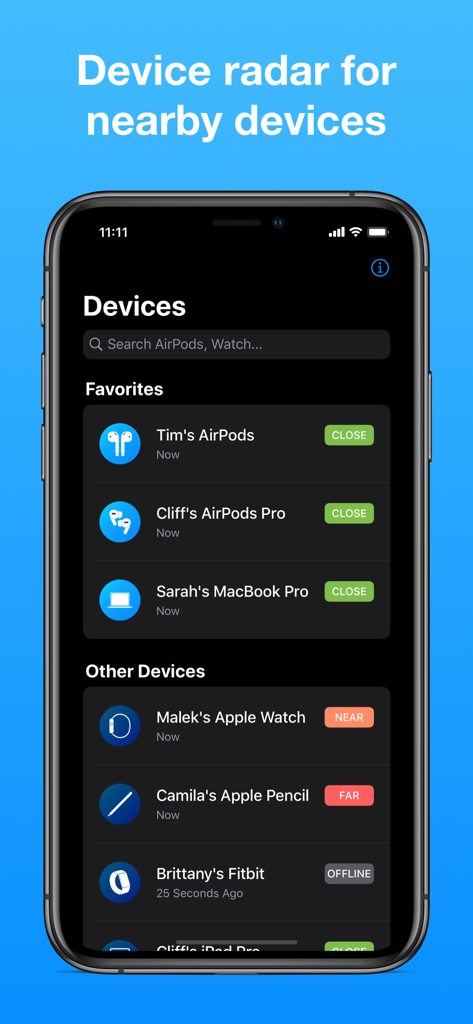
Find My Bluetooth Deviceアプリの画面。近くの追跡対象デバイスとその近接状況のリストを表示します。

Find My Bluetooth Deviceアプリの画面。近くの追跡対象デバイスとその近接状況のリストを表示します。

探すのはやめて、見つけよう

このアプリを際立たせるツール、 630K+ 人のユーザーが選択.

🎯

高精度レーダートラッキング

ガイガーカウンターのように、リアルタイムの信号強度メーターを追跡します。「ホットまたはコールド」の視覚的な手がかりで、デバイスに近づきます。

🔊

リモートサウンドトリガー

見えない?音を鳴らしましょう。紛失したイヤホンやデバイスで大きな音をトリガーし、耳で正確な場所を即座に特定します。

🎧

ユニバーサル互換性

すべてのエコシステムに対応する1つのアプリ。AirPods、Apple Watch、Fitbit、Apple Pencil、その他多くのBluetooth周辺機器を見つけます。

アプリについて

について知っておくべきこと Find My Bluetooth Device.

説明

Find My Bluetooth Device allows you to locate your lost headphones, earbuds, and devices, such as AirPods, using Bluetooth. It can find one of your AirPods or both. Find My Bluetooth Device shows you how close you are to the AirPods (and other Bluetooth devices) and can lead you to their location. It will detect your earbuds if their Bluetooth signal is on and you are less than 330 feet away (100 meters). If the headphones you are looking for are AirPods, they must be out of the case in order to be detected. If you've only lost one AirPod, leave the other one closed IN the case. For any other headphones, their Bluetooth must be on, which is usually the case. If the device supports playing audio and is close enough, a Play Sound button will allow you to play a sound on the device. This app helps you find your: • AirPods 1, 2, & Pro • Apple Watch • Apple Pencil • Beats headphones • Fitbit & other smartwatches • Tile and many other Bluetooth devices. Notes for Success: • Bluetooth technology is fickle, so it may take a few tries to find what you're looking for! • Thousands of people HAVE found their lost AirPods and other devices using this app! If you don't find yours right away, take a deep breath, keep trying, and make sure you've read our detailed instructions and tips in the app! :) **** If you have any questions, do not hesitate to send an email to findmyairpodsapp@gmail.com. We can help you navigate through the app and find your headphones. We answer quickly. **** We care about you and work to maximize your chances of finding your devices. If you found your device, consider leaving a 5-star rating and writing a review! Premium Subscriptions: • Subscribed user has unlimited access to the device finder services • User can subscribe one week or one month or lifetime auto renewing subscriptions • Unsubscribed user may only use limited services • Payment will be charged to iTunes Account at confirmation of purchase • Subscription automatically renews unless auto-renew is turned off at least 24-hours before the end of the current period • Account will be charged for renewal within 24-hours prior to the end of the current period • Subscriptions may be managed by the user and auto-renewal may be turned off by going to the user Account Settings after purchase Privacy Policy: https://app.termly.io/document/privacy-policy/f817a51f-7259-4987-bcd4-034f77ff5eab Terms of service: https://www.apple.com/legal/internet-services/itunes/dev/stdeula/

最新バージョン

2.5.6

サイズ

41.2 MB

リリース日

2019年7月14日

探すのはもう終わり。今すぐデバイスを見つけよう。

紛失したAirPods、Apple Watch、Fitbitを数分で見つけて、数万円を節約した63万人以上のユーザーに加わりましょう。

ダウンロード: App Store

App information, icons, screenshots, and descriptions displayed on this page are sourced from the Apple App Store and are the property of their respective developers. Download estimates and rankings are based on MWM's proprietary models and may not reflect actual figures. This page is provided for informational and analytical purposes only.

Believe this page infringes your intellectual property? File a dispute