Handwriting to Text Converter

Handwriting to Text Converter

ダウンロード: App Store
ロゴ: Handwriting to Text Converter

AI精度で紙からデジタルへ:手書き文字テキスト変換

乱雑な筆記体ノートやPDFを、瞬時に編集可能なテキストに変換。スキャン、AIによる要約、WordまたはPDFへのエクスポート。学生やプロのワークフローをデジタル化する究極のツール。

ダウンロード: App Store

開発元

ECLIXTECH UK LTD

カテゴリ

Education

ダウンロード

1K+

ユーザー評価

4.7/5

評価数

200

対応言語

69

紙から画面へ

このインターフェースを利用する 1K+ 人のユーザー.

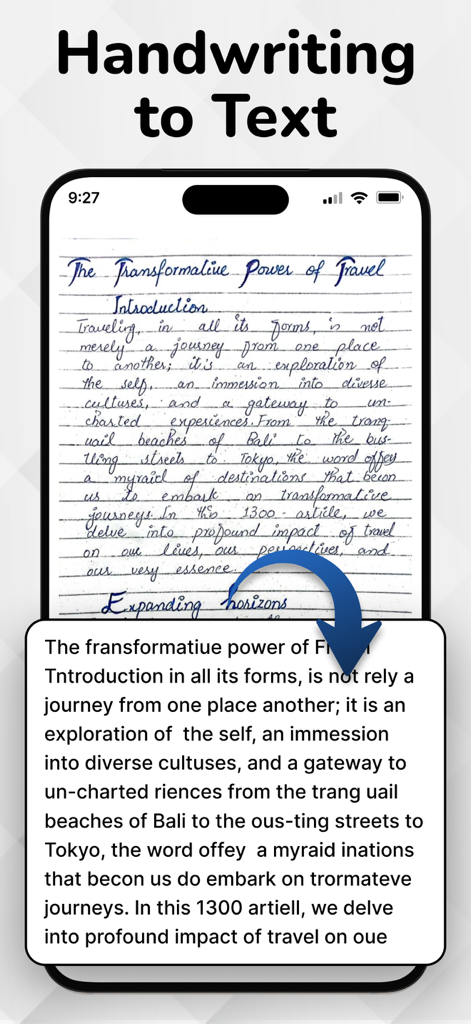
OCRアプリでデジタルテキストに変換中の手書き日記のエントリが表示されたスマートフォン

OCRアプリでデジタルテキストに変換中の手書き日記のエントリが表示されたスマートフォン

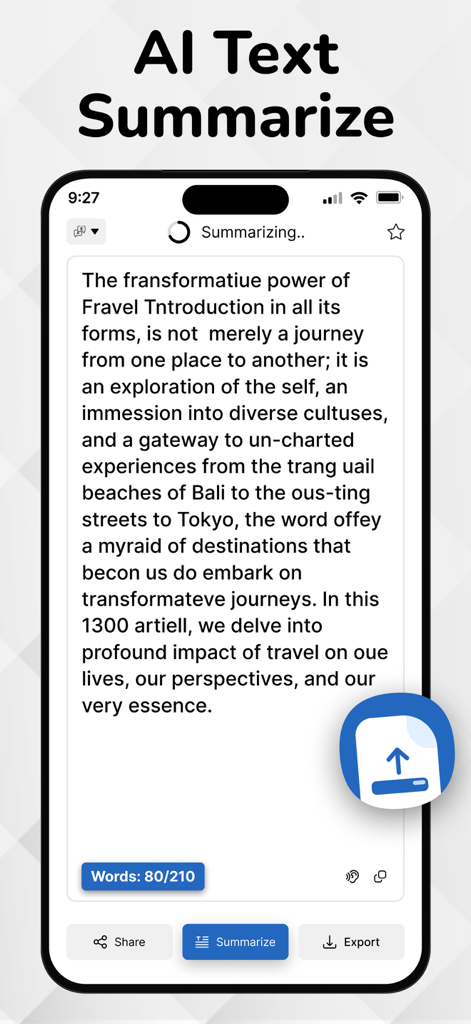
手書き文字テキスト変換アプリ内のAIテキスト要約機能を示すiPhone画面

手書き文字テキスト変換アプリ内のAIテキスト要約機能を示すiPhone画面

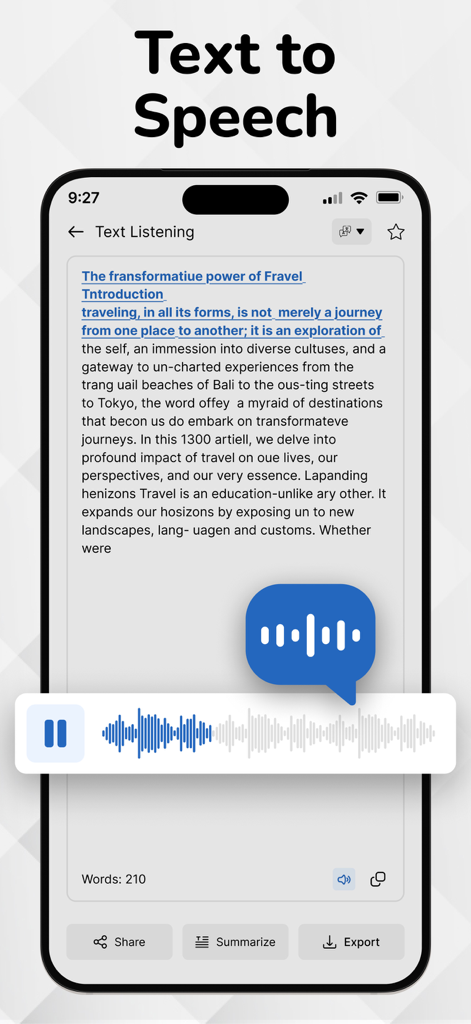
音声出力プレーヤーを表示するHandwriting to Text Converterアプリのテキスト読み上げ機能

音声出力プレーヤーを表示するHandwriting to Text Converterアプリのテキスト読み上げ機能

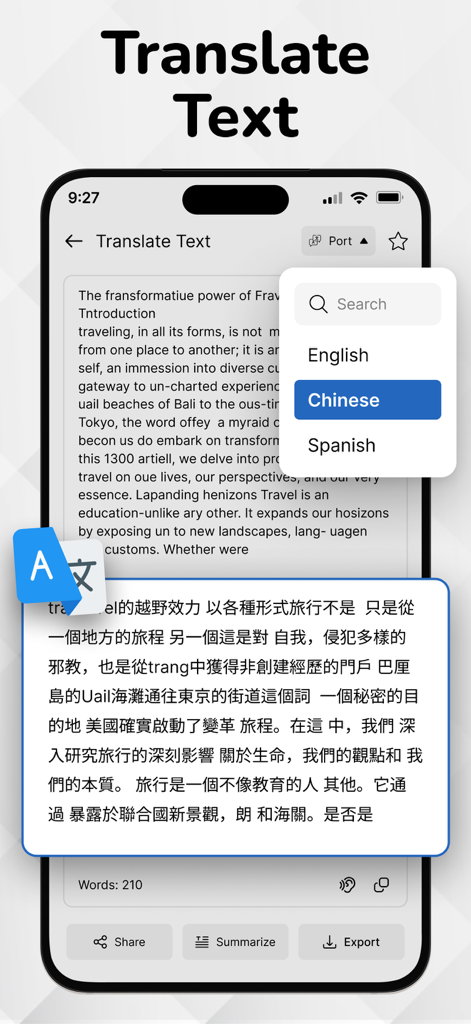
Handwriting to Text Converterアプリの画面に、英語から中国語へのテキスト翻訳が表示されている

Handwriting to Text Converterアプリの画面に、英語から中国語へのテキスト翻訳が表示されている

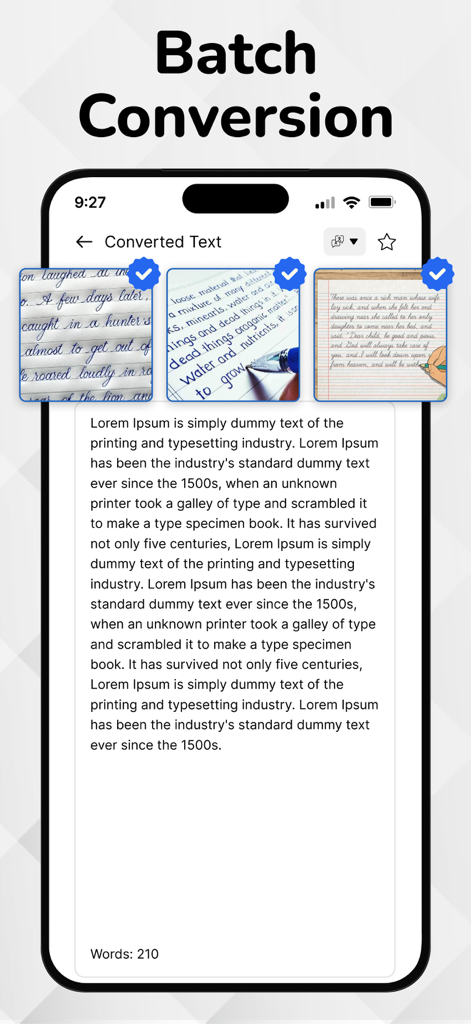
複数の手書きノートを編集可能なデジタルテキストに変換するバッチ変換機能を示すモバイルアプリインターフェイス

複数の手書きノートを編集可能なデジタルテキストに変換するバッチ変換機能を示すモバイルアプリインターフェイス

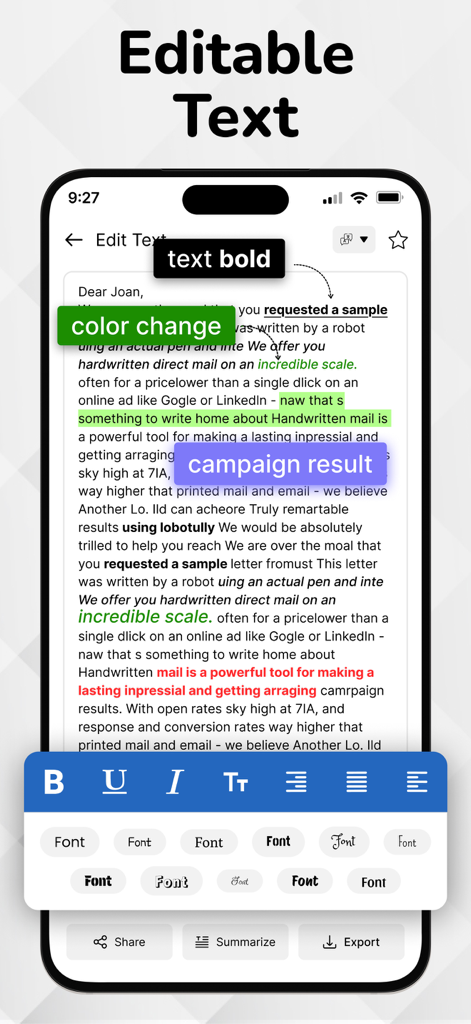
太字スタイル、カラーハイライト、フォント選択などの書式設定ツールを備えた編集可能なテキストを示すモバイルアプリ画面

太字スタイル、カラーハイライト、フォント選択などの書式設定ツールを備えた編集可能なテキストを示すモバイルアプリ画面

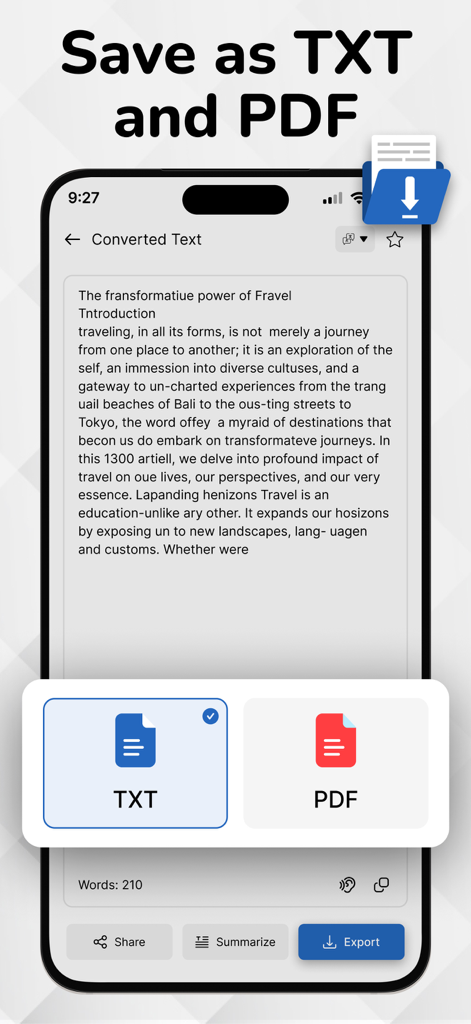
変換された手書きテキストをTXTまたはPDFドキュメントとして保存するオプションを示すインターフェイス

変換された手書きテキストをTXTまたはPDFドキュメントとして保存するオプションを示すインターフェイス

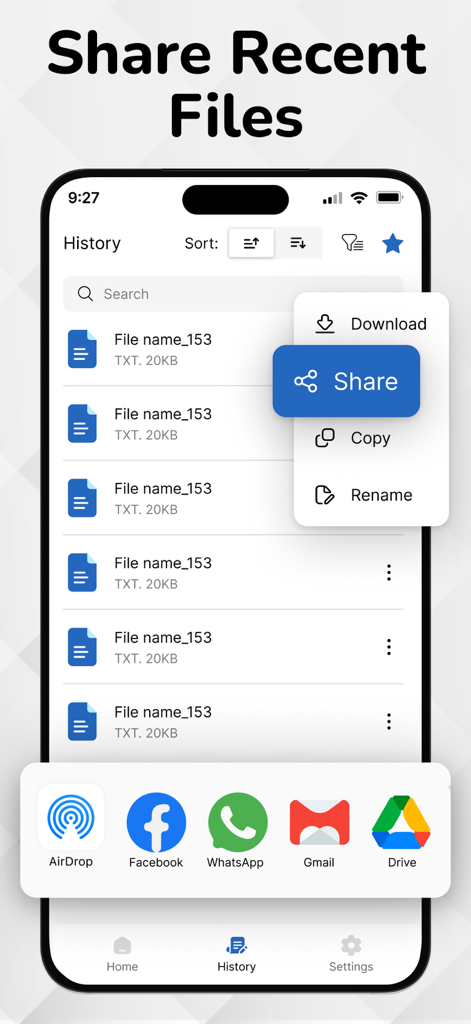
AirDropやGmailなどのオプションを備えた共有メニューと最近のファイルのリストを示すモバイルアプリインターフェイス

AirDropやGmailなどのオプションを備えた共有メニューと最近のファイルのリストを示すモバイルアプリインターフェイス

手書きから超生産性へ

このアプリを際立たせるツール、 1K+ 人のユーザーが選択.

✍️

筆記体と乱雑な文字を解読

「ハイブリッド」思考のために特別にトレーニングされた当社のエンジンは、標準的なスキャナーが見逃すような、ペースの速い会議のメモや複雑な筆記体にも対応します。

🧠

瞬時の洞察のためのAI要約

講義ノートの数ページを簡潔な箇条書きに変換します。AIが手書き文字を主要な要点に絞り込むため、記録するだけでなく学習に集中できます。

📄

プロフェッショナルなエクスポートとワークフロー

Word、PDF、Slackにシームレスにエクスポート。キーボードに触れることなく、アイデアを紙からプロフェッショナルなワークスペースに瞬時に移動できます。

アプリについて

について知っておくべきこと Handwriting to Text Converter.

説明

Easily convert handwritten notes into editable digital text with our handwriting to text converter app. Scan notes, recognize cursive writing, and export text instantly—perfect for students and professionals. Convert your PDF files into editable, searchable text in seconds. Easily extract content from scanned PDFs or documents and copy, share, or edit without retyping. Fast, accurate, and user-friendly. Customize your app experience with language options, theme settings, and privacy controls. Enable offline mode, adjust text output formats, and set preferences your way. Advanced handwriting to text scanner OCR (Optical Character Recognition) engine accurately extracts handwritten content from scanned paper notes and converts it into editable digital text. Unlike typical OCR Handwriting to text apps, it’s purpose-built to recognize handwriting — even cursive or messy styles — making it ideal for converting images of handwritten notes into clear, readable text. OCR is the core of image to text apps and document scanners. Key Features of Handwriting to Text Converter app: Image to Text Conversion: Accurately convert handwritten notes into editable and searchable digital text. Image-Based Scanning: Capture handwritten content using your phone’s camera or upload existing images for instant conversion. PDF to Text Converter: Easily convert PDF documents into editable text in seconds. Extract content from scanned or digital PDFs with accuracy and use it for notes, editing, or sharing—fast, simple, and reliable. Ai Summarize Text: AI text summarization uses artificial intelligence to shorten long texts by extracting key points. It helps users quickly grasp important information from articles, emails, or documents using natural language processing for clear, concise summaries. Advanced OCR Engine: Powered by smart OCR specifically trained to recognize cursive, messy, and printed handwriting styles. History Management: Automatically saves converted texts so you can revisit, copy, or delete them anytime. Multi-Language Support: Supports handwriting recognition in English, Hindi, and several other regional languages. Voice Outputs: Hear your handwritten notes aloud with voice output. Great for quick reviews and accessibility. Clean & Simple UI: User-friendly interface with a distraction-free design for smooth usage. Export & Share: Easily export your converted text to Notepad, Word, email, or share via social media and messaging apps. How to use Handwriting to Text Converter app...? 1. Open the App Launch the app from your home screen. 2. Scan or Upload a Handwritten Note Tap the Camera icon to take a picture of your handwritten text OR Tap the Gallery icon to upload an image from your phone 3. Adjust and Crop (Optional) Select the handwritten area. You can rotate, crop, or enhance the image for better accuracy. 4. Tap 'Convert' or 'Extract Text' The OCR engine will process the image and extract the handwritten text into editable digital format. 5. Edit or Copy the Text Make quick edits if needed. You can now copy, share, or save the text. 6. Export or Save Export the converted text as a .txt, .pdf, or send it directly via email, or other apps. 7. View History All your conversions are saved in the History section so you can access them anytime. Download Now! Image to text converter, Handwriting to Text Converter and text scanner app and start handwritten notes to editable digital text. If Handwriting to Text Converter is helpful, please rate us 5 stars If you have any questions, please contact us: eclix.suport@gmail.com. Disclaimer: Handwriting recognition may not always be accurate. Review and correct converted text before use. We are not responsible for errors or data loss during conversion. Privacy Policy https://www.cardscanner.co/privacy Terms of Service https://www.cardscanner.co/privacy

最新バージョン

1.0.8

サイズ

70.4 MB

リリース日

2025年7月18日

手書き文字を行動に変える

タイピングに時間を費やすのはやめて、実行に移しましょう。AI搭載OCRを使用して手書きノートを瞬時に変換、要約、エクスポートする数千人の学生やプロフェッショナルの仲間入りをしましょう。今すぐダウンロードして、あなたの時間を取り戻しましょう。

ダウンロード: App Store

App information, icons, screenshots, and descriptions displayed on this page are sourced from the Apple App Store and are the property of their respective developers. Download estimates and rankings are based on MWM's proprietary models and may not reflect actual figures. This page is provided for informational and analytical purposes only.

Believe this page infringes your intellectual property? File a dispute