HTML Editor +

HTML Editor +

ダウンロード: App Store
ロゴ: HTML Editor +

HTML Editor +: あなたのリアルタイムWebデザインスタジオ

学生や開発者向けの究極のモバイルワークスペース。ミニマリストなインターフェースで、HTMLコードを即座に作成、プレビュー、共有できます。外出先でのコーディングに最適化されています。

開発元

Yan Kin LEUNG

カテゴリ

Developer Tools

ダウンロード

3K+

ユーザー評価

1.0/5

評価数

0

対応言語

1

コードの実行

このインターフェースを利用する 3K+ 人のユーザー.

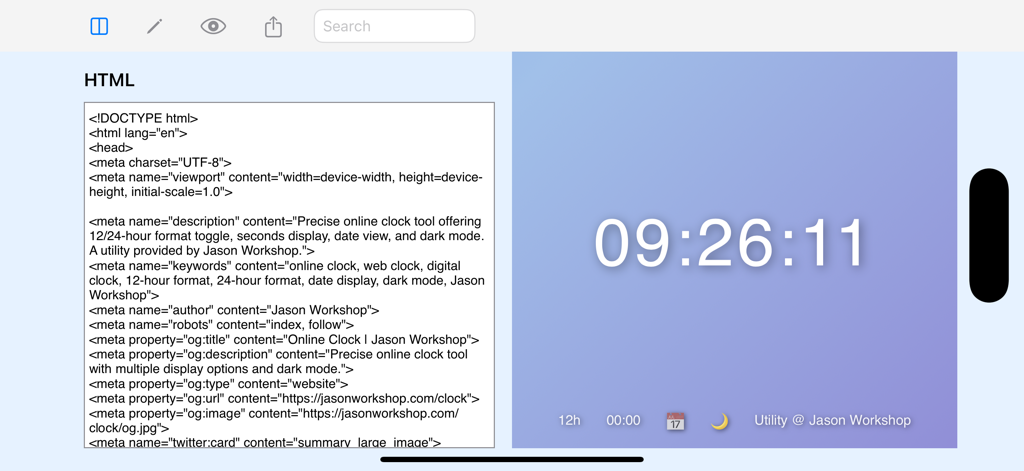
HTML Editor plusアプリのインターフェースを分割画面モードで表示し、コードエディターとデジタル時計のライブプレビューを表示。

HTML Editor plusアプリのインターフェースを分割画面モードで表示し、コードエディターとデジタル時計のライブプレビューを表示。

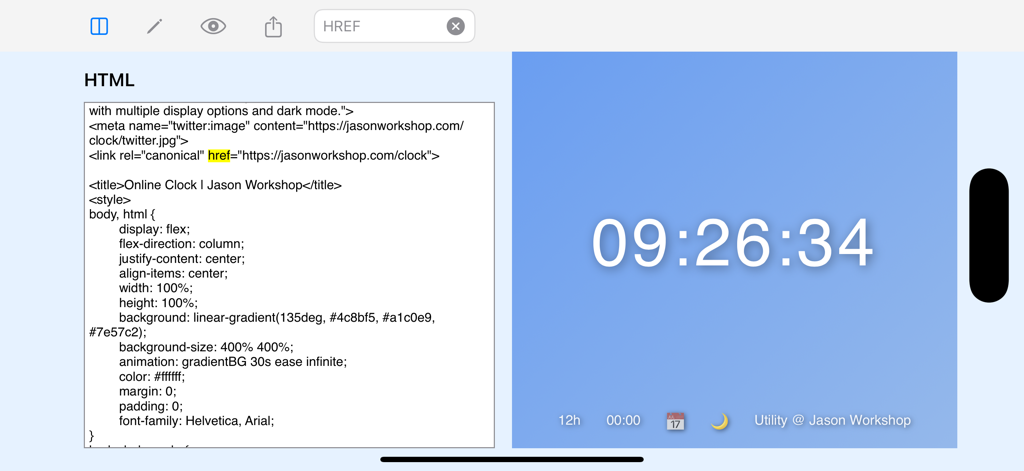
HTML Editor plusの分割画面インターフェース、コードエディターとライブウェブサイトプレビューを表示。

HTML Editor plusの分割画面インターフェース、コードエディターとライブウェブサイトプレビューを表示。

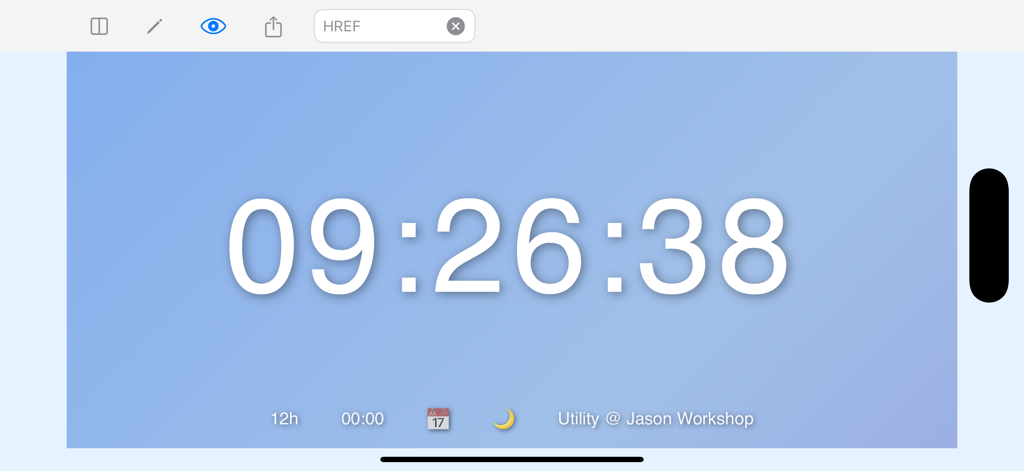
HTML Editor +アプリでのデジタル時計インターフェースのリアルタイムプレビュー。

HTML Editor +アプリでのデジタル時計インターフェースのリアルタイムプレビュー。

ポケットからビルド、プレビュー、出荷

このアプリを際立たせるツール、 3K+ 人のユーザーが選択.

インスタントライブフィードバック

推測をやめて、見始めましょう。リアルタイムプレビューは、入力するとHTMLをレンダリングし、学習を速く、プロトタイピングをシームレスにします。

📐

最適化された分割ビュー

アダプティブレイアウトで生産性を最大化します。コードとプレビューを横並びにしたり、フルスクリーンにして最も重要なことに集中したりできます。

💾

安心の永続性

「ひらめき」の瞬間を二度と失わないでください。コードはローカルに自動保存されるため、インスピレーションが湧いたらいつでも進捗状況を確認できます。

アプリについて

について知っておくべきこと HTML Editor +.

説明

Discover the ultimate HTML Editor and Live Preview app, designed for beginners and developers alike! Write, preview, and share your HTML code seamlessly on your iOS device. Whether you're learning HTML, prototyping web designs, or experimenting with code on the go, this app provides a sleek and intuitive platform to bring your ideas to life. Features - Real-Time Preview: Instantly see your HTML code rendered in a live web view as you type. - Flexible View Modes: Choose between Split View (editor and preview side-by-side), Editor Fullscreen, or Preview Fullscreen for a tailored coding experience. - Easy Sharing: Share your HTML creations with a single tap via email, messages, or other apps. - Persistent Storage: Your code is automatically saved, so you can pick up right where you left off. - Clean Interface: A minimalist design with a focus on usability, perfect for coding on the go. - Download now and start coding HTML anywhere, anytime!

最新バージョン

1.1.0

サイズ

1.8 MB

リリース日

2025年5月29日

いつでもどこでもアイデアをコードに変える準備はできましたか?

通勤中にコーディングを練習するための私のお気に入りの方法になりました。リアルタイムプレビューは信じられないほど高速で、iPadの分割画面はチュートリアルのフォローを簡単にしてくれます。外出先で新しいWebアイデアをテストするための完璧なデジタルスケッチブックです。

ダウンロード: App Store

App information, icons, screenshots, and descriptions displayed on this page are sourced from the Apple App Store and are the property of their respective developers. Download estimates and rankings are based on MWM's proprietary models and may not reflect actual figures. This page is provided for informational and analytical purposes only.

Believe this page infringes your intellectual property? File a dispute