Hue Lights

Hue Lights

ダウンロード: App Store
ロゴ: Hue Lights

Hue Lights:スマートホームエコシステムの究極のパワーツール

詳細なハードウェアコントロール、高度なマルチルームシーケンス、没入感のあるダイナミックエフェクトで、公式アプリの限界を超えましょう。すべての電球、スイッチ、センサーの可能性を最大限に引き出したいパワーユーザーのために設計されています。

ダウンロード: App Store

開発元

LapApps, LLC

カテゴリ

Lifestyle

ダウンロード

59K+

ユーザー評価

3.5/5

評価数

100

対応言語

9

可能性のスペクトル

このインターフェースを利用する 59K+ 人のユーザー.

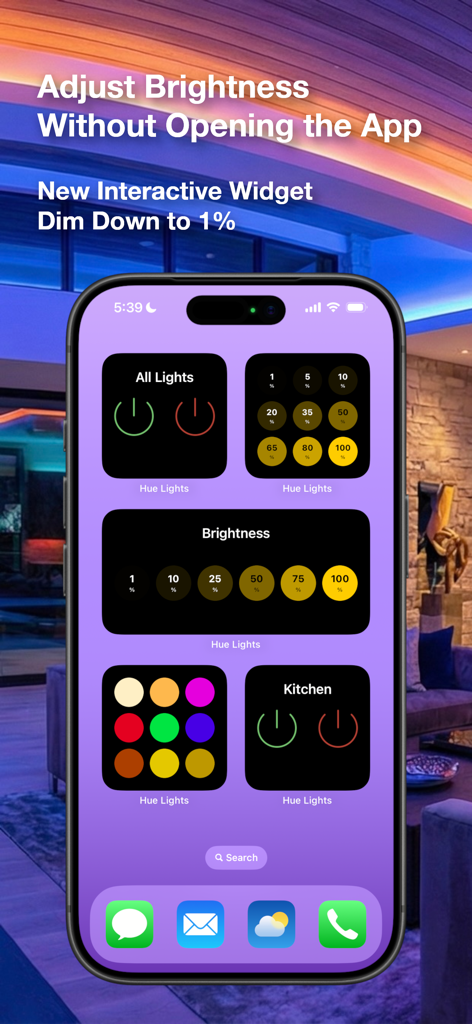
スマートホームの明るさと電源制御のためのiPhone上のHue Lightsインタラクティブウィジェット。

スマートホームの明るさと電源制御のためのiPhone上のHue Lightsインタラクティブウィジェット。

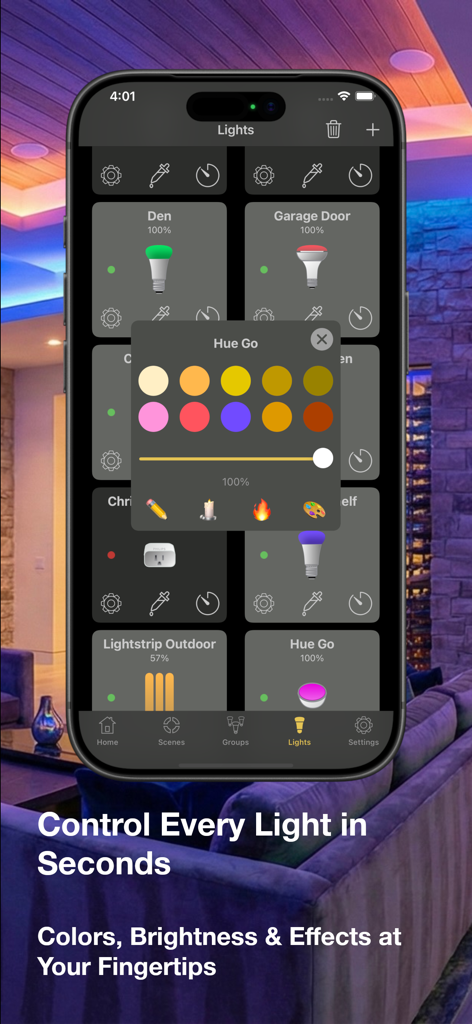
iPhone上のスマート照明のカラーと明るさコントロールを表示するHue Lightsモバイルアプリインターフェース。

iPhone上のスマート照明のカラーと明るさコントロールを表示するHue Lightsモバイルアプリインターフェース。

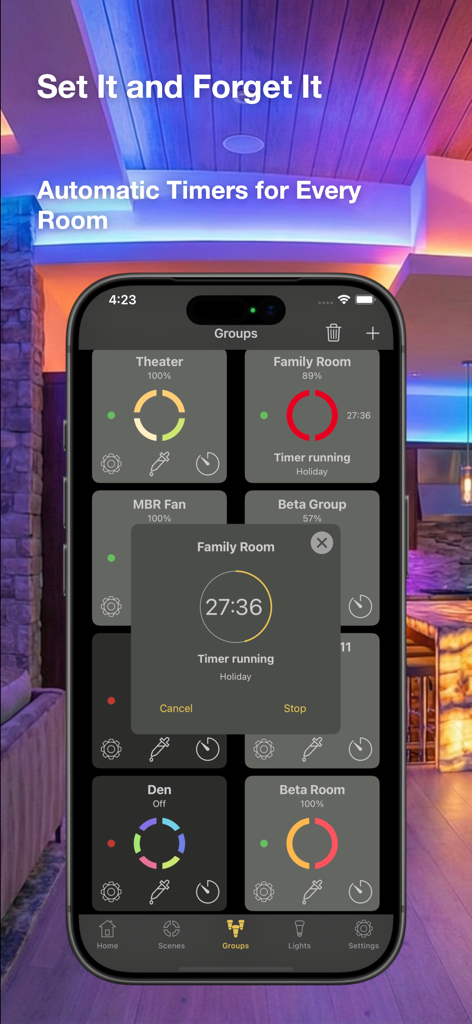
さまざまな部屋の自動タイマーとスマートホーム照明グループを表示するHue Lightsアプリインターフェース

さまざまな部屋の自動タイマーとスマートホーム照明グループを表示するHue Lightsアプリインターフェース

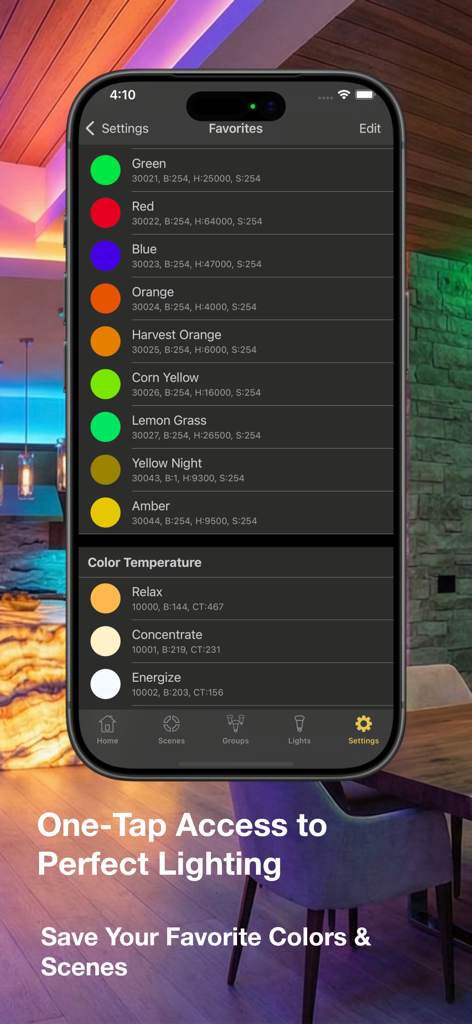
リラックスやエナジャイズなどの好みのカラープリセットと色温度設定のリストを表示するHue Lightsアプリ画面

リラックスやエナジャイズなどの好みのカラープリセットと色温度設定のリストを表示するHue Lightsアプリ画面

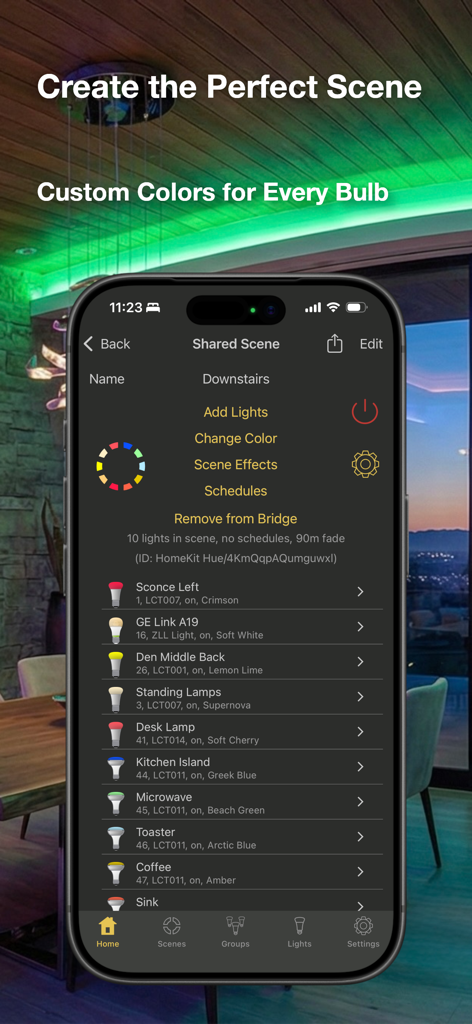
複数のスマート電球にカスタムカラーを割り当てる詳細なシーンエディタを表示するHue Lightsアプリ。

複数のスマート電球にカスタムカラーを割り当てる詳細なシーンエディタを表示するHue Lightsアプリ。

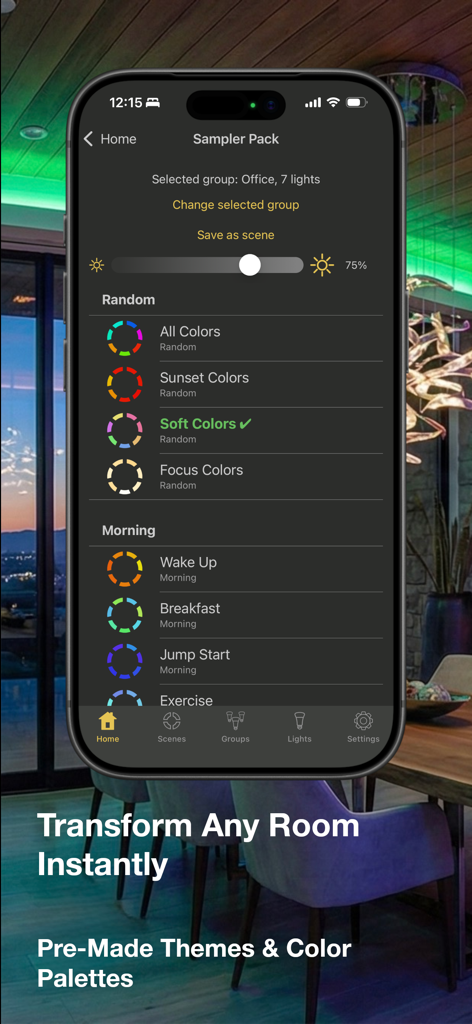
さまざまな既製の照明テーマとカラーパレットを表示するHue Lightsアプリインターフェース。

さまざまな既製の照明テーマとカラーパレットを表示するHue Lightsアプリインターフェース。

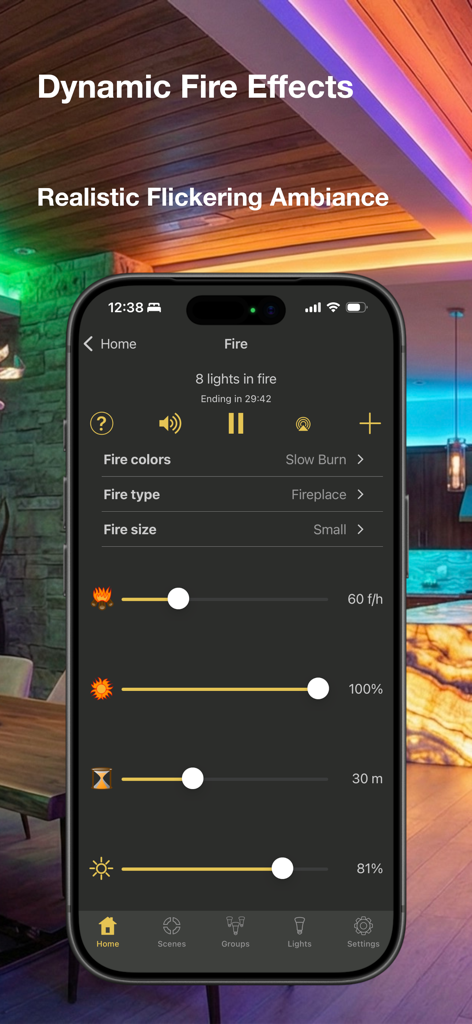
スマートホーム照明用のHue Lightsアプリの火災効果設定を表示するiPhone

スマートホーム照明用のHue Lightsアプリの火災効果設定を表示するiPhone

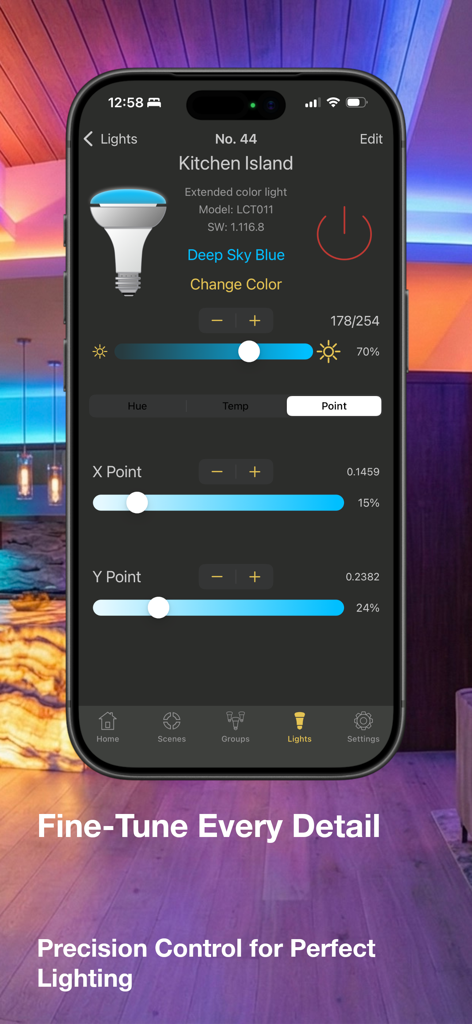
キッチンアイランドのスマート電球の詳細なカラーと明るさコントロールを表示するHue Lightsアプリ

キッチンアイランドのスマート電球の詳細なカラーと明るさコントロールを表示するHue Lightsアプリ

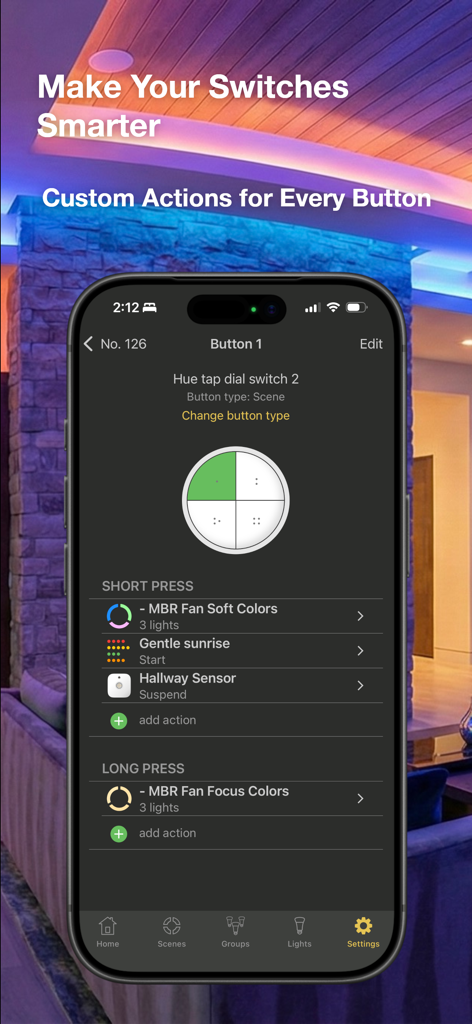
スマートスイッチボタンのカスタムショートおよびロングプレスアクションを設定するためのHue Lightsアプリインターフェース

スマートスイッチボタンのカスタムショートおよびロングプレスアクションを設定するためのHue Lightsアプリインターフェース

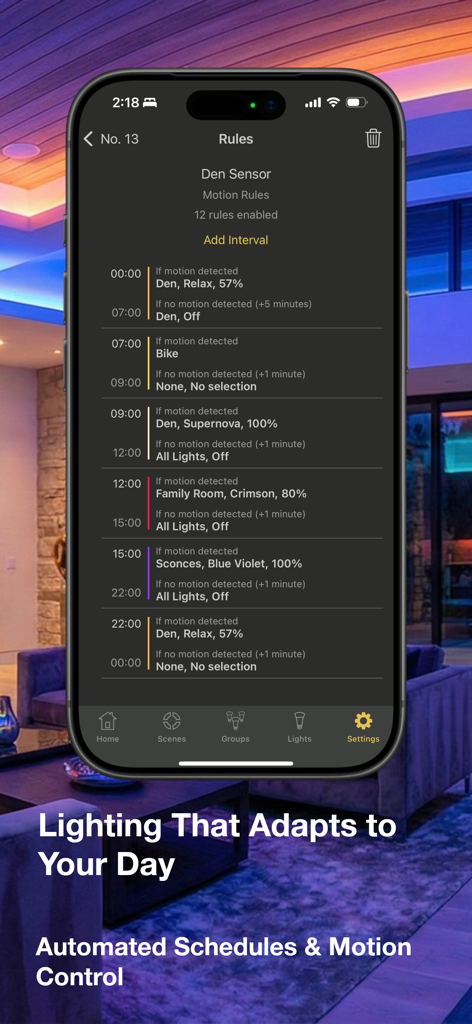
時間とモーションセンサーの検出に基づく自動照明ルールのリストを表示するHue Lightsアプリのインターフェース。

時間とモーションセンサーの検出に基づく自動照明ルールのリストを表示するHue Lightsアプリのインターフェース。

スマート照明エコシステムをマスターする

このアプリを際立たせるツール、 59K+ 人のユーザーが選択.

🔘

究極のスイッチカスタマイズ

標準プリセットを超えましょう。Hue調光器またはタップスイッチをプログラムして、最大8つのユニークなシーンをトリガーし、精密な精度で明るさの速度を制御します。

⛈️

ダイナミックオーディオビジュアルシーン

同期された光と音で完全な没入感を体験してください。完全にカスタマイズ可能なエフェクトで、リアルな雷雨、居心地の良い焚き火、または穏やかな海岸線に逃げ込みましょう。

🛠️

プログレードブリッジ管理

ネットワークを完全に制御します。TouchLinkで失われた電球を復旧し、リアルタイムの電力消費量を監視し、50以上の照明セットアップのためにブリッジ上で直接複雑なスケジュールを管理します。

アプリについて

について知っておくべきこと Hue Lights.

説明

Hue Lights offers full feature support for all of your smart lighting needs: Precise control, multi-room scenes, schedules, sequences, dynamic lighting, and special effects. Create advanced configurations for your Hue motion sensor, Hue dimmer switch or Hue Tap. Check out our sample videos and FAQ at https://huelights.com. Teach your lights new tricks with Hue Lights! Completely customize each button on your Hue dimmer switch or Hue Tap. Control 8 scenes from a single Hue dimmer switch, change brightness speeds, or select groups based on duration of button press. Hue Lights leverages the latest firmware to store scene details directly on the bridge. You can view and edit shared scenes from any device on your network. The UI offers improved visual feedback and easier on/off/brightness controls directly from the home screen. Try the sequences feature to see amazing possibilities at your fingertips. Use your Apple Watch to activate scenes, adjust group brightness and trigger alerts. Escape to the beach with soothing ocean, lake, or creek sounds while your lights gently change and dim (Water In-App purchase). Experience amazing thunderstorms (In-App purchase) with customized controls for lightning strikes, rain density, bird songs, wind speed, sleep timer, brightness and sky color! Simulate realistic fires (In-App purchase) with dedicated controls for fire type, fire size, flare-ups and brightness. If you have any problems with previous In-App purchases, tap "Restore." Please see the comprehensive FAQ and documentation at https://huelights.com for App help. The free version allows control of lights 1 and 2. In-App purchases can unlock all lights and special effects. Hue Lights brings you shared scenes and groups, comprehensive scheduling, sequences and powerful light controls. Create multiple "On" and "Off" schedules per scene. Tap a row to select a light, group, or scene. Use quick controls at the bottom of the screen. Long press a row for quick actions (on, choose color, edit, off). Save scenes from any third-party app and use Hue Lights to activate these on your Apple Watch. Dynamically animate or schedule any scene from third-party apps. All screens are optimized for your favorite iOS devices in portrait and landscape mode. Hue Lights works well with any third-party app that saves scenes or schedules on the bridge. Do you have a favorite scene from another app that you use frequently? With Hue Lights you can turn this scene on or off with one tap! Hue Lights will show every schedule saved on your bridge from any app and give you the option to disable or remove unwanted schedules. Features: • Interactive widgets • Fire and candle effects • Light and group timers • Remote control • Hue motion sensor support • Hue dimmer switch/Hue Tap support • Sunrise/sunset actions • View/edit scenes and schedules on bridge • View/delete rules and sensors • See exact watts used on supported lights • 3D Touch on app icon • TouchLink for finding lost bulbs • Sequences • Apple Watch support • Dynamic animations • Scene themes • Supports multiple third-party ZigBee lights • Light, group and scene schedules • Tap bulb image to apply a favorite color • Localized VoiceOver support • Heuristics for working around common errors • Create transition times up to 90 minutes • Designed to work well with 50+ light deployments Experience multi-track, synchronized and visually appealing light animations and sequences. Requires "Hue Personal Wireless Lighting Starter Set" to operate. "Hue Personal Wireless Lighting" is a trademark owned by Koninklijke Philips Electronics N.V., see www.meethue.com for more information. LapApps, LLC is in no way affiliated with the Philips organization. Follow @HueLights on X and like our Facebook page for the latest news and updates. See https://huelights.com for more documentation and supported hardware.

最新バージョン

4.7

サイズ

53.3 MB

リリース日

2013年12月2日

スマートホームを究極にコントロール

公式アプリでは実現できない、詳細なハードウェアカスタマイズと没入感のある照明シーケンスを体験してください。59,000人以上のパワーユーザーに加わり、今すぐPhilips Hueエコシステムの可能性を最大限に引き出しましょう。

ダウンロード: App Store

App information, icons, screenshots, and descriptions displayed on this page are sourced from the Apple App Store and are the property of their respective developers. Download estimates and rankings are based on MWM's proprietary models and may not reflect actual figures. This page is provided for informational and analytical purposes only.

Believe this page infringes your intellectual property? File a dispute