iContacts+: Contact Group Tool

iContacts+: Contact Group Tool

ダウンロード: App Store
ロゴ: iContacts+: Contact Group Tool

iContacts+: iPhone連絡先のプロフェッショナルコマンドセンター

標準の連絡先アプリの制限に悩むのはもうやめましょう。プロフェッショナルなワークフローのために設計された高度な検索と一括管理ツールで、グループの整理、一括メッセージの送信、アドレス帳の整理を簡単に行えます。

開発元

Jeonghwan Kim

カテゴリ

Utilities

ダウンロード

106K+

ユーザー評価

4.5/5

評価数

3K+

対応言語

8

効率が一目でわかる

このインターフェースを利用する 106K+ 人のユーザー.

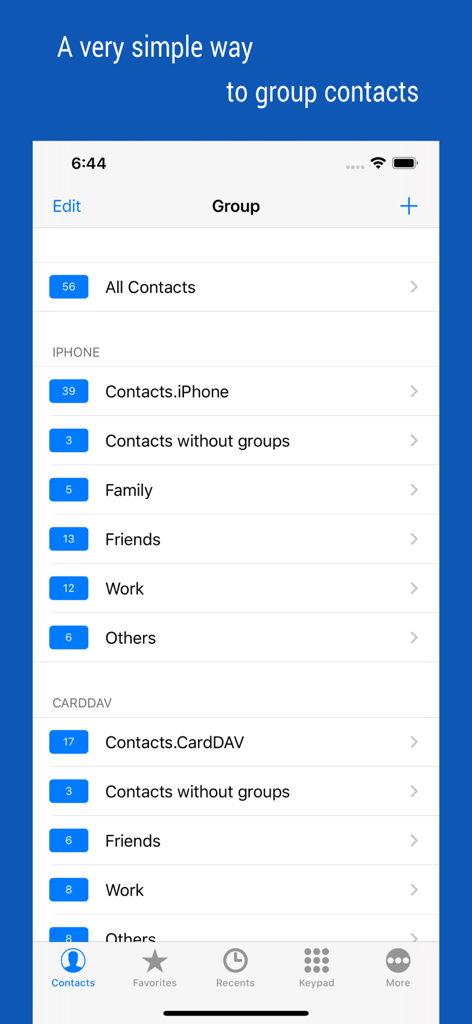
iContacts plusアプリのインターフェース。ファミリー、友達、仕事などのグループに整理された連絡先を表示。

iContacts plusアプリのインターフェース。ファミリー、友達、仕事などのグループに整理された連絡先を表示。

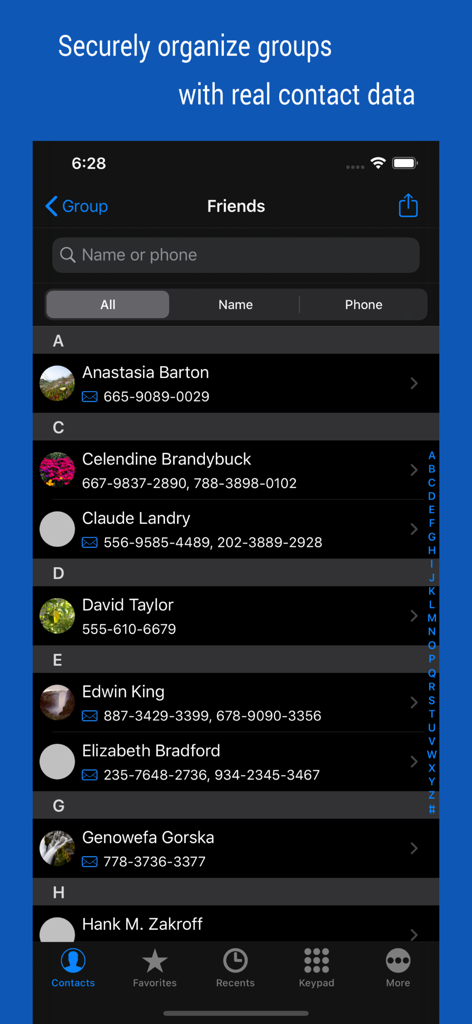
iContacts plusアプリのユーザーインターフェース。友達グループに分類された連絡先リストを表示。

iContacts plusアプリのユーザーインターフェース。友達グループに分類された連絡先リストを表示。

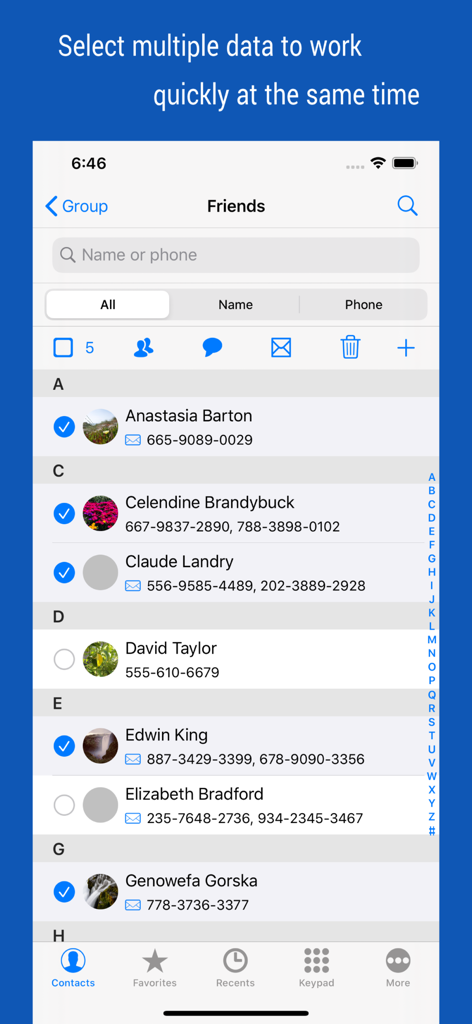
iContacts plusのインターフェース。一括管理操作のために複数の連絡先が選択されている状態を表示。

iContacts plusのインターフェース。一括管理操作のために複数の連絡先が選択されている状態を表示。

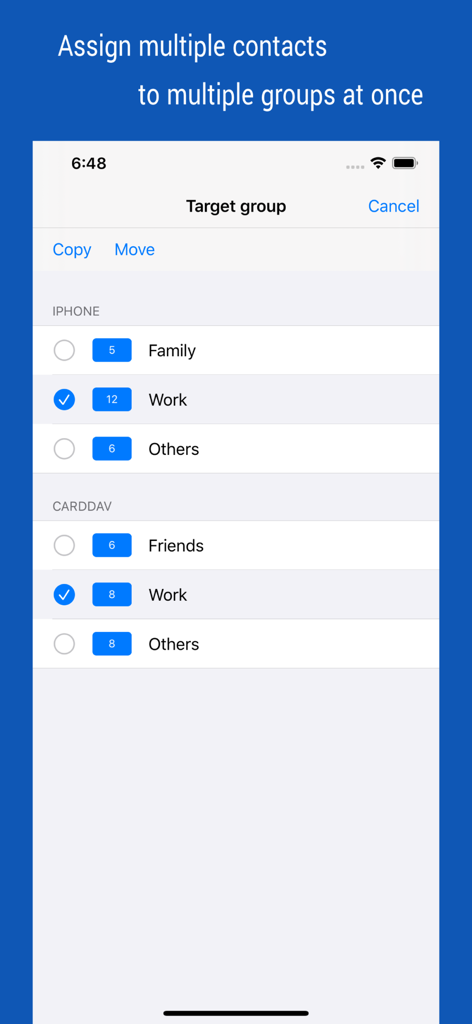
iContactsアプリのスクリーンショット。ファミリーや仕事などの複数のグループに一度に複数の連絡先を割り当てる画面を表示。

iContactsアプリのスクリーンショット。ファミリーや仕事などの複数のグループに一度に複数の連絡先を割り当てる画面を表示。

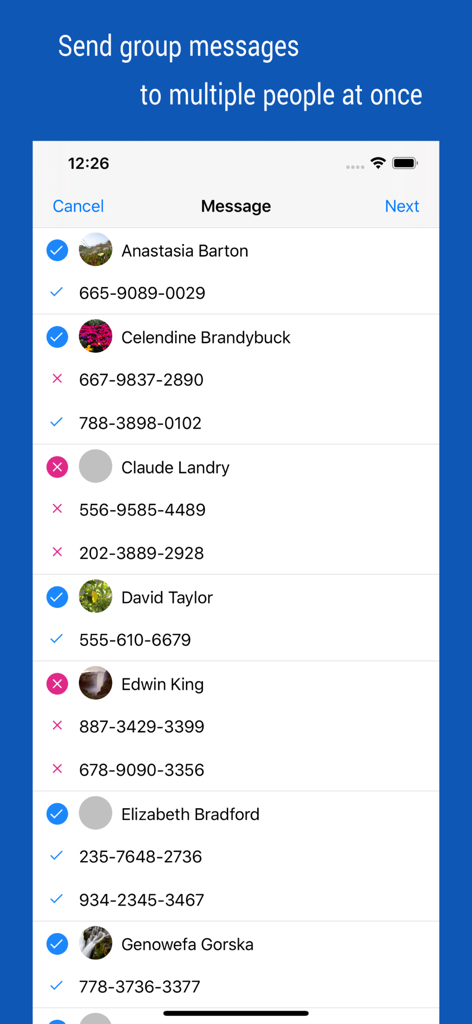
グループメッセージ送信のために複数の連絡先を選択する画面を表示。

グループメッセージ送信のために複数の連絡先を選択する画面を表示。

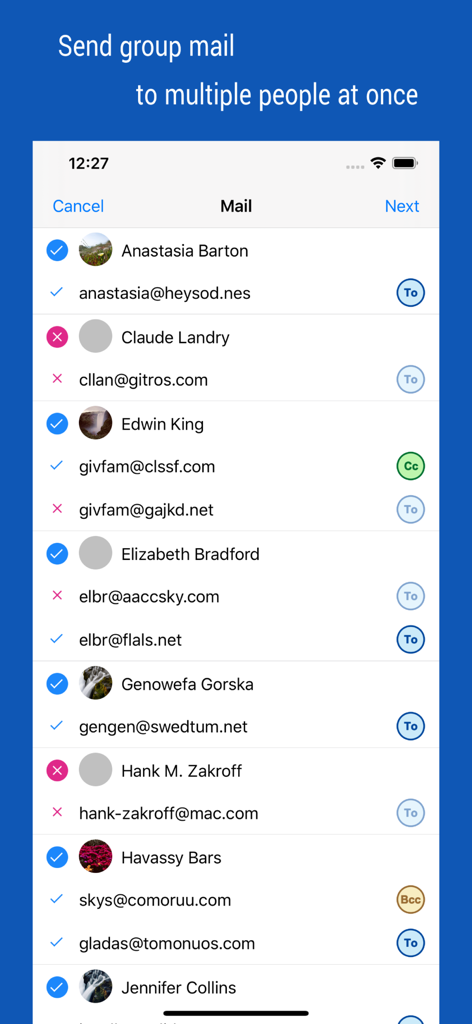
CCおよびBCCオプションを備えたグループメールの受信者の管理と複数の連絡先の選択のためのインターフェース。

CCおよびBCCオプションを備えたグループメールの受信者の管理と複数の連絡先の選択のためのインターフェース。

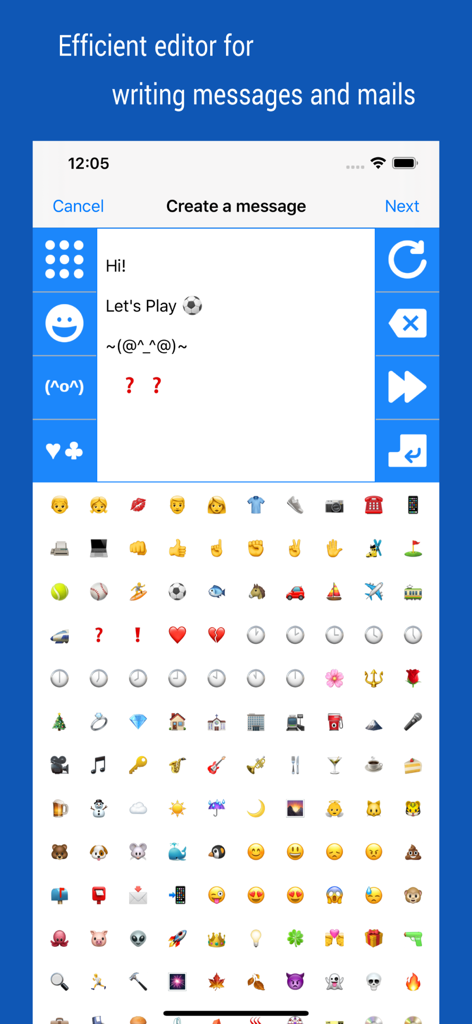
iContacts plusアプリ内で、絵文字や顔文字キーボードを備えたグループメッセージやメールの作成インターフェース。

iContacts plusアプリ内で、絵文字や顔文字キーボードを備えたグループメッセージやメールの作成インターフェース。

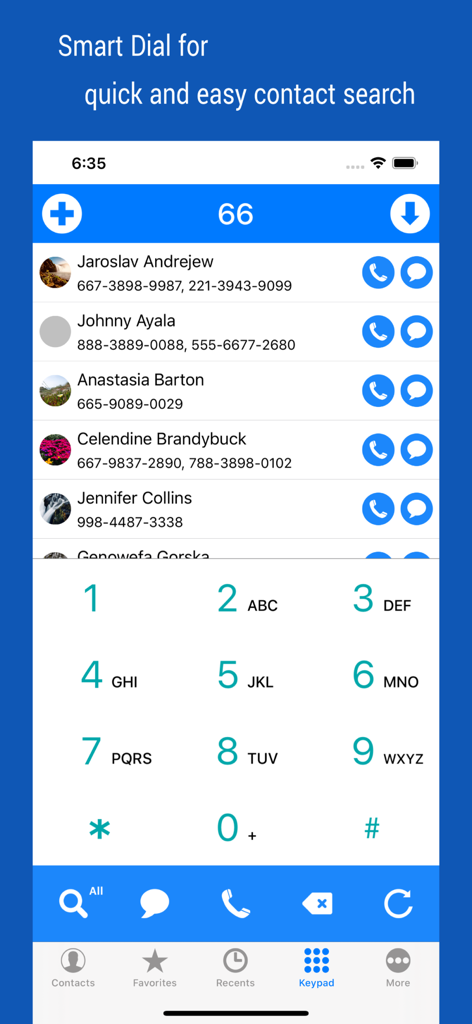
iContactsアプリのスマート検索ダイヤルインターフェース。フィルタリングされた連絡先リストと数字キーパッドを表示。

iContactsアプリのスマート検索ダイヤルインターフェース。フィルタリングされた連絡先リストと数字キーパッドを表示。

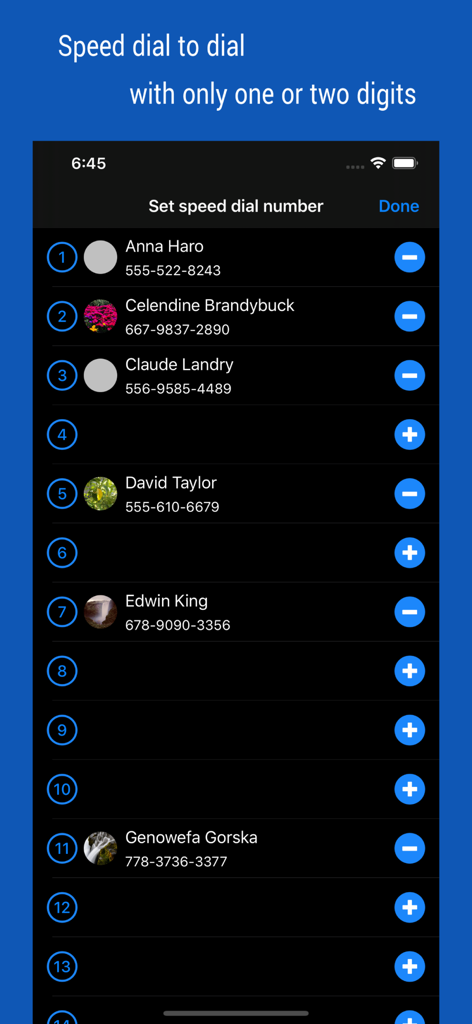
iContacts plusアプリの画面。クイック通話のためにスピードダイヤル番号に割り当てられた連絡先リストを表示。

iContacts plusアプリの画面。クイック通話のためにスピードダイヤル番号に割り当てられた連絡先リストを表示。

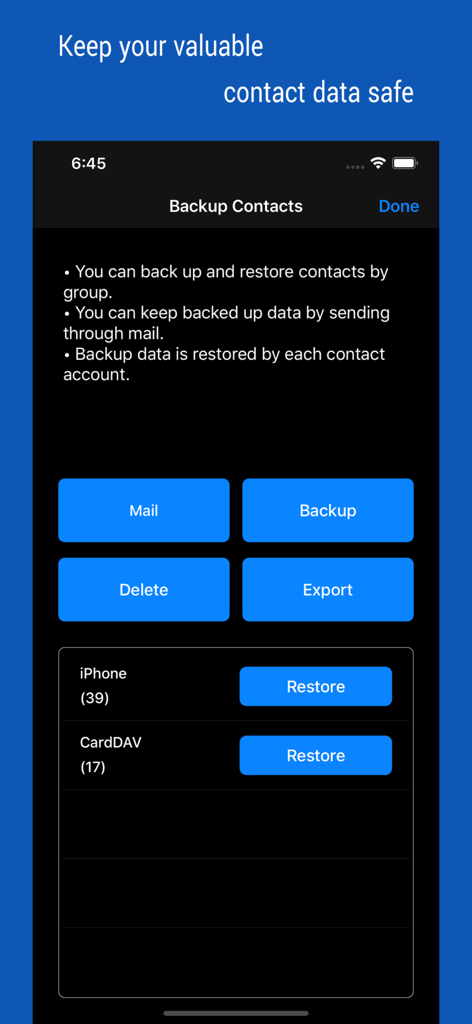
メールバックアップやデータエクスポートを含む、連絡先のバックアップおよび復元オプションを示すインターフェース。

メールバックアップやデータエクスポートを含む、連絡先のバックアップおよび復元オプションを示すインターフェース。

プロフェッショナルグレードの連絡先管理

このアプリを際立たせるツール、 106K+ 人のユーザーが選択.

📂

スマートなグループ編成

標準の制限を超えましょう。連絡先をカスタムグループに簡単に分類し、移動や削除などの一括操作を実行して、アドレス帳をきれいに保ちましょう。

✉️

インスタントグループコミュニケーション

チーム全体やクライアントリストに数秒でリーチしましょう。大量のプロフェッショナルなアウトリーチのために設計された専用ツールで、グループメッセージやメールを送信しましょう。

🛡️

安全なバックアップと同期

グループベースのバックアップとリアルタイム同期で、プロフェッショナルなデータベースを保護し、ネットワークが常に安全で、整理され、最新の状態であることを保証します。

アプリについて

について知っておくべきこと iContacts+: Contact Group Tool.

説明

▷ Optimal technology for contact group management ◉ All-in-One, The Evolution of Contacts App Manage your contacts into groups and contact your contacts as a group. Contact group management is only a basic function. And you can manage groups more conveniently than the default app. Additionally, advanced search features, group messaging, group email, bulk delete contact, organize contacts, contact backup, quick favorites, speed dial, smart search dial, etc. These various features have been integrated into One App. ◉ Secure Contact Tool Contact data is valuable information to you. The contacts App uses the system's data, so it should work correctly and handle your data securely. ◉ Functions and Features [Real-time Synchronization] • Since the Contact data of the system is used as it is, the work contents are immediately reflected. [Multiple selection methods] • Most tasks can be processed quickly with multiple selections. [Contact Group Management] • Create a group and add contacts as group members • Organize multiple contacts into multiple groups at the same time • Copy or move contacts between groups • Real-time synchronization with the contact group on the system • Simultaneous support of iCloud and CardDAV [Advanced Contact Search Function] • Extract optimal data by specifying phone number or name as search method • Can search for initials in Korean language including double consonants [Group Message, Group Email] • Multiple contacts to send a message at the same time • Provides separate message-writing tools for convenient input [Organize contacts] • Extract and organize contacts into various conditions • Delete contacts in bulk [Backup Contact] • Backup or restore contacts by group • Archiving backup data by email [Contact Favorites] • Easily call and send messages to frequently used contacts [Smart Search Dial] • Dial pad with search contacts • Set up Speed dialing for speed dials • Change the touch sound of the dial • Search for initials using Korean consonants ◉ Notification • You must allow access to your iPhone when you first launch the App. • If the list of the order in your contact list changes after iOS updates, please change your iPhone settings. (Mail, Contacts, Calendars > Sort Order, Display Order) • Contact groups in Exchange mail are not supported. • The user's contact information is not used separately or sent outside.

最新バージョン

4.65

サイズ

3.1 MB

リリース日

2012年8月9日

連絡先をプロのように使いこなす

生産性を求める10万人以上のユーザーに加わり、iPhoneを高性能なネットワーキングツールに変えましょう。今日からグループ、コミュニケーション、バックアップを完全に管理しましょう。

ダウンロード: App Store

App information, icons, screenshots, and descriptions displayed on this page are sourced from the Apple App Store and are the property of their respective developers. Download estimates and rankings are based on MWM's proprietary models and may not reflect actual figures. This page is provided for informational and analytical purposes only.

Believe this page infringes your intellectual property? File a dispute