SentryView: For Tesla Cars

SentryView: For Tesla Cars

ダウンロード: App Store
ロゴ: SentryView: For Tesla Cars

テスラ車用SentryView - テスラ車のセキュリティを最大限に活用するモバイルビューア

iPhoneまたはiPadで監視モードのクリップを即座にレビュー、同期、エクスポート。AIによる検知機能でノイズをスキップし、4つのカメラアングルを完全に同期した単一のビューで確認できます。コンピューターは不要です。

開発元

MaaDoTaa LLC

カテゴリ

Utilities

ダウンロード

60K+

ユーザー評価

3.5/5

評価数

400

対応言語

1

全体像を把握

このインターフェースを利用する 60K+ 人のユーザー.

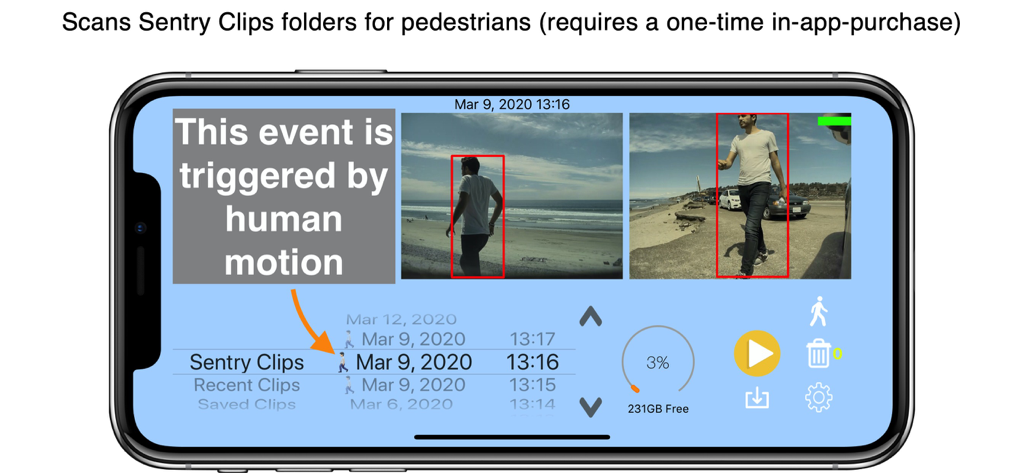
テスラ監視カメラクリップにおける人物の動き検知を示すSentryViewアプリのインターフェース

テスラ監視カメラクリップにおける人物の動き検知を示すSentryViewアプリのインターフェース

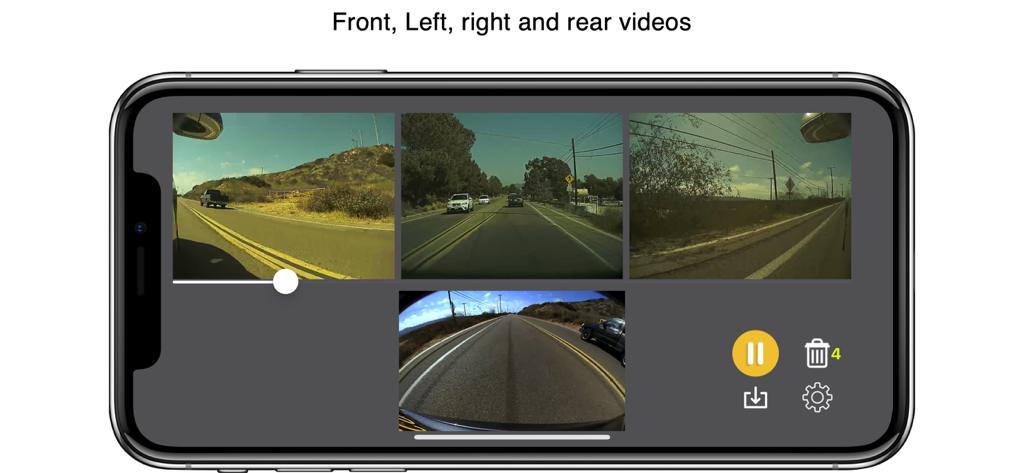
ランドスケープモードのiPhoneに表示されたテスラドライブレコーダー映像の4画面同期カメラビュー

ランドスケープモードのiPhoneに表示されたテスラドライブレコーダー映像の4画面同期カメラビュー

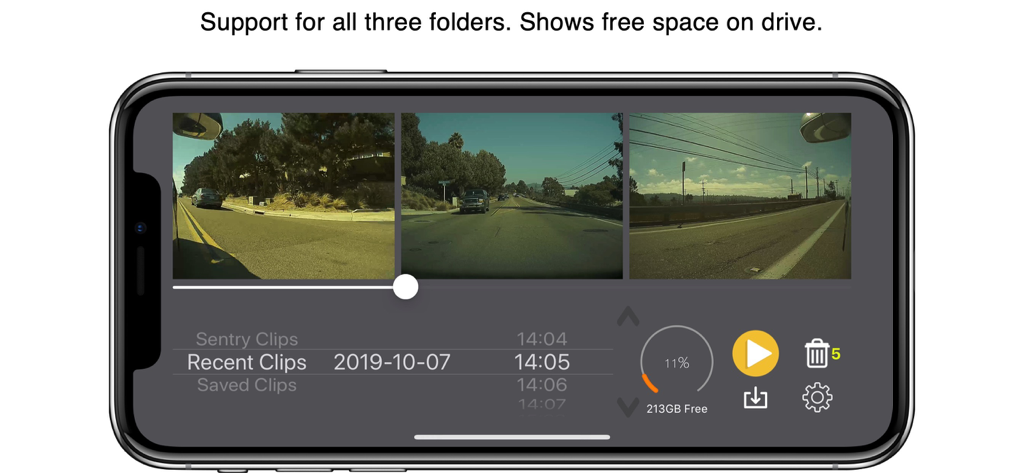
iPhoneに表示された3つの同期テスラカメラフィードとストレージ詳細を示すSentryViewアプリ

iPhoneに表示された3つの同期テスラカメラフィードとストレージ詳細を示すSentryViewアプリ

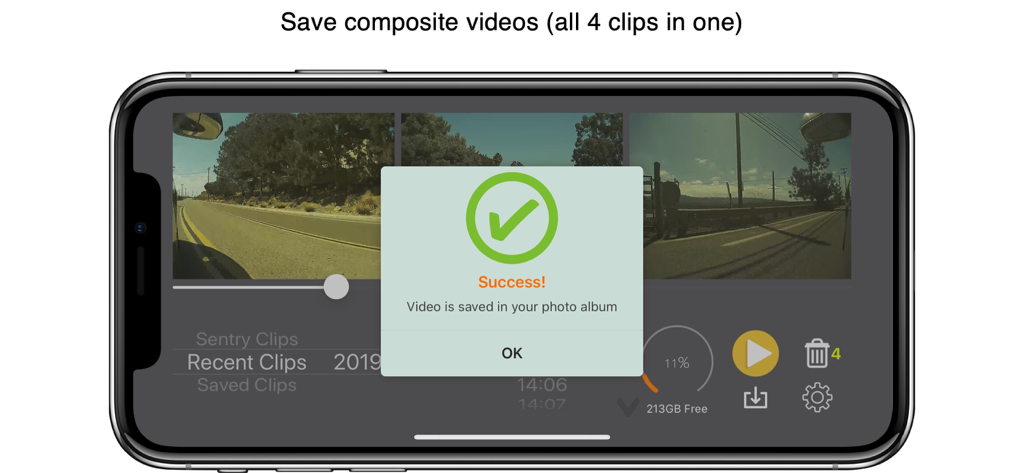
フォトアルバムに保存された複合テスラ監視ビデオを示すiPhoneの成功メッセージ

フォトアルバムに保存された複合テスラ監視ビデオを示すiPhoneの成功メッセージ

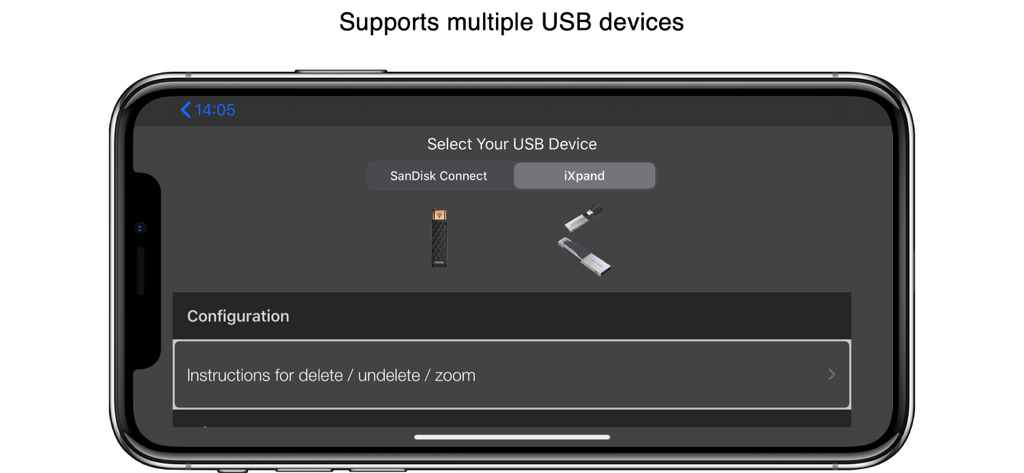
テスラドライブレコーダー映像用にSanDisk ConnectおよびiXpand USBデバイスの選択を示すSentryViewアプリのインターフェース

テスラドライブレコーダー映像用にSanDisk ConnectおよびiXpand USBデバイスの選択を示すSentryViewアプリのインターフェース

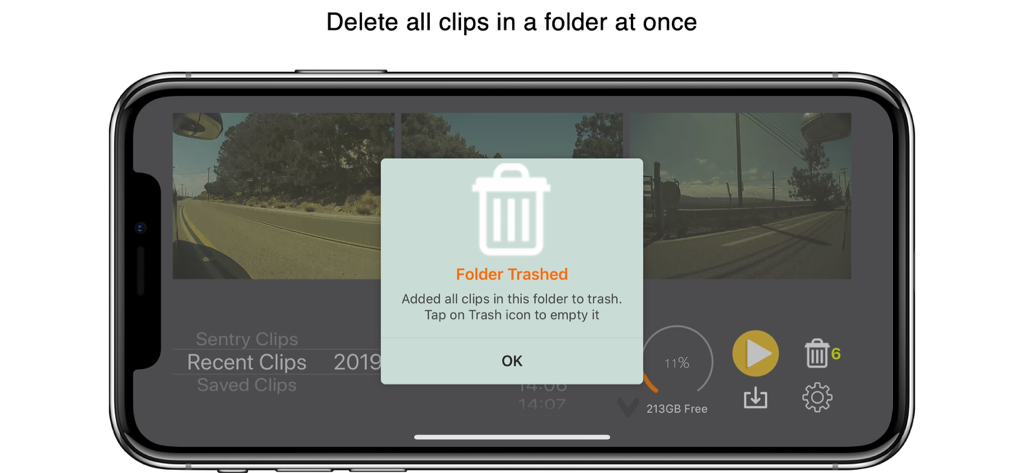
フォルダ内のすべてのテスラドライブレコーダークリップを削除する通知を示すiPhoneのSentryViewアプリのインターフェース

フォルダ内のすべてのテスラドライブレコーダークリップを削除する通知を示すiPhoneのSentryViewアプリのインターフェース

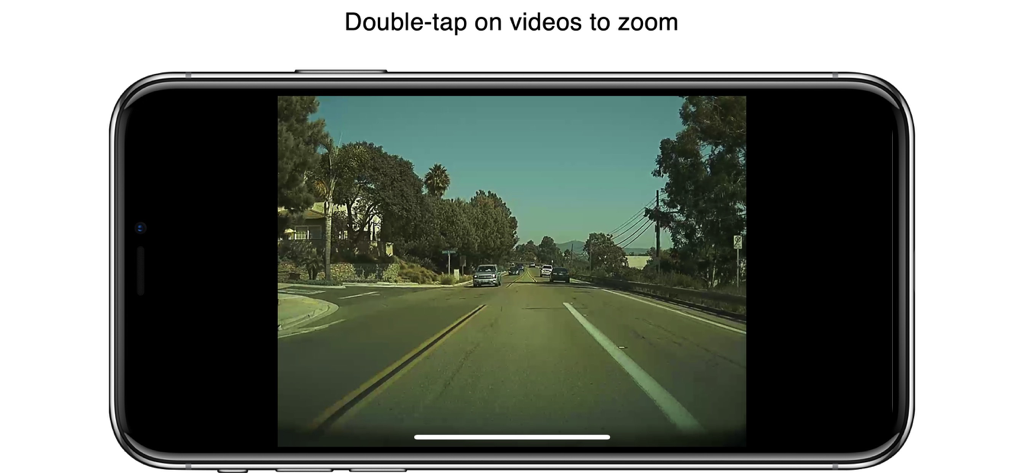
ズーム機能付きテスラドライブレコーダー映像を表示するスマートフォン画面

ズーム機能付きテスラドライブレコーダー映像を表示するスマートフォン画面

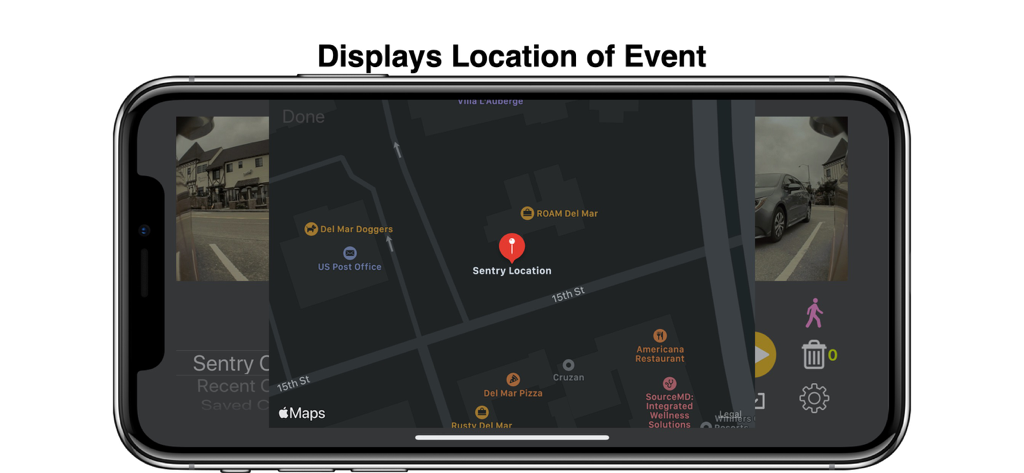
SentryViewの地図上に表示されたテスラ監視モードイベントの場所

SentryViewの地図上に表示されたテスラ監視モードイベントの場所

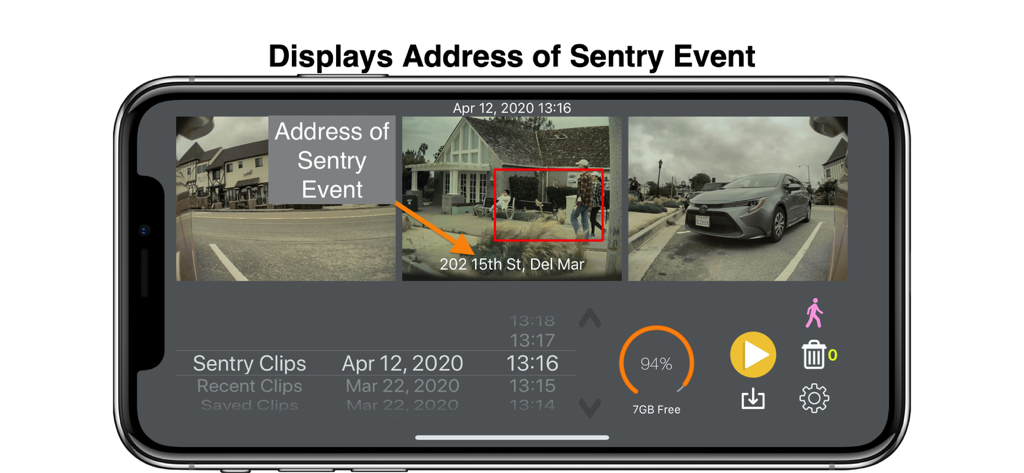
テスラドライブレコーダーフィードと監視イベントの場所の住所を示すSentryViewアプリのインターフェース

テスラドライブレコーダーフィードと監視イベントの場所の住所を示すSentryViewアプリのインターフェース

テスラ車のセキュリティを完全にコントロール

このアプリを際立たせるツール、 60K+ 人のユーザーが選択.

🔄

統合された4方向パースペクティブ

これまでにない方法で映像を体験しましょう。フロント、リア、サイドカメラを自動的に同期して単一の完璧なタイミングのウィンドウで表示し、あらゆる角度から何が起こったのかを正確に把握できます。

🤖

スマートAIイベントフィルタリング

誤報に時間を無駄にするのはやめましょう。高度なアルゴリズムが監視クリップをスキャンし、特に人物の動きによってトリガーされたイベントをハイライトするため、数秒で関連する映像を見つけることができます。

📲

インスタントモバイルエクスポート

4つのカメラフィードすべてを1つの高品質ビデオファイルにマージします。保険会社、法執行機関、またはソーシャルメディアへのインシデントレポートの共有に最適です。ラップトップやデスクトップは不要です。

アプリについて

について知っておくべきこと SentryView: For Tesla Cars.

説明

This app works with any storage device (SSD, SD card, etc) which can be connected to iPhone/iPad and is compatible with iOS 13 and above. To test compatibility, plug in your device (using an adapter) and make sure that its contents will show up in the Files app. *** Exclusive: This app works with these versions of iXpand USB drives without requiring any adapter (in addition to other storage devices) *** https://www.sandisk.com/home/mobile-device-storage/ixpand-go https://www.sandisk.com/home/mobile-device-storage/ixpand-mini https://www.sandisk.com/ixpand *** Exclusive: the app allows you to export all four videos (left, right, center, rear) in a single video file. *** Exclusive: the app shows the location of the sentry event *** The app includes an AI-based algorithm which scans the Sentry Clips folder and marks events that are triggered by human movement in the scene (requires a one-time in-app purchase) This app allows you to view Sentry videos and DashCam videos generated by your Tesla on your iOS device without needing a computer. - Fully supports v10 features (SentryClips folder and rear camera footage) - The left, right, center and rear videos are automatically shown next to each other. - All clips are organized by date and time. - You can see thumbnail of clips as you browse through videos. - The app allows you to delete left, right, center, rear videos associated with a time that you choose - You can also delete all the videos in the Saved/Recent folder in one shot and empty up space on the drive. Your Tesla must be able to record Sentry/DashCam videos. You can also obtain pre-formatted USB devices that work with this app here: https://puretesla.com/product/teslacam-for-ios-bundle/

最新バージョン

4.9.2

サイズ

141.4 MB

リリース日

2019年6月3日

テスラに何があったか確認する準備はできましたか?

ノートPCを使わず、iPhoneまたはiPadで監視モードのクリップを即座にレビューしている6万人以上のテクノロジーに精通したオーナーに加わりましょう。SentryViewをダウンロードして、手のひらで安心を手に入れましょう。

ダウンロード: App Store
FAQ

よくある質問

について知っておくべきこと SentryView: For Tesla Cars

What storage devices are compatible with the SentryView app for Tesla cars?

SentryView works with any storage device (SSD, SD card, etc.) connectable to iPhone/iPad, provided it is compatible with iOS 13 or above. Users can test compatibility via the Files app.

Does SentryView for Tesla Cars support SanDisk iXpand USB drives without an adapter?

Yes, SentryView exclusively supports specific versions of SanDisk iXpand USB drives (iXpand Go, iXpand Mini, iXpand) without requiring an adapter. Other storage devices may require one.

Can SentryView detect human movement in Tesla Sentry Clips?

Yes, SentryView features an AI-based algorithm that scans Sentry Clips folders. It marks events specifically triggered by human movement in the scene. This feature requires a one-time in-app purchase.

Can SentryView combine all four Tesla camera videos into a single file?

Yes, SentryView allows users to export all four videos (left, right, center, rear) captured by their Tesla into a single combined video file.

Does the SentryView app display the location of Sentry events?

Yes, SentryView exclusively shows the precise location of Sentry events. It displays the geographical position and address where the event occurred.

What types of Tesla video footage can SentryView display on an iOS device?

SentryView allows users to view both Sentry videos and DashCam videos generated by their Tesla. It supports v10 features, including the SentryClips folder and rear camera footage.

How does SentryView organize and present Tesla video clips?

SentryView automatically displays the left, right, center, and rear videos together. Clips are organized by date and time, with thumbnails visible for easy browsing.

Can users delete Tesla video clips directly within the SentryView app?

Yes, SentryView enables users to delete specific left, right, center, or rear videos. It also allows deleting all videos in Saved/Recent folder simultaneously to free up space.

Is the AI-based human movement detection feature a free option in SentryView?

No, the AI-based algorithm in SentryView, which scans Sentry Clips for human movement, requires a one-time in-app purchase to activate.

Where can I purchase pre-formatted USB devices compatible with SentryView?

Users can obtain pre-formatted USB devices designed to work with SentryView at puretesla.com/product/teslacam-for-ios-bundle/. These devices are ready for use with the app.

App information, icons, screenshots, and descriptions displayed on this page are sourced from the Apple App Store and are the property of their respective developers. Download estimates and rankings are based on MWM's proprietary models and may not reflect actual figures. This page is provided for informational and analytical purposes only.

Believe this page infringes your intellectual property? File a dispute