IDFA ATT

IDFA ATT

ダウンロード: App Store
ロゴ: IDFA ATT

IDFA ATT: iOS開発者とAd-Techプロフェッショナル向け必須ツールキット

IDFA、IPアドレス、ATT同意ステータスに即座にアクセスできます。AdMobテストデバイス登録を簡素化し、1つの強力なユーティリティでアプリトラッキング透明性(ATT)をマスターしましょう。

開発元

Mehmet Bayram

カテゴリ

Developer Tools

ダウンロード

3K+

ユーザー評価

1.0/5

評価数

0

対応言語

1

プロフェッショナルのダッシュボード

このインターフェースを利用する 3K+ 人のユーザー.

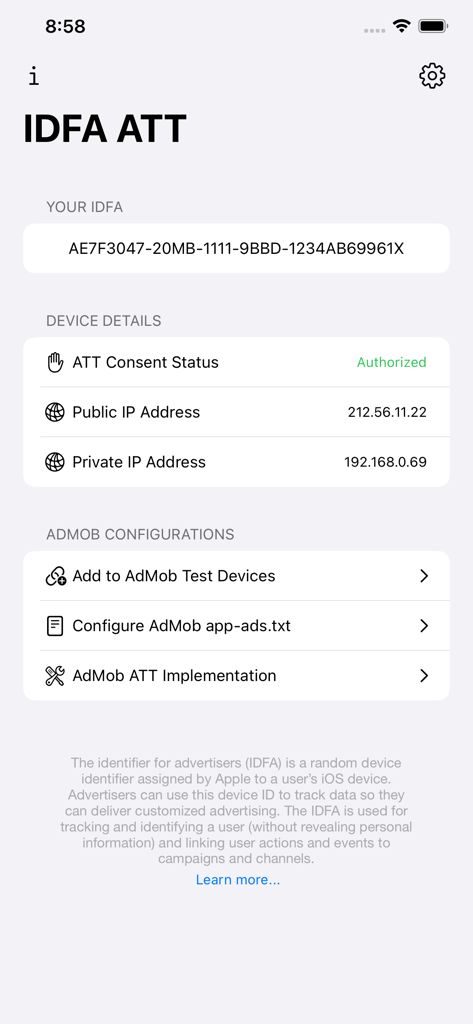
IDFA ATTアプリのインターフェイスには、デバイスIDFA、ATT同意ステータス、AdMob開発者構成オプションが表示されています。

IDFA ATTアプリのインターフェイスには、デバイスIDFA、ATT同意ステータス、AdMob開発者構成オプションが表示されています。

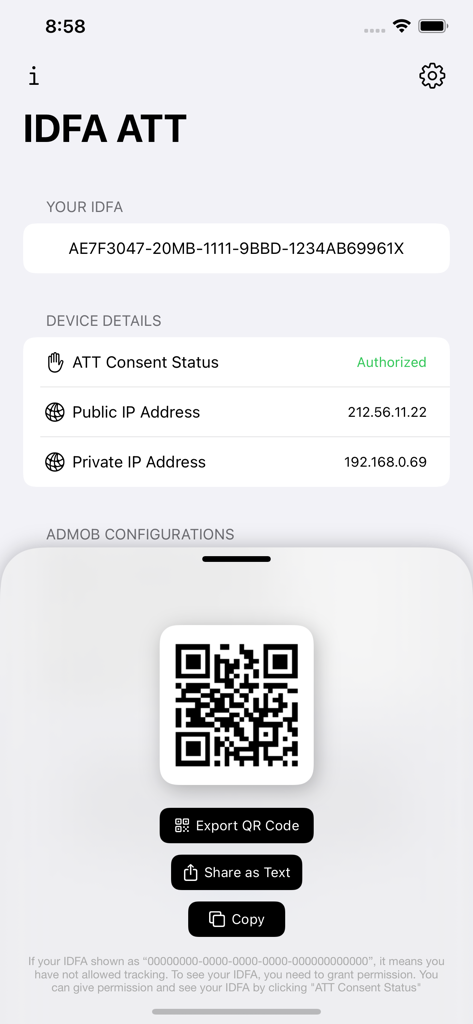
IDFA ATTダッシュボードには、iOSデバイスIDFAと共有可能なQRコードが表示されています。

IDFA ATTダッシュボードには、iOSデバイスIDFAと共有可能なQRコードが表示されています。

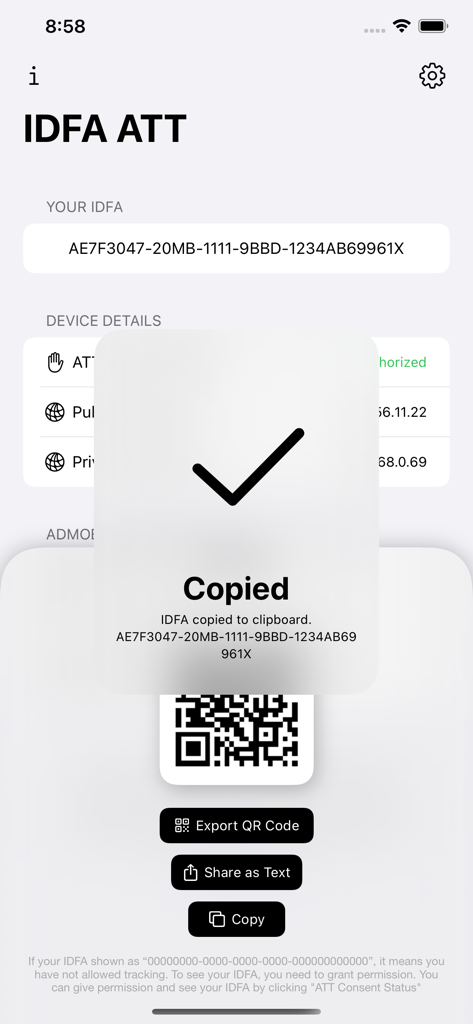
IDFA ATTアプリには、コピーされたIDFAの確認メッセージとQRコード共有オプションが表示されています。

IDFA ATTアプリには、コピーされたIDFAの確認メッセージとQRコード共有オプションが表示されています。

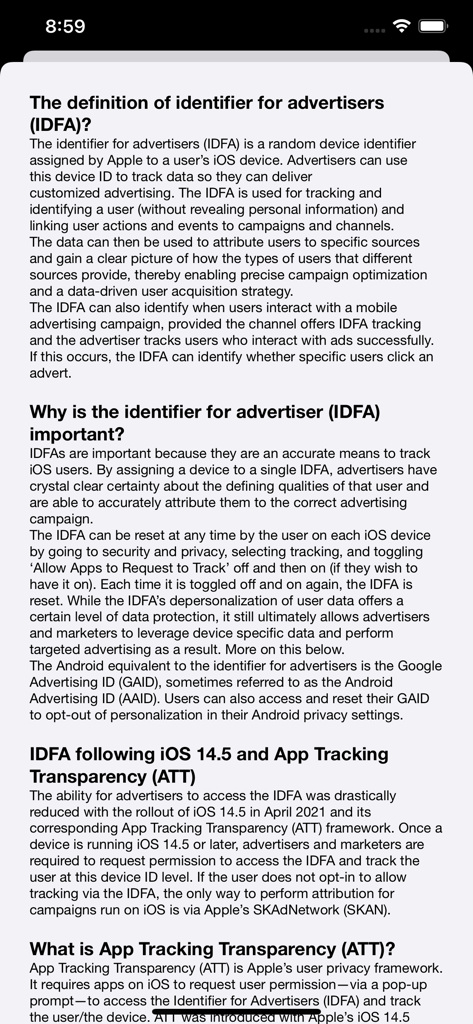
IDFA ATTアプリからの情報画面で、IDFAとアプリトラッキング透明性(ATT)の定義と重要性について説明しています。

IDFA ATTアプリからの情報画面で、IDFAとアプリトラッキング透明性(ATT)の定義と重要性について説明しています。

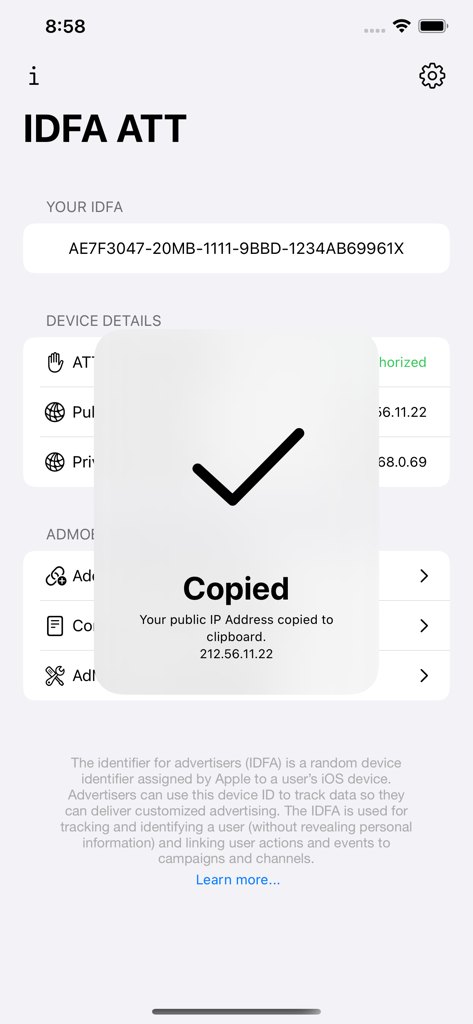
IDFA ATTアプリのインターフェイスには、パブリックIPアドレスがクリップボードにコピーされた確認メッセージが表示されています。

IDFA ATTアプリのインターフェイスには、パブリックIPアドレスがクリップボードにコピーされた確認メッセージが表示されています。

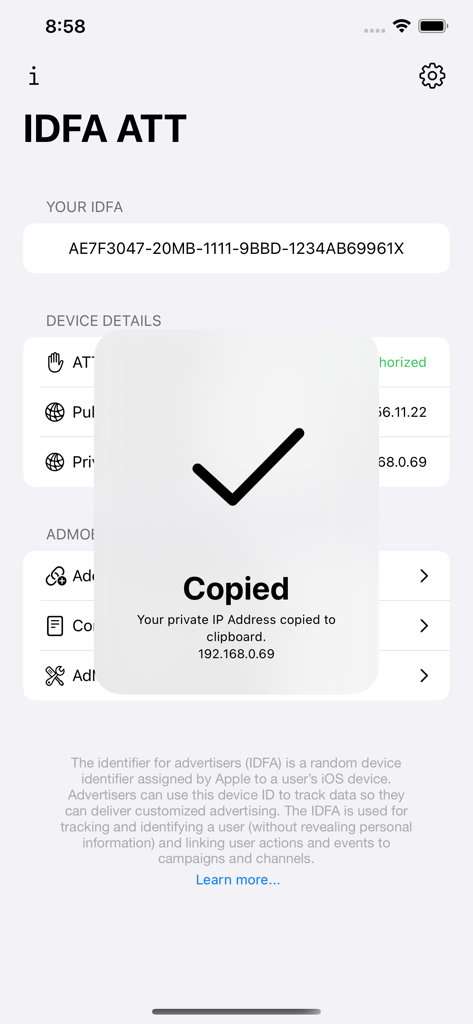
IDFA ATTユーティリティアプリのダッシュボードには、プライベートIPアドレスがクリップボードにコピーされたという通知が表示されています。

IDFA ATTユーティリティアプリのダッシュボードには、プライベートIPアドレスがクリップボードにコピーされたという通知が表示されています。

開発とAd Techワークフローを最適化

このアプリを際立たせるツール、 3K+ 人のユーザーが選択.

🆔

IDFAとIPアドレスを即座に検出

カスタムコードを作成せずに、デバッグとアトリビューションテストを加速するために、IDFA、デバイスID、ネットワークアドレスにワンタップでアクセスできます。

🛠️

手間いらずのAdMob構成

テストデバイスを素早く登録し、app-ads.txt設定を検証して、収益化を保護し、無効なトラフィックによるアカウントフラグを防ぎます。

📲

シームレスなデータエクスポートとQRツール

IDFAのカスタムQRコードを即座に生成・共有でき、ハードウェアから開発環境へのデバイスデータ転送を容易にします。

アプリについて

について知っておくべきこと IDFA ATT.

説明

With our app, you can easily access your iOS device IDFA and IP addresses (public and private IP addresses) KEY FEATURES: • Access iOS Device IDFA, Device ID and IP addresses • See your public (external) and private (internal) IP addresses • Stay informed about App Tracking Transparency (ATT) • Generate custom QR codes for your device IDFA and export • Share your IDFA and IP addresses • Quickly see your ATT consent status and navigate to “Privacy & Security” -> “Tracking” settings in order to change your permissions • Quickly add your device to “AdMob Test Devices” • Learn how to configure AdMob app-ads.txt and navigate to your relevant AdMob app-ads.txt configuration page • Learn how to implement ATT for your AdMob-enabled apps THE DEFINITION OF IDENTIFIER FOR ADVERTISERS (IDFA)? The identifier for advertisers (IDFA) is a random device identifier assigned by Apple to a user’s iOS device. Advertisers can use this device ID to track data so they can deliver customized advertising. The IDFA is used for tracking and identifying a user (without revealing personal information) and linking user actions and events to campaigns and channels. The data can then be used to attribute users to specific sources and gain a clear picture of how the types of users that different sources provide, thereby enabling precise campaign optimization and a data-driven user acquisition strategy. The IDFA can also identify when users interact with a mobile advertising campaign, provided the channel offers IDFA tracking and the advertiser tracks users who interact with ads successfully. If this occurs, the IDFA can identify whether specific users click an advert. WHY IS THE IDENTIFIER FOR ADVERTISER (IDFA) IMPORTANT? IDFAs are important because they are an accurate means to track iOS users. By assigning a device to a single IDFA, advertisers have crystal clear certainty about the defining qualities of that user and are able to accurately attribute them to the correct advertising campaign. The IDFA can be reset at any time by the user on each iOS device by going to security and privacy, selecting tracking, and toggling ‘Allow Apps to Request to Track’ off and then on (if they wish to have it on). Each time it is toggled off and on again, the IDFA is reset. While the IDFA’s depersonalization of user data offers a certain level of data protection, it still ultimately allows advertisers and marketers to leverage device specific data and perform targeted advertising as a result. IDFA FOLLOWING IOS 14.5 AND APP TRACKING TRANSPARENCY (ATT) The ability for advertisers to access the IDFA was drastically reduced with the rollout of iOS 14.5 in April 2021 and its corresponding App Tracking Transparency (ATT) framework. Once a device is running iOS 14.5 or later, advertisers and marketers are required to request permission to access the IDFA and track the user at this device ID level. If the user does not opt-in to allow tracking via the IDFA, the only way to perform attribution for campaigns run on iOS is via Apple’s SKAdNetwork (SKAN). WHAT IS APP TRACKING TRANSPARENCY (ATT)? App Tracking Transparency (ATT) is Apple’s user privacy framework. It requires apps on iOS to request user permission—via a pop-up prompt—to access the Identifier for Advertisers (IDFA) and track the user/the device. ATT was introduced with Apple’s iOS 14.5 update in April 2021 to address growing concerns about how much user data app developers could leverage to track and target users. Protecting user data and prioritizing privacy is top of mind for users. With this privacy-centric market in mind, maximizing ATT consent rates is a critical part of iOS strategies for app developers and marketers. The full-visibility insights that can be gained from opted-in data are also critical to informing strategic decisions regarding conversion value mapping and next-generation solutions like predictive analytics. In short, the higher your ATT opt-in rate, the better.

最新バージョン

1.3.0

サイズ

3.8 MB

リリース日

2023年7月20日

iOSテストワークフローを最適化

3,000人以上のモバイルプロフェッショナルが、IDFA取得、ATT検証、AdMobテストデバイス構成を1つの強力なユーティリティで簡素化しています。

ダウンロード: App Store

App information, icons, screenshots, and descriptions displayed on this page are sourced from the Apple App Store and are the property of their respective developers. Download estimates and rankings are based on MWM's proprietary models and may not reflect actual figures. This page is provided for informational and analytical purposes only.

Believe this page infringes your intellectual property? File a dispute