In Folio

In Folio

ダウンロード: App Store
ロゴ: In Folio

In Folio: プロフェッショナルな小冊子印刷を簡単に

あらゆるPDFを完璧に配置された小冊子、ジン、またはマニュアルに変換します。複雑なページレイアウトの計算を自動化し、家庭用またはオフィス用プリンターから高品質の出版物を印刷します。

ダウンロード: App Store

開発元

ALPHANUMS

カテゴリ

Utilities

ダウンロード

700

ユーザー評価

1.0/5

評価数

0

対応言語

6

プロフェッショナリズムを可視化

このインターフェースを利用する 700 人のユーザー.

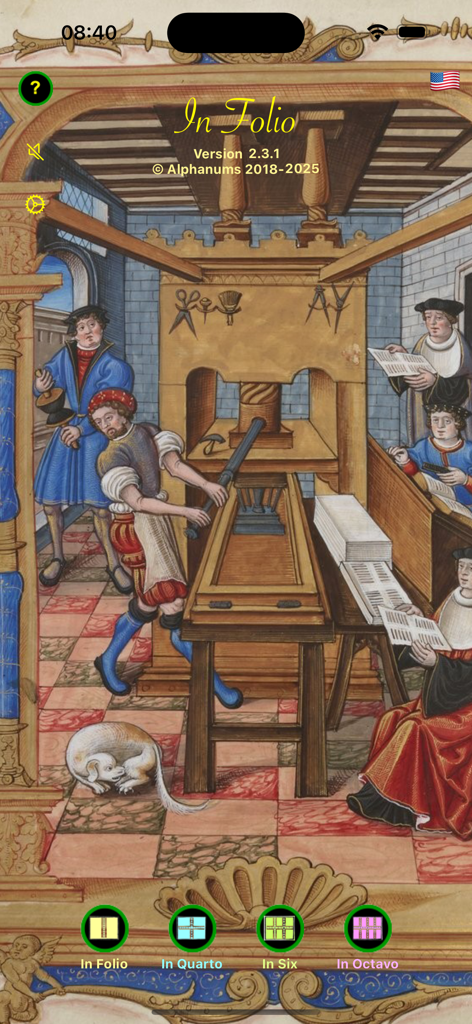
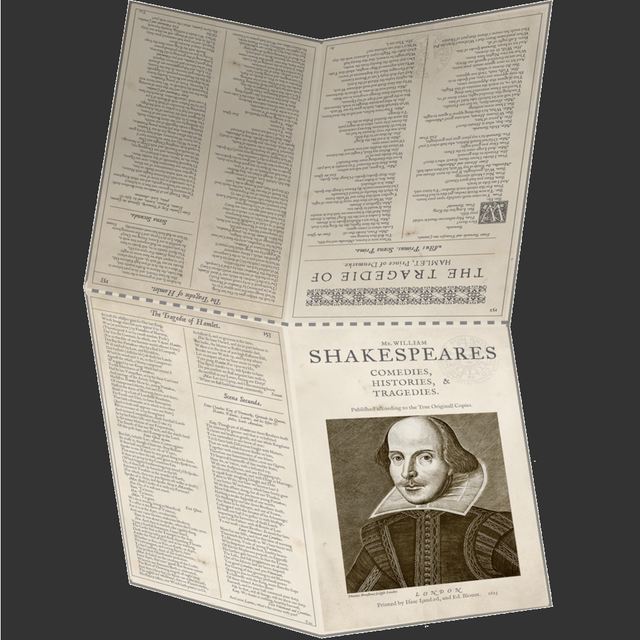
中世の印刷機イラストとさまざまな小冊子レイアウトオプションのボタンが特徴のIn Folioアプリのホーム画面。

中世の印刷機イラストとさまざまな小冊子レイアウトオプションのボタンが特徴のIn Folioアプリのホーム画面。

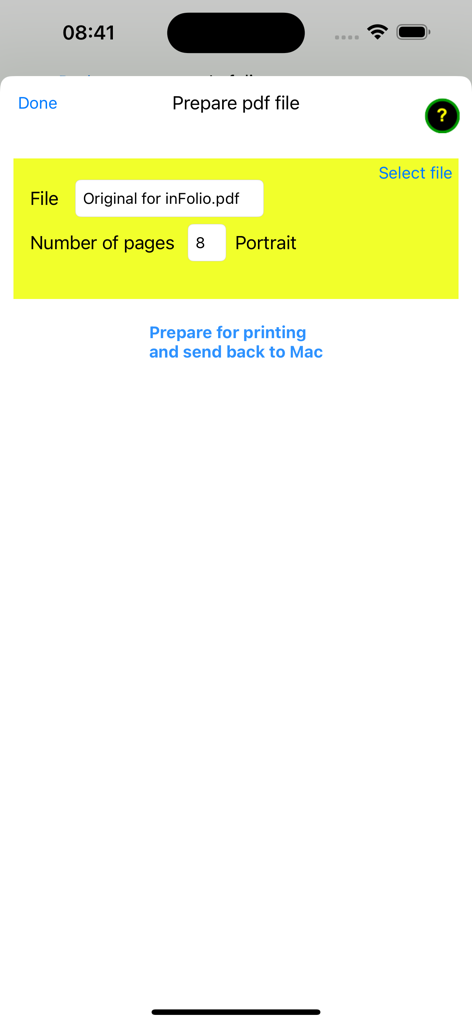
ファイル選択とページ数オプションを示す、小冊子印刷用のPDFファイルを準備するためのIn Folioアプリ画面。

ファイル選択とページ数オプションを示す、小冊子印刷用のPDFファイルを準備するためのIn Folioアプリ画面。

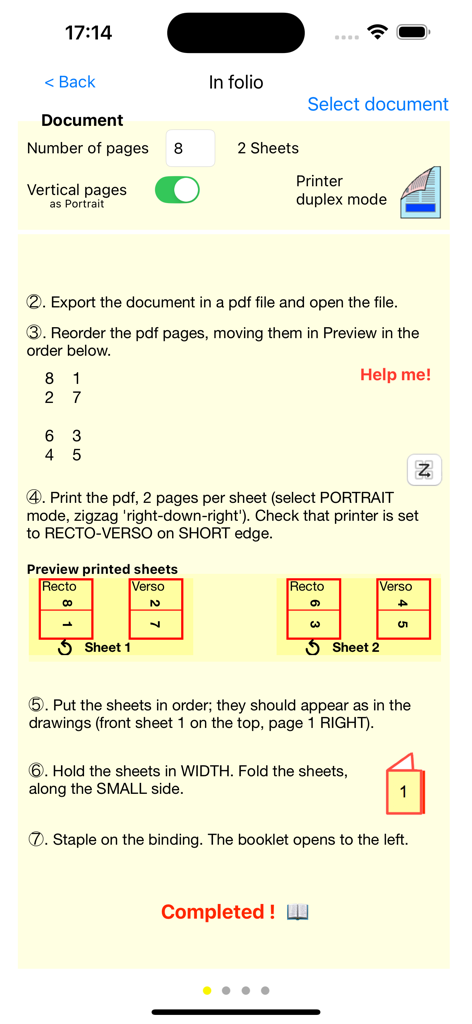
In Folioアプリの、8ページ小冊子の準備と印刷の詳細なガイドを示すインターフェース。

In Folioアプリの、8ページ小冊子の準備と印刷の詳細なガイドを示すインターフェース。

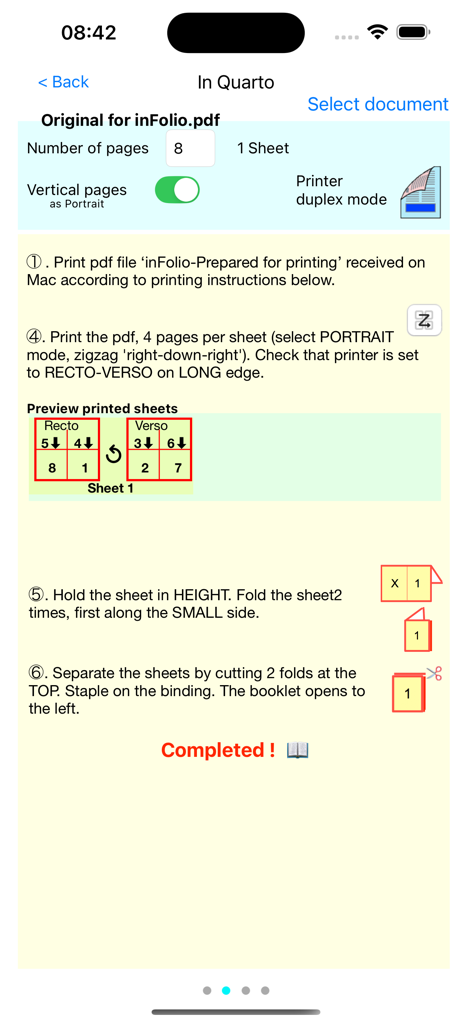
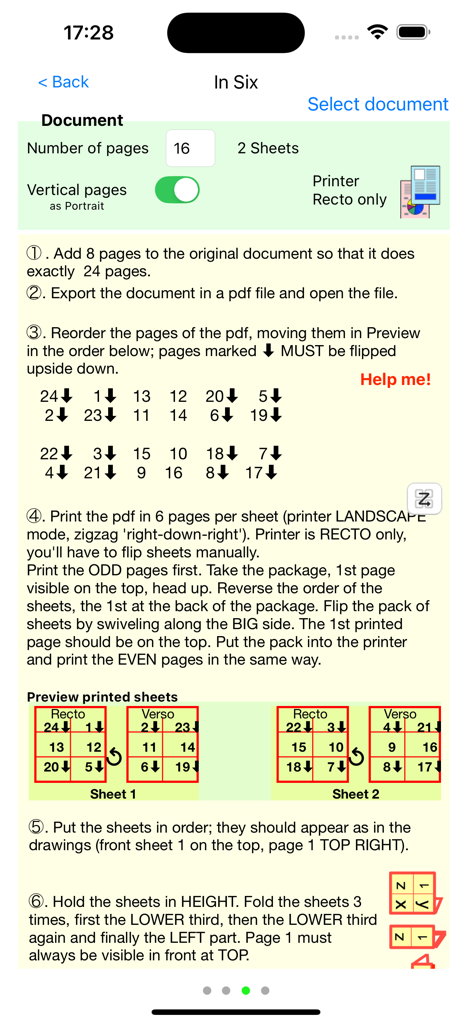
In Folioアプリのページレイアウト図を使用した、小冊子の印刷と折りたたみのステップバイステップの手順。

In Folioアプリのページレイアウト図を使用した、小冊子の印刷と折りたたみのステップバイステップの手順。

In Folioアプリを使用したIn Six小冊子の印刷と折りたたみのステップバイステップの手順。

In Folioアプリを使用したIn Six小冊子の印刷と折りたたみのステップバイステップの手順。

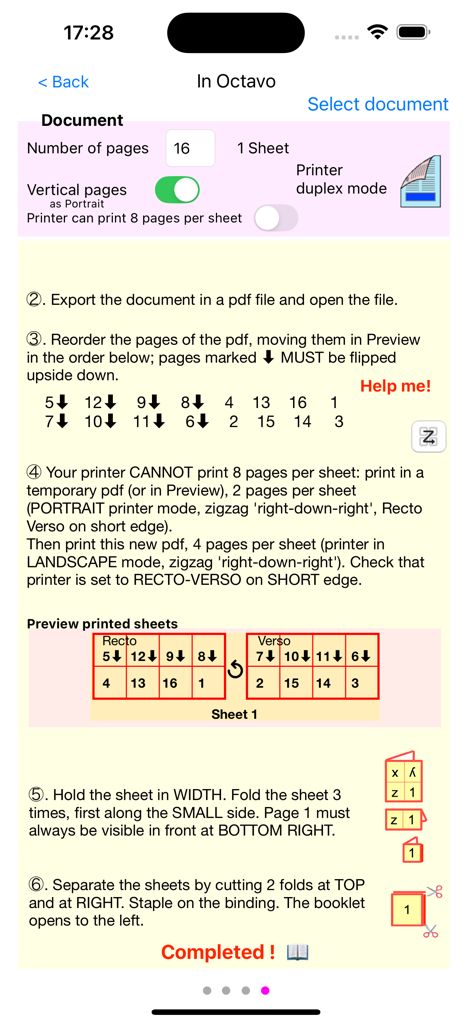
In Folioアプリの、オク​​タボ小冊子の印刷と折りたたみのステップバイステップの手順を示すインターフェース。

In Folioアプリの、オク​​タボ小冊子の印刷と折りたたみのステップバイステップの手順を示すインターフェース。

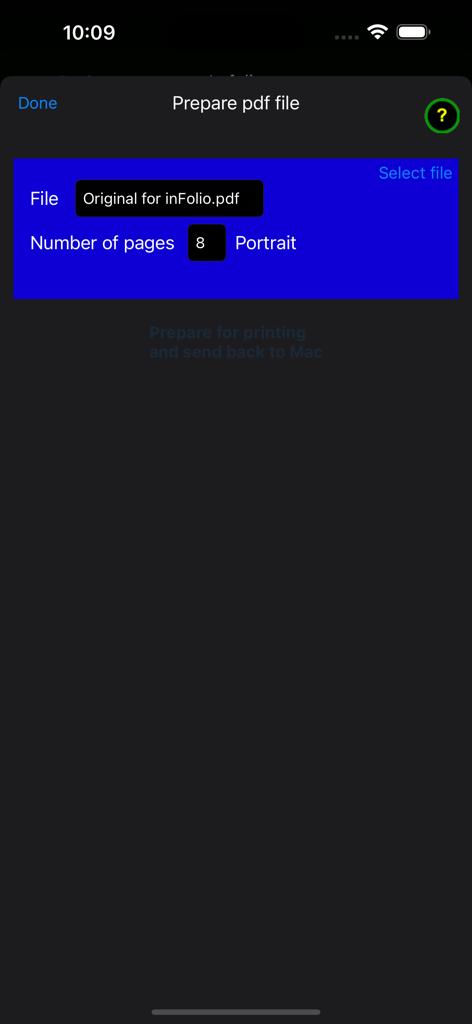
ファイル名とページ数を示す、小冊子印刷用のPDFファイルを準備するためのIn Folioアプリのインターフェース。

ファイル名とページ数を示す、小冊子印刷用のPDFファイルを準備するためのIn Folioアプリのインターフェース。

デザイナー不要のプロフェッショナルな小冊子

このアプリを際立たせるツール、 700 人のユーザーが選択.

📑

自動ページマッピング

手作業による面付けの頭痛の種を取り除きます。当社のアプリは、完璧な折りとステッチを毎回実現するための正確なページ順序を自動的に計算します。

📖

複数の折り方

シンプルな2つ折りフォリオでも、詳細な8ページオク​​タボでも、プロジェクトの特定のニーズに完全に適合するレイアウトを選択してください。

🖨️

プロの結果、家庭用コスト

既存の機器を使用して、プロの印刷ショップのような仕上がりを実現し、小ロットでの時間と高価な外部委託費用を節約します。

アプリについて

について知っておくべきこと In Folio.

説明

Have you ever struggled at home or at the office to print a user manual such as a booklet, folded in 2 or 4 or more, and give your publication a professional look? In Folio assists you in the preparation and execution of your impressions, to create booklets assembled, folded, stapled like a real book. You will be able to make booklets: - folio, pages folded in 2 - in quarto, pages folded in 4 - in six, pages folded in 6 - in octavo, pages folded in 8. Whole pdf file preparation can be automated. A complete user manual is available on our website:https://alphanumsapps.com In Folio is available in 6 languages: English, French, German, Spanish, Italian, Greek. In Folio works on IOS 13 and higher on iPhone or iPad. Note: If your high-end printer automatically makes layouts in Quarto, in Six ..., double-sided, you do not need the 'in Folio' app, except to understand the details of these operations.

最新バージョン

2.3.2

サイズ

14.9 MB

リリース日

2019年10月19日

印刷物をプロレベルに引き上げましょう

ページ順に苦労するのをやめ、美しい小冊子、プログラム、マニュアルの作成を始めましょう。今すぐIn Folioをダウンロードして、完璧な印刷の技術を習得しましょう。

ダウンロード: App Store

App information, icons, screenshots, and descriptions displayed on this page are sourced from the Apple App Store and are the property of their respective developers. Download estimates and rankings are based on MWM's proprietary models and may not reflect actual figures. This page is provided for informational and analytical purposes only.

Believe this page infringes your intellectual property? File a dispute