IPEVO Visualizer

IPEVO Visualizer

ダウンロード: App Store
ロゴ: IPEVO Visualizer

IPEVO Visualizer:ダイナミックなビジュアルと完全なモビリティで教室を変革

ワイヤレスカメラ制御、ライブ注釈、シームレスな画面レイアウトで授業を強化しましょう。モバイルデバイスをプロフェッショナルなプレゼンテーションハブに変えることで、教室のどこからでも生徒を引きつけます。

ダウンロード: App Store

開発元

IPEVO

カテゴリ

Utilities

ダウンロード

4K+

ユーザー評価

3.7/5

評価数

0

対応言語

13

鮮明さを体験する

このインターフェースを利用する 4K+ 人のユーザー.

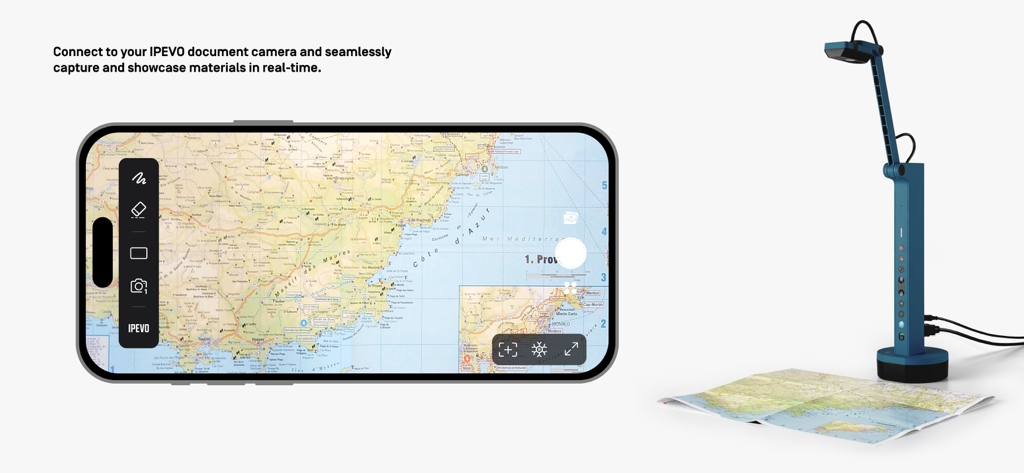
IPEVO Visualizerアプリがスマートフォンで、ドキュメントカメラを使用して物理的な地図をリアルタイムでキャプチャしています

IPEVO Visualizerアプリがスマートフォンで、ドキュメントカメラを使用して物理的な地図をリアルタイムでキャプチャしています

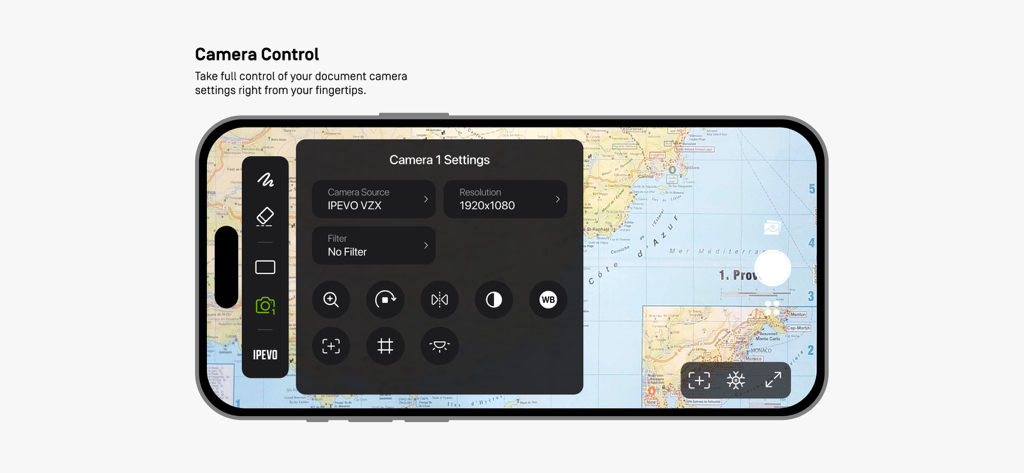
IPEVO Visualizerアプリのスマートフォンインターフェイスで、表示されている地図上にカメラ設定メニューが表示されています。

IPEVO Visualizerアプリのスマートフォンインターフェイスで、表示されている地図上にカメラ設定メニューが表示されています。

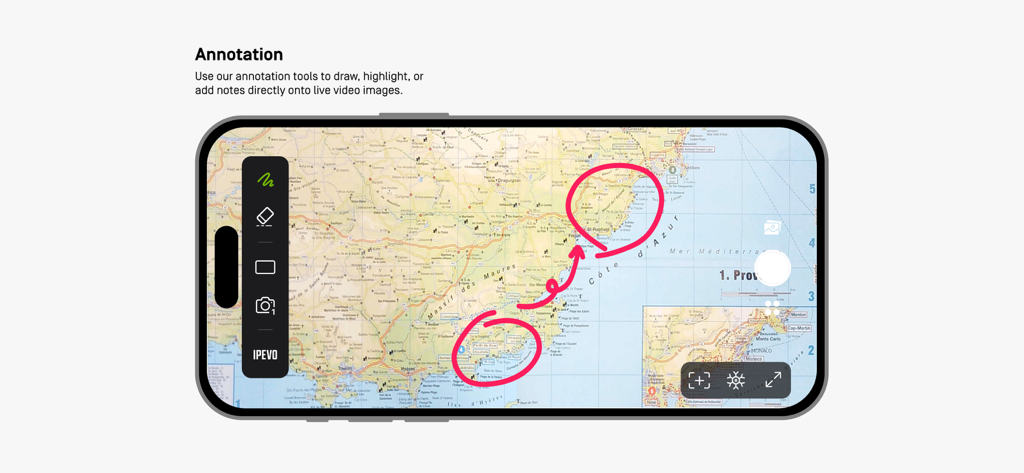
IPEVO Visualizerアプリで、プレゼンテーション中に地図に印を付けるために使用されるライブ注釈ツールが表示されています

IPEVO Visualizerアプリで、プレゼンテーション中に地図に印を付けるために使用されるライブ注釈ツールが表示されています

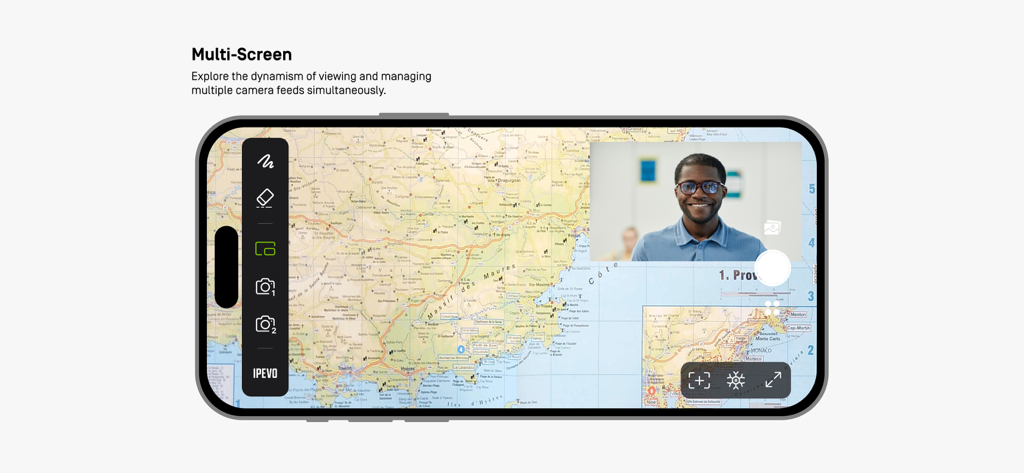
IPEVO Visualizerアプリのスマートフォンインターフェイスで、地図とビデオフィードが表示されるマルチスクリーンモードが表示されています

IPEVO Visualizerアプリのスマートフォンインターフェイスで、地図とビデオフィードが表示されるマルチスクリーンモードが表示されています

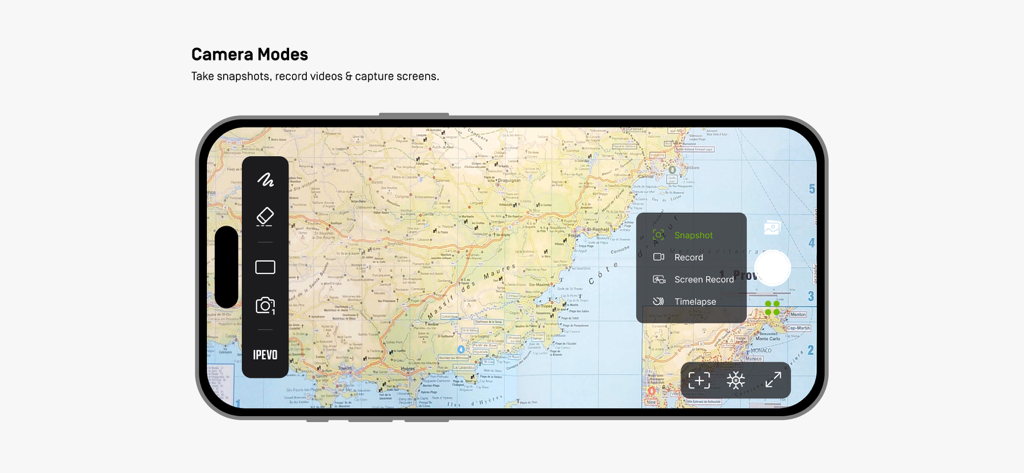
IPEVO Visualizerアプリのインターフェイスに、地図上にスナップショットおよびビデオ録画オプションが表示されています

IPEVO Visualizerアプリのインターフェイスに、地図上にスナップショットおよびビデオ録画オプションが表示されています

授業をインタラクティブな体験に変える

このアプリを際立たせるツール、 4K+ 人のユーザーが選択.

📱

自由な指示

デスクから解放されましょう。iPadまたはiPhoneからIPEVOカメラをワイヤレスで制御し、教室のどこからでも授業を行います。

✏️

インタラクティブな注釈

ライブ画像に直接描画、ハイライト、メモを追加して、思考をモデル化し、生徒の学習目標に集中させます。

✂️

高度な画面レイアウト

生徒の作品を比較したり、デュアルカメラアングルを同時に表示したりするために、分割画面およびピクチャーインピクチャーモードでインパクトを最大化します。

アプリについて

について知っておくべきこと IPEVO Visualizer.

説明

Visualizer software for IPEVO cameras to maximize teaching presentation and sharing efficiency. Key Features Overview: • Effortlessly connect to your IPEVO educational camera via Wi-Fi or a wired connection, enabling image display on your mobile device. Compatible with both front and rear camera   options to meet diverse needs. • Total camera control: Adjust screen size, rotate images, fine-tune resolution, and manage exposure settings, all at your fingertips. • Captivating on-screen annotations: Elevate your presentations with our annotation tools, allowing you to draw, mark, and add comments directly on live images, adding more  engagement to your content. • Advanced screen layouts: Showcase real-time content from two cameras simultaneously using split-screen and picture-in-picture functionality. Furthermore, utilize the floating  window mode to interactively display content alongside your desktop or other software, offering endless presentation possibilities. • Image capture capabilities: Easily capture images from your camera or device screen, record videos, and even enjoy time-lapse photography functionality. Experience the Visualizer educational software now, unlocking a whole new realm of teaching potential and delivering an unparalleled educational experience!

最新バージョン

4.1.1

サイズ

139.0 MB

リリース日

2018年5月28日

教室体験を再定義する準備はできましたか?

今すぐIPEVO Visualizerをダウンロードして、シームレスなカメラ制御、ライブ注釈、そしてアクティブラーニングのための究極のモビリティを解き放ちましょう。

ダウンロード: App Store

App information, icons, screenshots, and descriptions displayed on this page are sourced from the Apple App Store and are the property of their respective developers. Download estimates and rankings are based on MWM's proprietary models and may not reflect actual figures. This page is provided for informational and analytical purposes only.

Believe this page infringes your intellectual property? File a dispute