Kana LS Touch

Kana LS Touch

ダウンロード: App Store
ロゴ: Kana LS Touch

かなLSタッチ:精密にひらがな・カタカナをマスター

推測はやめて、書くことを始めましょう。直感的なタッチインターフェースと筆順ガイダンス、科学的に証明されたライトナーシステムで、長期記憶を定着させ、日本語文字をマスターしましょう。

開発元

Jan Bogner

カテゴリ

Education

ダウンロード

51K+

ユーザー評価

4.3/5

評価数

200

対応言語

3

すべてのストロークをマスターする

このインターフェースを利用する 51K+ 人のユーザー.

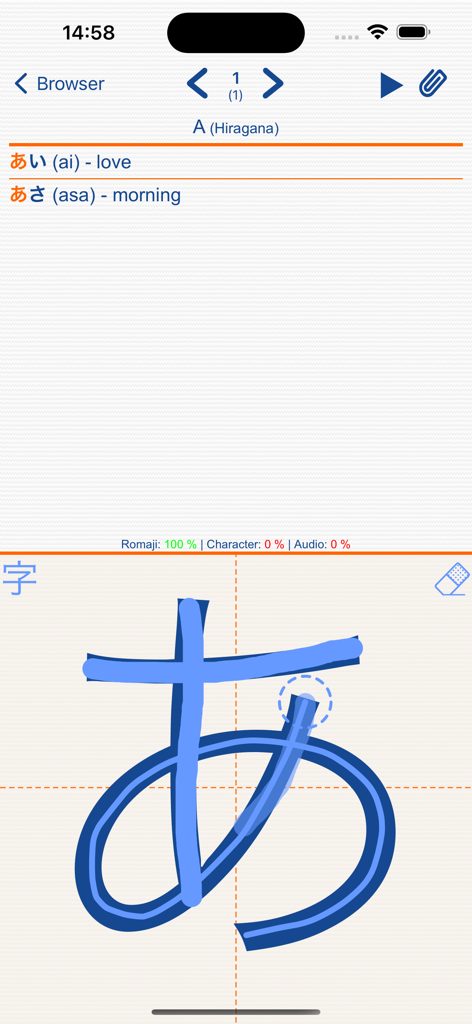
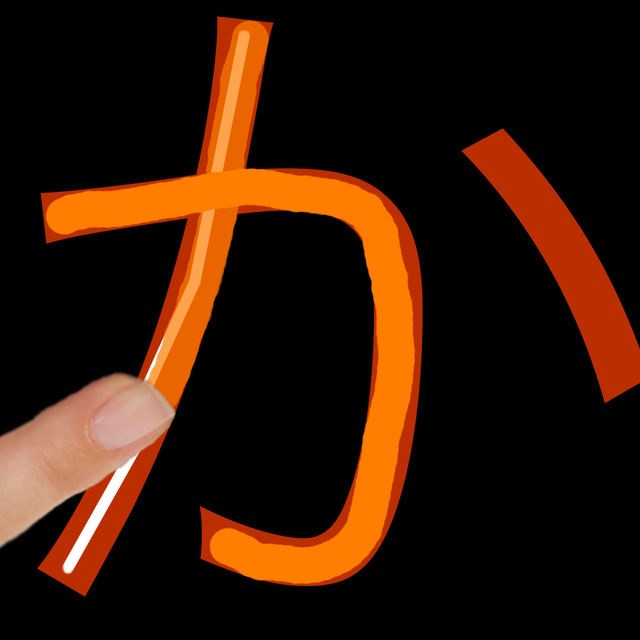
かなLSタッチでの日本語ひらがな文字の手書き練習。

かなLSタッチでの日本語ひらがな文字の手書き練習。

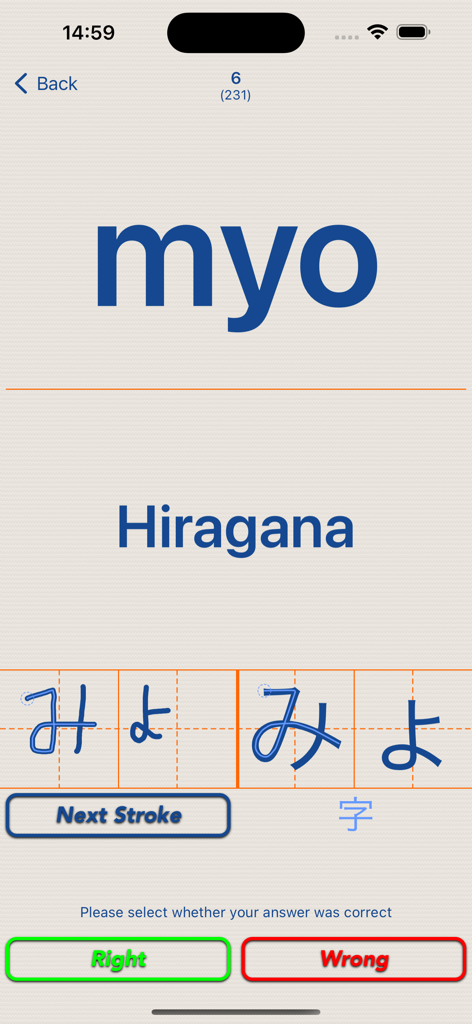
かなLSタッチアプリでの「みょ」のひらがな筆記練習。筆順ガイドが表示されています。

かなLSタッチアプリでの「みょ」のひらがな筆記練習。筆順ガイドが表示されています。

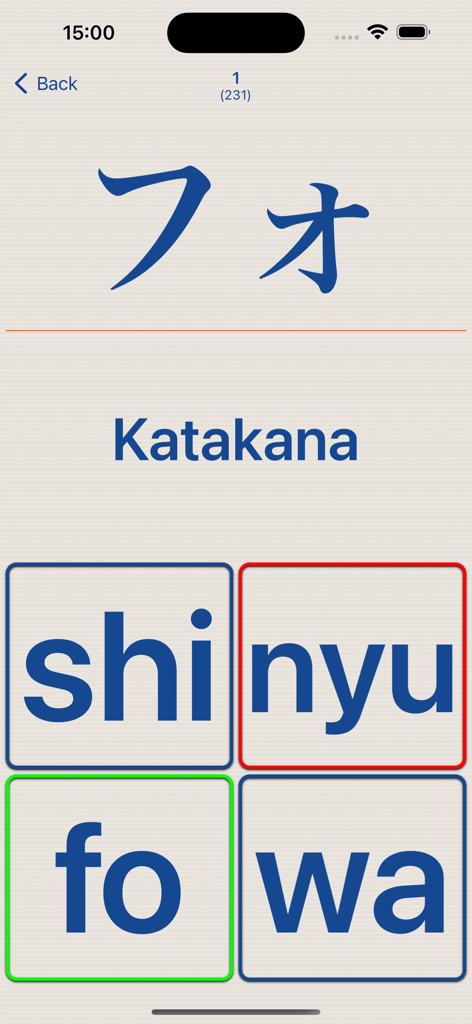
かなLSタッチアプリでの「フォ」の文字が表示されたカタカナ多肢選択クイズ。

かなLSタッチアプリでの「フォ」の文字が表示されたカタカナ多肢選択クイズ。

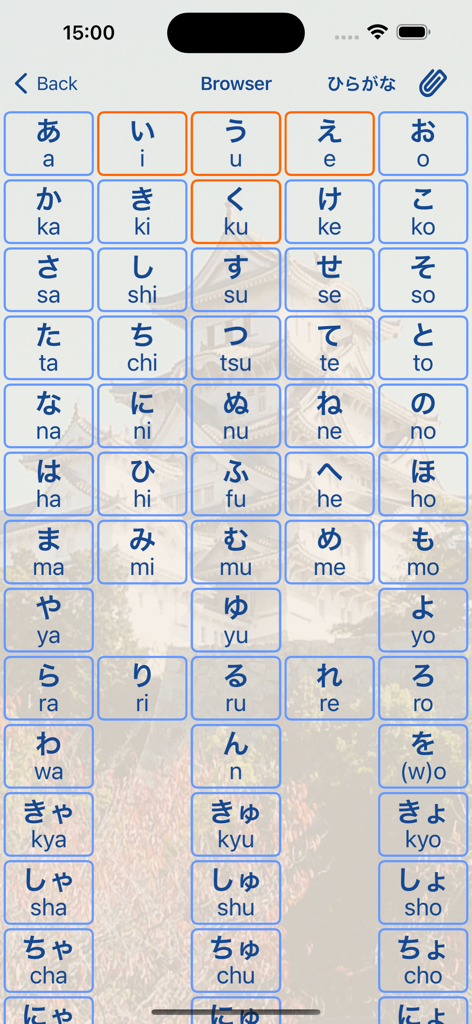
かなLSタッチブラウザでの、ローマ字表記付きの日本語ひらがな文字のグリッド表示。

かなLSタッチブラウザでの、ローマ字表記付きの日本語ひらがな文字のグリッド表示。

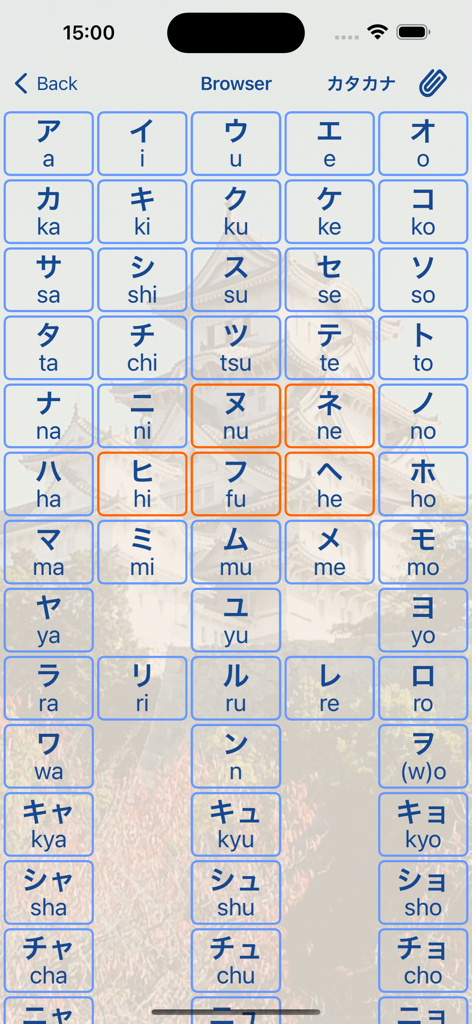
かなLSタッチでのローマ字付きカタカナ文字グリッド。

かなLSタッチでのローマ字付きカタカナ文字グリッド。

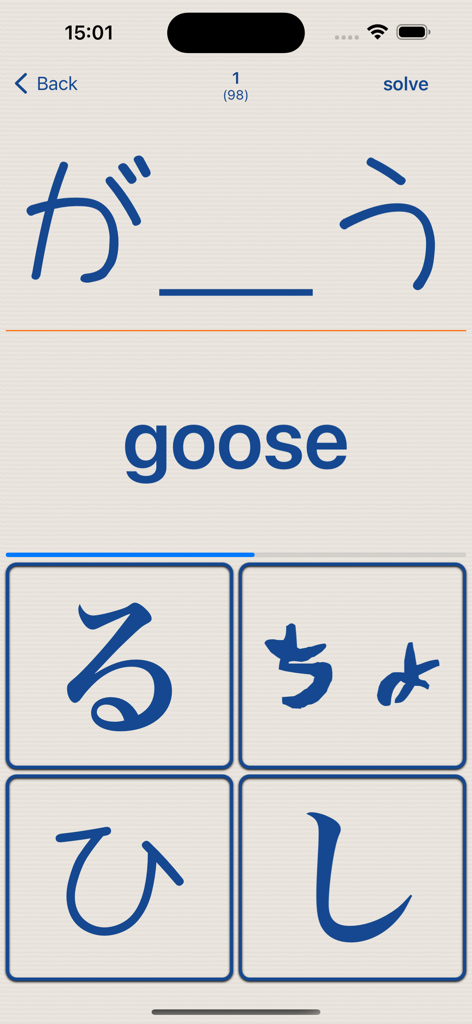
かなLSタッチアプリでの「goose」という単語の多肢選択日本語語彙テスト。

かなLSタッチアプリでの「goose」という単語の多肢選択日本語語彙テスト。

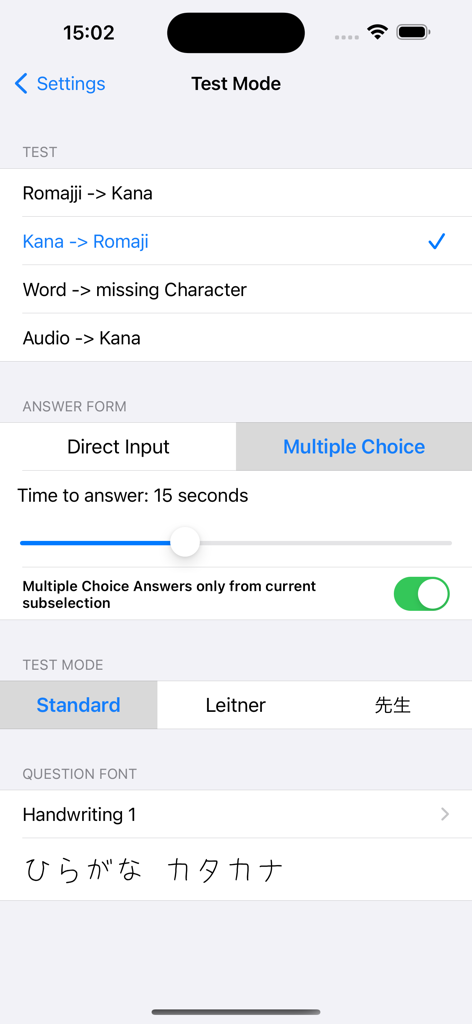
かなLSタッチアプリのテストモード設定画面。さまざまなテストや回答オプションが表示されています。

かなLSタッチアプリのテストモード設定画面。さまざまなテストや回答オプションが表示されています。

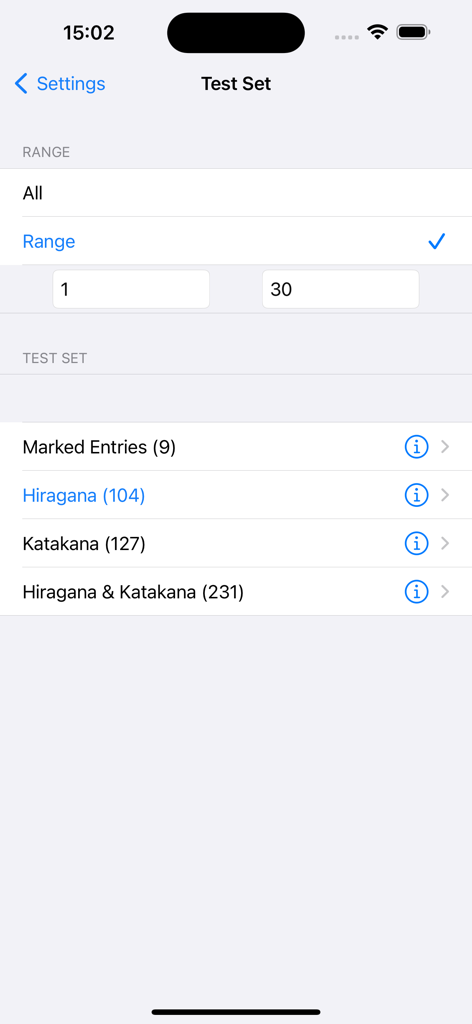
かなLSタッチアプリの画面。ひらがなやカタカナなどの範囲または文字カテゴリでテストセットを構成するオプションが表示されています。

かなLSタッチアプリの画面。ひらがなやカタカナなどの範囲または文字カテゴリでテストセットを構成するオプションが表示されています。

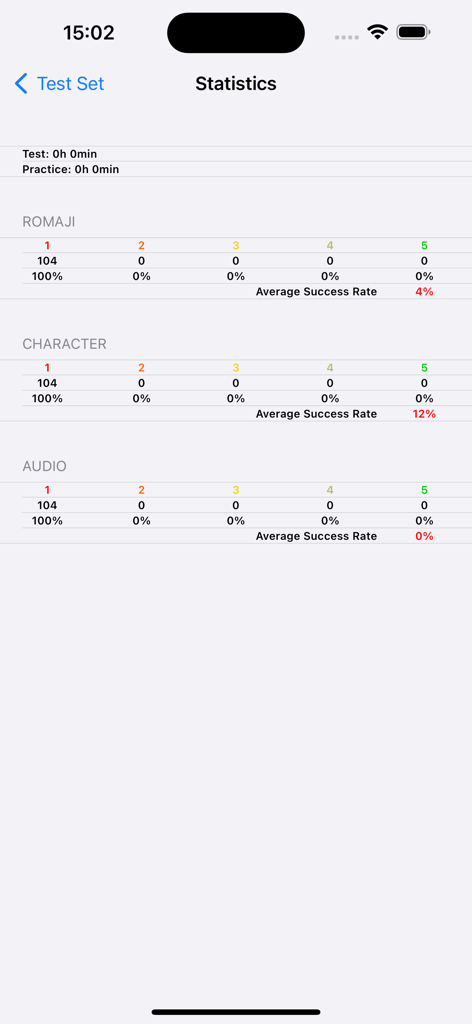
かなLSタッチアプリの統計画面。ローマ字、文字、音声カテゴリの進捗状況が表示されています。

かなLSタッチアプリの統計画面。ローマ字、文字、音声カテゴリの進捗状況が表示されています。

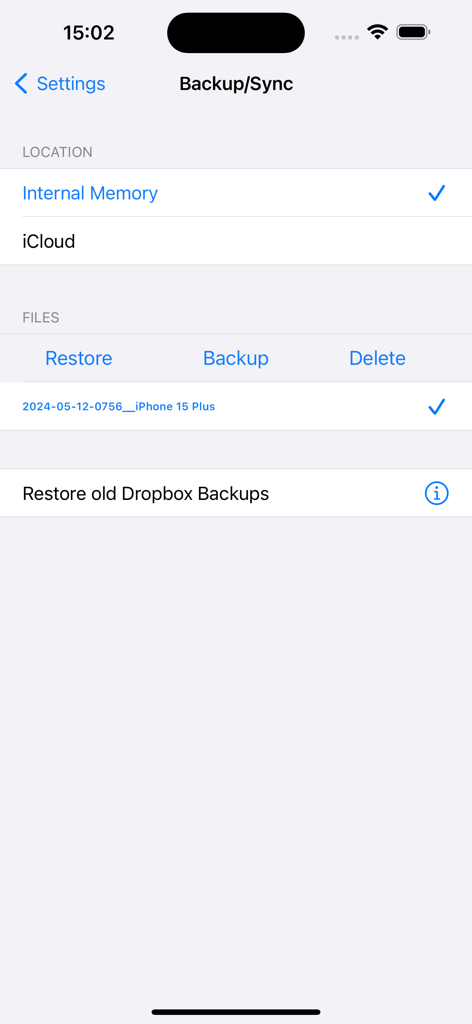
かなLSタッチのバックアップと同期設定画面。内部ストレージとiCloudストレージのオプションが表示されています。

かなLSタッチのバックアップと同期設定画面。内部ストレージとiCloudストレージのオプションが表示されています。

日本語の基礎をマスターする

このアプリを際立たせるツール、 51K+ 人のユーザーが選択.

✍️

触覚的な筆順マスター

直感的なタッチベース学習のために設計されたインタラクティブな筆順ガイドで、真の筋記憶を構築しましょう。

🧠

科学的なSRS効率

最も難しい文字に焦点を当てる内蔵ライトナーシステム(SRS)を使用して、学習時間を最適化しましょう。

🎯

カスタマイズ可能な学習パス

特定の文字範囲や、手書き、多肢選択、音声認識などのテストモードを選択して、セッションを調整しましょう。

アプリについて

について知っておくべきこと Kana LS Touch.

説明

Kana LS Touch is an App for learning Hiragana and Katakana. It utilizes the unique touch interface to intuitively teach you how to draw the Hiragana and Katakana characters by displaying strokeorder guidelines. KANA - all Hiragana and Katakana Characters: - Basic Hiragana/Katana - Dakuten, Handakuten, Yōon Kana - extended Katakana - Strokeorder guidelines for all Kana - Sounds for all Character - many sample words (all words have Kana, Romaji, english, german & french translation) - numerous ways to select the kana you want to train: - just Hiragana, just Katakana or both together - custom selection (Kana selected via the browser) - Range of Kana (e.g. Kana 10 till Kana 30) TEST - 2 Testmodes: - Direct Input (drawing or keyboard) - Multiple Choice - 4 Testtypes: - Romaji -> Kana - Kana -> Romaji - Word -> missing Kana - Sound -> Kana KANA BROWSER - overview of all Hiragana/Katakana character - select specific character for a custom selection you want to train MISC - Practice mode (for learning how to draw the Kana) - practice and testing with 2 fonts (HANDWRITING FONT & system font) - Backup & Sync between devices via iCloud - Learning with the Leitner system (SRS) - application fully localized in English, German, French for more information/videos/screenshots/handbook: www.asia-ls.com/ios/kana.html If you like this application check out: KANJI LS TOUCH JAPANESE LS TOUCH If you find a bug in the software please send me an email [jan(a)asia-ls.com] with as many information as possible so I can try to reproduce and fix it: - device & firmware - what did you do step by step - settings (current set, test mode, Leitner active...) - does it happen always/sometime/once This app uses Icons form icon8 (https://icons8.com/license/)

最新バージョン

3.6

サイズ

8.4 MB

リリース日

2009年3月5日

日本語の文字をマスターする準備はできましたか?

5万人以上の学習者が、触覚的な筆順ガイドとSRSシステムを使用して、完璧な筆記精度と流暢さを達成しています。

ダウンロード: App Store

App information, icons, screenshots, and descriptions displayed on this page are sourced from the Apple App Store and are the property of their respective developers. Download estimates and rankings are based on MWM's proprietary models and may not reflect actual figures. This page is provided for informational and analytical purposes only.

Believe this page infringes your intellectual property? File a dispute