Keeble

Keeble

ダウンロード: App Store
ロゴ: Keeble

Keeble:自立したコミュニケーションのためのアクセシブルキーボード

運動障害、視覚障害、失読症を持つユーザーが、カスタマイズ可能なレイアウトとスマートな単語予測を使用して、あらゆるアプリで自信を持って入力できるように支援します。

ダウンロード: App Store

開発元

AssistiveWare B.V.

カテゴリ

Education

ダウンロード

5K+

ユーザー評価

4.0/5

評価数

0

対応言語

11

あなたの手の届く範囲で設計

このインターフェースを利用する 5K+ 人のユーザー.

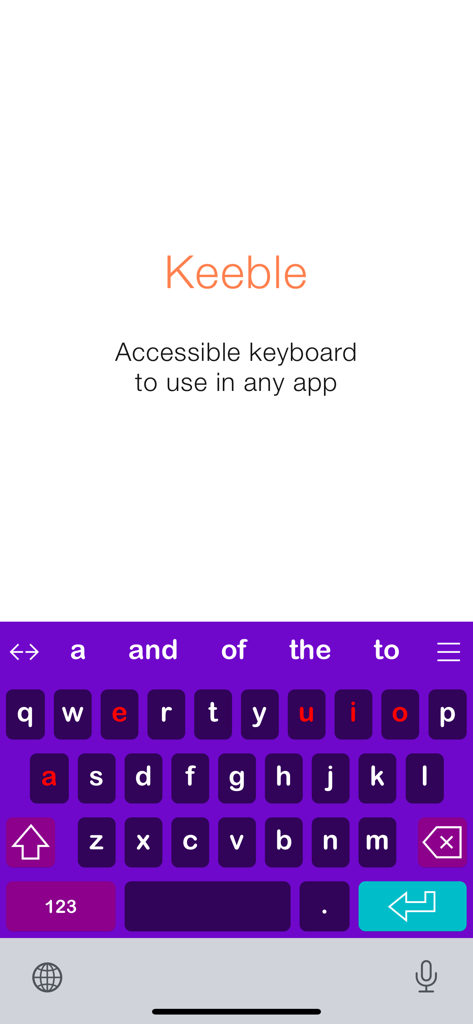
Keebleアプリの起動画面。高コントラストの紫色のアクセシブルキーボードが表示され、母音と単語予測が赤でハイライトされています。

Keebleアプリの起動画面。高コントラストの紫色のアクセシブルキーボードが表示され、母音と単語予測が赤でハイライトされています。

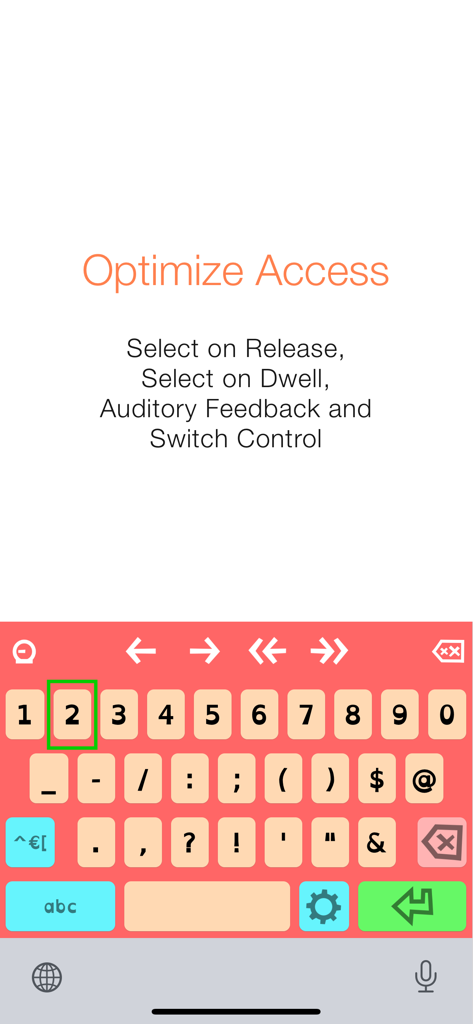
Keebleアクセシブルキーボード。リリース時に選択やスイッチコントロールなどの最適化アクセス機能が搭載されています。

Keebleアクセシブルキーボード。リリース時に選択やスイッチコントロールなどの最適化アクセス機能が搭載されています。

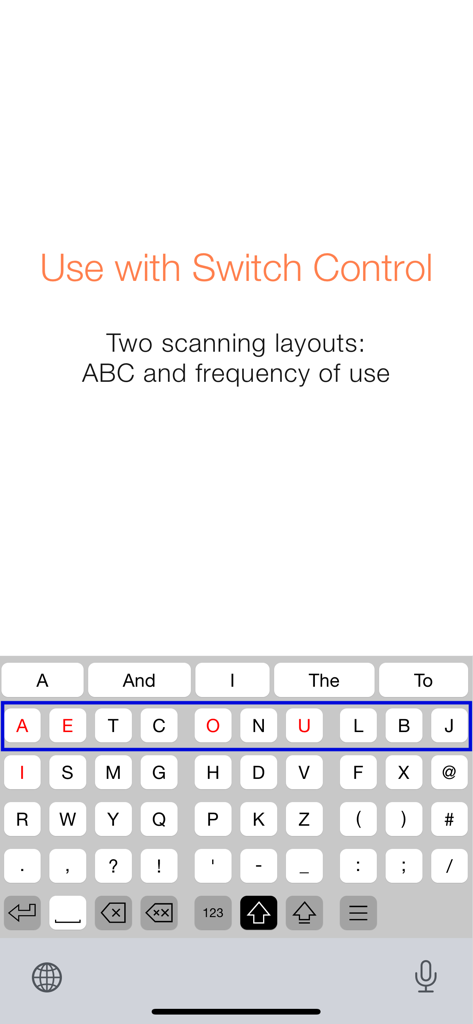
Keebleアプリのスクリーンショット。スイッチコントロールと互換性のある使用頻度スキャンキーボードレイアウトが表示されています。

Keebleアプリのスクリーンショット。スイッチコントロールと互換性のある使用頻度スキャンキーボードレイアウトが表示されています。

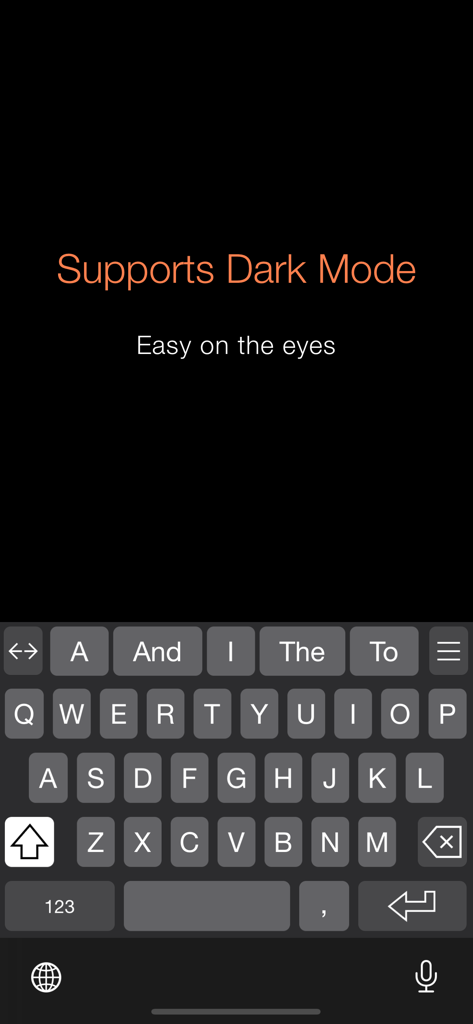
Keebleアクセシブルキーボードインターフェースをダークモードで表示。視覚障害サポートのために高コントラストキーを備えています。

Keebleアクセシブルキーボードインターフェースをダークモードで表示。視覚障害サポートのために高コントラストキーを備えています。

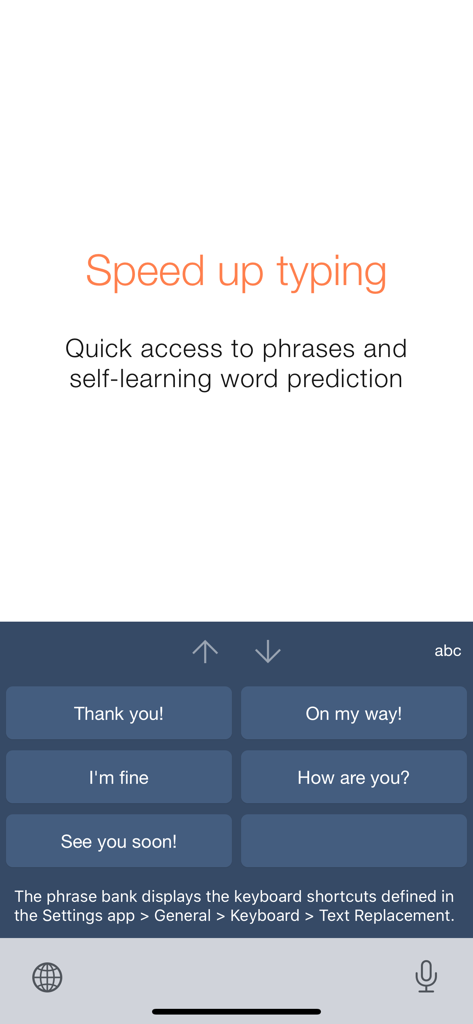
Keebleアクセシビリティキーボード。一般的なフレーズへのクイックアクセス用に大きなボタンを備えたフレーズバンクを表示しています。

Keebleアクセシビリティキーボード。一般的なフレーズへのクイックアクセス用に大きなボタンを備えたフレーズバンクを表示しています。

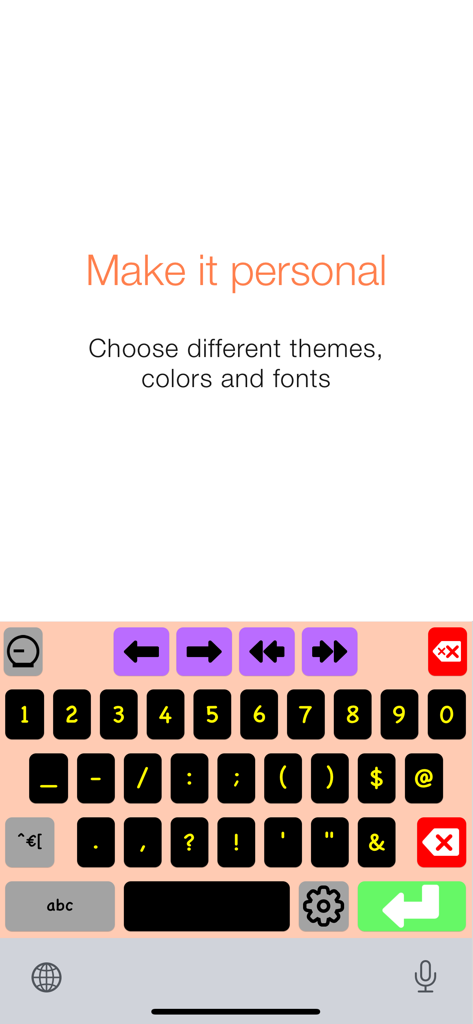
Keebleアプリ用のカスタマイズ可能な高コントラストキーボード。カラフルなキーとナビゲーション矢印を備えています。

Keebleアプリ用のカスタマイズ可能な高コントラストキーボード。カラフルなキーとナビゲーション矢印を備えています。

すべてのキーストロークを強化

このアプリを際立たせるツール、 5K+ 人のユーザーが選択.

🖐️

精密な運動サポート

「リリース時に選択」および「滞留時に選択」モードにより、意図しない選択を排除します。これは、振戦や微細運動障害を持つユーザーのために特別に設計されています。

🧠

スマートな単語予測

次に来る単語を予測し、失読症に優しいフォントオプションを提供する自己学習エンジンにより、身体的な疲労を軽減し、コミュニケーションをスピードアップします。

🔓

ユニバーサルアクセシビリティ

スイッチコントロールとVoiceOverの完全なサポートにより、iPadとiPhone全体で完全な自由を獲得し、メールからソーシャルメディアまで、あらゆるアプリでの入力を可能にします。

アプリについて

について知っておくべきこと Keeble.

説明

Keeble is an iOS keyboard that allows users with fine motor-challenges, switch users and users with vision impairments to type in almost any app. The keyboard offers word prediction, timing options, Select on Release, Select on Dwell, auditory feedback and other accessibility features. It also fully supports Switch Control and VoiceOver. Keeble is currently available in English, French, Spanish, Dutch, German, Italian, Swedish, Norwegian, Danish, Czech and Polish. The keyboard also offers optimized layouts for simplified, advanced and scanning keyboards. Alternative access - Prevent accidental selections with Timing options - Compensate for motor challenges with Select on Release or Select on Dwell - Use scanning-optimized keyboards with Switch Control: ABC and frequency of use Auditory feedback - Turn on keyboard clicks - Use spoken cues as you move your finger across the keyboard - Hear each key, word or sentence you type with Speak as you Type Self-learning word prediction - Choose between word completion, next-word prediction or multi-word prediction - Configure the number of suggestions and suggestion order - Adjust the size of the prediction bar to your needs Speed up typing - Benefit from the phrase bank providing quick access to your iOS keyboard shortcuts - Use the cursor keys to navigate through text quickly - Turn Auto-Capitalization and Auto-Spacing ON or OFF Optimize for different users - Use with beginning readers and select lowercase key labels, ABC layout and colored vowels - Customize for adults by allowing access to all characters and selecting QWERTY layout - Choose from 5 different themes or create a custom theme User comfort - Use Keeble on iPad, iPhone and iPod touch - Select one of the 11 available languages, including regional keyboard layouts - Choose your preferred font, including dyslexic and school-friendly fonts

最新バージョン

5.0.4

サイズ

199.8 MB

リリース日

2014年10月29日

自立したコミュニケーションの力を解き放つ

Keebleは、あらゆるiOSアプリでの入力を容易にし、アクセシブルにするためのツールとして、何千人ものユーザー、教育者、セラピストから信頼を得ています。

ダウンロード: App Store

App information, icons, screenshots, and descriptions displayed on this page are sourced from the Apple App Store and are the property of their respective developers. Download estimates and rankings are based on MWM's proprietary models and may not reflect actual figures. This page is provided for informational and analytical purposes only.

Believe this page infringes your intellectual property? File a dispute