La Terminal - SSH Client

La Terminal - SSH Client


ダウンロード: App Store
ロゴ: La Terminal - SSH Client

La Terminal - SSHクライアント: パワーユーザーのための究極のモバイルコマンドセンター

AI搭載アシスタント、リアルタイムの視覚的監視、安全なハードウェア暗号化アクセスで、どこからでもインフラストラクチャを管理しましょう。Appleエコシステムのために細部までこだわって作られています。

ダウンロード: App Store

開発元

Xibbon, Inc

カテゴリ

Developer Tools

ダウンロード

56K+

ユーザー評価

4.7/5

評価数

200

対応言語

17

あなたのコマンドセンターを可視化

このインターフェースを利用する 56K+ 人のユーザー.

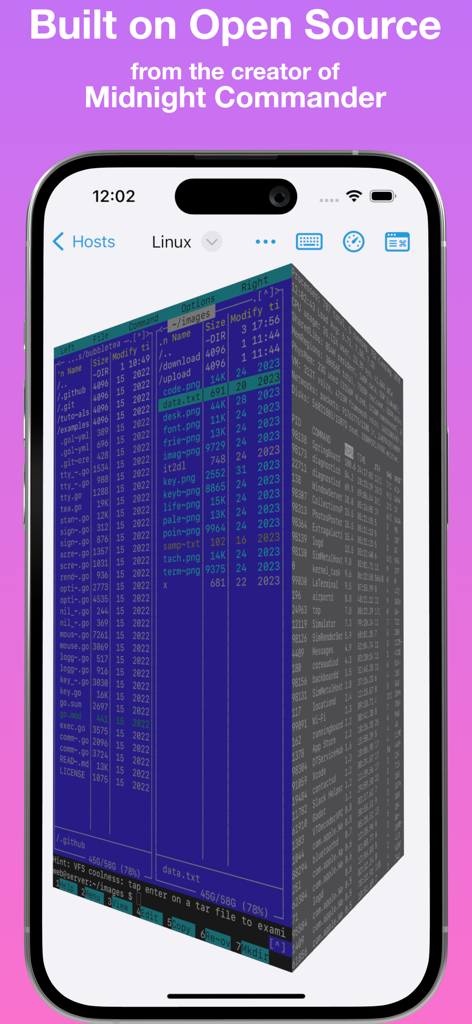
La Terminal SSHクライアントが、紫色の背景のiPhone画面に3Dビジュアルファイルマネージャーとプロセスエクスプローラーを表示しています

La Terminal SSHクライアントが、紫色の背景のiPhone画面に3Dビジュアルファイルマネージャーとプロセスエクスプローラーを表示しています

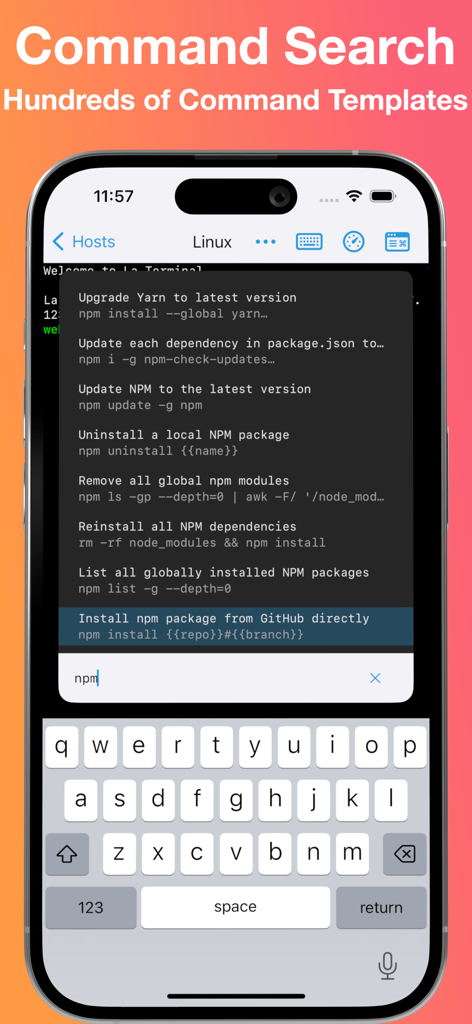
La Terminal SSHクライアントのコマンド検索インターフェース。iPhoneにnpmコマンドテンプレートが表示されています

La Terminal SSHクライアントのコマンド検索インターフェース。iPhoneにnpmコマンドテンプレートが表示されています

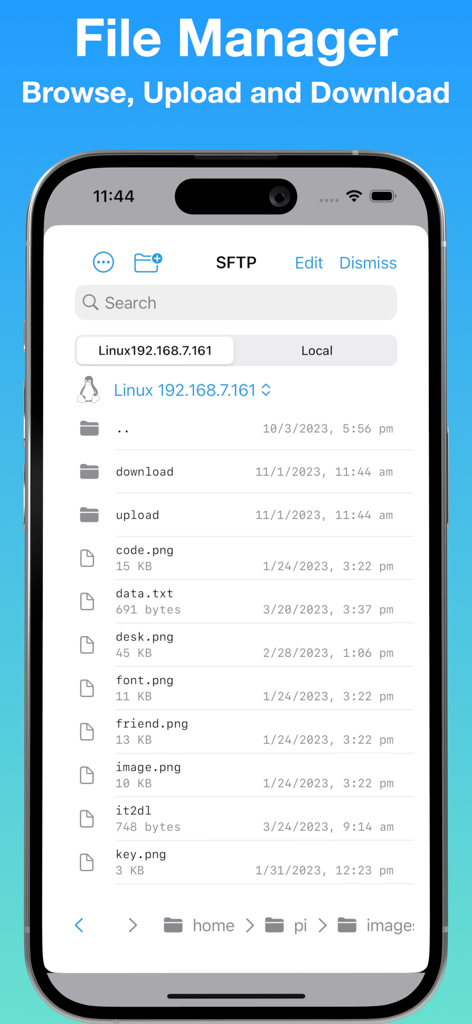
iPhoneのLa Terminal SFTPファイルマネージャーで、リモートサーバーのファイルとフォルダのリストが表示されているモバイルスクリーンショット

iPhoneのLa Terminal SFTPファイルマネージャーで、リモートサーバーのファイルとフォルダのリストが表示されているモバイルスクリーンショット

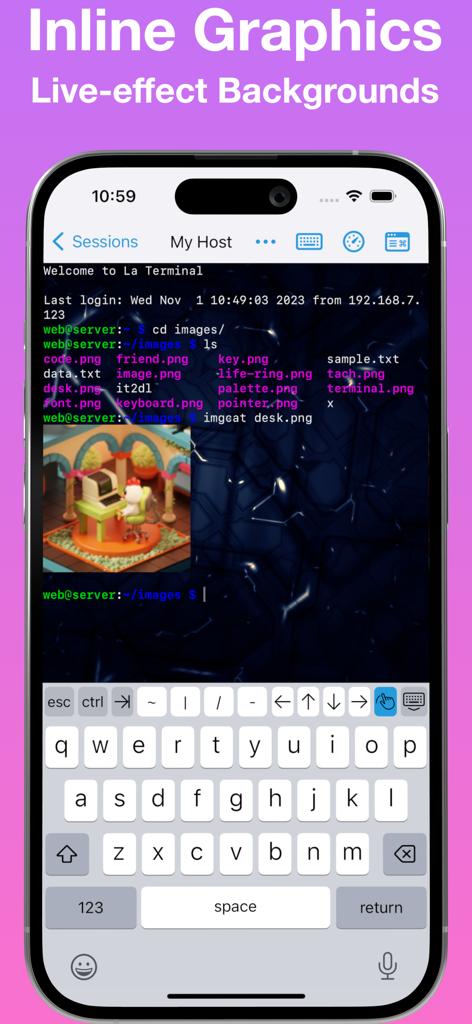
iPhoneのLa Terminal SSHアプリ。インライン画像プレビューとライブエフェクトの背景が表示されています。

iPhoneのLa Terminal SSHアプリ。インライン画像プレビューとライブエフェクトの背景が表示されています。

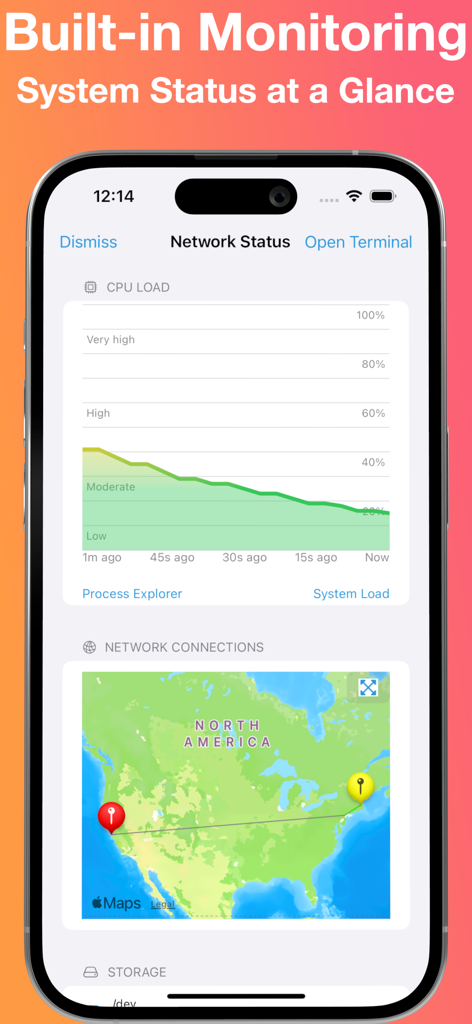
iPhoneのLa Terminal SSHクライアントインターフェース。リアルタイムCPU負荷グラフと地理的なネットワーク接続が表示されています。

iPhoneのLa Terminal SSHクライアントインターフェース。リアルタイムCPU負荷グラフと地理的なネットワーク接続が表示されています。

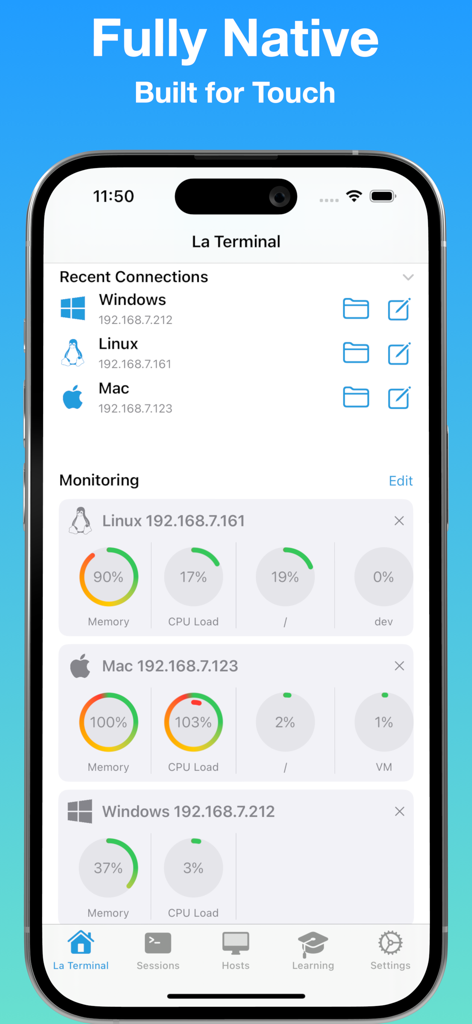
La Terminal SSHクライアントダッシュボード。Linux、Mac、Windowsホストのリモートサーバーリソース監視と最近の接続が表示されています。

La Terminal SSHクライアントダッシュボード。Linux、Mac、Windowsホストのリモートサーバーリソース監視と最近の接続が表示されています。

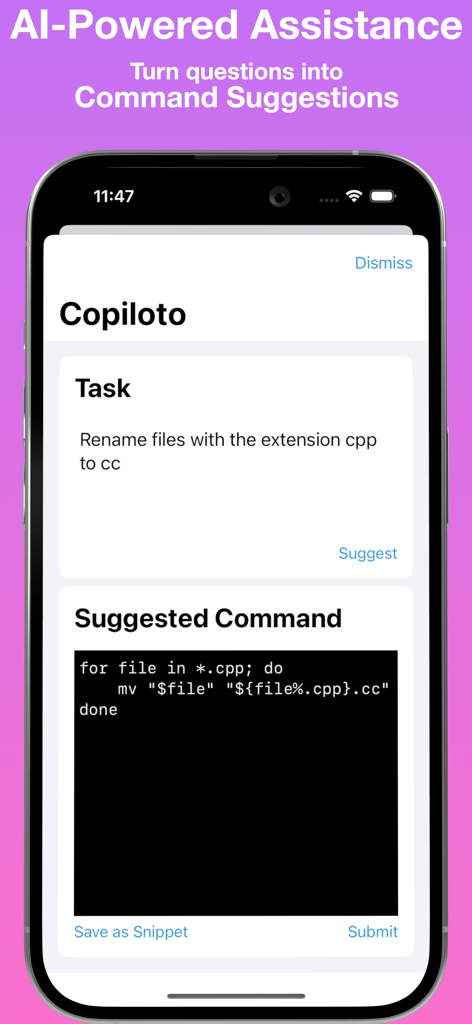
La Terminal AI搭載アシスタントが、平易な英語のタスクからシェルコマンドを提案しています

La Terminal AI搭載アシスタントが、平易な英語のタスクからシェルコマンドを提案しています

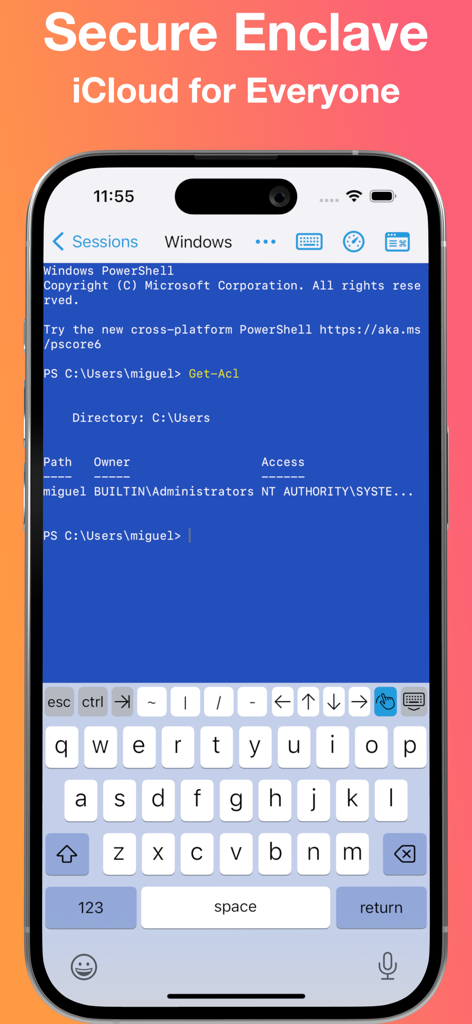
iPhone上のWindows PowerShellセッション。Secure Enclaveサポート付きのLa Terminal SSHクライアントを使用しています

iPhone上のWindows PowerShellセッション。Secure Enclaveサポート付きのLa Terminal SSHクライアントを使用しています

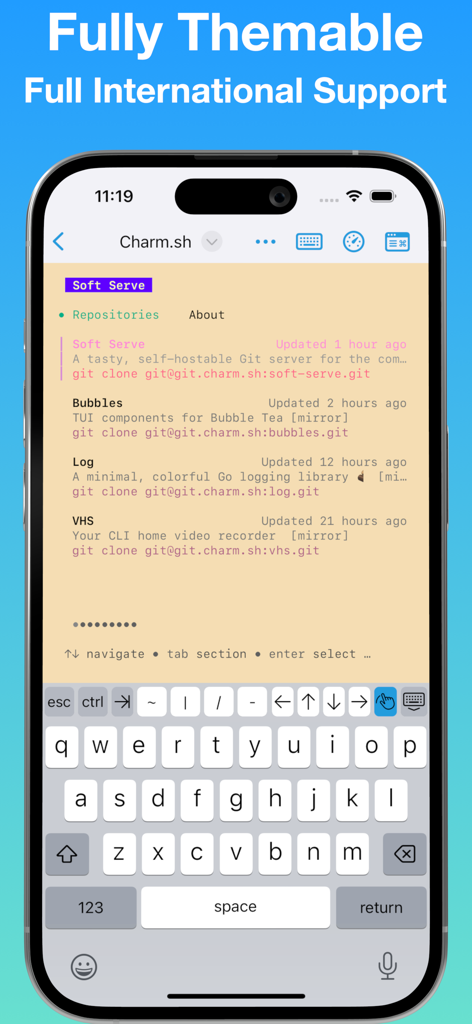
カスタムカラーテーマとモバイル開発者キーボードを備えたLa Terminal SSHクライアントインターフェース。

カスタムカラーテーマとモバイル開発者キーボードを備えたLa Terminal SSHクライアントインターフェース。

プロ仕様のコマンドセンター

このアプリを際立たせるツール、 56K+ 人のユーザーが選択.

AI搭載コマンドアシスタント

複雑なフラグを記憶するのはやめましょう。JSON解析からKubernetesポッド管理まで、平易な英語を即座に本番環境対応のターミナルコマンドに変換します。

📈

一目でわかるオブザーバビリティ

ネイティブCPUおよびメモリの可視化でシステム負荷を監視します。世界地図上でグローバルネットワークトラフィックを追跡し、セッションを離れることなくプロセスを探索します。

🔒

ハードウェアロックセキュリティ

秘密鍵はSecure Enclaveに保管してください。プレーンテキストには決して触れません。暗号化されたiCloudストレージ経由でiPhone、iPad、Mac全体で環境全体を同期します。

アプリについて

について知っておくべきこと La Terminal - SSH Client.

説明

Welcome to La Terminal, your spicy new ssh command center. More than just a simple command-line shell, La Terminal provides a fully-native, first-class touch experience for command-line hackers on iPhone and iPad. Built on Open Source: From the original developer of Midnight Commander, the open source visual file manager for Linux, La Terminal provides a comprehensive Xterm/DEC VT terminal emulator experience based on the popular open source SwiftTerm library with powerful client amenities for serious command-line aficionados. Command Search: Use Command Search to quickly find the command you are looking for. Search your own command history and our comprehensive workflow gallery to find and execute commands. Create and edit your own workflows for a variety of tasks, including running frequently used commands, automating a series of commands, or just tracking down a complex command that might be difficult to recall. AI-powered assistant: Get help writing Linux, Mac, or Windows terminal commands using plain English, such as “extract the name property inside the article element from a json file” or “list the most CPU consuming Kubernetes pods”. Eye candy: La Terminal sports a fully themeable experience accented with beautifully captivating live-effect backgrounds powered by Metal Performance Shaders. Secure Enclave: Your private keys are stored in the secure enclave so your private key can never be found in plain text. Powerful status visualizations: La Terminal’s resource monitoring tools put powerful CPU and memory use visualizations, as well as a native process explorer, right at your fingertips. Resource monitoring visualizations are accessible from the top of any connected terminal, and process explorer tools provide multiple views into CPU, memory, and disk utilization. Thumbnail snapshots show previews of connected hosts along with system load over time in the active Terminals view. Network monitoring plots data traffic on a world map to help you understand the sources and targets of connections to and from your connected hosts. iCloud for everyone: La Terminal makes it easy to switch between your iPhone, iPad, and Mac by syncing your settings and keys over iCloud - like magic! Host platform aware: Whether you’re managing a dozen Linux VMs on AWS or Azure, logging into zsh on your Mac desktop, or configuring your latest IoT Raspberry Pi project via bash, provides the most productive experience possible on a mobile device. La Terminal is even Windows-aware to ensure PowerShell power users can enjoy a delightful ssh experience, too. International support: La Terminal delivers extensive support for international terminals, including rendering internationalized output as well as support for internationalized input methods from native iOS dictation and international keyboards. La Terminal Pro features - Complete SFTP File Manager - Upload, download and navigate remote filesystems with our native SFTP client. - Files can be uploaded or downloaded to the Local device to be accessed through the native iOS Files App, or can be copied between remote hosts. - Files app support - Access files on any configured La Terminal host using Apple’s Files app and other native iPhone and iPad apps that have File Provider support - SSH Agent Forwarding - Use keys configured locally in La Terminal to seamlessly authorize connections when you SSH from one remote host to another. - All Live Backgrounds - Choose from our complete library of GPU-accelerated Live Backgrounds to fully customize your command-line experience. Terms of Service: https://la-terminal.net/la-terminal/terms-of-service Privacy Policy: https://la-terminal.net/privacy-policy

最新バージョン

1.10

サイズ

52.6 MB

リリース日

2022年9月2日

モバイルワークフローをアップグレードする準備はできましたか?

AI支援コマンドとSecure Enclave保護でグローバルインフラストラクチャを管理する56,000人以上のパワーユーザーに参加しましょう。あなたのプレミアムコマンドセンターはタップするだけです。

ダウンロード: App Store
FAQ

よくある質問

について知っておくべきこと La Terminal - SSH Client

La Terminal - SSH Clientとは何ですか?

La Terminalは、iPhoneとiPad向けの完全にネイティブなSSHコマンドセンターであり、コマンドラインユーザーにファーストクラスのタッチ体験を提供します。包括的なXterm/DEC VTターミナルエミュレータを備えています。

La Terminal - SSH Clientはオープンソース技術で構築されていますか?

はい、La Terminalはオープンソース技術で構築されています。人気のオープンソースSwiftTermライブラリを使用しており、Midnight Commanderの元の開発者によって作成されました。

La Terminal - SSH Clientにはコマンド検索機能が含まれていますか?

はい、La Terminalはコマンド検索を提供します。ユーザーはコマンドを見つけたり、履歴を検索したり、ワークフローギャラリーを探索したり、自動化や複雑なコマンドの呼び出しのためのカスタムワークフローを作成したりできます。

La Terminal - SSH Clientはコマンド用のAI搭載アシスタントを提供しますか?

はい、La TerminalにはAI搭載アシスタントが含まれています。この機能は、ユーザーがプレーンな英語のプロンプトを使用してLinux、Mac、またはWindowsターミナルコマンドを作成するのに役立ちます。

La Terminal - SSH Clientは秘密鍵をどのように保護しますか?

La Terminalは、デバイスのSecure Enclaveに秘密鍵を保存することで保護します。これにより、秘密鍵がプレーンテキストで見つかることはありません。

La Terminal - SSH ClientはAppleデバイス間で設定と鍵を同期しますか?

はい、La TerminalはiCloud経由でiPhone、iPad、Mac間で設定と鍵を同期します。この機能により、デバイス間でのシームレスな切り替えが可能になります。

La Terminal - SSH Clientは管理のためにどのホストプラットフォームをサポートしていますか?

La Terminalは、Linux VM(AWS/Azure)、Mac上のzsh、Raspberry Pi(bash)をサポートしており、PowerShellユーザー向けにWindowsも認識します。すべてのユーザーに生産性の高いモバイルデバイス体験を提供します。

La Terminal - SSH Clientにはファイルマネージャーが含まれていますか?

はい、La Terminal Proには完全なSFTPファイルマネージャーが含まれています。ユーザーはリモートファイルシステムをアップロード、ダウンロード、ナビゲートでき、AppleのFilesアプリを使用してファイルにアクセスできます。

La Terminal - SSH Clientでシステムリソースを監視できますか?

はい、La Terminalは強力なステータス視覚化を提供します。これには、CPUとメモリ使用量の視覚化、ネイティブプロセスエクスプローラー、データトラフィックプロットによるネットワーク監視が含まれます。

La Terminal - SSH ClientはSSH Agent Forwardingをサポートしていますか?

はい、La Terminal ProはSSH Agent Forwardingを備えています。これにより、ユーザーはローカルに構成された鍵を使用して、リモートホスト間でSSH接続を承認できます。

App information, icons, screenshots, and descriptions displayed on this page are sourced from the Apple App Store and are the property of their respective developers. Download estimates and rankings are based on MWM's proprietary models and may not reflect actual figures. This page is provided for informational and analytical purposes only.

Believe this page infringes your intellectual property? File a dispute