LastPass Password Manager

LastPass Password Manager


ダウンロード: App Storeダウンロード: Google Play
ロゴ: LastPass Password Manager

LastPass パスワードマネージャー:デジタルライフを安全かつシンプルに

「パスワードを忘れました」のループに終止符を。暗号化されたボルトでログイン情報を自動入力し、強力なパスワードを生成し、すべてのデバイスで安全に同期することを信頼する何百万人ものユーザーに加わりましょう。

開発元

LastPass US LP

カテゴリ

Productivity

ダウンロード

7M+

ユーザー評価

4.3/5

評価数

75K+

対応言語

8

一目でわかるあなたのボルト

このインターフェースを利用する 7M+ 人のユーザー.

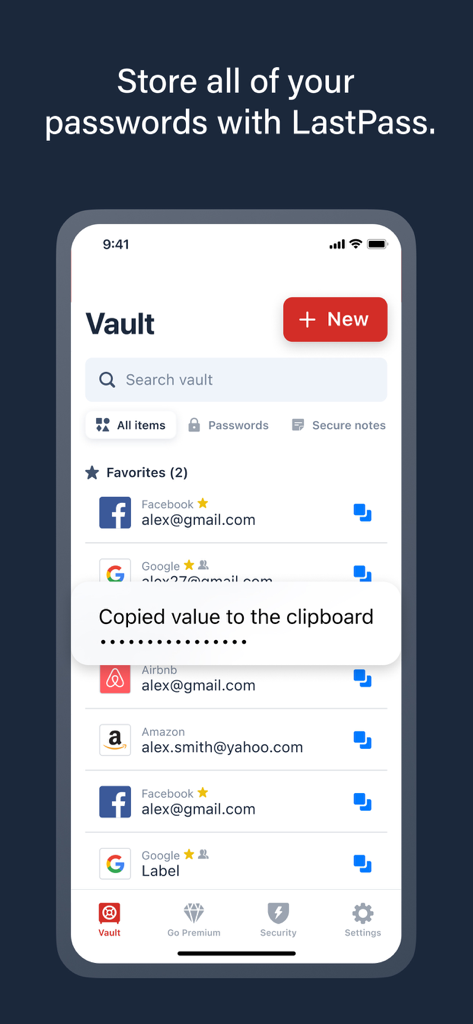
LastPassアプリのボルトインターフェース。保存されたアカウントのリストと、クリップボードに値がコピーされたことを確認する通知が表示されています。

LastPassアプリのボルトインターフェース。保存されたアカウントのリストと、クリップボードに値がコピーされたことを確認する通知が表示されています。

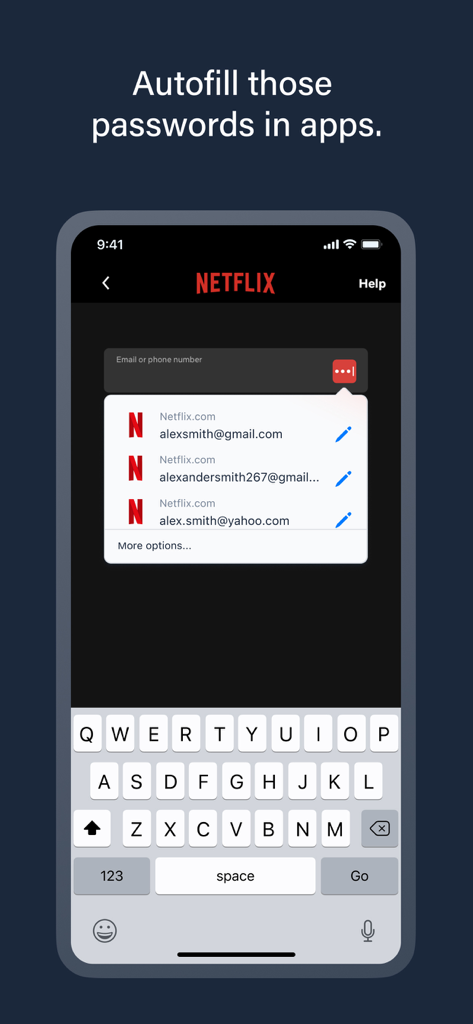
モバイルデバイスでNetflixのログイン情報を自動入力するLastPassパスワードマネージャー。

モバイルデバイスでNetflixのログイン情報を自動入力するLastPassパスワードマネージャー。

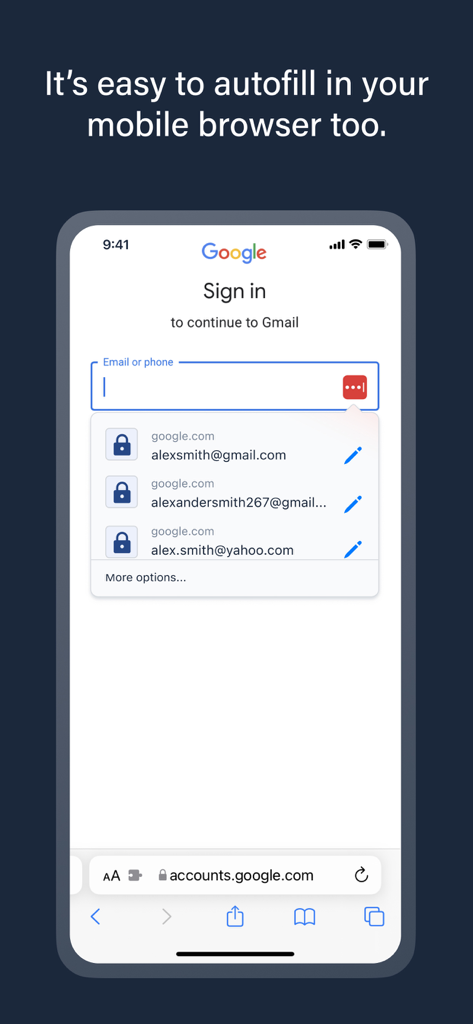
モバイルブラウザでログイン情報を自動入力するLastPassパスワードマネージャー。

モバイルブラウザでログイン情報を自動入力するLastPassパスワードマネージャー。

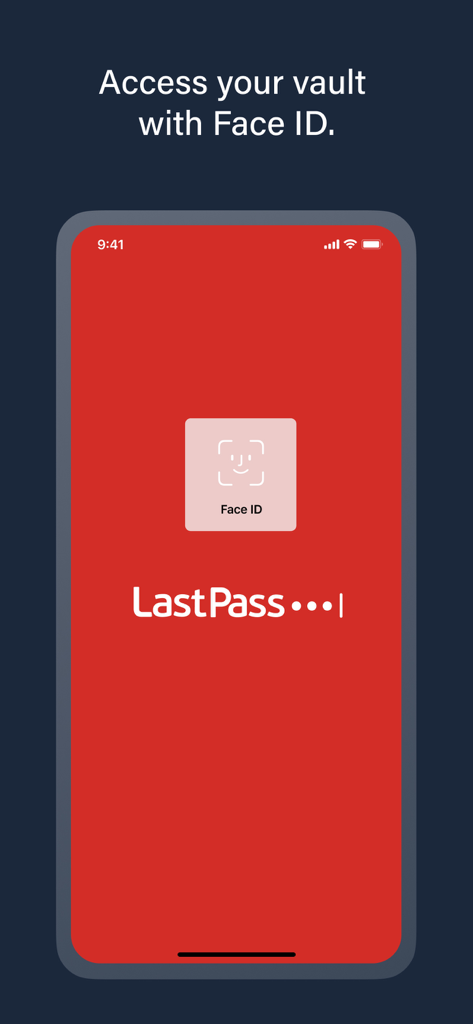
パスワードボルトにアクセスするためにFace IDを使用した安全なログインを示すLastPassモバイルアプリ画面。

パスワードボルトにアクセスするためにFace IDを使用した安全なログインを示すLastPassモバイルアプリ画面。

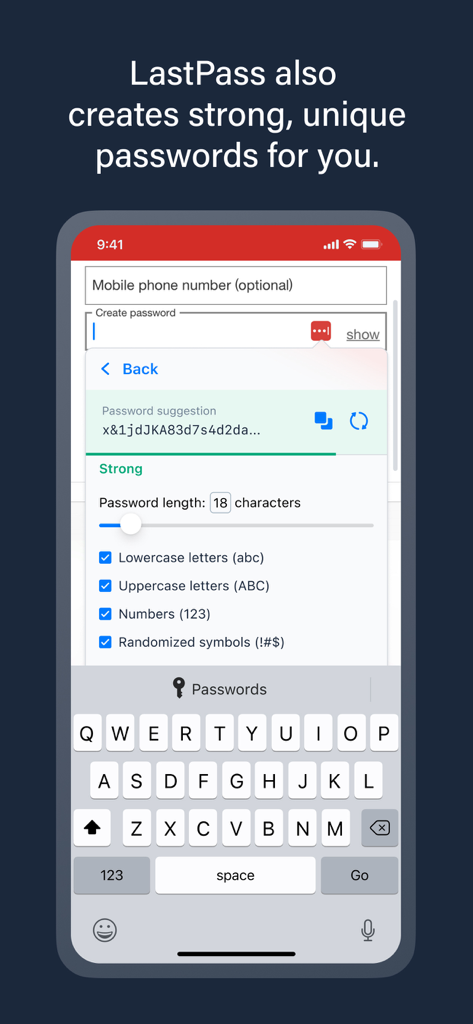
長さや文字数などのカスタム設定で強力なパスワードを作成するパスワードジェネレーターツールを表示するLastPassモバイルアプリインターフェース。

長さや文字数などのカスタム設定で強力なパスワードを作成するパスワードジェネレーターツールを表示するLastPassモバイルアプリインターフェース。

「何百万人ものユーザーに信頼されている」というテキストの下に、The New York TimesやFOX Businessなどの主要なニュースメディアのロゴを表示するLastPassパスワードマネージャーのスクリーンショット。

「何百万人ものユーザーに信頼されている」というテキストの下に、The New York TimesやFOX Businessなどの主要なニュースメディアのロゴを表示するLastPassパスワードマネージャーのスクリーンショット。

デジタルライフのための手間いらずなセキュリティ

このアプリを際立たせるツール、 7M+ 人のユーザーが選択.

スムーズなワンタップログイン

アプリやウェブサイトのインスタント自動入力で、何時間ものフラストレーションを解消。タイピングなしで、真にスムーズなデジタルワークフローを体験してください。

🛡️

銀行グレードの保護

AES-256暗号化を展開して、資格情報を保護します。最新の侵害から機密データを安全に保つ、複雑でユニークなパスワードを生成します。

📱

ユニバーサルデバイス連携

パスワードはiPhoneからデスクトップまで、あなたについてきます。すべてのプラットフォームで資格情報をシームレスに同期し、どこでも生産性を維持しましょう。

🔑

安全なパスワード生成

強力でユニークなパスワードを簡単に生成し、パスワードの使い回しによるセキュリティリスクを排除します。

💳

安全な支払い情報

オンラインショッピングの支払情報を安全に保存し、各サイトで迅速かつ安全に自動入力できます。

アプリについて

について知っておくべきこと LastPass Password Manager.

説明

Tired of forgetting passwords or resetting them constantly? Meet LastPass, the trusted password manager—used by millions of people and thousands of businesses—to keep passwords and other account info safe, secure, and always within reach. With LastPass, you only need to remember one master password. We’ll handle the rest—autofilling logins, generating secure passwords, and syncing across all your devices. Whether you're browsing on your iPhone or logging into your favorite apps, LastPass makes it effortless. WHY MILLIONS TRUST LASTPASS - Secure Password Vault: Store all your passwords, passphrases, usernames, and payment methods in one encrypted place. - Autofill Made Easy: Instantly fill in login credentials on websites and in apps—no typing required. - One Master Password: Just remember one password—LastPass remembers the rest. - More Than Passwords: Securely store credit cards, insurance info, social security numbers, and private notes. - Share Securely: Share passwords safely with family, friends, or coworkers. - Built-In Password Generator: Create strong, unique passwords and passphrases in a single tap. - Multi-Factor Authentication (MFA): Add an extra layer of protection to your password app. GO PREMIUM FOR MORE POWER Try LastPass Premium free for 30 days and unlock: - Unlimited device access across all platforms - Access on Chrome, Safari, and other browser extensions - Unlimited sharing of passwords and notes - 1GB of encrypted file storage - Advanced MFA options like YubiKey - Emergency access for trusted contacts - Priority customer support BUILT FOR SECURITY Your data is encrypted with bank-grade AES-256 encryption—only you can unlock your vault. Even we can’t access it. RECOGNIZED. RESPECTED. RECOMMENDED. There’s a reason LastPass is trusted by millions and featured in top publications like Forbes, PCMag, TechRadar, and ZDNet. We consistently lead the way in ease of use and customer support, earning top ratings on platforms like G2. When it comes to password managers, users and experts agree—LastPass delivers. DOWNLOAD LASTPASS TODAY Start using the smarter, safer way to manage your passwords and passkeys. Terms of Service: https://www.lastpass.com/legal-center/terms-of-service/

最新バージョン

6.43.0

サイズ

197.1 MB

リリース日

2009年8月1日

パスワード疲れに永遠に終止符を

LastPassを信頼してデジタルライフを保護する700万人以上のプロフェッショナルに加わりましょう。必要なのはマスターパスワード1つだけ。あらゆるデバイスで安心とスムーズなアクセスを実現します。

ダウンロード: App Storeダウンロード: Google Play
FAQ

よくある質問

について知っておくべきこと LastPass Password Manager

LastPassとは何ですか?

LastPassは、パスワード、パスキー、その他のアカウント情報をすべてのデバイスで安全かつ確実に、常にアクセスできるように設計された、信頼できるパスワードマネージャーです。

LastPassはどのように私のパスワードを保護しますか?

LastPassは、銀行グレードのAES-256暗号化を使用して、すべてのデータを暗号化されたボールトに保存します。マスターパスワードでボールトをアンロックできるのはユーザーのみであり、プライバシーとセキュリティを確保します。

LastPassはウェブサイトやアプリでパスワードを自動入力できますか?

はい、LastPassはウェブサイトやアプリ内のログイン情報を即座に入力します。この機能により、手動で入力する必要がなくなり、ログインプロセスが合理化されます。

LastPassは強力なパスワードを生成しますか?

はい、LastPassには組み込みのパスワードジェネレーターが含まれています。さまざまな文字の種類と長さでカスタマイズ可能で、強力でユニークなパスワードやパスフレーズをワンタップで作成します。

LastPassはパスワード以外にどのような項目を保存できますか?

LastPassは、パスワードやパスキーの管理に加えて、クレジットカード、保険情報、社会保障番号、プライベートノートを安全に保存します。

LastPassは多要素認証(MFA)を提供していますか?

はい、LastPassはパスワードアプリに追加の保護レイヤーを提供する多要素認証(MFA)をサポートしています。プレミアムサブスクリプションでは、高度なMFAオプションが利用可能です。

LastPass Premiumの無料トライアルはありますか?

はい、ユーザーはLastPass Premiumを30日間無料でお試しいただけます。このトライアルにより、無制限のデバイスアクセスや高度なMFAオプションなどのプレミアム機能が利用可能になります。

Face IDを使用してLastPassボールトにアクセスできますか?

はい、LastPassはFace IDをサポートしており、ボールトに迅速かつ安全にアクセスできます。この生体認証は、保存された情報にアクセスするための便利な方法を提供します。

LastPass Premiumの利点は何ですか?

LastPass Premiumは、無制限のデバイスアクセス、ブラウザ拡張機能、無制限の共有、1GBの暗号化ファイルストレージ、高度なMFA、緊急アクセス、優先サポートを提供します。

LastPassはパスワードを安全に共有できますか?

はい、LastPassを使用すると、家族、友人、同僚とパスワードを安全に共有できます。無制限の共有は、LastPass Premiumサブスクリプションで利用可能な機能です。

App information, icons, screenshots, and descriptions displayed on this page are sourced from the Apple App Store and are the property of their respective developers. Download estimates and rankings are based on MWM's proprietary models and may not reflect actual figures. This page is provided for informational and analytical purposes only.

Believe this page infringes your intellectual property? File a dispute