Password Manager - mSecure
ダウンロード: App Store

このページはアプリまたはその開発者の公式ページではなく、情報提供および論評を目的として作成された独立した編集出版物です。明示的に別段の記載がない限り、アプリおよびその開発者は、MWM、Apple、Google Play、アプリのパブリッシャー、またはアプリの開発者と提携、承認、後援、認可、またはその他の公式的な関係はなく、このページのいかなる内容も、アプリがMWMのサービスを使用して開発されたことを意味するものではありません。すべての商標、ロゴ、スクリーンショット、その他のコンテンツはそれぞれの所有者の財産です。

ロゴ: Password Manager - mSecure
ダウンロード: App Store

Password Manager - mSecure

業界標準のAES-256暗号化を使用して、すべてのデバイスでパスワード、財務記録、機密ファイルを保護するためにmSecureを信頼している40万人以上のユーザーの仲間入りをしましょう。

主要数値

ダウンロード

408K+

ユーザー評価

4.8/5

評価数

53K+

開発元

mSeven Software, LLC

カテゴリ

Productivity

対応言語

5

最新バージョン

6.1.14

サイズ

110.9 MB

リリース日

2017年5月15日
機能

機密データのための究極の保管庫

単なるパスワードマネージャーではありません。mSecureは、忙しい毎日のために構築された安全なデジタルウォレット、ファイルキャビネット、同期ハブです。

軍用レベルのセキュリティ

業界標準のAES-256暗号化と生体認証保護により、最も機密性の高い情報を自分以外には見えないようにして、安心して過ごせます。

シームレスなワンタップアクセス

忘れたパスワードの再設定はやめましょう。ネイティブの自動入力と生体認証ログインを使用して、どのデバイスからでもお気に入りのアプリやウェブサイトをスムーズに利用できます。

以下のスクリーンショットと説明は、アプリの公式ストアリスティングから直接取得されたものであり、アプリ開発者の所有物です。

アプリストア

スクリーンショット
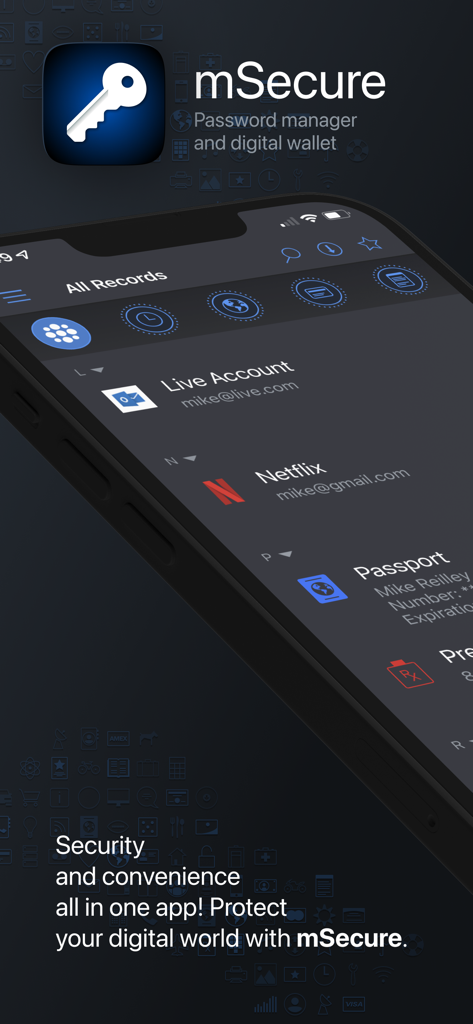
Password Manager - mSecure - スマートフォンの画面にパスワードマネージャーとデジタルウォレット機能を表示しているmSecureアプリのインターフェース
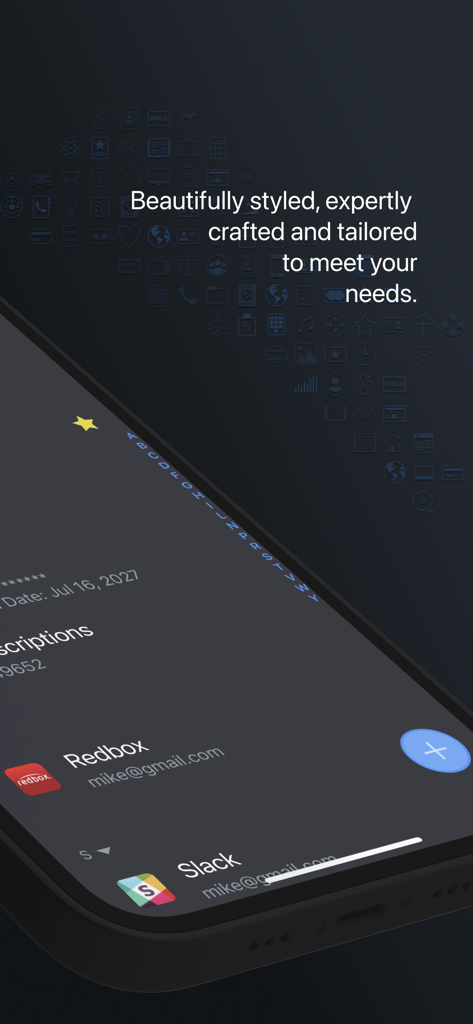
スマートフォンの画面にパスワードマネージャーとデジタルウォレット機能を表示しているmSecureアプリのインターフェース

Password Manager - mSecure - ダークモードでアカウントリストが表示されたmSecureパスワードマネージャーアプリのインターフェースを表示するスマートフォンの画面
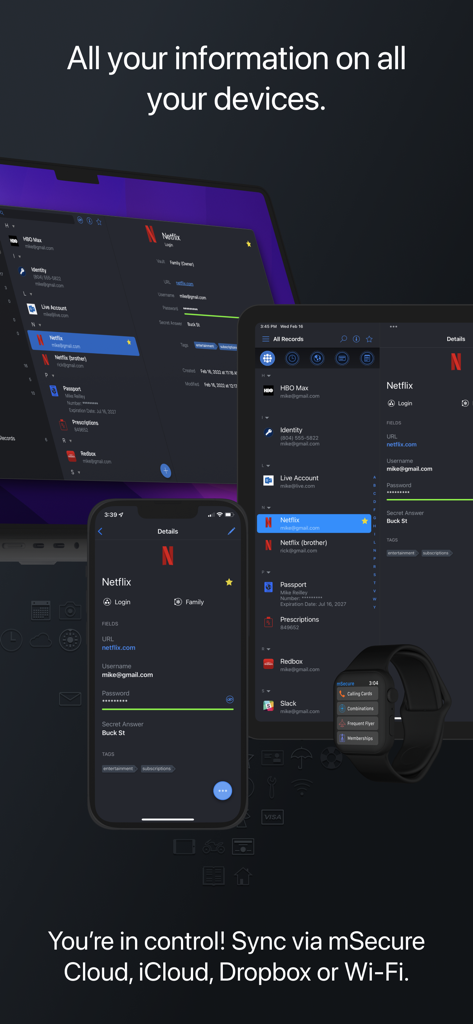
ダークモードでアカウントリストが表示されたmSecureパスワードマネージャーアプリのインターフェースを表示するスマートフォンの画面

Password Manager - mSecure - ノートパソコン、タブレット、スマートフォン、スマートウォッチ間で同期されたデータを表示するmSecureパスワードマネージャー
ノートパソコン、タブレット、スマートフォン、スマートウォッチ間で同期されたデータを表示するmSecureパスワードマネージャー

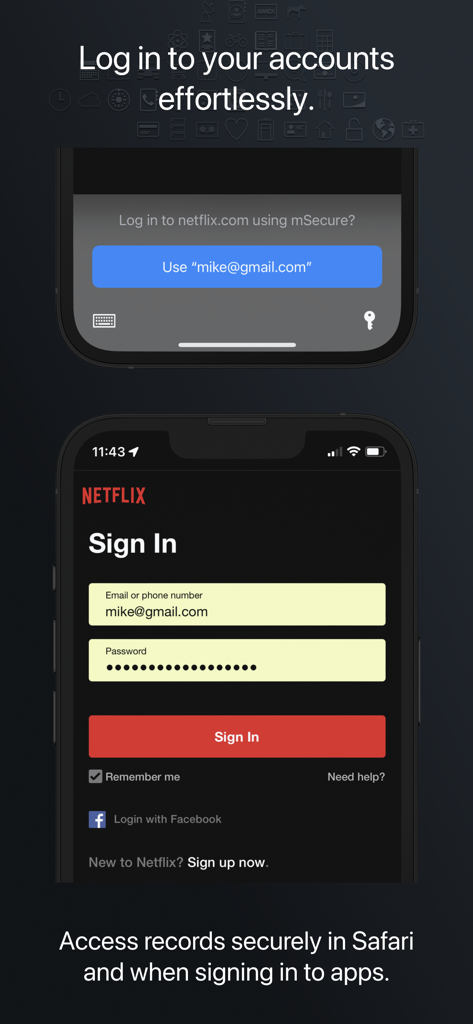
Password Manager - mSecure - モバイルアプリで簡単かつ安全にログインするためのmSecureパスワードマネージャー自動入力機能
モバイルアプリで簡単かつ安全にログインするためのmSecureパスワードマネージャー自動入力機能

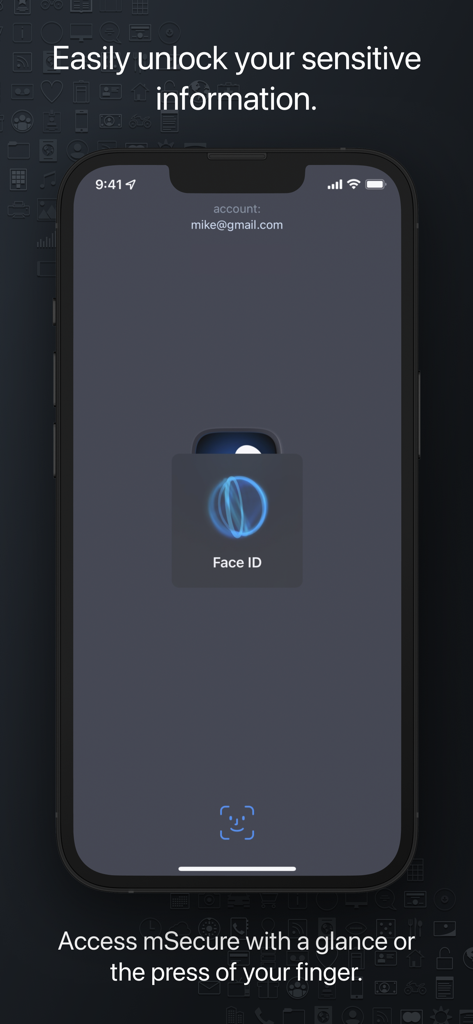
Password Manager - mSecure - iPhoneでの安全なアクセスのためのFace ID生体認証を表示するmSecureアプリのスクリーンショット
iPhoneでの安全なアクセスのためのFace ID生体認証を表示するmSecureアプリのスクリーンショット

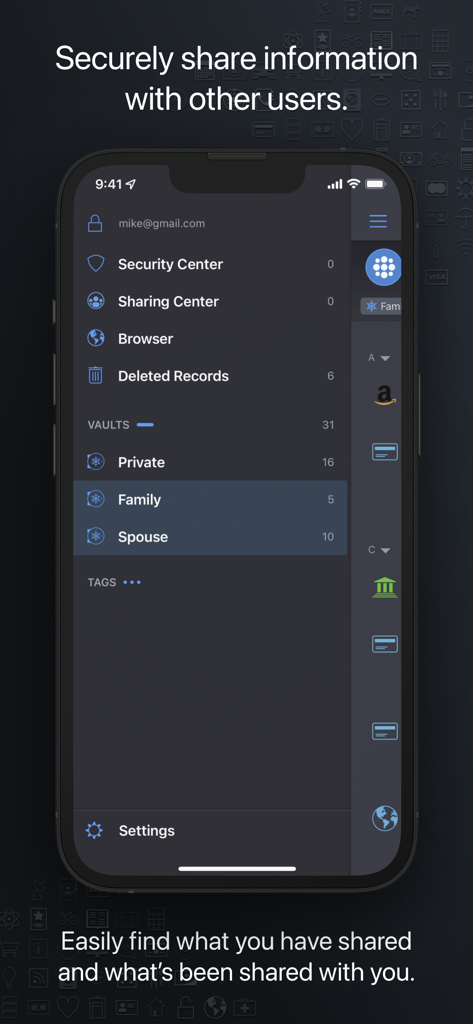
Password Manager - mSecure - 安全なデータ共有のための個人用、ファミリー、配偶者保管庫を備えた共有センターを表示するmSecureアプリのインターフェース

安全なデータ共有のための個人用、ファミリー、配偶者保管庫を備えた共有センターを表示するmSecureアプリのインターフェース

説明

Don’t take any chances with your passwords and private information. mSecure is the most secure and straightforward solution to managing your sensitive information across your devices. Protect, store and share your sensitive information with mSecure. Simplify your digital world and securely access it at your convenience. Create secure notes, generate passwords, and safely backup your information to never lose your data again. mSecure 6 is an entire redesign of the app you trust most to protect your vital and private information. New features provide the organizational flexibility you need, the convenience of auto-fill right from your web browser, and the ability to share only the data you need to share with other mSecure users. Your information is easier to use, easier to access, and always secure with industry-standard AES-encryption. Elevate your password managing experience with mSecure today! ----------------------------------------- With four plans to choose from, you decide which features are important for managing your information. Regardless of which plan you choose, your data is protected with the same enhanced security. UPDATED FEATURES ● Two-Factor Authentication* ● Family and Team Plans ● Login Password History ● Attach any type of file* *Available with a Premium subscription ~ Keep Your Digital Wallet Organized, and Secure ~ mSecure is for more than just passwords. Safeguard your financial information, personal documents, sensitive files, or anything you need protected all in one place. ~ Get More Than What You Pay For ~ ● Choose a plan to fit your needs - Essentials, Premium, Family, or Team. ● Enable full access to all features that mSecure has to offer with a Premium subscription. ~ Ideal For Families and Teams ~ Share select information with family members or teammates with ease. Use Shared Vaults to house sensitive information and data you and your family or team need under one mSecure subscription. ----------------------------------------- SECURE - Protect your sensitive information with confidence Encrypt your data using industry-standard AES 256-bit encryption Password Generator creates and stores random, complex, and unique passwords Auto-lock and Auto-backup features keep data safe with enhanced security Biometric authentication allows quick, secure access using your device’s Touch or Face ID SIMPLE - Easily add, find, manage, and organize passwords and data Auto-fill credentials in Safari and 3rd party apps with iOS Password AutoFill Find the information you need fast with powerful organizational features Enter Usernames quickly from a predefined list of emails that already exist in your data Over 20 built-in templates for quick and easy data entry with the ability to create custom templates Integrated search and collapsible headers, along with intelligent sorting, filtering and grouping simplifies the process of organizing and finding your information Mark any item as a favorite for quick access SEAMLESS - Sync all of your devices seamlessly Choose to sync via mSecure Cloud, Dropbox, iCloud or Wi-Fi to access your records on all of your devices across multiple platforms. Don’t take any chances with your passwords and private information. Keep your data safe and secure with mSecure! ----------------------------------------- SUPPORT If you have any questions or comments, please share them on our support forum: support.msecure.com/support/discussions. You can also email us directly at support@msevensoftware.com. Terms of Use: https://www.apple.com/legal/internet-services/itunes/dev/stdeula/ Privacy Policy: https://redirect.msecure.com/ios/privacy

Download

ダウンロード: App Store

このページはアプリまたはその開発者の公式ページではなく、情報提供および論評を目的として作成された独立した編集出版物です。明示的に別段の記載がない限り、アプリおよびその開発者は、MWM、Apple、Google Play、アプリのパブリッシャー、またはアプリの開発者と提携、承認、後援、認可、またはその他の公式的な関係はなく、このページのいかなる内容も、アプリがMWMのサービスを使用して開発されたことを意味するものではありません。すべての商標、ロゴ、スクリーンショット、その他のコンテンツはそれぞれの所有者の財産です。







