Magic Switch Display Sharing

Magic Switch Display Sharing


ダウンロード: App Store
ロゴ: Magic Switch Display Sharing

Magic Switch ディスプレイ共有:iPadを高性能Windowsタッチモニターに変える

PCとiOSデバイスのギャップを、ゼロ遅延の画面ミラーリング、筆圧対応のプロフェッショナルスタイラスサポート、そしてシームレスなAirDropスタイルのファイル共有で埋めましょう。

ダウンロード: App Store

開発元

Magic Control Technology Corporation

カテゴリ

Utilities

ダウンロード

300

ユーザー評価

1.0/5

評価数

0

対応言語

16

シームレスな連続性を実際に

このインターフェースを利用する 300 人のユーザー.

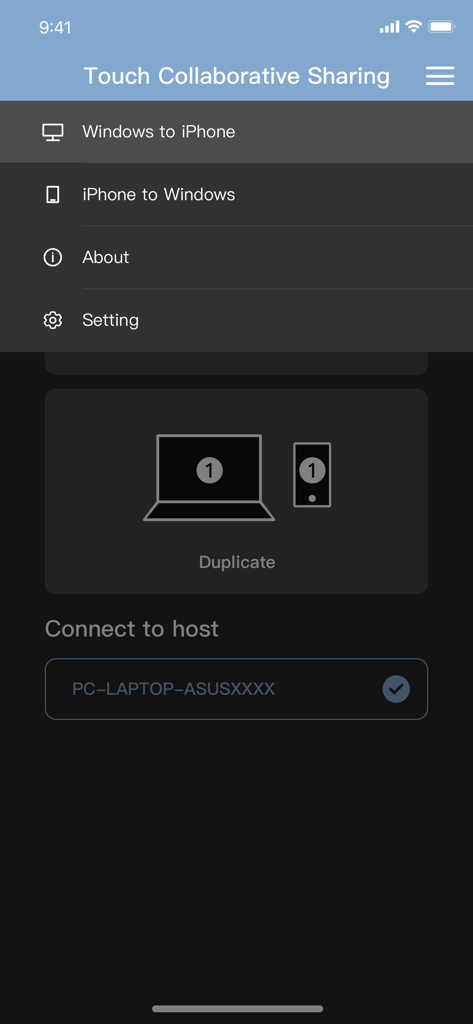
Magic Switch ディスプレイ共有アプリのメニュー画面。WindowsからiPhone、iPhoneからWindowsへの画面ミラーリングのオプションが表示されています。

Magic Switch ディスプレイ共有アプリのメニュー画面。WindowsからiPhone、iPhoneからWindowsへの画面ミラーリングのオプションが表示されています。

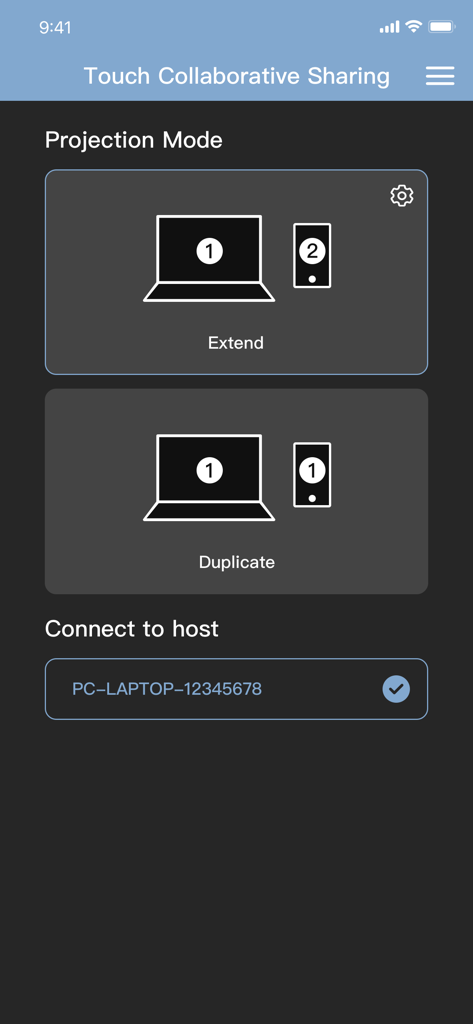
Magic Switch アプリのインターフェース画面。Windows PCの画面をモバイルデバイスに拡張または複製するオプションが表示されています。

Magic Switch アプリのインターフェース画面。Windows PCの画面をモバイルデバイスに拡張または複製するオプションが表示されています。

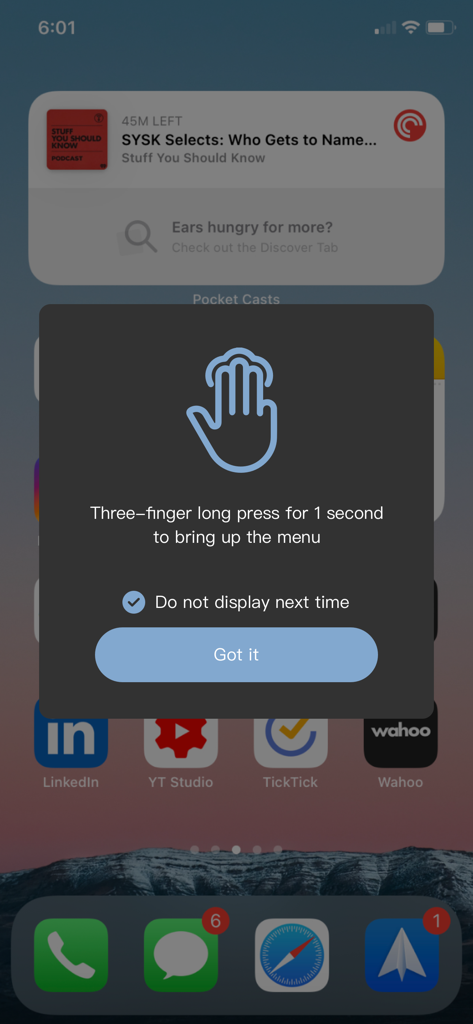
Magic Switch メニューを開くために3本指で長押しする方法を説明する、iPhone上のインストラクションポップアップ。

Magic Switch メニューを開くために3本指で長押しする方法を説明する、iPhone上のインストラクションポップアップ。

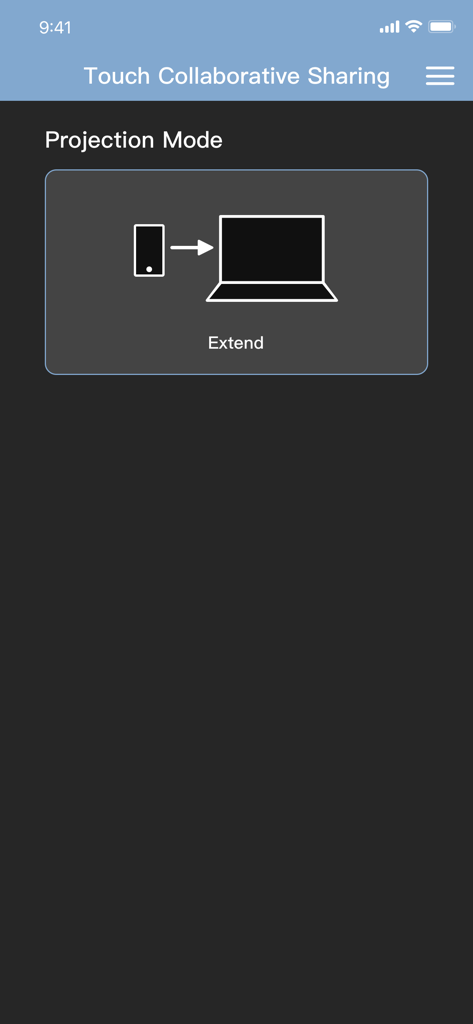
Magic Switch アプリのインターフェース画面で、プロジェクションモード画面が表示され、モバイル画面をラップトップに拡張するアイコンが表示されています。

Magic Switch アプリのインターフェース画面で、プロジェクションモード画面が表示され、モバイル画面をラップトップに拡張するアイコンが表示されています。

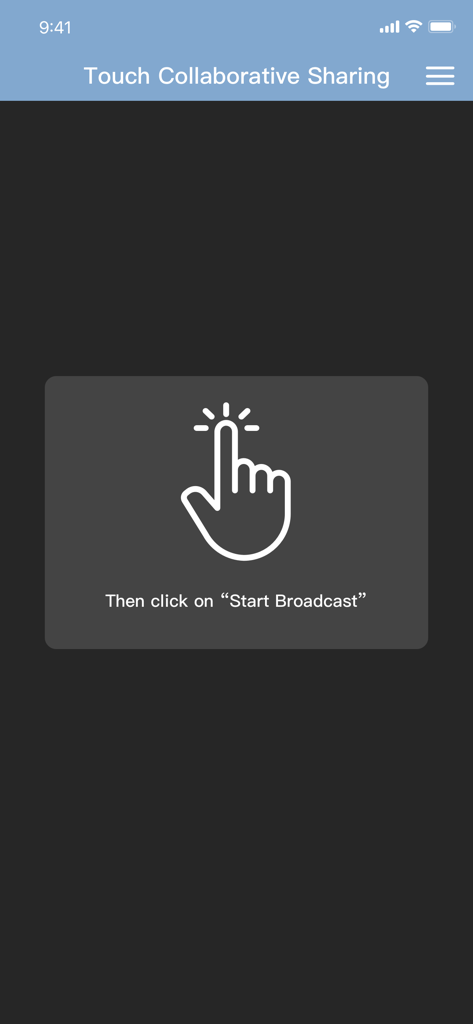
Magic Switch アプリ画面に、手のアイコンと、タッチコラボレーション共有のために「ブロードキャスト開始」をクリックする指示が表示されています。

Magic Switch アプリ画面に、手のアイコンと、タッチコラボレーション共有のために「ブロードキャスト開始」をクリックする指示が表示されています。

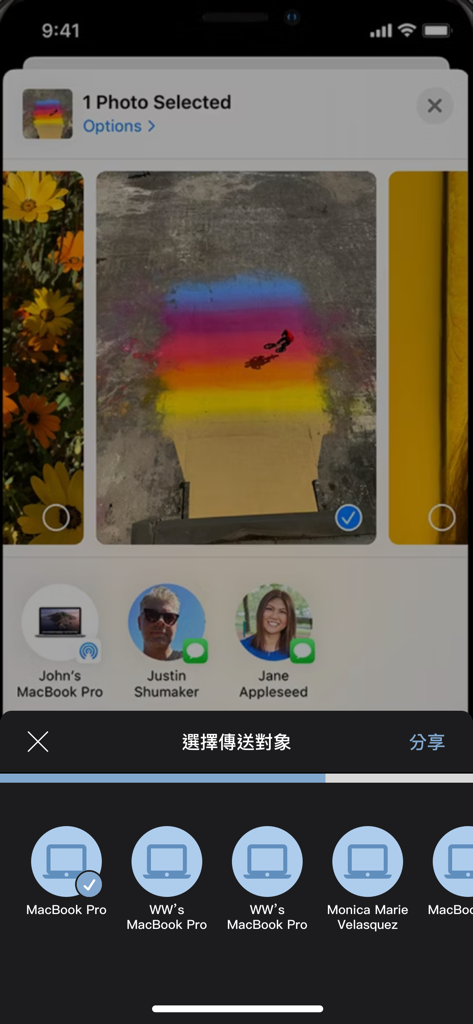
iPhone画面に、Magic Switchを使用して接続されたデバイスと共有する写真の選択画面が表示されています。

iPhone画面に、Magic Switchを使用して接続されたデバイスと共有する写真の選択画面が表示されています。

WindowsとiOSの究極のブリッジ

このアプリを際立たせるツール、 300 人のユーザーが選択.

✍️

プログラフィックスタブレット統合

iPadをWindowsのハイエンド入力デバイスに変えましょう。Apple Pencilを、Photoshop、Illustrator、CADソフトウェアで完全な筆圧とタッチサポートで利用できます。

🖥️

ゼロ遅延デュアルディスプレイ

どこでもワークスペースを拡張しましょう。iPadを、有線接続の安定性による遅延のない、クリスタルクリアなセカンドモニターまたは仮想ディスプレイとして使用しましょう。

AirDropスタイルのファイル転送

エコシステムのフラストレーションを解消しましょう。遅いクラウド同期に頼らず、iPhoneとPC間で4Kビデオ、高解像度写真、大容量プロジェクトファイルを瞬時に移動しましょう。

アプリについて

について知っておくべきこと Magic Switch Display Sharing.

説明

This companion application can be used with Magic Switch Display Sharing Hub Cable. Magic Switch Display Sharing Hub Cable is a USB hub with host to host connection cable function, besides the hub function, this link cable can also be used to connect Windows PC and iPad/iPhone, once the connection is completed, users can easily duplicate the screen to iPad/iPhone , whereas in an iPad/iPhone you can see the contents of the Windows screen there, you can control or draw something in Windows with your finger or a stylus, and touch events or stylus traces and pen pressure are reflected to Windows, just like directly in operate the touch screen with a finger or a pen on a Windows PC. In addition to mapping the main screen of the Windows PC and directly viewing and operating on the iPad/iPhone, the APP also provides the function of generating a virtual second screen, and at the same time project this virtual second screen to the iPad/iPhone, and directly operate on the iPad/iPhone. Conversely, we can also project the content of the iPad/iPhone to the Windows PC through this cable connection, this function is like AirPlay, you can directly see the screen content and operation of the iPad/iPhone on the screen of the Windows PC. In addition to video screen projection and copying, the app also supports AirDrop-like functionality, allowing you to easily share media content such as videos, photos or files to a "Download" location on your Windows PC. You can also share files to your iPad/iPhone just like you can with AirDrop on a Mac by right-clicking on the file in Windows File Explorer and selecting the share menu function.

最新バージョン

1.0.16

サイズ

39.2 MB

リリース日

2023年11月7日

クロスプラットフォームワークフローを強化

Magic Switch Hub Cableのコンパニオンアプリをダウンロードして、iPadを遅延のないWindowsディスプレイおよびシームレスなファイル共有ステーションに変えましょう。

ダウンロード: App Store

App information, icons, screenshots, and descriptions displayed on this page are sourced from the Apple App Store and are the property of their respective developers. Download estimates and rankings are based on MWM's proprietary models and may not reflect actual figures. This page is provided for informational and analytical purposes only.

Believe this page infringes your intellectual property? File a dispute