Map Marker: places organizer

Map Marker: places organizer


ダウンロード: App Store
ロゴ: Map Marker: places organizer

Map Marker: 場所オーガナイザー - フィールドとトレイルのためのプロフェッショナルな位置管理

オフラインアクセス、カスタムデータフィールド、プロフェッショナルな測定ツールで、マッピングデータを完全に管理。世界をフォルダに整理し、シームレスに同期。すべて買い切り型で、サブスクリプションは不要。

ダウンロード: App Store

開発元

Sebastien BIERO

カテゴリ

Utilities

ダウンロード

54K+

ユーザー評価

4.8/5

評価数

100

対応言語

1

細部までこだわり抜いた精度

このインターフェースを利用する 54K+ 人のユーザー.

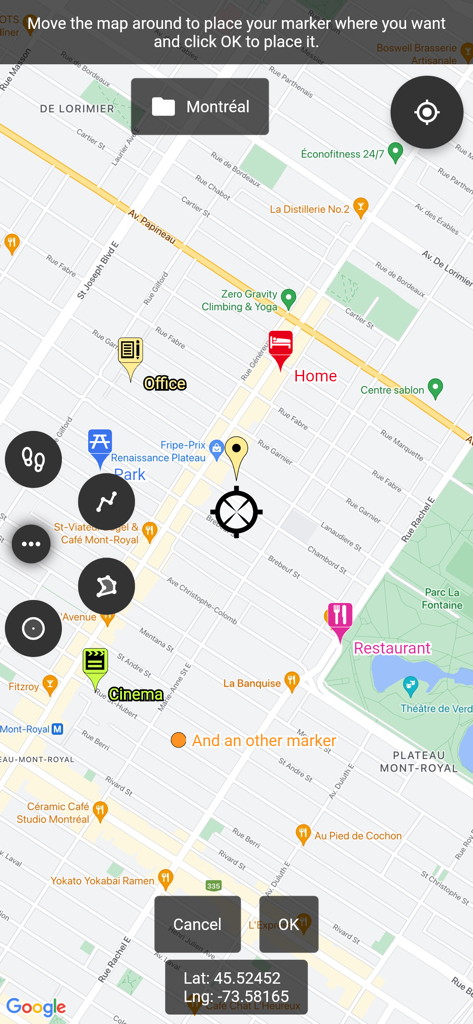
正確なGPS座標とともに、自宅、オフィス、エンターテイメントの場所を示すカスタムマーカーが表示されたマップインターフェイス

正確なGPS座標とともに、自宅、オフィス、エンターテイメントの場所を示すカスタムマーカーが表示されたマップインターフェイス

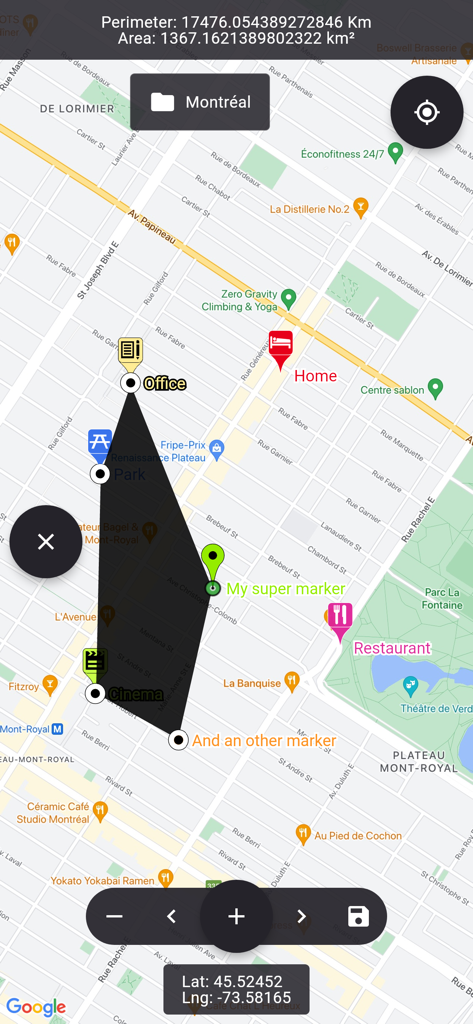
都市のレイアウト上に、面積と周囲長の計算が表示されたカスタムポリゴン形状を示すマップビュー

都市のレイアウト上に、面積と周囲長の計算が表示されたカスタムポリゴン形状を示すマップビュー

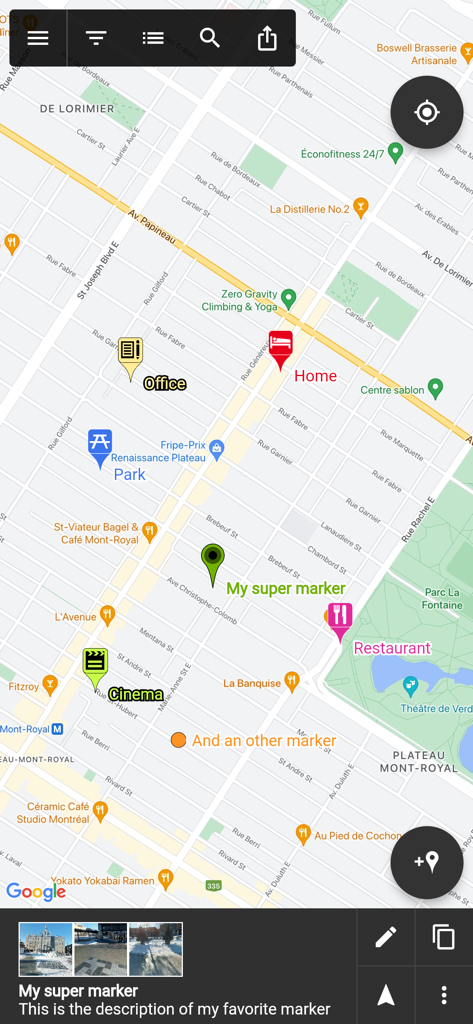
Map Markerアプリのマップ画面に、自宅、オフィス、レストランなどのラベルが付いたカスタム位置ピンが表示されています

Map Markerアプリのマップ画面に、自宅、オフィス、レストランなどのラベルが付いたカスタム位置ピンが表示されています

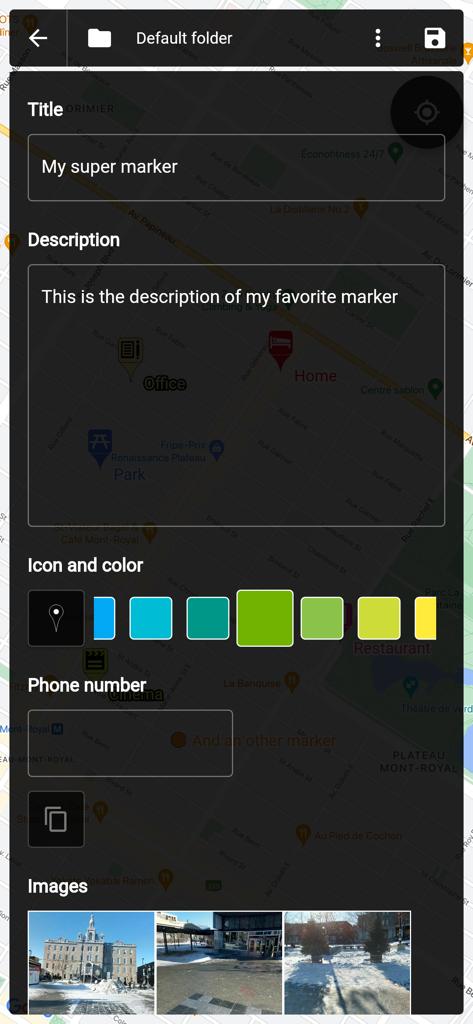
マップマーカーのカスタマイズ画面。タイトル、説明、色の選択、写真の添付などが表示されます

マップマーカーのカスタマイズ画面。タイトル、説明、色の選択、写真の添付などが表示されます

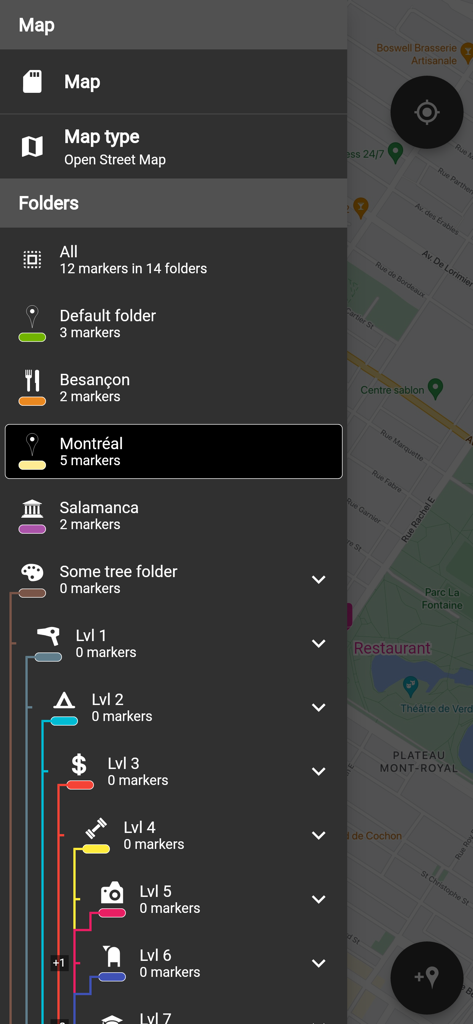
場所とレベルごとにマップマーカーを整理するためのネストされたフォルダのリストを含むサイドメニューを表示するインターフェイス

場所とレベルごとにマップマーカーを整理するためのネストされたフォルダのリストを含むサイドメニューを表示するインターフェイス

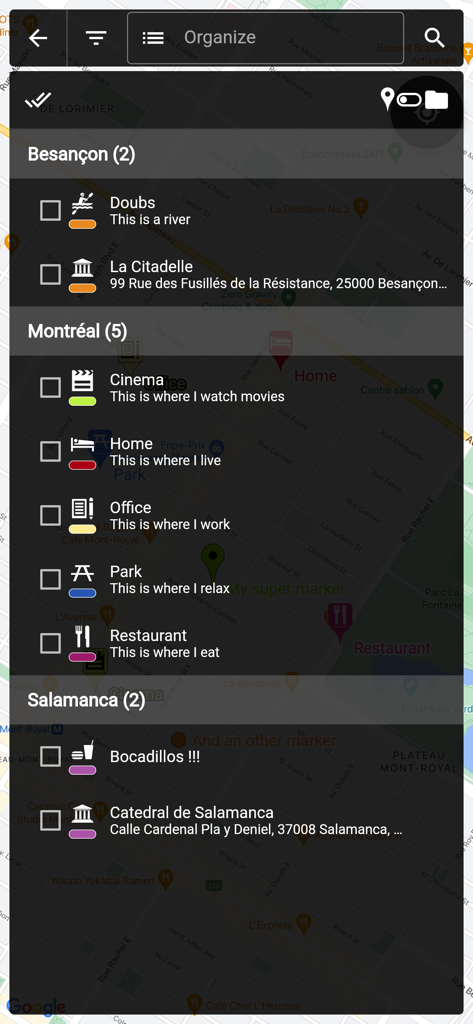
都市名ごとにフォルダに整理された保存済みマップマーカーのリストを示す画面

都市名ごとにフォルダに整理された保存済みマップマーカーのリストを示す画面

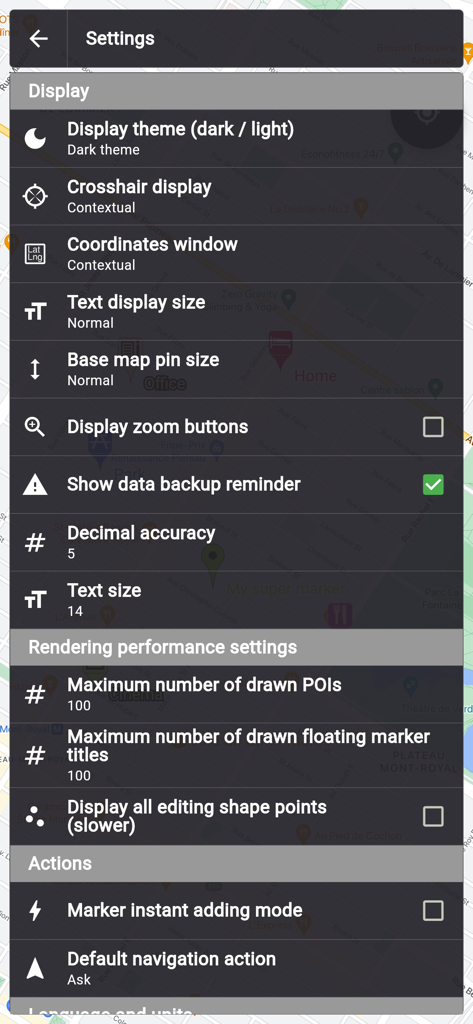
ダークテーマで表示とパフォーマンスのオプションを示すMap Markerアプリの設定メニュー

ダークテーマで表示とパフォーマンスのオプションを示すMap Markerアプリの設定メニュー

パワーユーザーのためのプロフェッショナルな位置管理

このアプリを際立たせるツール、 54K+ 人のユーザーが選択.

📂

高度なカスタム整理

シンプルなピンを超えて。フォルダやチェックボックス、日付、写真などのカスタムフィールドを使用して、マップを強力な検索可能なモバイルCRMに変えましょう。

🌲

信頼性の高いオフライン独立性

携帯サービスの圏外でも、マーカーを配置し、統合コンパスでナビゲート。リモートフィールドワーク、オーバーランディング、地方の不動産管理に最適です。

📐

高精度プロツール

土地測量やプロジェクト見積もりのために、ポリゴン(多角形)の面積と周囲長を計算。データをKMLファイルとしてエクスポートし、完全な所有権と相互運用性を維持します。

アプリについて

について知っておくべきこと Map Marker: places organizer.

説明

This app uses Google Maps and other sources in order to allow you to place markers even without internet connection. If you have any issues with the app, please contact me by email, I will most likely be able to help. Features: • Set a title, a description, a date, a color, an icon and pictures for each marker, and move them freely on the map • Organise your markers into different folders • Browse and organize your markers easily from the text-searchable markers list • Search places from various sources and create a new marker from the result • Open a marker's location in any other map application already installed • Navigate to a marker's location with the integrated compass • Display and copy marker GPS coordinates to clipboard with one click • Display a marker's address if available • Create path-markers and measure their distance easily • Create polygon-surface-markers and measure their perimeter and area easily • Create circle-surface-markers and measure perimeter and area easily • Create GPS tracks recorded from your device location • Share a captured image of the current map • Share markers as KML files • Import markers from a QR code • Import/export markers from/to KML or KMZ files • Import your Google Maps favorite locations (those marked with a star) • Exported KML files are compatible with most other map softwares such as Google Earth • Custom fields for markers: Checkbox, Date, Email, Text, Multi-choice, Phone, Web link • Create templates for custom fields per folder: the child markers will inherit their parent folder's custom fields Premium features: • Save your markers on the cloud with WebDAV, Google Drive or Dropbox • Collaborate with your friends by sharing your map cloud folder with them: anyone with access to the map folder can modify it and changes will be synced to everyone using the folder • Restore previous versions of your cloud map folder • One time purchase for a lifetime upgrade on your Apple account with an unlimited number of iOS devices • No ads Used permissions: • Get your location => to locate you on the map • Access to external storage => to export, save and import to/from files

最新バージョン

3.14.0

サイズ

64.2 MB

リリース日

2017年11月15日

これがあれば、もう他のマップオーガナイザーは不要

精度を求める54,000人以上のプロフェッショナルや冒険家が利用中。プロレベルのGISツール、オフラインでの信頼性、サブスクリプションの煩わしさのない買い切り型ライフタイムアップグレードを入手しましょう。

ダウンロード: App Store

App information, icons, screenshots, and descriptions displayed on this page are sourced from the Apple App Store and are the property of their respective developers. Download estimates and rankings are based on MWM's proprietary models and may not reflect actual figures. This page is provided for informational and analytical purposes only.

Believe this page infringes your intellectual property? File a dispute