Map Redirect for Map Links

Map Redirect for Map Links


ダウンロード: App Store
ロゴ: Map Redirect for Map Links

Map Redirect for Map Links:地図リンクを自分でコントロール

コピー&ペーストの繰り返しをやめ、デフォルトの地図設定から解放されましょう。このプライバシー重視のSafari拡張機能は、Web上の地図リンクをWaze、Google Maps、またはお好みのナビゲーションアプリで、一切の追跡なしで即座に開きます。

ダウンロード: App Store

開発元

Miao Wang

カテゴリ

Utilities

ダウンロード

10K+

ユーザー評価

4.1/5

評価数

0

対応言語

1

シームレスなナビゲーションコントロール

このインターフェースを利用する 10K+ 人のユーザー.

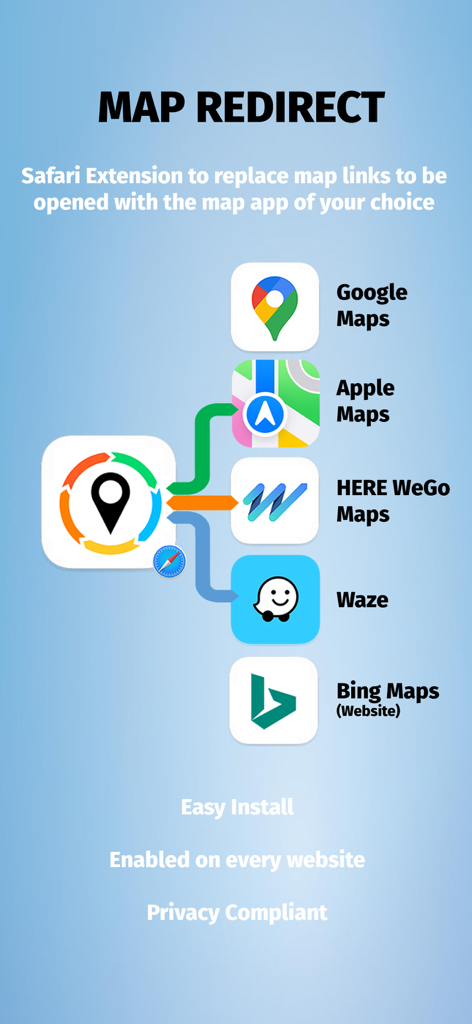
Google Maps、Apple Maps、Waze、HERE WeGoとの互換性を示すMap Redirect Safari拡張機能のインターフェイス。iOS Safari用

Google Maps、Apple Maps、Waze、HERE WeGoとの互換性を示すMap Redirect Safari拡張機能のインターフェイス。iOS Safari用

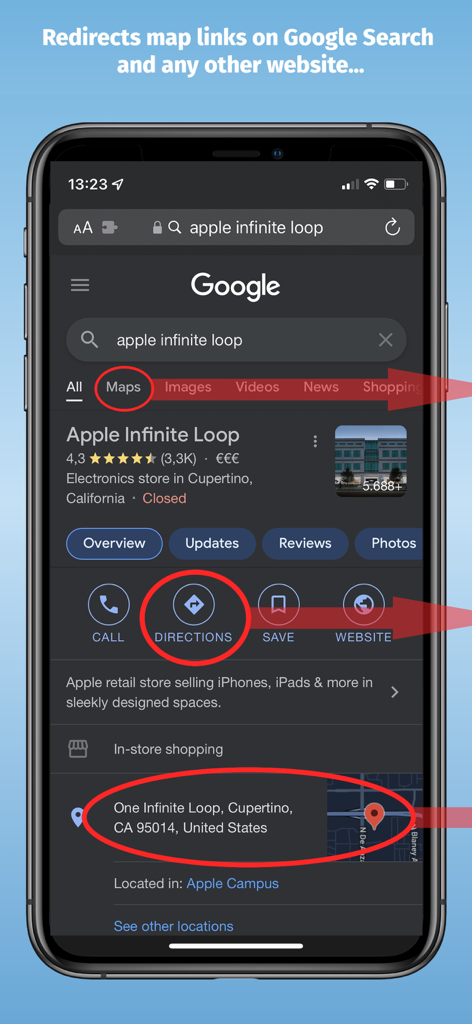
リダイレクト用にハイライトされた地図リンクを含むGoogle検索結果を示すiPhone

リダイレクト用にハイライトされた地図リンクを含むGoogle検索結果を示すiPhone

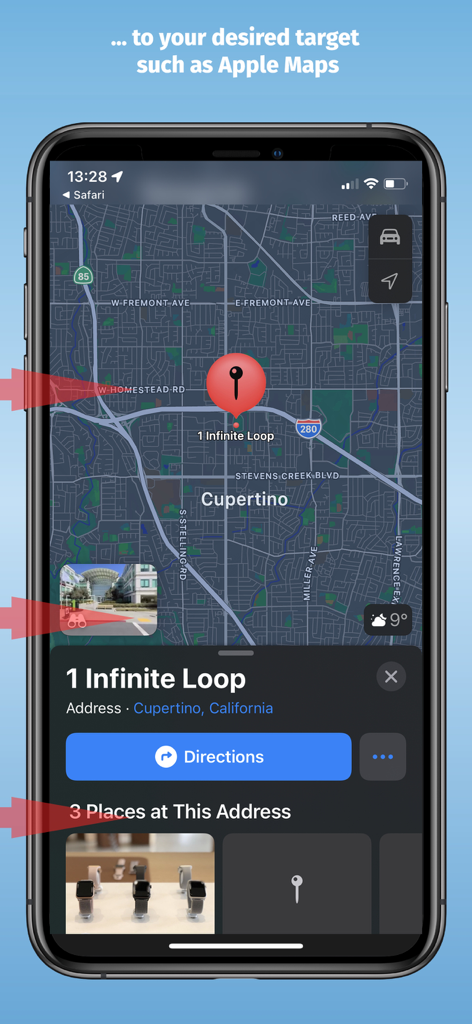
クパチーノの1 Infinite Loopの転送先を示すApple Mapsインターフェイス

クパチーノの1 Infinite Loopの転送先を示すApple Mapsインターフェイス

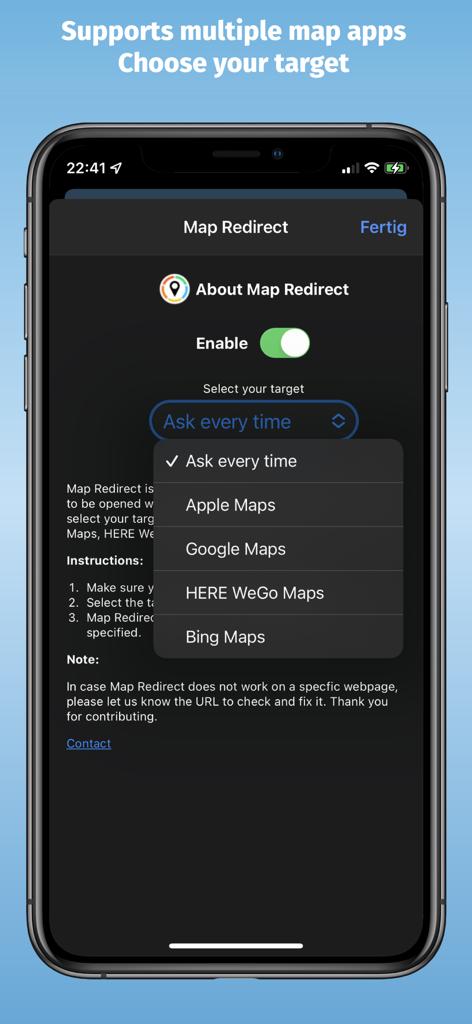
Apple Maps、Google Maps、HERE WeGo、Bing Mapsから選択するためのドロップダウンメニューが表示されたMap Redirectアプリの設定画面

Apple Maps、Google Maps、HERE WeGo、Bing Mapsから選択するためのドロップダウンメニューが表示されたMap Redirectアプリの設定画面

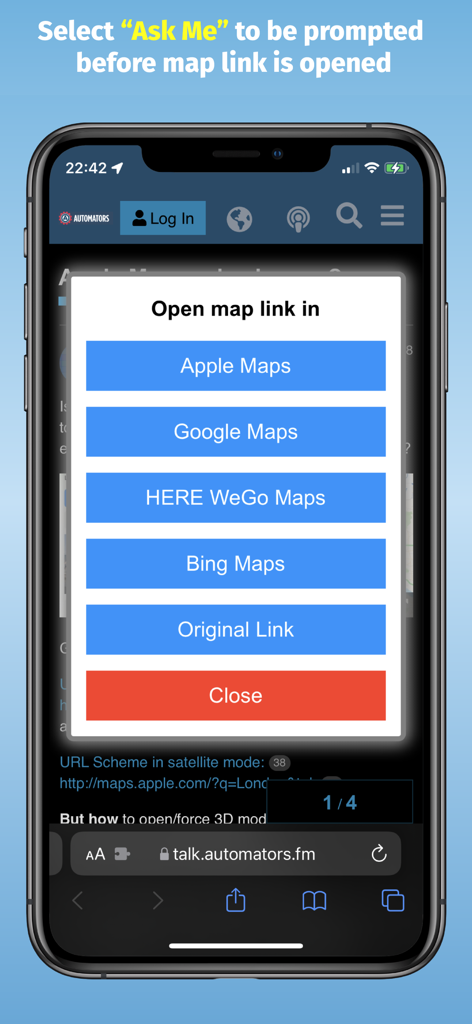
Apple Maps、Google Maps、HERE WeGo、Bing Mapsのいずれかで地図リンクを開く選択肢が表示されたMap Redirectプロンプトを表示するiPhone画面

Apple Maps、Google Maps、HERE WeGo、Bing Mapsのいずれかで地図リンクを開く選択肢が表示されたMap Redirectプロンプトを表示するiPhone画面

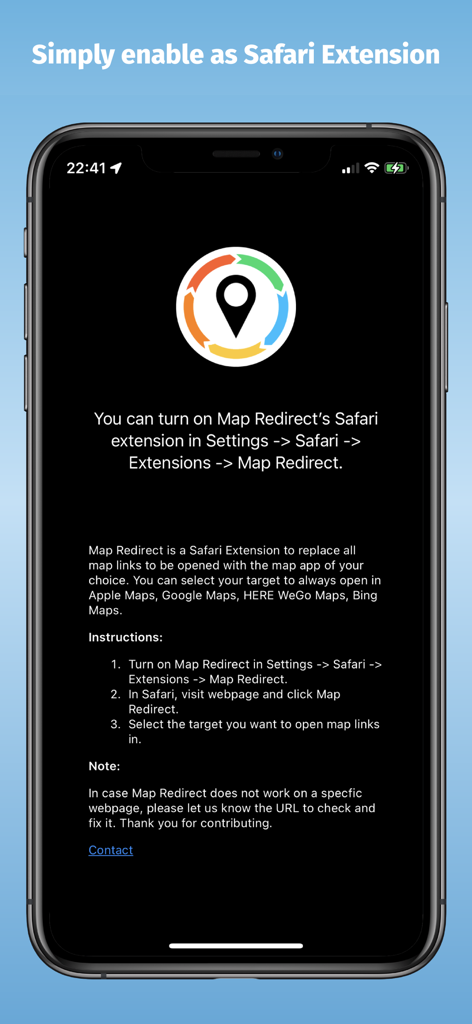
iPhoneでSafari拡張機能を有効にする手順を示すMap Redirectアプリ画面

iPhoneでSafari拡張機能を有効にする手順を示すMap Redirectアプリ画面

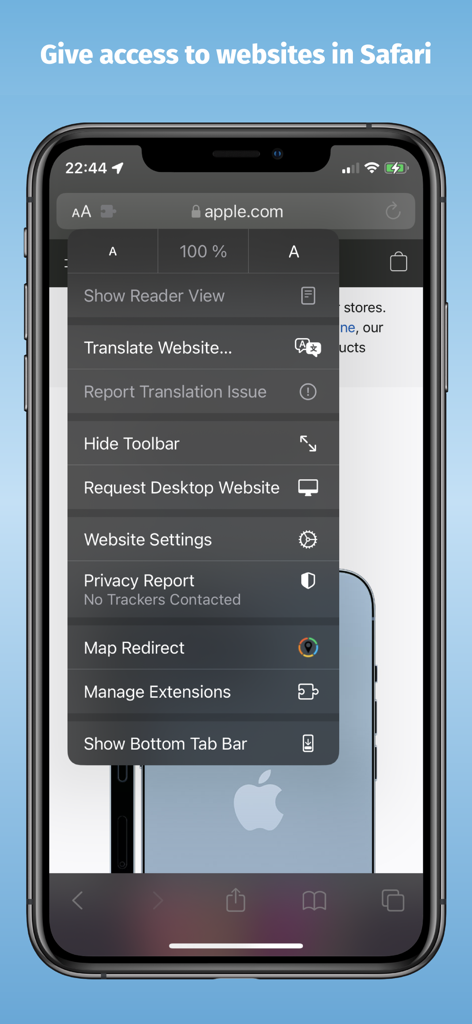
Safariブラウザメニューに記載されたMap Redirect拡張機能を示すiPhoneのスクリーンショット

Safariブラウザメニューに記載されたMap Redirect拡張機能を示すiPhoneのスクリーンショット

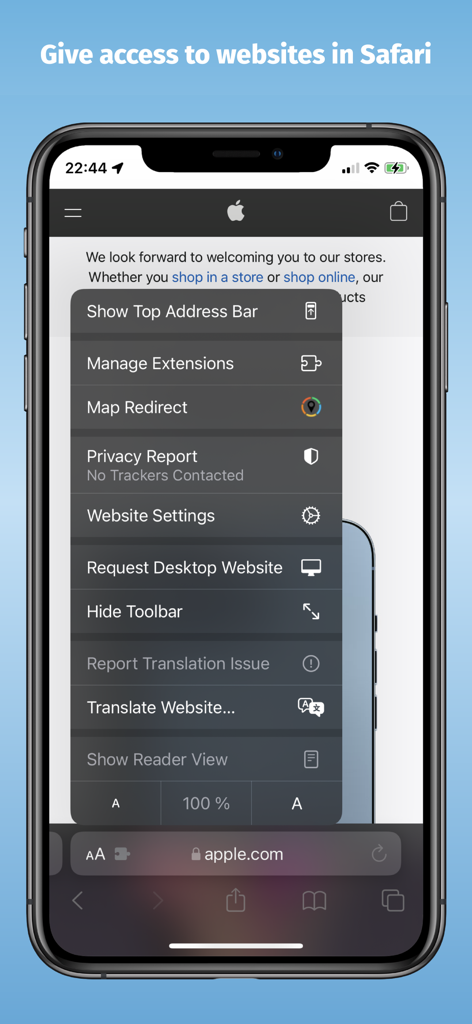
Safariブラウザメニュー内のMap Redirect拡張機能を示すiPhone画面

Safariブラウザメニュー内のMap Redirect拡張機能を示すiPhone画面

コピー&ペーストをやめて、ナビを開始

このアプリを際立たせるツール、 10K+ 人のユーザーが選択.

🧭

ワンタップでリダイレクト

Google検索やあらゆるウェブサイトからのリンクを、Waze、Google Maps、またはHERE WeGoで即座に開きます。

🔓

デフォルトの不満を解消

Safariのデフォルト地図設定をバイパスします。お気に入りのナビゲーションツールに合わせてワークフローを一度だけカスタマイズしましょう。

🔒

プライバシー重視のデザイン

トラッカーも中央サーバーもありません。データはデバイス上に保存され、高速で安全、プライベートなブラウジング体験を保証します。

アプリについて

について知っておくべきこと Map Redirect for Map Links.

説明

Map Redirect is a Safari Extension to replace all map links on a webpage to be opened with the map app of your choice. You can select your target to always open in Apple Maps, Google Maps, HERE WeGo Maps, Bing Maps, Waze. Map Redirect will automatically redirect you to the maps app of your choice. If you select "Ask Me" a prompt will appear to ask you where to open the link. Works on Google Search pages and any other webpage. No need to copy/paste addresses anymore. Instructions: 1. Download Map Redirect from the App Store 2. Go to Settings -> Safari -> Extensions. Enable Map Redirect as Safari Extension 3. Open Safari. Search for location. For example, type London 4. Click on Context menu (the symbol "aA"). Click on Map Redirect to give it access to the webpage you are visiting. 5. The extension needs to read and alter the web page to change the map links. If asked for access, you may select to allow it for one day or to always allow. 6. In the Map Redirect popup, you can select your target. For example: select Apple Maps 7. Map Redirect will now scan the webpage for map links and convert them to be opened in Apple Maps. 8. Click on any map link 9. Map Redirect will now take you to London in Apple Maps Note: Map links on websites can appear in various forms with different parameters. Map Redirect tries to detect and convert them as much as possible to your desired target. Therefore, Map Redirect requires permission to read and alter the web page to change the map links. If asked for access, you may select to allow it for one day or to always allow. In case Map Redirect does not work on a specific webpage, please contact us and let us know the URL to check and fix it. Thank you for contributing. *HERE WeGo deeplinking support is limited to only links with geo-coordinates *Bing maps will use Apple Maps on iPhones *Waze Deeplinking support is limited to searching from your current location to what is around you Privacy: Map Redirect does not use any trackers of any sort, nor does it keep, track, sell, rent, or share any information on you throughout your use of the app with any third parties. All processing happens locally on the webpage you visit with the extension. No data is transferred to any central server. For any questions, feel free to contact us directly.

最新バージョン

1.14

サイズ

1.9 MB

リリース日

2021年10月19日

デフォルトの地図リンクを自分でコントロール

ナビゲーションの煩わしさを解消した10,000人以上のパワーユーザーに加わりましょう。一切の追跡や手間なしで、Google MapsまたはWazeで直接リンクを開くSafari拡張機能を入手しましょう。

ダウンロード: App Store

App information, icons, screenshots, and descriptions displayed on this page are sourced from the Apple App Store and are the property of their respective developers. Download estimates and rankings are based on MWM's proprietary models and may not reflect actual figures. This page is provided for informational and analytical purposes only.

Believe this page infringes your intellectual property? File a dispute