MarkFlow: md Reader, Readme

MarkFlow: md Reader, Readme


ダウンロード: App Store
ロゴ: MarkFlow: md Reader, Readme

MarkFlow: 開発者向けの究極のMarkdownリーダー

技術文書を美しく、書籍のような体験に変えます。シンタックスハイライト、自動生成されるアウトライン、ローカルまたはURLからのシームレスなファイルアクセスを備えた、高速でミニマルな読書体験を提供します。

ダウンロード: App Store

開発元

望 余

カテゴリ

Utilities

ダウンロード

100

ユーザー評価

1.0/5

評価数

0

対応言語

1

Markdownが再考される

このインターフェースを利用する 100 人のユーザー.

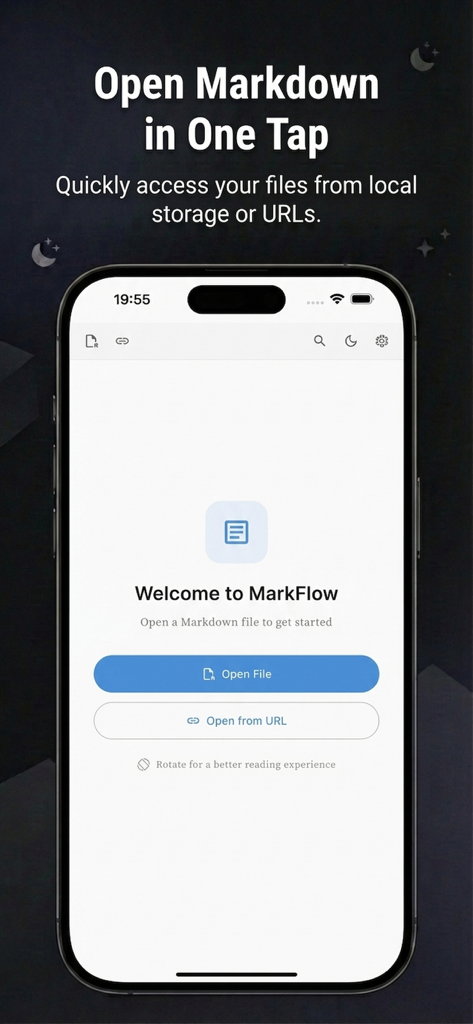
MarkFlowへようこそ画面。ローカルMarkdownファイルまたはURLを開くボタンが表示されています。

MarkFlowへようこそ画面。ローカルMarkdownファイルまたはURLを開くボタンが表示されています。

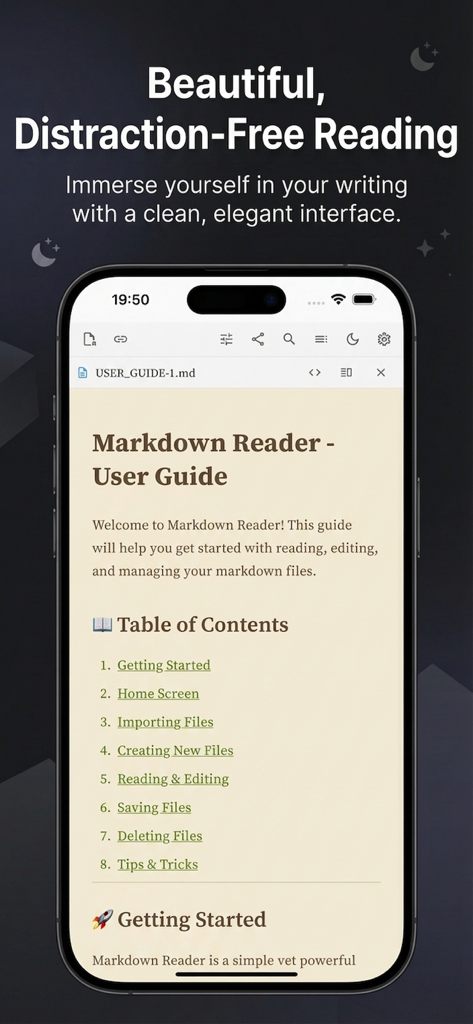
MarkFlowアプリのインターフェース。目次とクリーンなタイポグラフィを備えたMarkdownユーザーガイドがスマートフォンに表示されています。

MarkFlowアプリのインターフェース。目次とクリーンなタイポグラフィを備えたMarkdownユーザーガイドがスマートフォンに表示されています。

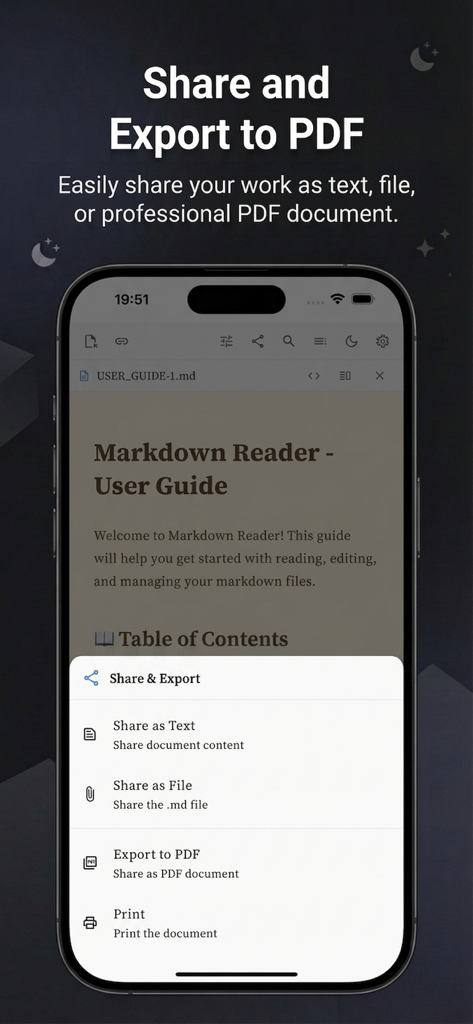
MarkFlowアプリのスクリーンショット。iPhoneでPDF、テキスト、ファイル共有を含む共有およびエクスポートオプションが表示されています。

MarkFlowアプリのスクリーンショット。iPhoneでPDF、テキスト、ファイル共有を含む共有およびエクスポートオプションが表示されています。

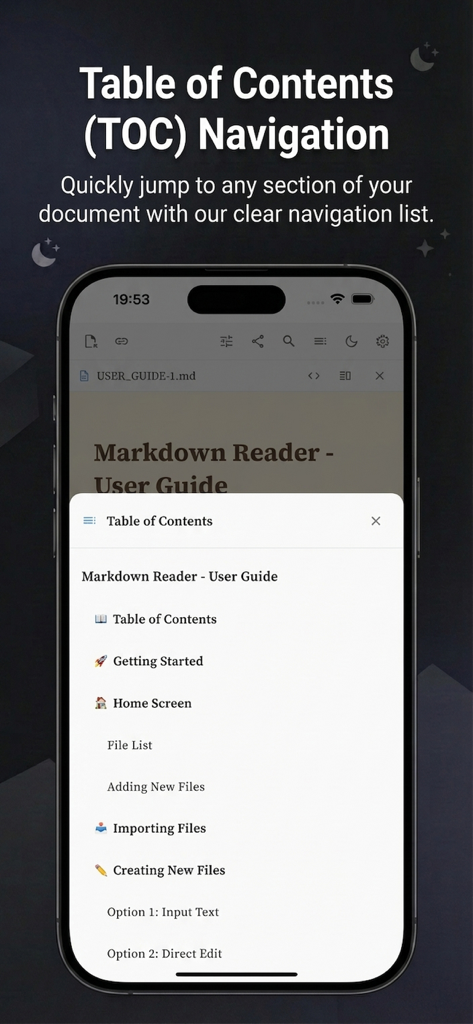
MarkFlowアプリのインターフェース。Markdownドキュメントの目次ナビゲーションが表示されています。

MarkFlowアプリのインターフェース。Markdownドキュメントの目次ナビゲーションが表示されています。

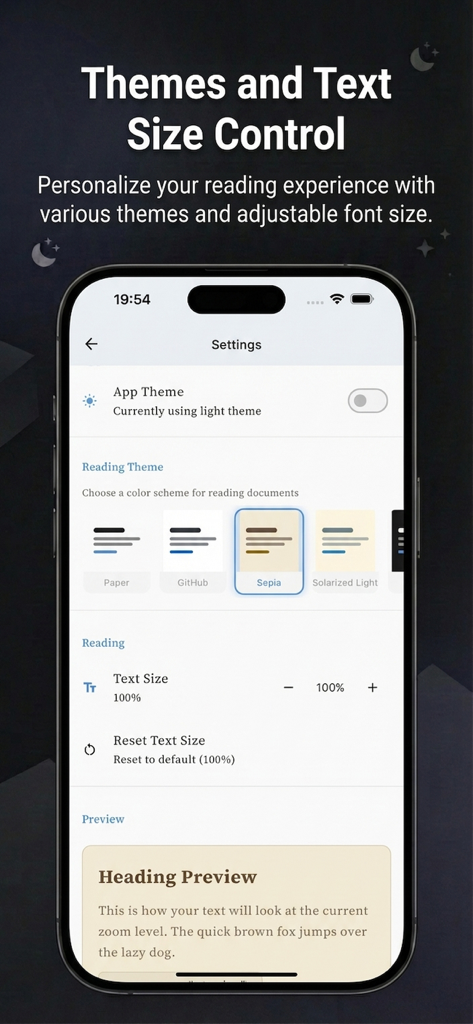
MarkFlowアプリの設定インターフェース。セピアなどの読書テーマと調整可能なテキストサイズのカスタマイズオプションが表示されています。

MarkFlowアプリの設定インターフェース。セピアなどの読書テーマと調整可能なテキストサイズのカスタマイズオプションが表示されています。

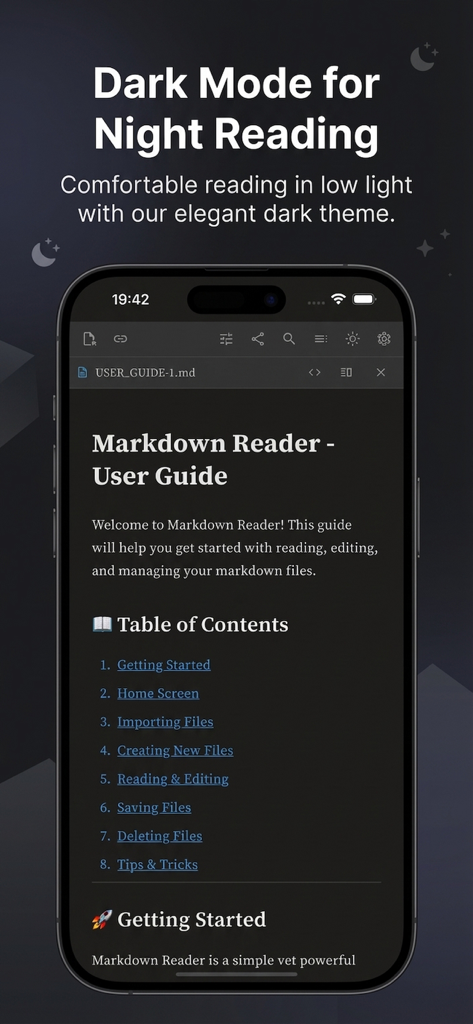
MarkFlowアプリのインターフェース。夜間読書用にダークモードのMarkdownユーザーガイドが表示されています。

MarkFlowアプリのインターフェース。夜間読書用にダークモードのMarkdownユーザーガイドが表示されています。

集中読書のために設計

このアプリを際立たせるツール、 100 人のユーザーが選択.

📑

瞬時の構造ナビゲーション

自動生成される目次と正確なドキュメント内検索で、スクロールをスキップし、API仕様やセットアップ手順を数秒で見つけます。

🎨

開発者ファーストのレンダリング

コードブロックのための美しいシンタックスハイライトと、長文の技術文書のためにデザインされたカスタマイズ可能な読書テーマをお楽しみください。

🔗

多様なコンテンツアクセス

GitHub URLやローカルディレクトリから直接Markdownを開き、メモをPDFにエクスポートしてプロフェッショナルに共有できます。

アプリについて

について知っておくべきこと MarkFlow: md Reader, Readme.

説明

MarkFlow is a clean, fast Markdown reader built for reading MD and README files with a comfortable, book-like layout. Read Markdown the way you want Beautiful typography and multiple reading themes Dark mode and adjustable text size Selectable text for easy copying. Navigate and find information quickly Table of contents (TOC) / outline generated from headings Search within the current document and jump between matches Open content from multiple sources Open local .md / .markdown files Browse folders and read documents from a directory Open Markdown directly from a URL Export and share Export Markdown to PDF Print documents Share as text, share the original .md file, or share as PDF Developer-friendly reading Syntax highlighting for code blocks Rendered view, raw Markdown view, and side-by-side compare mode MarkFlow is optimized for focused reading, whether you are browsing documentation, reading a README, or reviewing notes. Terms of Use: https://www.apple.com/legal/internet-services/itunes/dev/stdeula/ Privacy Policy: https://yuwang001.github.io/xm/mf_privacy_policy.html

最新バージョン

1.1.1

サイズ

39.9 MB

リリース日

2025年11月17日

Markdownワークフローをマスターしましょう。

MarkFlowを選んで、より速く、よりクリーンで、書籍のようなドキュメンテーション体験を。今すぐiPhoneとiPadでダウンロードしてください。

ダウンロード: App Store

App information, icons, screenshots, and descriptions displayed on this page are sourced from the Apple App Store and are the property of their respective developers. Download estimates and rankings are based on MWM's proprietary models and may not reflect actual figures. This page is provided for informational and analytical purposes only.

Believe this page infringes your intellectual property? File a dispute