Meeting.ai: AI Visual Notes

Meeting.ai: AI Visual Notes


ダウンロード: App Store
ロゴ: Meeting.ai: AI Visual Notes

Meeting.ai: 会話を明確なビジュアル知識に変換

テキストの文字起こしに溺れるのをやめましょう。65%多く記憶するのに役立つ手描きの図とAI搭載の要約を入手できます。Zoom、Teams、または対面会議のあらゆる詳細を自動的にキャプチャします。

開発元

BAHASALAB AUTOMATION PTE. LTD.

カテゴリ

Productivity

ダウンロード

115K+

ユーザー評価

4.9/5

評価数

1K+

対応言語

1

一目でわかる明確さ

このインターフェースを利用する 115K+ 人のユーザー.

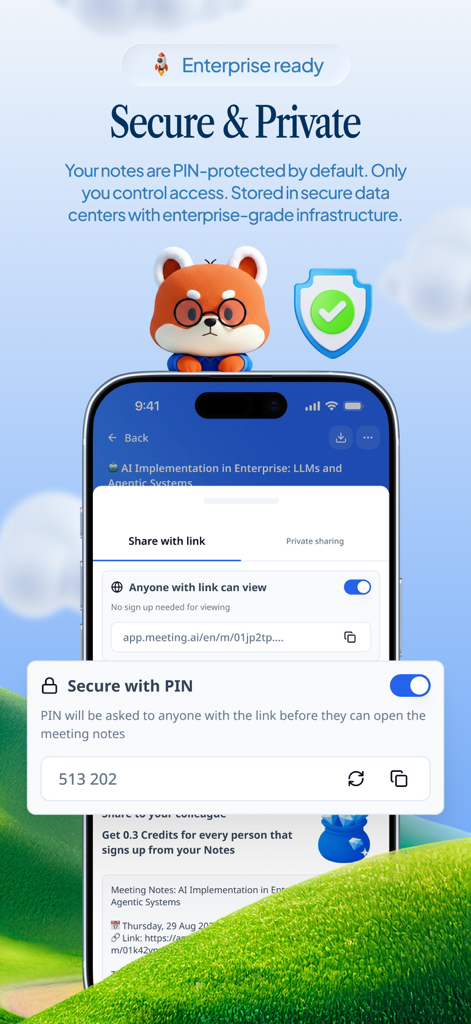
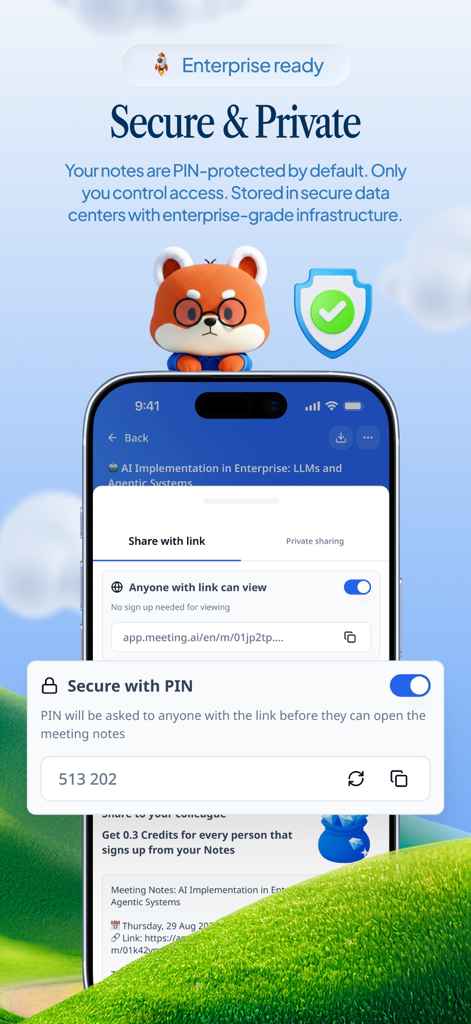
Meeting.aiアプリのPIN保護による安全でプライベートな会議メモ

Meeting.aiアプリのPIN保護による安全でプライベートな会議メモ

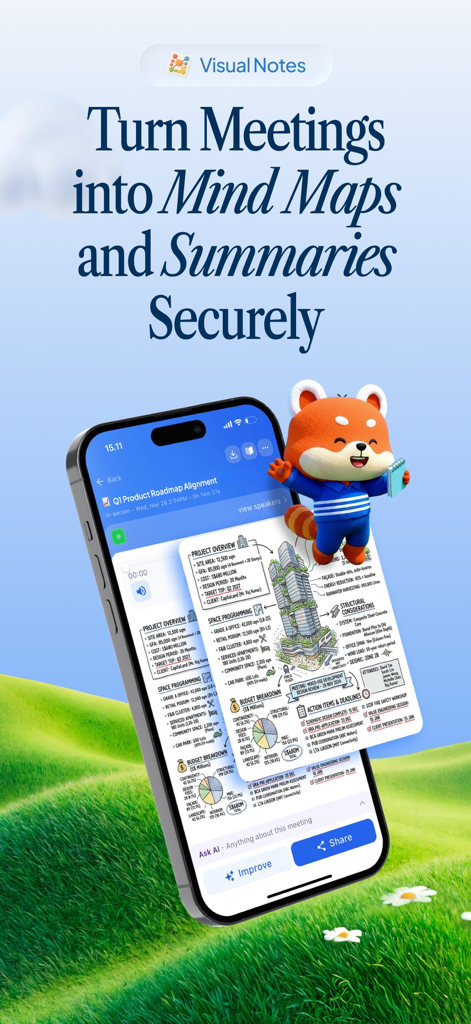
Meeting AIアプリのインターフェイス。スマートフォン画面にビジュアル会議要約とマインドマップが表示されています。

Meeting AIアプリのインターフェイス。スマートフォン画面にビジュアル会議要約とマインドマップが表示されています。

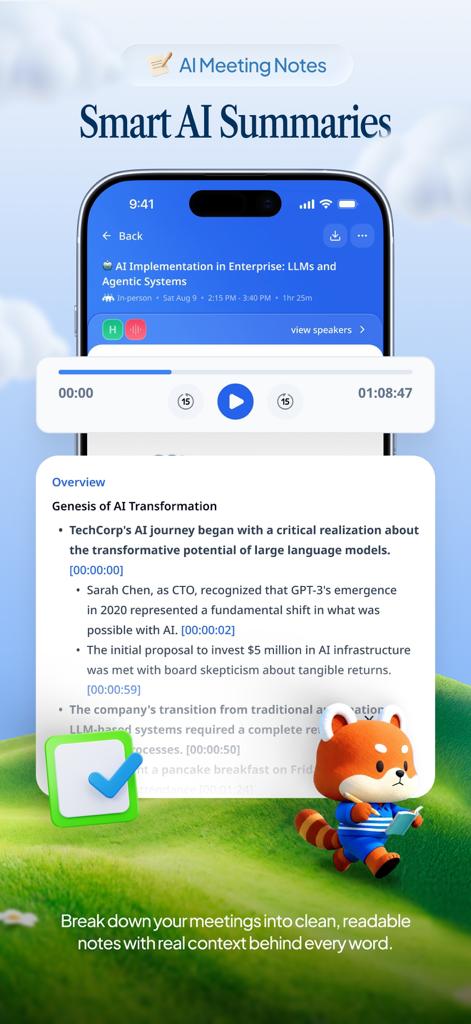
タイムスタンプ、箇条書き、パンダのキャラクターが表示されたMeeting.aiのスマートAI要約を表示するスマートフォン。

タイムスタンプ、箇条書き、パンダのキャラクターが表示されたMeeting.aiのスマートAI要約を表示するスマートフォン。

AI生成会議メモのPIN保護とプライベート共有設定を示すモバイルアプリ画面。

AI生成会議メモのPIN保護とプライベート共有設定を示すモバイルアプリ画面。

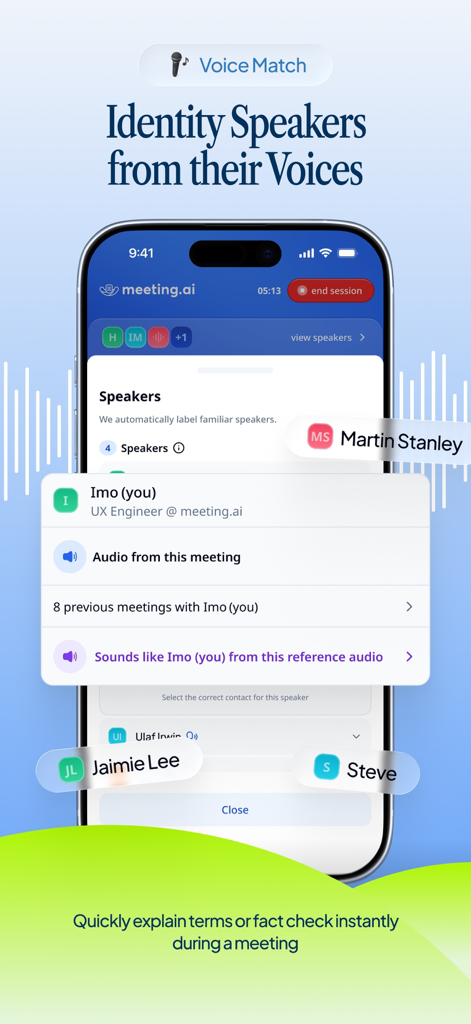
会議で話者を特定してラベル付けするために、ボイスマッチ機能を示すMeeting.aiアプリのインターフェイス。

会議で話者を特定してラベル付けするために、ボイスマッチ機能を示すMeeting.aiアプリのインターフェイス。

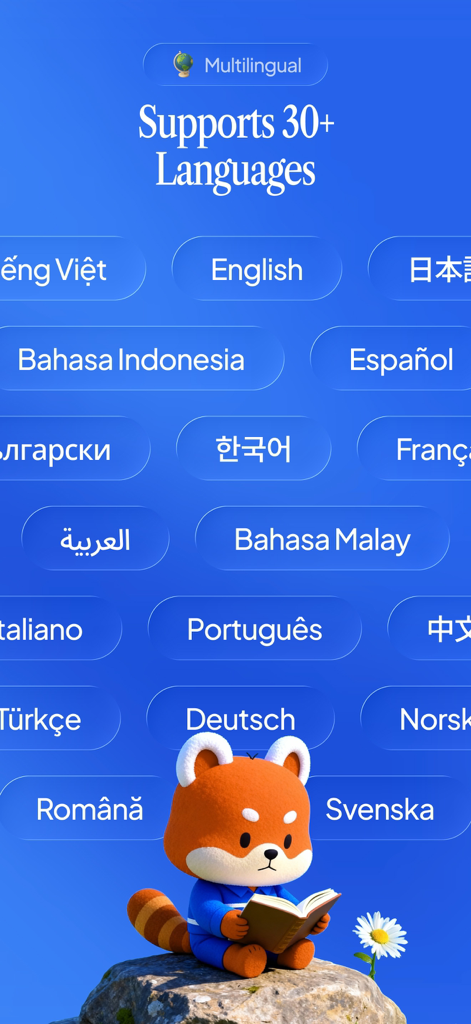
パンダのキャラクターとともに、30以上の言語のサポートを強調するMeeting.aiアプリ画面。

パンダのキャラクターとともに、30以上の言語のサポートを強調するMeeting.aiアプリ画面。

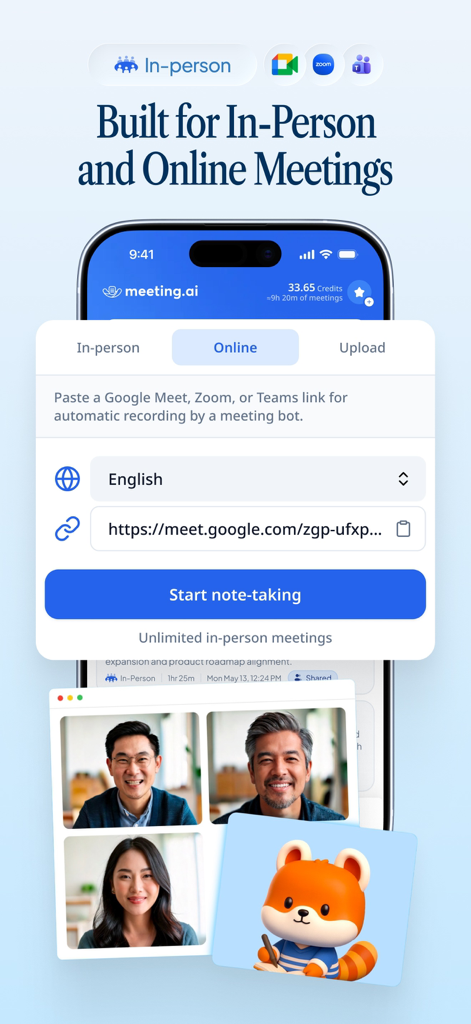
リンクを使用してオンライン会議の自動ノート作成を開始する方法を示すMeeting.aiアプリのインターフェイス。

リンクを使用してオンライン会議の自動ノート作成を開始する方法を示すMeeting.aiアプリのインターフェイス。

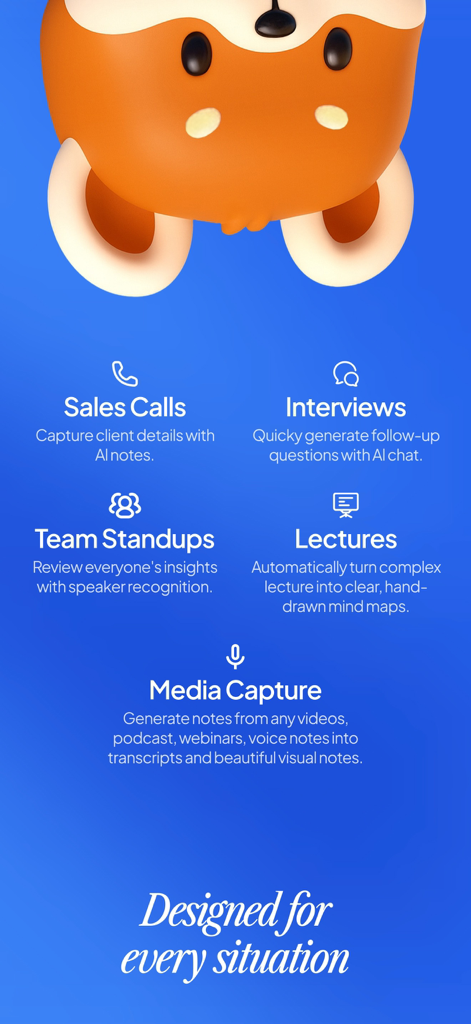
セールスコール、インタビュー、チームスタンドアップ、講義におけるMeeting.aiの機能の視覚的な概要。

セールスコール、インタビュー、チームスタンドアップ、講義におけるMeeting.aiの機能の視覚的な概要。

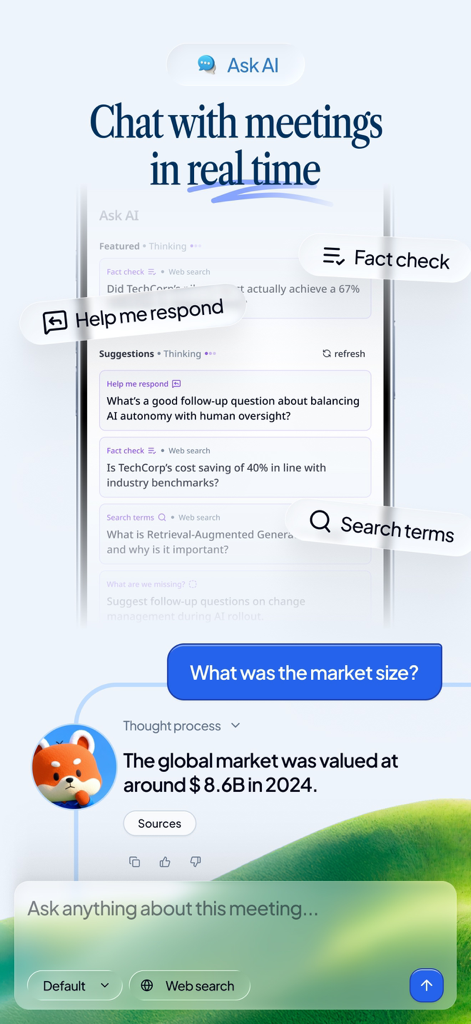
ファクトチェックと応答の提案を備えたMeeting.aiのリアルタイムAIチャット機能を示すスマートフォンの画面。

ファクトチェックと応答の提案を備えたMeeting.aiのリアルタイムAIチャット機能を示すスマートフォンの画面。

4.8の評価と、テキスト「書くのをやめて聞く」を配置した緑の丘の上のフレンドリーなキャラクターを示すMeeting.aiアプリ画面。

4.8の評価と、テキスト「書くのをやめて聞く」を配置した緑の丘の上のフレンドリーなキャラクターを示すMeeting.aiアプリ画面。

会話からビジュアルの明確さへ

このアプリを際立たせるツール、 115K+ 人のユーザーが選択.

🎨

AIビジュアル要約

複雑な議論を一目で理解できる手描きの図とビジュアル議事録で、記憶保持率を65%向上させます。

👤

スマート話者追跡

「誰が何を言ったか」をもう疑問に思う必要はありません。AIが自動的に参加者を特定してタグ付けし、決定されたすべての議事録の検索可能なアーカイブを作成します。

💡

リアルタイムAIコパイロット

会議中に、重要な会話の流れを中断することなく、データをファクトチェックしたり、頭字語を定義したり、コンテキストを尋ねたりできます。

アプリについて

について知っておくべきこと Meeting.ai: AI Visual Notes.

説明

Meeting.ai records, transcribes, and creates visual meeting minutes automatically. Just tap start and focus on the conversation while AI captures everything. After each meeting, you get hand-drawn diagrams and visual summaries that help you remember 65% more information than text-only notes. Our AI creates visual meeting minutes that actually make sense—turning complex discussions into clear, memorable diagrams you can share with your team. The app recognizes who's speaking and labels them automatically. Tag someone once, and Meeting.ai remembers them forever. Search by speaker name to find what specific people said in any meeting. No more wondering who said what or when important decisions were made. During your meeting, chat with AI in real-time. Instantly fact-check statements, define technical terms, or ask clarifying questions without interrupting the flow. It's like having a smart assistant sitting beside you, ready to explain acronyms, verify data, or provide context when you need it. Meeting.ai works everywhere you meet—conference rooms, coffee shops, Zoom, Teams, and Google Meet. It transcribes in 30+ languages instantly, even when speakers switch mid-sentence. Perfect for sales calls, client meetings, team standups, lectures, interviews, medical consultations, and personal voice notes. Every meeting becomes searchable. Find any discussion, decision, or detail from your entire meeting history in seconds. Export meeting minutes and transcripts to your favorite tools. Share with a link or protect with a PIN. Download Meeting.ai—the AI Visual Note built for real, in-person conversations. This application is subject to Apple's standard End User License Agreements (EULA): https://www.apple.com/legal/internet-services/itunes/dev/stdeula/

最新バージョン

2.14.0

サイズ

135.9 MB

リリース日

2024年6月14日

タイピングはやめて、全体像を見ましょう。

複雑な会議を明確で検索可能なビジュアル図に変える115,000人以上の専門家に加わりましょう。今すぐMeeting.aiをダウンロードして、次の会話を完全に明確に進めましょう。

ダウンロード: App Store

App information, icons, screenshots, and descriptions displayed on this page are sourced from the Apple App Store and are the property of their respective developers. Download estimates and rankings are based on MWM's proprietary models and may not reflect actual figures. This page is provided for informational and analytical purposes only.

Believe this page infringes your intellectual property? File a dispute