Micro Widget

Micro Widget

ダウンロード: App Store
ロゴ: Micro Widget

Micro Widget: あなたの美しいホーム画面を、あなたらしく

スタイリッシュで完全にカスタマイズ可能なカレンダーウィジェットで、あなたのiPhoneの雰囲気を格上げしましょう。お気に入りの写真、色、フォントを選んで、あなただけのスタイルを表現するホーム画面を作りましょう。

開発元

Petr Polasek

カテゴリ

Graphics & Design

ダウンロード

8K+

ユーザー評価

4.7/5

評価数

100

対応言語

1

美しい画面を実際に

このインターフェースを利用する 8K+ 人のユーザー.

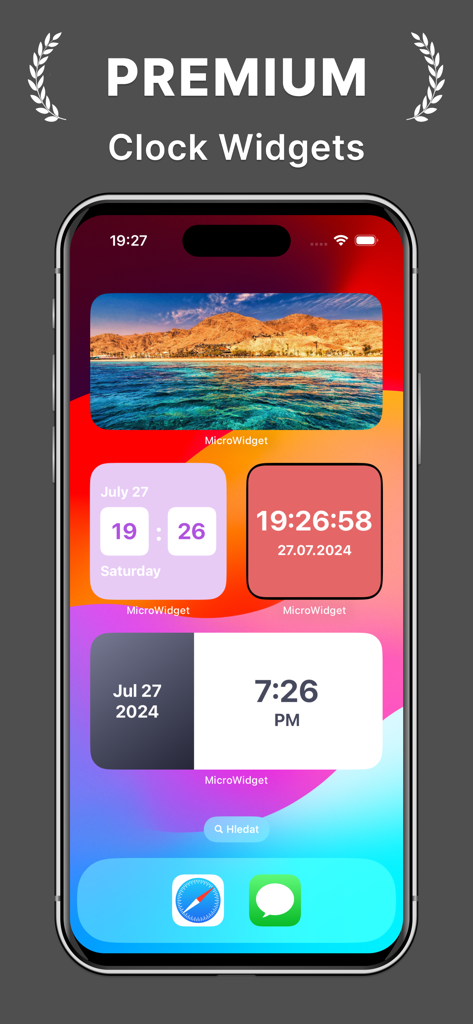
iPhoneホーム画面に表示された、プレミアムで美しい時計と日付のウィジェット

iPhoneホーム画面に表示された、プレミアムで美しい時計と日付のウィジェット

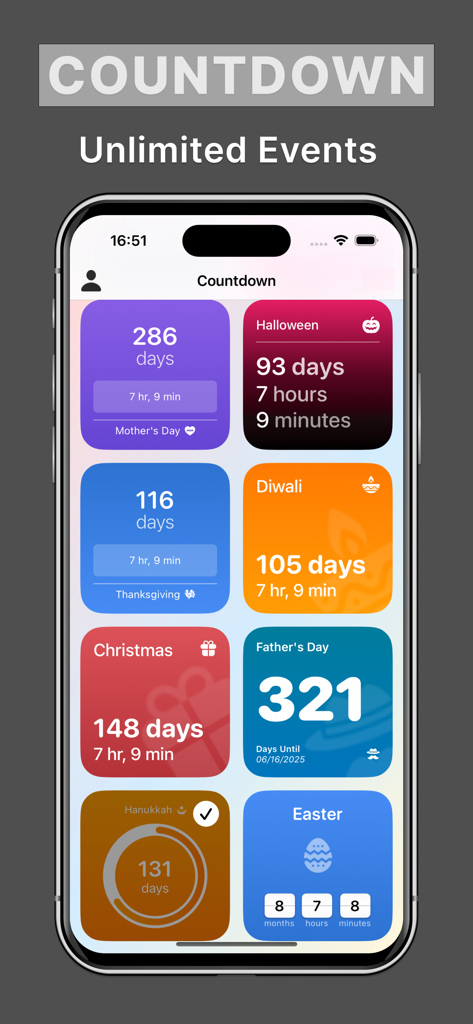
Micro Widgetアプリ画面に、クリスマスやハロウィーンなどの休日のための様々​​なカラフルなカウントダウンウィジェットが表示されている様子

Micro Widgetアプリ画面に、クリスマスやハロウィーンなどの休日のための様々​​なカラフルなカウントダウンウィジェットが表示されている様子

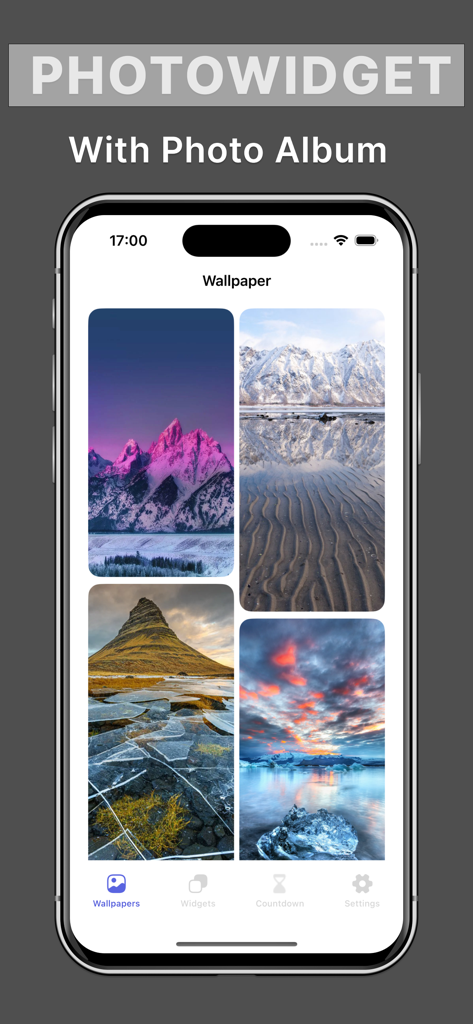
iPhoneカスタマイズのためのMicro Widgetアプリ内の、美しい自然の壁紙のギャラリー

iPhoneカスタマイズのためのMicro Widgetアプリ内の、美しい自然の壁紙のギャラリー

あなたの画面を、あなたらしくスタイリング

このアプリを際立たせるツール、 8K+ 人のユーザーが選択.

🎨

完全なクリエイティブコントロール

フォント、色、レイアウトを組み合わせて、あなただけの特別なウィジェットを作成しましょう。

パーソナル写真の背景

お気に入りの思い出やムードボードの画像をアップロードして、ホーム画面をデジタルスクラップブックに変えましょう。

🕊️

クリーン&プライバシー重視

散らかったスケジュールや侵襲的なデータ追跡のストレスなく、ミニマルな月間概要を楽しみましょう。

アプリについて

について知っておくべきこと Micro Widget.

説明

Add stylish calendar widgets directly onto your phone home screen. Fully customize calendar widgets on your home screen with your own choice of backgrounds, text colors and fonts. With simple and clean design, we makes Calendar Widget app as easy for you to customize as possible. Personalized your home screen with an unique calendar widget with just a few steps. Customizing and Styling Widget On Home Screen. Many calendar styles to display calendar on your home screens Easily design your own widget with Calendar Widget for iPhone: – Fully customized widget background, text color and fonts. – Upload our photo for widget background with customizable text color and fonts. – Able to activate many widgets at the same time on home screen. – Support all three widget sizes to lets you take full advantage control the whole space of your home screen. • Subscribed user has unlimited access to the app features & content. • Unsubscribed user can only use free services with limited quota per day • Payment will be charged to iTunes Account at confirmation of purchase. • Subscription automatically renews unless auto-renew is turned off at least 24-hours before the end of the current period. • The account will be charged for renewal within 24-hours prior to the end of the current period, and identify the cost of the renewal. • Subscriptions may be managed by the user and auto-renewal may be turned off by going to the Setting > iTunes & App Store > Apple ID > manage subscription after purchase. • Any unused portion of a free trial period, if offered, will be forfeited when the user purchases a subscription to that publication, where applicable. * This app does not access to your calendar data on your device. Terms of Use: https://www.code4flutter.in/privacy-calendar-widget/ Privacy Policy: https://www.code4flutter.in/privacy-calendar-widget/ You are welcome to contact us at info@code4flutter.in

最新バージョン

1.0.15

サイズ

152.6 MB

リリース日

2022年9月14日

ホーム画面をイメチェンしよう

何千人ものデジタルキュレーターが自分だけのiPhoneをスタイリングしています。Micro Widgetをダウンロードして、数回のタップであなただけのカレンダーの雰囲気を演出しましょう。

ダウンロード: App Store

App information, icons, screenshots, and descriptions displayed on this page are sourced from the Apple App Store and are the property of their respective developers. Download estimates and rankings are based on MWM's proprietary models and may not reflect actual figures. This page is provided for informational and analytical purposes only.

Believe this page infringes your intellectual property? File a dispute