MobileSheetsLite

MobileSheetsLite

ダウンロード: App Storeダウンロード: Google Play
ロゴ: MobileSheetsLite

MobileSheetsLite:プロフェッショナルなデジタル楽譜マネージャー

重いバインダーは捨てて、パフォーマンスを効率化しましょう。ライブラリを整理し、楽譜に注釈を付け、iPadとMacで最も強力なビューアでハンズフリーページめくりを体験してください。

開発元

Michael Zuber

カテゴリ

Music

ダウンロード

31K+

ユーザー評価

4.3/5

評価数

0

対応言語

18

あなたのパフォーマンスを完璧に

このインターフェースを利用する 31K+ 人のユーザー.

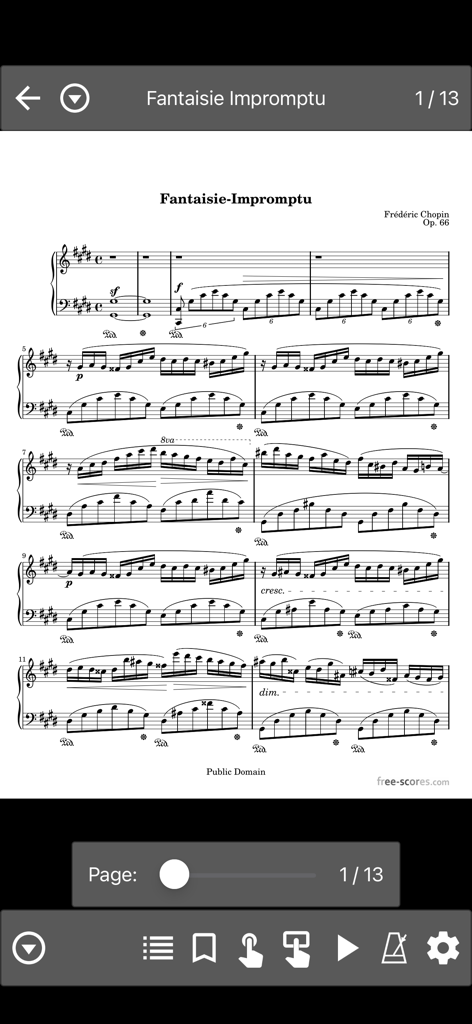
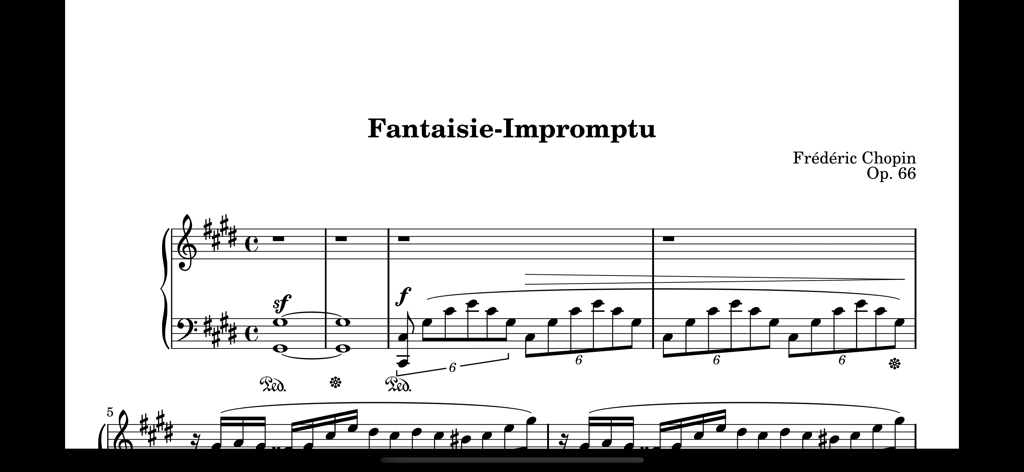
MobileSheetsLiteアプリのインターフェースに、フレデリック・ショパンの幻想即興曲の楽譜が表示され、ナビゲーションとミュージシャンツールが示されています。

MobileSheetsLiteアプリのインターフェースに、フレデリック・ショパンの幻想即興曲の楽譜が表示され、ナビゲーションとミュージシャンツールが示されています。

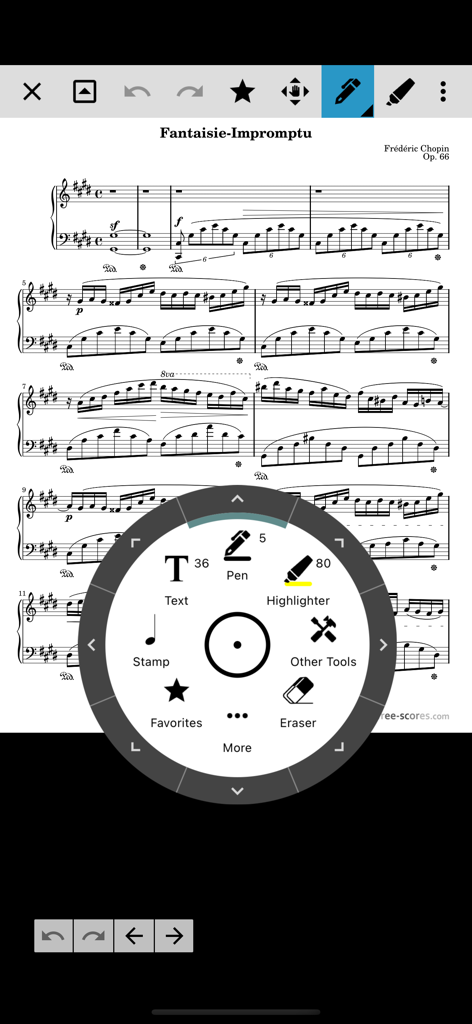
ピアノスコアに円形の注釈メニューが表示されているデジタル楽譜ビューアで、ペンとハイライターツールが利用可能です。

ピアノスコアに円形の注釈メニューが表示されているデジタル楽譜ビューアで、ペンとハイライターツールが利用可能です。

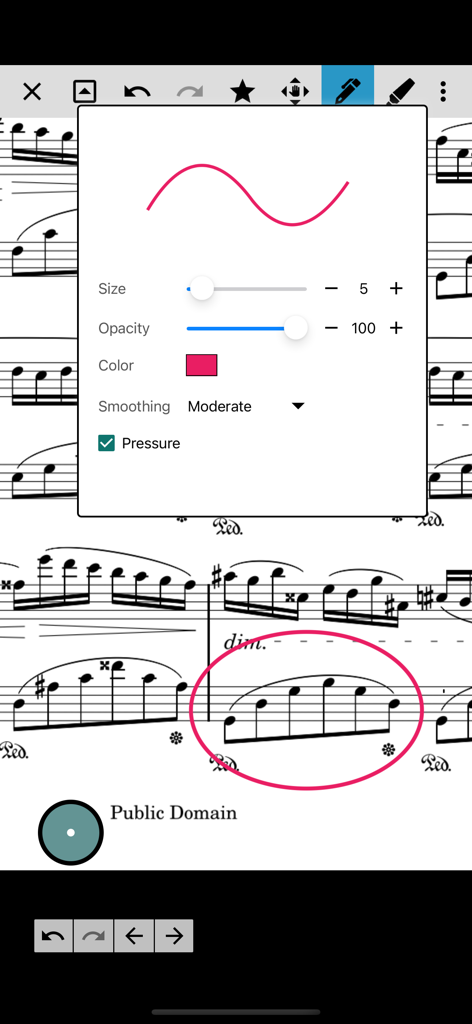
MobileSheetsLiteアプリのデジタル楽譜スコア上に、注釈および描画ツール設定メニューが表示されています。

MobileSheetsLiteアプリのデジタル楽譜スコア上に、注釈および描画ツール設定メニューが表示されています。

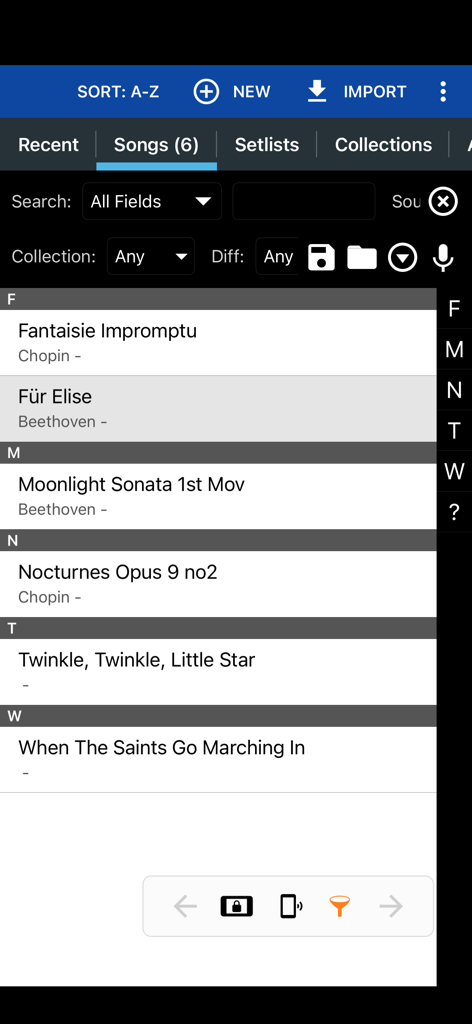
MobileSheetsLiteアプリのインターフェースに、クラシックおよびポピュラーソングのリストが音楽ライブラリに表示されています。

MobileSheetsLiteアプリのインターフェースに、クラシックおよびポピュラーソングのリストが音楽ライブラリに表示されています。

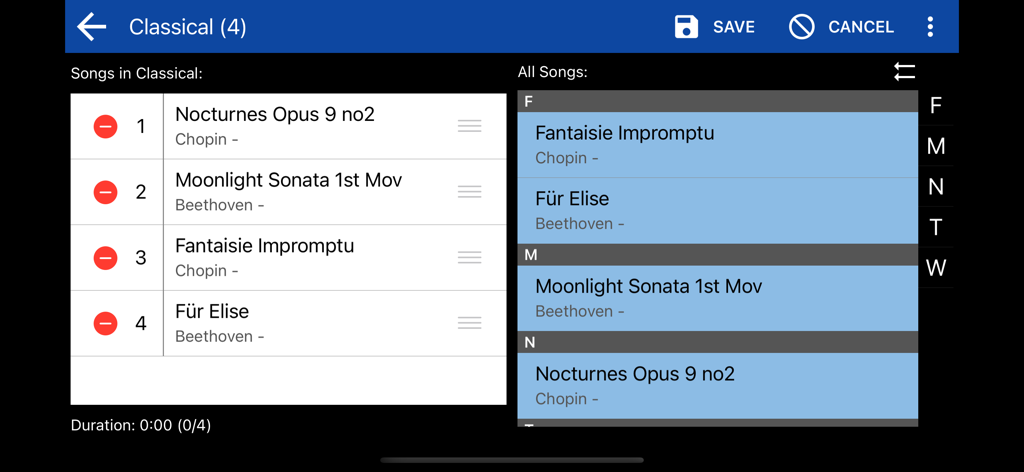
MobileSheetsLiteセットリストエディターのインターフェースに、ショパンやベートーヴェンのクラシック音楽の曲リストが表示されています。

MobileSheetsLiteセットリストエディターのインターフェースに、ショパンやベートーヴェンのクラシック音楽の曲リストが表示されています。

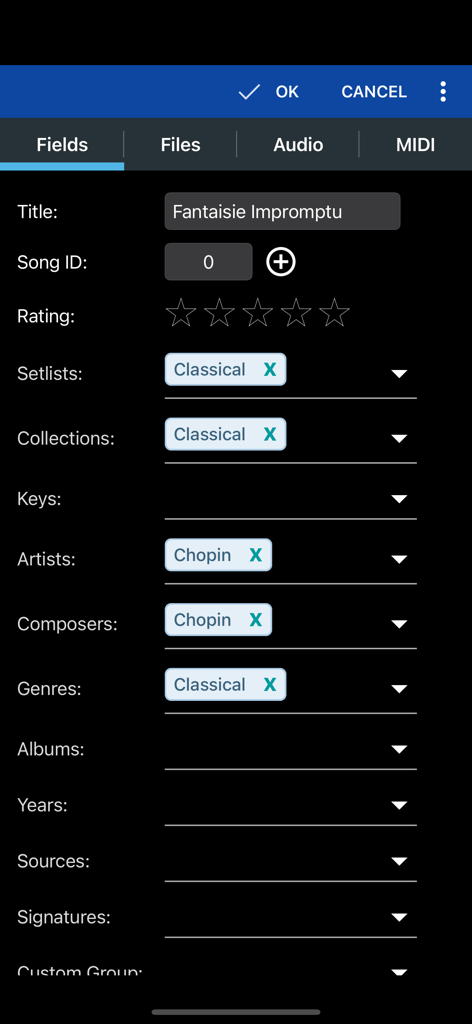
MobileSheetsLiteでタイトル、アーティスト、作曲家などの曲のメタデータを編集するためのインターフェース。

MobileSheetsLiteでタイトル、アーティスト、作曲家などの曲のメタデータを編集するためのインターフェース。

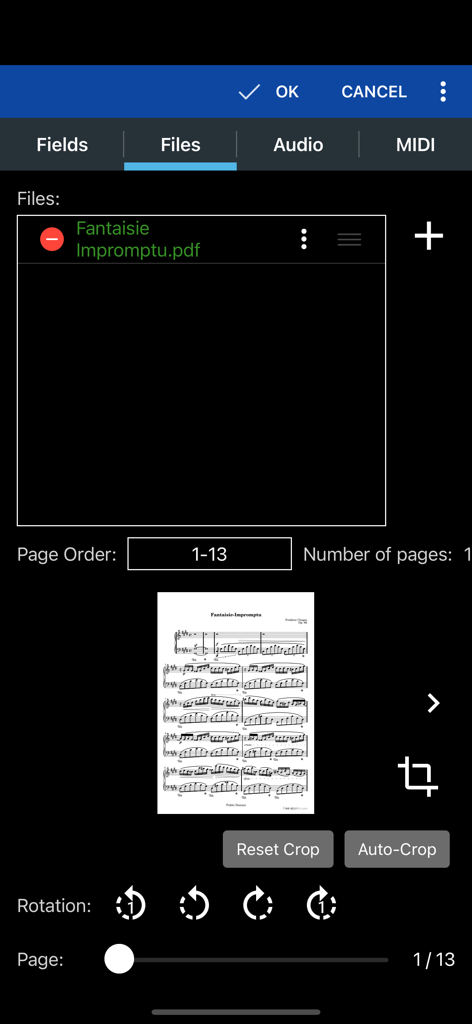
MobileSheetsLiteアプリのインターフェースに、楽譜用のPDFファイル管理およびトリミングツールが表示されています。

MobileSheetsLiteアプリのインターフェースに、楽譜用のPDFファイル管理およびトリミングツールが表示されています。

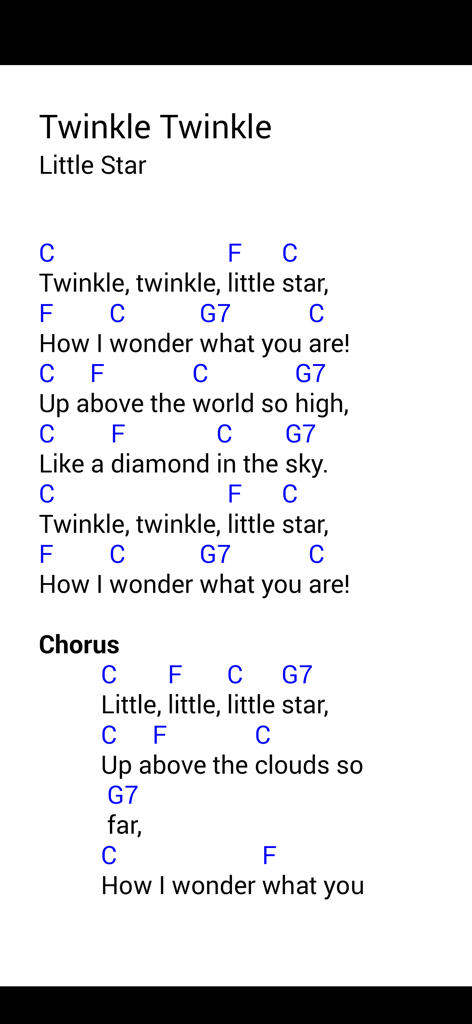
きらきら星のコードと歌詞が表示されたデジタル楽譜。

きらきら星のコードと歌詞が表示されたデジタル楽譜。

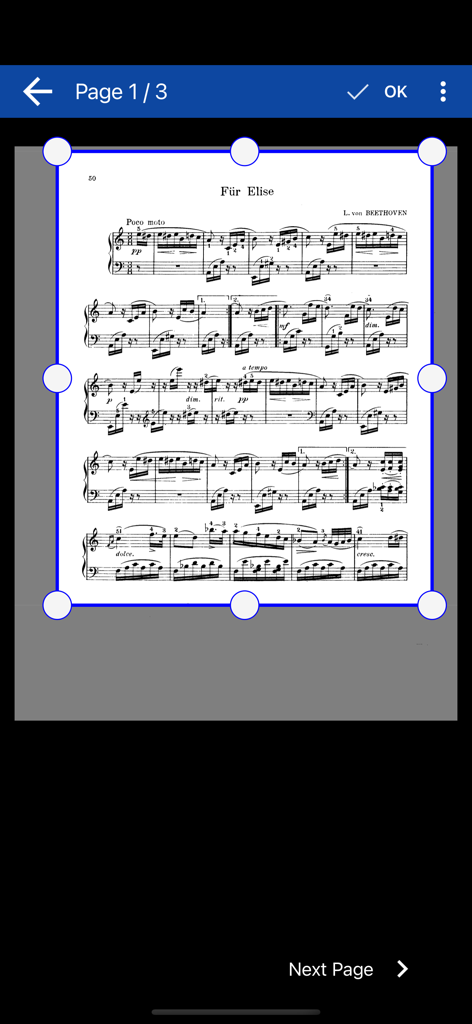
MobileSheetsLiteアプリの手動楽譜トリミングインターフェース。

MobileSheetsLiteアプリの手動楽譜トリミングインターフェース。

タブレット画面に表示されたショパンの幻想即興曲のデジタル楽譜。

タブレット画面に表示されたショパンの幻想即興曲のデジタル楽譜。

ギグに備えた機能

このアプリを際立たせるツール、 31K+ 人のユーザーが選択.

🦶

シームレスなハンズフリーコントロール

Bluetoothペダルや顔ジェスチャーを使用して、瞬時にページをめくり、楽器から手を離さないようにしましょう。

📂

プロフェッショナルなライブラリ管理

PDF、ChordPro、テキストファイルをカスタムセットリストやコレクションに整理し、ストレスフリーなギグを実現します。

✍️

インテリジェントなパフォーマンスツール

注釈の追加、内蔵メトロノームの使用、MIDIアクションの直接トリガーをデジタル楽譜から行えます。

アプリについて

について知っておくべきこと MobileSheetsLite.

説明

MobileSheets is the ultimate sheet music viewer for the iPhone, iPad and Mac. It frees you from having to lug around books and binders, and gives you the ability to access any score in your library in seconds. It also comes with a number of powerful features for musicians including: - Connect to other devices running MobileSheets on any platform, and easily share songs and setlists. - Synchronize device libraries using WiFi, bluetooth or the cloud - Multiple modes of operation including two pages side-by-side, half page turns, and vertically scrolling pages. - Hands-free page turns using any bluetooth or usb devices (including two and four pedal models), through the automatic scrolling feature or by using face gestures such as an open mouth or smile. - Annotations for marking up music including support for freeform drawing, basic shapes, text and stamps - Connect multiple tablets over WiFi or bluetooth in book mode to display two pages at once - A custom audio player for playing audio tracks with your scores. Audio player supports a-b looping and multiple sizes. - Custom page ordering, making it easy to cut out unnecessary pages, repeat pages or change the sequence of pages without affecting the original document. - A metronome with multiple display modes and sound effects - Bookmarks for quick and easy access to sections in scores - Link points for handling repeats and quickly jumping between pages - Smart buttons that can be placed on a score to activate configurable actions when pressed - Support for multiple file types including images, PDFs, text files and chord pro files. - Support for importing CSV index files to break up large PDF songbooks - Support for communicating with MIDI devices over USB, Bluetooth and WiFi to load songs or trigger actions. - The ability to transpose chords in text and chord pro files. - Manual and automatic cropping to completely eliminate unnecessary margins - Support for setlists and collections to efficiently group songs for playback. - Powerful library management features with a huge list of supported metadata fields, giving you complete control over the data in your library - A free companion application for the PC that makes it a breeze to create and edit songs Give MobileSheets a try today and experience the freedom of having all your scores just a simple tap away. The free version has the following limitations: - Only 8 songs are allowed in your library - Only 2 link points per song - Only 2 bookmarks per song - The Connect Tablets feature can only be used for 90 seconds - The library synchronization feature is unavailable - The advanced camera features such as automatic document detection and image correction are not available All other features are intact and identical to the paid version. NOTE: This application does not include any sheet music - you must provide your own. This application can not play back PDFs, images or text/chord pro files. It can only display those files and play back audio files. The companion app is for your PC and is not included. You can download the companion app for free here: https://www.zubersoft.com/mobilesheets/companion.php Privacy Policy: https://zubersoft.com/mobilesheets/privacy_policy_ios.html Terms of Use: https://zubersoft.com/mobilesheets/terms_and_conditions_ios.html

最新バージョン

3.9.34

サイズ

123.7 MB

リリース日

2023年11月28日

重いバインダーを捨てて、パフォーマンスを向上させましょう

今すぐMobileSheetsLiteを無料でダウンロードして、何千人ものミュージシャンがリハーサルやライブギグで私たちを信頼している理由を体験してください。iPadまたはMacで最初の8曲をギグに対応させましょう。

ダウンロード: App Storeダウンロード: Google Play

App information, icons, screenshots, and descriptions displayed on this page are sourced from the Apple App Store and are the property of their respective developers. Download estimates and rankings are based on MWM's proprietary models and may not reflect actual figures. This page is provided for informational and analytical purposes only.

Believe this page infringes your intellectual property? File a dispute