Mockup - UI/UX Design

Mockup - UI/UX Design

ダウンロード: App Store
ロゴ: Mockup - UI/UX Design

Mockup:iPad用オールインワンUI/UXデザインスタジオ

Apple Pencilでのラピッドスケッチからインタラクティブプロトタイピングまで、50万人以上のプロが信頼するデザインツールでアプリのアイデアを形にしましょう。

開発元

Apprime Studio sarl

カテゴリ

Graphics & Design

ダウンロード

751K+

ユーザー評価

4.4/5

評価数

500

対応言語

8

あなたのビジョンを、視覚化する

このインターフェースを利用する 751K+ 人のユーザー.

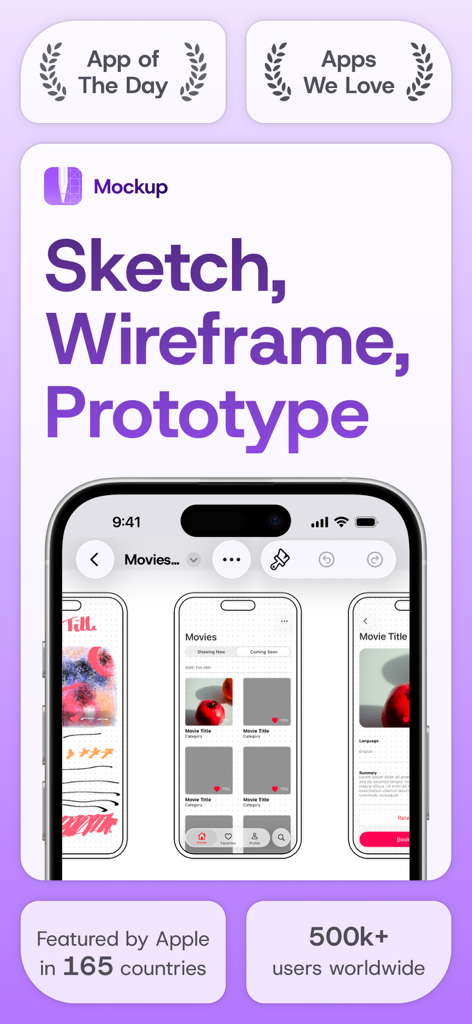
iPhoneでUI UXデザインのスケッチやワイヤーフレームを作成するためのMockupアプリのインターフェース。

iPhoneでUI UXデザインのスケッチやワイヤーフレームを作成するためのMockupアプリのインターフェース。

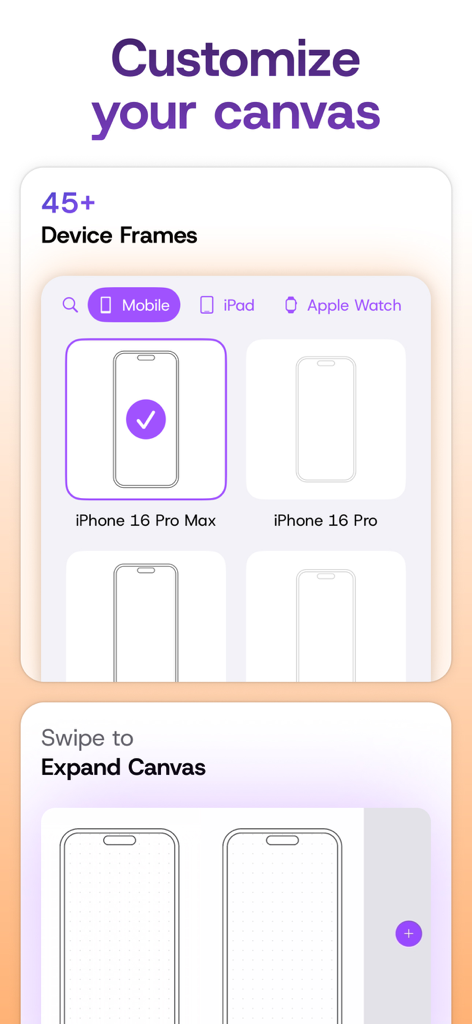
45以上のデバイスフレームのセレクションと、ワイヤーフレーム作成用の拡張可能なデザインキャンバスを表示するインターフェース

45以上のデバイスフレームのセレクションと、ワイヤーフレーム作成用の拡張可能なデザインキャンバスを表示するインターフェース

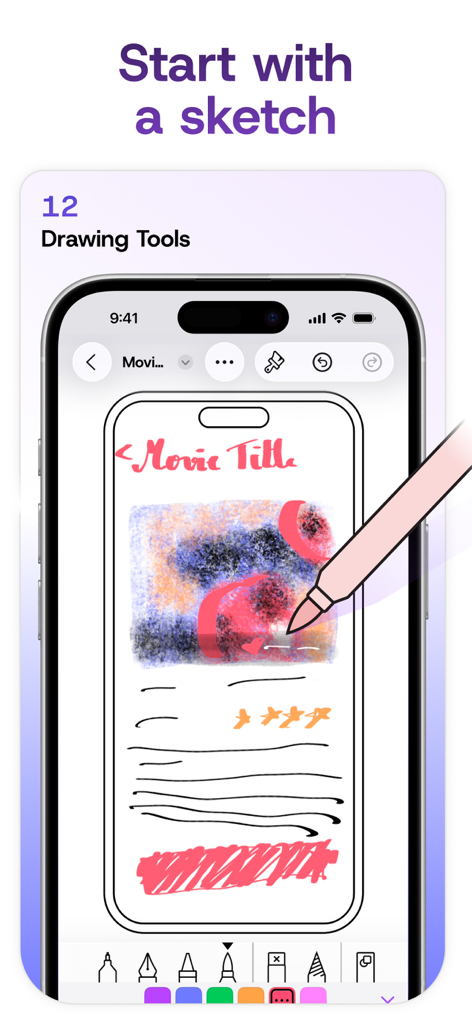
デジタルスケッチツールを使用して、iPhone上の描画されたモバイルアプリインターフェースのモックアップ。

デジタルスケッチツールを使用して、iPhone上の描画されたモバイルアプリインターフェースのモックアップ。

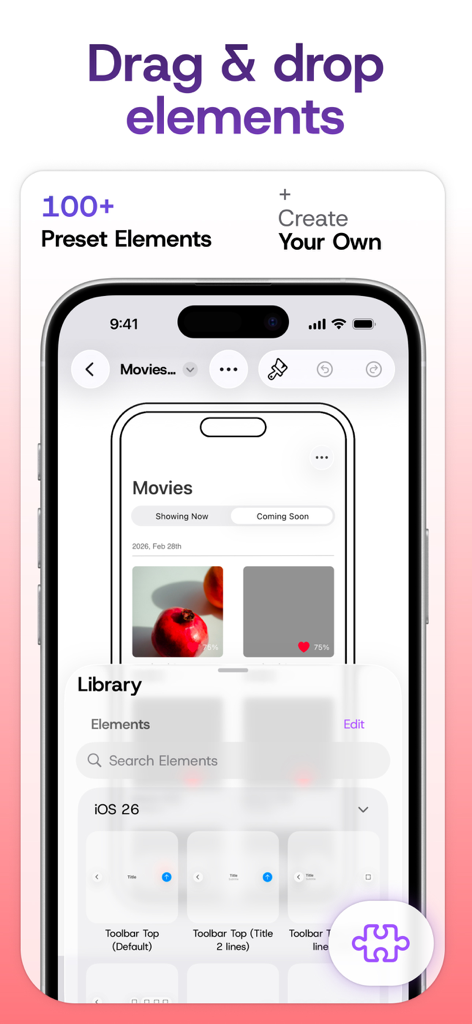
プリセットUI要素のライブラリを表示するMockupアプリのインターフェース、ドラッグアンドドロップデザイン用。

プリセットUI要素のライブラリを表示するMockupアプリのインターフェース、ドラッグアンドドロップデザイン用。

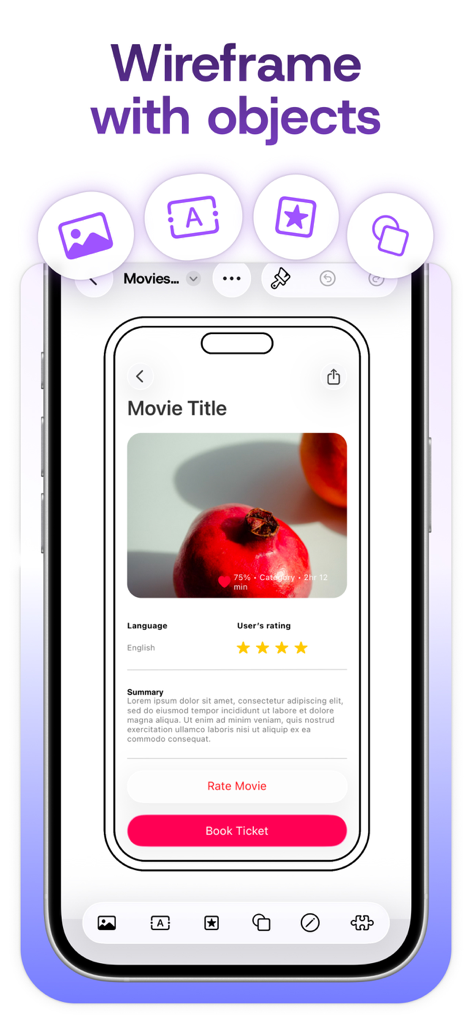
Mockupアプリ内のモバイルインターフェースモックアップ、ザクロ画像とチケット購入ボタンを備えた映画詳細画面を表示。

Mockupアプリ内のモバイルインターフェースモックアップ、ザクロ画像とチケット購入ボタンを備えた映画詳細画面を表示。

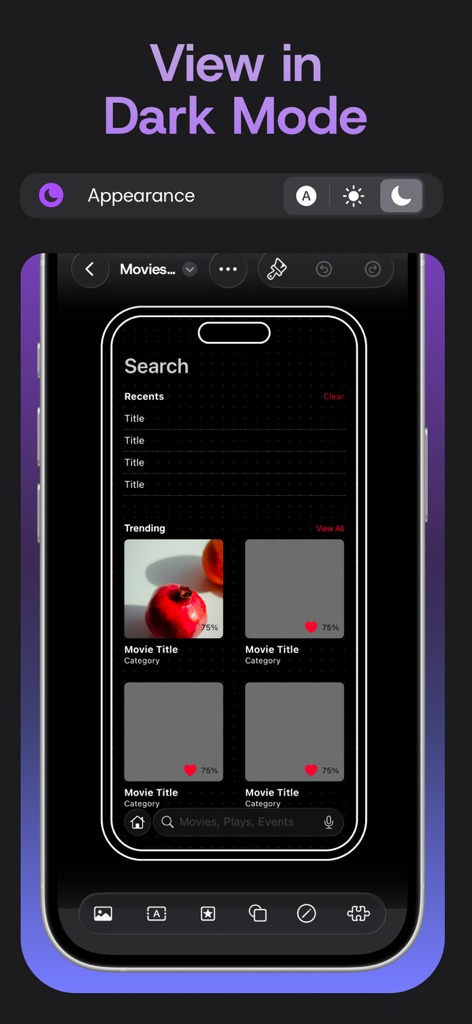
Mockupアプリ内のiPhone画面上のダークモードモバイルアプリUIデザインモックアップ

Mockupアプリ内のiPhone画面上のダークモードモバイルアプリUIデザインモックアップ

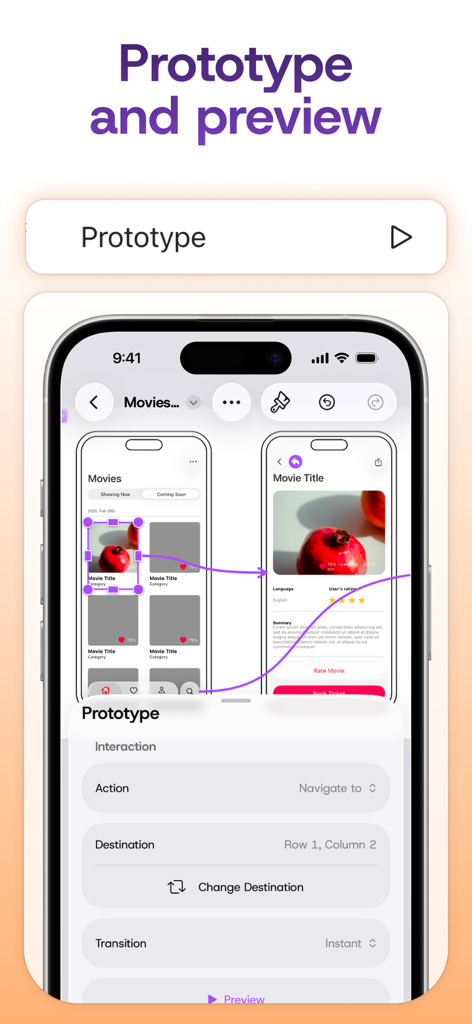
Mockup UI UX Designにおけるインタラクティブプロトタイピングフローとナビゲーション設定を表示するモバイルアプリインターフェース

Mockup UI UX Designにおけるインタラクティブプロトタイピングフローとナビゲーション設定を表示するモバイルアプリインターフェース

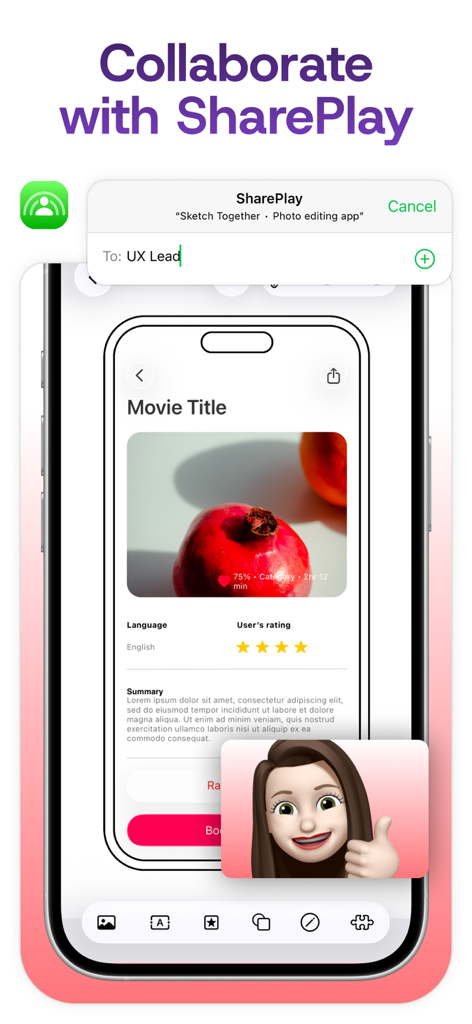
MockupアプリでのSharePlayを使用したリアルタイムUIデザインコラボレーション

MockupアプリでのSharePlayを使用したリアルタイムUIデザインコラボレーション

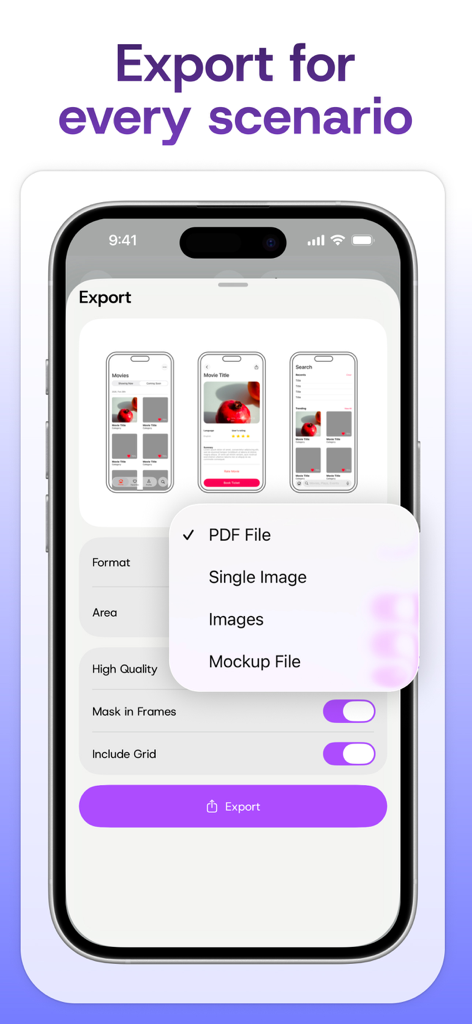
Mockupアプリのインターフェース、iPhone画面上のPDFファイルや画像などのエクスポートオプションを表示するメニュー。

Mockupアプリのインターフェース、iPhone画面上のPDFファイルや画像などのエクスポートオプションを表示するメニュー。

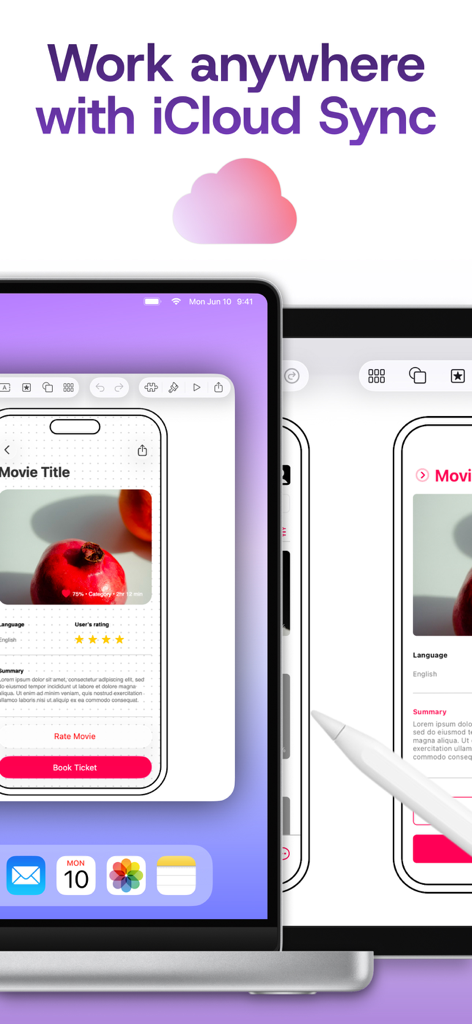
iCloud Syncを使用してiPadとMac間でプロジェクトを同期するMockup UI UXデザインアプリ。

iCloud Syncを使用してiPadとMac間でプロジェクトを同期するMockup UI UXデザインアプリ。

MockupアプリでSharePlayを使用したリアルタイムのUIデザイン共同編集セッション。

MockupアプリでSharePlayを使用したリアルタイムのUIデザイン共同編集セッション。

限界のないデザイン

このアプリを際立たせるツール、 751K+ 人のユーザーが選択.

✏️

精密スケッチ

シェイプ検出とスナップグリッドツールを備えたApple Pencilのパワーを活用し、ラフなアイデアを洗練されたデジタルレイアウトに変えます。

📱

ネイティブコンポーネントライブラリ

4,000以上のSFシンボルと45以上のデバイスフレームにアクセスして、ネイティブiOSアプリのようなピクセルパーフェクトなワイヤーフレームを作成します。

インタラクティブプロトタイピング

フレームをリンクして機能的なユーザーフローを作成します。プロトタイプを即座にプレビューおよび共有して、アイデアを検証し、関係者にピッチしましょう。

アプリについて

について知っておくべきこと Mockup - UI/UX Design.

説明

Bring your boldest ideas to life with Mockup—the ultimate UI/UX design tool for iOS. Whether you're ideating your next app or web design, sketch fluidly with Apple Pencil, create detailed wireframes, and build interactive prototypes—all in one app. Join over 500,000 designers, developers, and team managers worldwide who trust Mockup for their design process. Key Features: Flexible Canvas for UI/UX Design - Visualize your ideas effortlessly with 45+ device frames in both portrait and landscape orientations. - Explore limitless design possibilities with a flexible canvas and abundant frames. - Customize the grid, frame, and background colors for a tailored workflow. Sketch & Perfect Your Ideas - Shape your designs with a variety of drawing tools & a full color palette. - Draw perfect shapes with Shape Detection and Snap-to-grid for precise alignment. - Move, resize, recolor, and adjust objects easily using the lasso tool. - Write and edit text directly on the canvas using the Scribble tool. Wireframe with Ease - Access a Library of preset elements or create, save, and reuse your own. - Insert images and visuals from your files into your designs - Add text, customize, and save text styles for a consistent look. - Drag & drop text or images from any app directly into your canvas. - Elevate your designs with 4000+ symbols from Apple's SF Symbols library. - Add and customize shapes like rectangles, ellipses, and lines. Stay in Control of Your Objects - Cut, copy, or paste selections anywhere in the canvas or from other apps. - Arrange, align, and distribute objects for precise layouts. - Select or deselect multiple objects at once with Select Objects mode. Bring Your Ideas to Life with Prototypes - Connect frames to create interactive flows. - Preview prototypes in full-screen mode for an immersive experience. Export, Share, & Collaborate - Export in high-quality PDF or PNG, or share Mockup files with other users. - Collaborate in real time and share ideas with colleagues directly from the app using SharePlay. Streamline Your Workflow - Group sketches into projects and create nested projects for better organization. - Multitask with multiple windows for enhanced productivity. - Control your canvas with expand, rotate, lock, and zoom options. - Use quick actions to duplicate a sketch across multiple frames, switch two frames, hide frames to create space or add notes, clear, or export a frame. Access Your Sketches Anywhere, Anytime - Sync your sketches and projects across all your devices via iCloud sync. - Access your recent sketches with the Recents Widget. - Display sketches directly on your home screen with Preview Widgets. Optimized for Apple Pencil & iPad - Apple Pencil Hover: Use Apple Pencil Hover to preview and switch between drawing tools for enhanced precision and control. - Use Apple Pencil Pro’s squeeze gesture to open the canvas menu to add/remove frames, lock/unlock canvas, adjust tool properties, select multiple objects, or undo/redo. - Enjoy a desktop-class experience with an external keyboard and trackpad support. Start free and create unlimited projects and sketches, or unlock the premium features with one of our paid plans. Premium features include: Start Strong - Nested Projects - All Device Frames - Shape Detection Work Smarter - Unlimited Element Sets - 4000+ Customizable Symbols - Exclusive Elements Prototype & Ship - Prototype - Watermark-free PDF Exports - PNG export - Priority Support. Terms of Service: https://apprime.studio/terms-of-service/ Privacy Policy: https://apprime.studio/privacy-policy/

最新バージョン

4.1.1

サイズ

80.8 MB

リリース日

2020年9月3日

あなたの次のブレークスルーデザインはここから

50万人以上のデザイナーや起業家に加わり、閃きをプロフェッショナルなプロトタイプに変えましょう。Mockupをダウンロードして、外出先でもUI/UXワークフローをマスターしましょう。

ダウンロード: App Store
FAQ

よくある質問

について知っておくべきこと Mockup - UI/UX Design

Mockup - UI/UX Designアプリとは何ですか?

Mockupは、ユーザーがスケッチを作成したり、詳細なワイヤーフレームを作成したり、インタラクティブなプロトタイプを構築したりできる、iOS向けの究極のUI/UXデザインツールです。世界中の50万人以上のデザイナー、開発者、チームマネージャーに信頼されています。

Mockup - UI/UX Designは複数のデバイスフレームをサポートしていますか?

はい、Mockupは、縦向きと横向きの両方でUI/UXデザイン用の45以上のデバイスフレームを提供しています。ユーザーは、グリッド、フレーム、背景色をカスタマイズしてワークフローを調整することもできます。

Mockup - UI/UX DesignはApple Pencilをサポートしていますか?

はい、MockupはApple Pencilとシームレスに統合されており、ツールのプレビューや制御のためのApple Pencil Hoverなどの機能を提供します。Apple Pencil Proのスクイーズジェスチャーは、キャンバスメニューを開いてクイックアクションを実行します。

Mockup - UI/UX Designでインタラクティブなプロトタイプを作成できますか?

はい、Mockupを使用すると、ユーザーはフレームを接続してインタラクティブなフローを作成し、フルスクリーンモードでプロトタイプをプレビューできます。この機能はプレミアムプランに含まれています。

Mockup - UI/UX Designで他のユーザーと共同作業するにはどうすればよいですか?

MockupはSharePlayを使用してアプリから直接リアルタイムの共同作業を可能にし、ユーザーは同僚とアイデアを共有できます。また、Mockupファイルを他のユーザーにエクスポートすることもサポートしています。

Mockup - UI/UX Designはどのようなエクスポート形式をサポートしていますか?

Mockupは、高品質のPDFおよびPNGファイルを含むさまざまなエクスポートオプションを提供しています。プレミアム機能には、透かしなしのPDFエクスポートとPNGエクスポートが含まれます。

Mockup - UI/UX Designは複数のデバイス間で同期しますか?

はい、MockupはiCloud Syncをサポートしており、ユーザーはすべてのAppleデバイスでスケッチやプロジェクトにアクセスできます。これにより、いつでもどこでもワークフローの継続性が保証されます。

Mockup - UI/UX Designは無料で使用できますか?

はい、Mockup - UI/UX Designは無料プランを提供しており、ユーザーは無制限のプロジェクトとスケッチを作成できます。プレミアム機能は有料プランを通じて利用できます。

Mockup - UI/UX Designが提供するプレミアム機能は何ですか?

Mockupのプレミアム機能には、ネストされたプロジェクト、すべてのデバイスフレーム、シェイプ検出、無制限の要素セット、4000以上のカスタマイズ可能なシンボル、限定要素、プロトタイプ、透かしなしのPDFエクスポート、PNGエクスポート、優先サポートが含まれます。

Mockup - UI/UX Designのプライバシーポリシーはどこで見つけられますか?

Mockupはプライバシーポリシーを提供しており、アプリの説明にあるリンク https://apprime.studio/privacy-policy/ からアクセスできます。ユーザーデータの処理方法が詳述されています。

App information, icons, screenshots, and descriptions displayed on this page are sourced from the Apple App Store and are the property of their respective developers. Download estimates and rankings are based on MWM's proprietary models and may not reflect actual figures. This page is provided for informational and analytical purposes only.

Believe this page infringes your intellectual property? File a dispute