Mosquitone Detector

Mosquitone Detector

ダウンロード: App Store
ロゴ: Mosquitone Detector

モスキートーン探知機:ご家庭に影響を与える見えない音を可視化

子供やペットに不快感を与える高周波ノイズ、蚊よけ器、超音波を特定し、その場所を突き止めます。

ダウンロード: App Store

開発元

TOON,LLC

カテゴリ

Utilities

ダウンロード

22K+

ユーザー評価

2.4/5

評価数

0

対応言語

1

見えないものを可視化

このインターフェースを利用する 22K+ 人のユーザー.

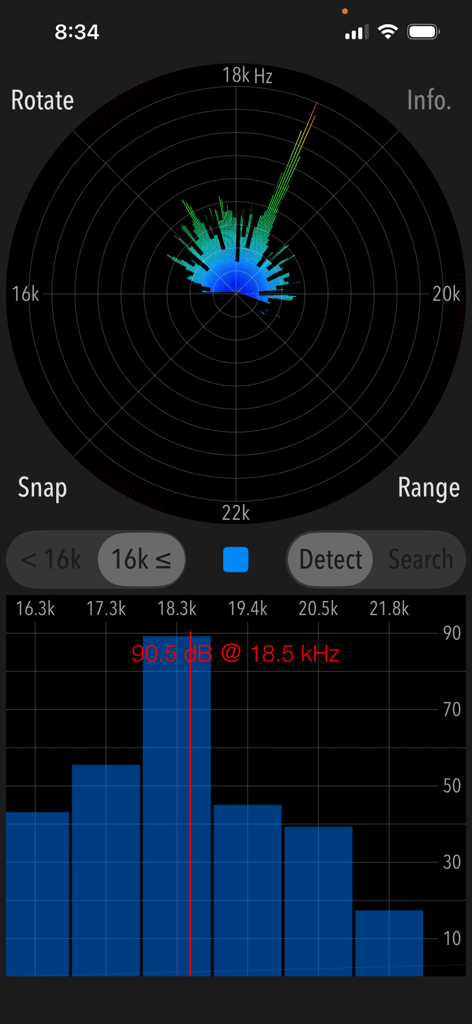
モスキートーン探知機アプリのインターフェース。18.5kHz、90.5dBの高周波音検知を表示。

モスキートーン探知機アプリのインターフェース。18.5kHz、90.5dBの高周波音検知を表示。

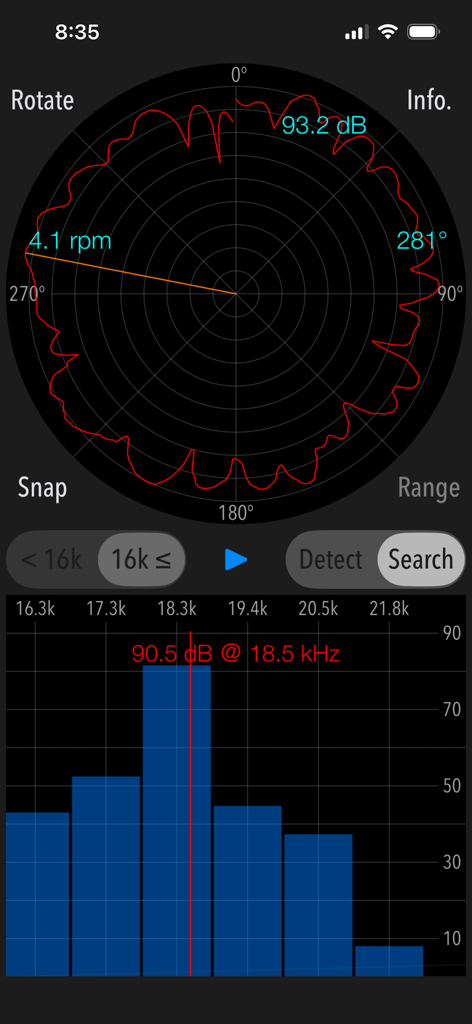
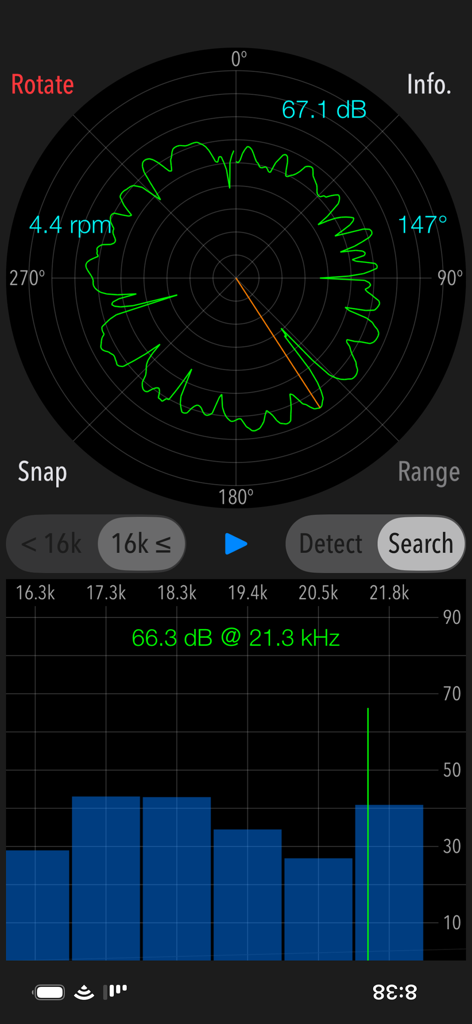
モスキートーン探知機アプリの検索モードのインターフェース。音源の方向を示す円形レーダーグラフと高周波棒グラフを表示。

モスキートーン探知機アプリの検索モードのインターフェース。音源の方向を示す円形レーダーグラフと高周波棒グラフを表示。

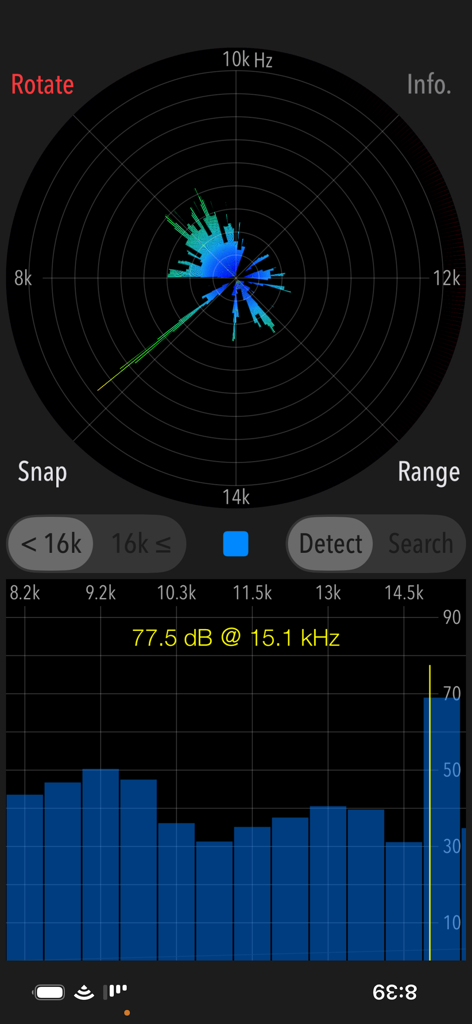
モスキートーン探知機アプリのインターフェースのスクリーンショット。円形周波数レーダーと、15.1kHzで77.5dBのピーク音量を検出する棒グラフを表示。

モスキートーン探知機アプリのインターフェースのスクリーンショット。円形周波数レーダーと、15.1kHzで77.5dBのピーク音量を検出する棒グラフを表示。

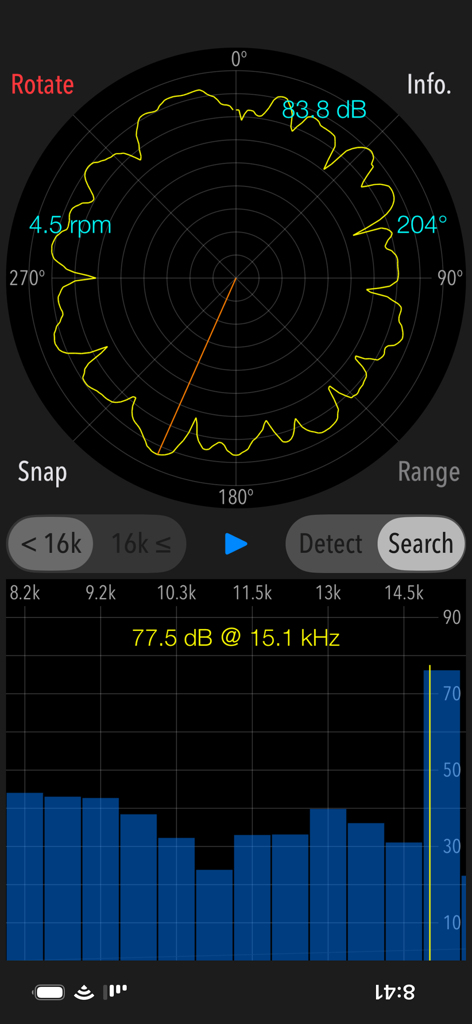
高周波音源を検出するためのモスキートーン探知機検索モードインターフェース

高周波音源を検出するためのモスキートーン探知機検索モードインターフェース

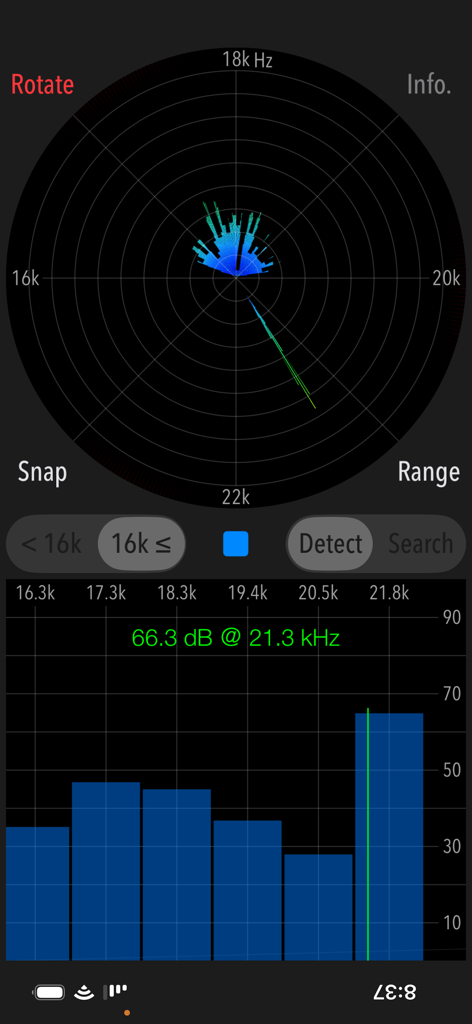
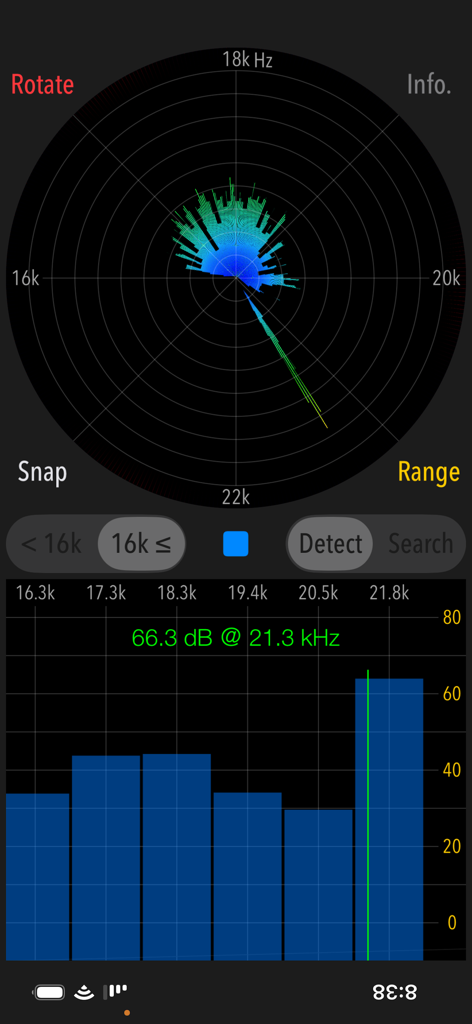
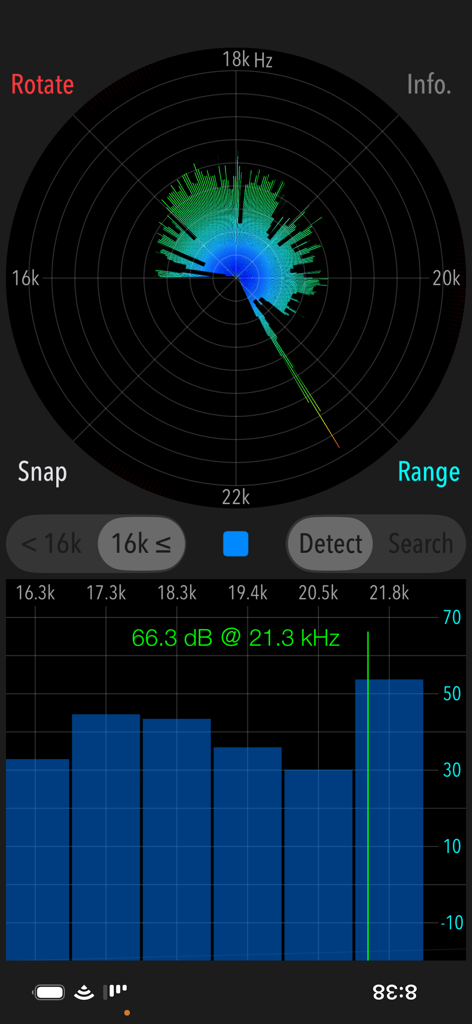
モスキートーン探知機アプリのインターフェース。21.3kHzで66.3デシベルの高周波音の読み取り値と視覚スペクトルチャートを表示。

モスキートーン探知機アプリのインターフェース。21.3kHzで66.3デシベルの高周波音の読み取り値と視覚スペクトルチャートを表示。

モスキートーン探知機アプリのインターフェース。21.3kHzの高周波音検知ピークを表示。

モスキートーン探知機アプリのインターフェース。21.3kHzの高周波音検知ピークを表示。

モスキートーン探知機アプリのインターフェース。21.3kHzでの高周波音測定値をレーダーグラフと棒グラフで表示。

モスキートーン探知機アプリのインターフェース。21.3kHzでの高周波音測定値をレーダーグラフと棒グラフで表示。

モスキートーン探知機アプリの検索モードのインターフェース。高周波ノイズの方向を検出するための円形レーダーグラフを表示。

モスキートーン探知機アプリの検索モードのインターフェース。高周波ノイズの方向を検出するための円形レーダーグラフを表示。

見えない騒音から環境を守る

このアプリを際立たせるツール、 22K+ 人のユーザーが選択.

📡

聞こえない音を可視化

大人の耳には聞こえないが、子供やペットに不快感を与える最大23kHzの超音波と高周波音を検知します。

🎯

発生源を特定

360°検索モードを使用して、ご近所の隠れた害虫駆除器、徘徊抑止装置、または故障した電子機器を正確に特定します。

📸

視覚的証拠を記録

タイムスタンプ付きの周波数ピークのスナップショットを保存し、HOA(住宅所有者協会)、家主、または環境衛生専門家に対する具体的な証拠として提供します。

アプリについて

について知っておくべきこと Mosquitone Detector.

説明

"Mosquitone Detector" is a sound measurement app that detects high frequency noises and ultrasonic sounds hard to hear for human ears. You may have been exposed to artificial high frequency noise without realizing it. This app can detect and visualize such noises. In general, the human audible range is said to be 20 Hz to 20 kHz, but very high frequency sounds above 10kHz will gradually become difficult to hear with age. For example, there are increasing cases where high frequency noise generators are installed in various places as a purpose of repelling young people and beast pests using very high frequency mosquito noises, which are inaudible to general adults. Especially for young children, there are cases that they stay in the bad place even though on a very uncomfortable noise environment because adults can not recognize at all. Please use this app to find high frequency noise, so it will help you to quickly get away from the bad spot or remove the noise source. This app has two modes of operation, "Detection" and "Search". Detection mode can check if there are high frequency and ultrasonic sounds that you cannot hear. Search mode can find the direction of the high frequency sound source. It can be used only after it has found the peak frequency in Detection mode. Features: - Detection of high frequency sound and ultrasonic wave, display of the peak frequency of the highest level. - Search for sound source direction: 360 degrees horizontally - Detectable frequency range: 8kHz - 16kHz / 16kHz - 23kHz (2 band division) - Function to switch the gain range: 0dB - 100dB / -10dB - 90dB / -20dB - 80dB (in Detection mode) - Measurement screen rotation function (Rotate) Operating procedure: 1) Selection of detectable frequency band Select the frequency band as more than 16kHz or less than 16kHz. 2) Selection of Operational mode - Detection mode (Detect) It finds an inaudible high frequency and ultrasonic sound in the frequency band more than 16 kHz (or less than 16 kHz). Tap START button and it starts the detection function. If high frequency or ultrasonic sound exist, it will be displayed on the graph as the peak frequency. You can make the graph display easier to see by switching the gain range. - Search mode (Search) It finds the direction of occurrence of the high-frequency sound source that detected the peak frequency. Search mode can be used only when high frequency or ultrasonic sound is founded in Detect mode. Please make sure to hold the bottom built-in microphone of iPhone so that it faces outward. If you measure with the microphone facing inward, microphone sensitivity will deteriorate, and accurate measurement will not be possible. Tap Start button, and firmly hold the iPhone terminal, please turn slowly clockwise. Recommended that the time required for a rotation is about 15 seconds and the rotation speed in the graph is approximately 4 rpm. The measurement is completed by one revolution, and the signal strength of the peak frequency is displayed on the pie chart. You can find approximate direction of the high-frequency sound source relative to your standing position. 3) Snapshot Tap SNAP button, you can save the measurement result as “Photos” as an image file. A timestamp is inserted in the image. Note: If the frequency changes periodically or randomly, it is not possible to determine the direction of occurrence in "Search". Ultrasonic measurement depends on the sensitivity characteristics of the built-in microphone, so the measurement result may vary. Peak frequency measurements (dB) conform to general noise levels. Remarks: It is still under study about health effects on human body by listening to high frequencies including ultrasonic sound. If the high frequency noise of high level is detected daily, we recommend that you consult an expert. Please visit our iOS App Support page for more information on this app.

最新バージョン

6.0.1

サイズ

1.9 MB

リリース日

2017年10月5日

今日から隠れた騒音公害をなくしましょう

何千もの積極的な親や住宅所有者に加わりましょう。モスキートーン探知機をダウンロードして、あなたが聞こえない、しかしご家族が聞いている高周波音を可視化し、場所を特定し、記録しましょう。

ダウンロード: App Store

App information, icons, screenshots, and descriptions displayed on this page are sourced from the Apple App Store and are the property of their respective developers. Download estimates and rankings are based on MWM's proprietary models and may not reflect actual figures. This page is provided for informational and analytical purposes only.

Believe this page infringes your intellectual property? File a dispute