MP3 Converter : music editor

MP3 Converter : music editor

ダウンロード: App Store
ロゴ: MP3 Converter : music editor

MP3コンバーター:音楽エディター - オーディオ作成のためのオールインワンスタジオ

あらゆるビデオからオーディオを抽出し、AIでボーカルを削除し、プロレベルのサウンドトラック、ポッドキャスト、または着信音を数秒で作成します。

開発元

斐峥 刘

カテゴリ

Music

ダウンロード

544K+

ユーザー評価

4.5/5

評価数

1000

対応言語

9

あなたのモバイルサウンドスタジオ

このインターフェースを利用する 544K+ 人のユーザー.

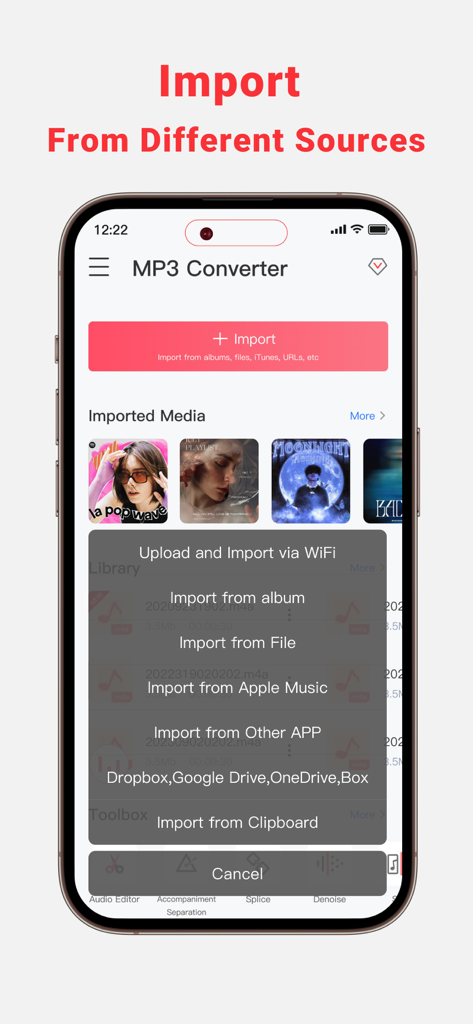
MP3コンバーターアプリのインターフェース。モバイルデバイス上のさまざまなソースから音楽をインポートするオプションが表示されています。

MP3コンバーターアプリのインターフェース。モバイルデバイス上のさまざまなソースから音楽をインポートするオプションが表示されています。

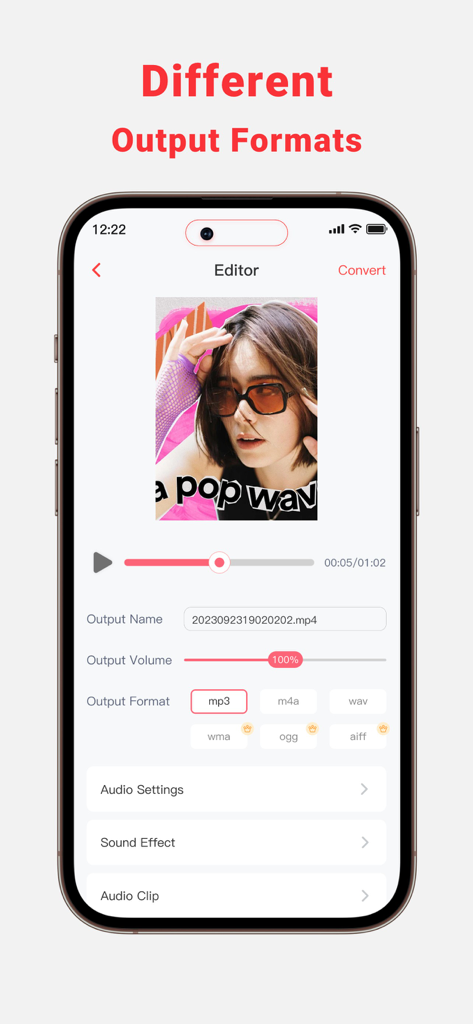
モバイルアプリのインターフェース。サウンド編集用のMP3、WAV、M4Aなどのさまざまなオーディオ出力フォーマットが表示されています。

モバイルアプリのインターフェース。サウンド編集用のMP3、WAV、M4Aなどのさまざまなオーディオ出力フォーマットが表示されています。

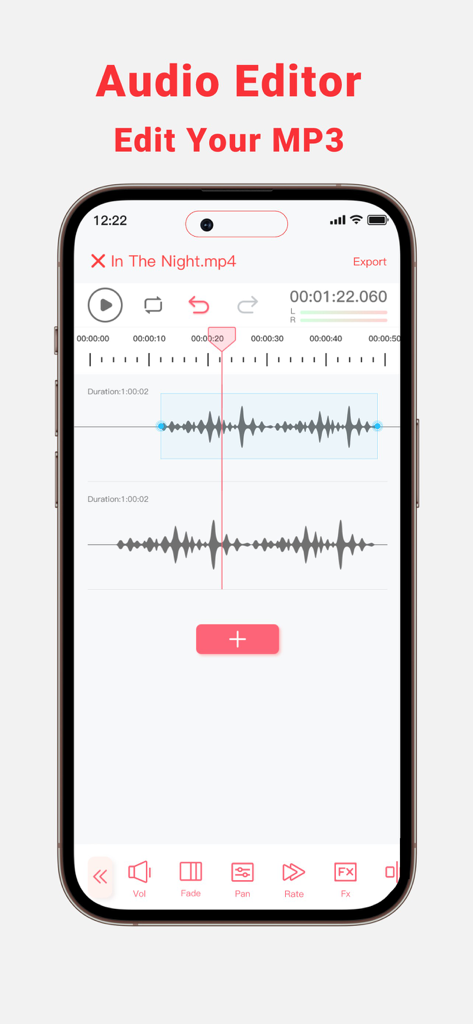
モバイルオーディオエディターのインターフェース。ボリュームフェードとパンの編集ツールを備えたデュアルトラック波形が表示されています。

モバイルオーディオエディターのインターフェース。ボリュームフェードとパンの編集ツールを備えたデュアルトラック波形が表示されています。

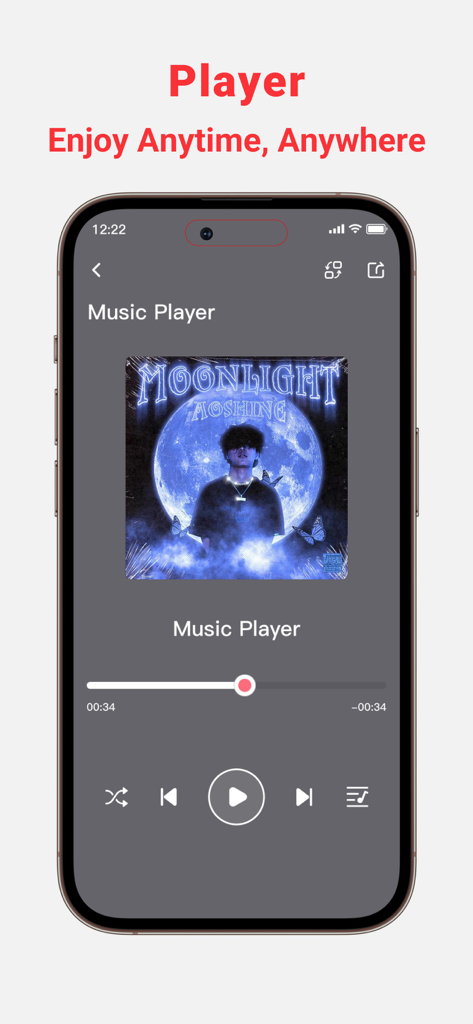
MP3コンバーターアプリの音楽プレーヤーインターフェースを表示するスマートフォン。再生コントロールとアルバムアートが含まれています。

MP3コンバーターアプリの音楽プレーヤーインターフェースを表示するスマートフォン。再生コントロールとアルバムアートが含まれています。

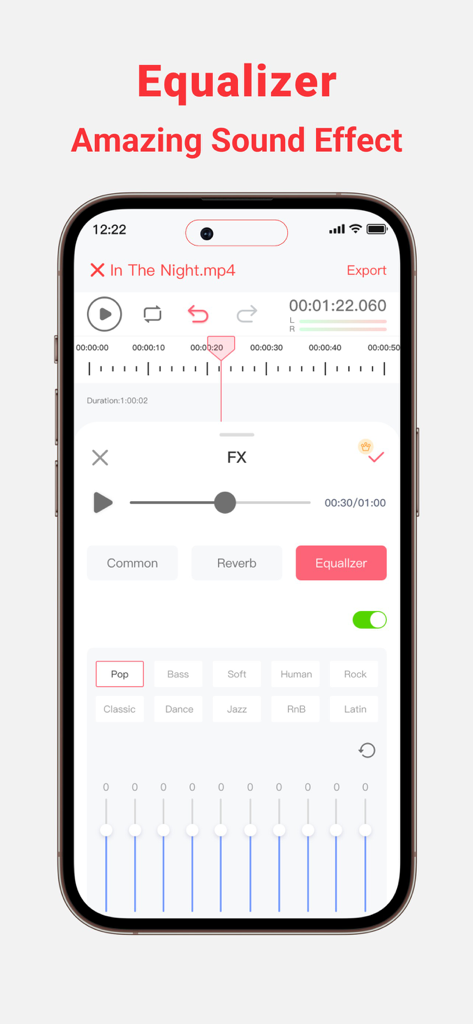
MP3コンバーターアプリのインターフェース。周波数スライダーと音楽ジャンルのプリセットを備えたオーディオイコライザーが表示されています。

MP3コンバーターアプリのインターフェース。周波数スライダーと音楽ジャンルのプリセットを備えたオーディオイコライザーが表示されています。

数秒でオーディオをマスター

このアプリを際立たせるツール、 544K+ 人のユーザーが選択.

🎥

インスタントビデオからオーディオへ

トレンドのサウンドをあらゆるビデオファイルまたはオンラインリンクからリッピングして、TikTokまたはReelsで次のバイラルヒットを作成します。

🎤

AIボーカル&インストゥルメンタルスプリッター

カラオケ、リハーサル、リミックス用のボーカルを簡単に分離したり、高品質のバッキングトラックを作成したりできます。

🎚️

プロレベルのモバイルエディター

Audacityのようなデスクトップソフトウェアの精度で、トラックをトリミング、ミキシング、ノイズ除去、強化します。

アプリについて

について知っておくべきこと MP3 Converter : music editor.

説明

MP3 Converter can Extract Audio from your Local and Online Video Files. Download and Convert Online Videos to MP3. Trim or mix converted MP3 to your phone or set them as personalized ringtones! Key Features: - Multi-Format Support, extract MP3, AAC, WAV, and more audio formats from various video formats such as 3GP,FLV,MP4,MOV,MXF,MKV,AVI,MPG,MPEG, and others. - Audio Editor (Splicing,Cutting,Shifting,Balance,Fade, etc.) - Vocal Remover, remove vocals from audio track and create accompaniment version for Karaoke. - Multiple audio clippers and splicers,Mix and Reverb - Intelligent denoising function - Quickly set ringtones - Audio Toolbox( Noise reduction, vocal enhancement, vocal/accompaniment separation...) - Multiple methods to import the audio: Wi-Fi Transfer,Video extract, Apple music, file and clipboard - Share extracted audio files via other apps MP3 Converter is perfect for: • Lovers of music production and audio editing • Podcast Maker, Talk Show producer and ASMR anchor • Youtube and TikTok video secondary creation • Musicians and Professional Music Producers • Music students and teachers • Especially for users who are familiar with Audacity or Audition Feature Highlights: • Professional music editor: supporting music clips, mergers, mixing and other advanced features, easy to play ringtones and music! • Add audio effects: choose from the variety of audio effects like, normalizer, EQ, tempo and more • Simple music stitching: song editing and splicing as a whole,connect the favorite songs! • Unique music mixing: free to cut the two songs, mixed together to play, feel different music effects! • Audio toolbox. Currently supported features include enhanced vocals, vocal removal, noise cancellation, automatic gain, accompaniment removal, bass boost, karaoke, etc. No more frustration about not finding the music you love! MP3 Converter offers you the simplest and most efficient solution. Download MP3 Converter and make your music life more vibrant! If you encounter any issues or have any suggestions while using the app, please feel free to contact us. We are more than happy to assist you. Thank you for choosing MP3 Converter! Terms of Service: https://www.freeprivacypolicy.com/live/348ab84f-9274-4a9d-b61b-1770fcc97fcf Privacy Policy: https://www.freeprivacypolicy.com/live/02eb5520-0c08-44e0-9802-20a8b257fdb8 Subscription Info: - The user can cancel his/her subscription at any time by going into iTunes and App Store Apple ID Settings. - All prices include applicable local sales taxes. - Payment will be charged to your iTunes Account after confirmation of purchase. - Subscription automatically renews at least 24-hours before the end of the current period. - The user's account will be charged for renewal within 24-hours before the end of the current period.

最新バージョン

1.4.6

サイズ

145.8 MB

リリース日

2023年10月19日

オーディオをマスターする準備はできましたか?

50万人以上のクリエイターがビデオをスタジオ品質のトラックに変えています。今日、iPhoneとiPad向けの究極のオールインワンオーディオツールボックスをダウンロードしてください。

ダウンロード: App Store
FAQ

よくある質問

について知っておくべきこと MP3 Converter : music editor

MP3 Converter : music editorとは何ですか?

MP3 Converter : music editorは、ローカルおよびオンラインのビデオファイルからオーディオを抽出し、ビデオをMP3に変換し、高度なオーディオ編集ツールを提供します。ユーザーは、トリミング、ミキシング、エフェクトの適用、変換されたオーディオの着信音設定が可能です。

MP3 Converterはどのオーディオフォーマットを抽出できますか?

MP3 Converterは、MP3、AAC、WAVなどのフォーマットでオーディオを抽出します。3GP、FLV、MP4、MOV、MXF、MKV、AVI、MPG、MPEGなどのさまざまなビデオ入力フォーマットをサポートしています。

MP3 Converterは曲からボーカルを削除できますか?

はい、MP3 Converterにはボーカルリムーバー機能が含まれています。この機能は、オーディオトラックからボーカルを分離し、ユーザーがカラオケなどの用途に適した伴奏バージョンを作成できるようにします。

MP3 Converterにオーディオファイルをインポートするにはどうすればよいですか?

MP3 Converterは、Wi-Fi転送、ビデオ抽出、Apple Music、ファイルからのインポート、クリップボードの使用など、複数のインポート方法をサポートしています。また、Dropbox、Google Drive、OneDrive、Boxなどの他のアプリからのインポートもサポートしています。

MP3 Converterはオーディオエフェクト用のイコライザーを提供していますか?

はい、MP3 Converterには、さまざまなサウンドエフェクトを適用するためのイコライザーが搭載されています。ユーザーは、ポップ、ベース、ソフト、ヒューマン、ロック、RnB、ラテンなどのプリセットから選択してオーディオを強化できます。

MP3 Converterを使用してカスタム着信音を設定できますか?

はい、MP3 Converterでは、変換または編集されたMP3を携帯電話のパーソナライズされた着信音としてすばやく設定できます。この機能は、コア機能に統合されています。

MP3 Converter : music editorのサブスクリプションをキャンセルするにはどうすればよいですか?

ユーザーはいつでもMP3 Converter : music editorのサブスクリプションをキャンセルできます。このプロセスは、iTunesおよびApp StoreのApple ID設定を通じてデバイスで管理されます。

MP3 Converterはノイズリダクション機能を提供していますか?

はい、MP3 Converterには、オーディオツールボックス内にインテリジェントなノイズ除去機能とノイズリダクション機能が含まれています。これらのツールは、不要なバックグラウンドノイズを低減することで、オーディオの明瞭度を向上させるのに役立ちます。

MP3 Converterで利用できるオーディオ編集機能にはどのようなものがありますか?

MP3 Converterは、スプライシング、カット、シフト、バランス、フェード、ミキシング、リバーブを含む包括的なオーディオ編集機能を提供します。また、ミュージッククリップ、マージャー、ノーマライザーやテンポなどの高度なサウンドエフェクトもサポートしています。

App information, icons, screenshots, and descriptions displayed on this page are sourced from the Apple App Store and are the property of their respective developers. Download estimates and rankings are based on MWM's proprietary models and may not reflect actual figures. This page is provided for informational and analytical purposes only.

Believe this page infringes your intellectual property? File a dispute