
このページはアプリまたはその開発者の公式ページではなく、情報提供および論評を目的として作成された独立した編集出版物です。明示的に別段の記載がない限り、アプリおよびその開発者は、MWM、Apple、Google Play、アプリのパブリッシャー、またはアプリの開発者と提携、承認、後援、認可、またはその他の公式的な関係はなく、このページのいかなる内容も、アプリがMWMのサービスを使用して開発されたことを意味するものではありません。すべての商標、ロゴ、スクリーンショット、その他のコンテンツはそれぞれの所有者の財産です。

Audio Jam: AI for musicians
手術のような精度で楽器トラックを分離し、ピッチを失わずにテンポを調整し、デジタル楽譜を同期します。AIを使用して、お気に入りの曲を分解し、練習時間を半分にカットします。
ダウンロード
299K+ユーザー評価
評価数
6K+開発元
カテゴリ
Music対応言語
6最新バージョン
2.12.0サイズ
135.4 MBリリース日
2021年12月21日AI搭載の精度で全ての音符をマスター
推測はやめて、演奏を始めましょう。Audio Jamは、曲を分解し学習プロセスを加速するための究極のツールキットをミュージシャンに提供します。
AI楽器分離
ボーカル、ドラム、ベース、ギターをあらゆる曲から即座に分離または削除し、演奏の細部をX線のような鮮明さで聞くことができます。
スマートABルーピング&テンポコントロール
ピッチを変えずに速いパッセージを遅くします。難しいセクションをループして、トラックをマスターするまで筋記憶を構築します。
よくある質問
について知っておくべきこと Audio Jam: AI for musicians
AudioJamとは何ですか?
AudioJamは、プロのミュージシャンのために設計された、強力なAI搭載の音楽学習ツールです。楽器トラックの抽出、テンポ/ピッチ調整、ABループ再生などの機能を提供し、ユーザーの効率的な練習を支援します。
AudioJamは曲から楽器のトラックを分離できますか?
はい、AudioJamのAudioAI機能は、ボーカル、ドラム、ベース、キーボード、ギター、その他の楽器トラックを任意の曲から分離します。ユーザーは個々の分離されたトラックの音量も調整できます。
AudioJamは音楽のコードを検出しますか?
はい、AudioJamにはコード検出機能があります。任意の音楽からコードを検出し、700種類以上のコードの認識をサポートしており、ミュージシャンの学習と採譜を支援します。
AudioJamはABループ再生をサポートしていますか?
はい、AudioJamはABループ再生をサポートしています。ユーザーは、練習のためにそのセクションを継続的にループさせるために、オーディオトラック内の特定の開始点と終了点を設定できます。
ユーザーはAudioJamで速度と音色を調整できますか?
はい、AudioJamでは、オーディオの音色(ピッチ)と速度(テンポ)の両方を調整できます。この機能は、ミュージシャンが自分のニーズに適したペースとピッチで曲を練習するのに役立ちます。
AudioJamにはスマートメトロノームがありますか?
はい、AudioJamには、音楽内のビートを分析するスマートメトロノーム機能があります。また、ミュージシャンが曲のテンポで効果的に練習を開始するのに役立つカウントダウンエントリも提供します。
AudioJamはどのようなオーディオおよびビデオ形式をサポートしていますか?
AudioJamは、mp3、m4a、aac、aiff、wavなどのいくつかのオーディオ形式をサポートしています。また、メディアのインポートのためにmp4やmovなどのビデオ形式もサポートしています。
AudioJam Proメンバーシップはどのような特典を提供しますか?
AudioJam Proメンバーシップは、AudioAIの使用回数を月100回に増やし、オーディオ/ビデオの長さを20分に延長し、無制限のプロジェクトを提供し、プロジェクトのエクスポートを可能にし、広告を削除し、クロスプラットフォームの特典を提供します。
月額のAudioJam Proサブスクリプションの料金はいくらですか?
月額のAudioJam ProサブスクリプションはUSD $6.99から始まります。年額プランなど、他のプランも利用可能で、年額プランはUSD $39.99から始まります。
AudioJam Proサブスクリプションをキャンセルするにはどうすればよいですか?
ユーザーは、個人のiTunesアカウントのサブスクリプション設定を通じてAudioJam Proサブスクリプションをキャンセルします。自動更新を防ぐために、既存のプランが有効期限が切れる少なくとも24時間前までにキャンセルする必要があります。
以下のスクリーンショットと説明は、アプリの公式ストアリスティングから直接取得されたものであり、アプリ開発者の所有物です。
アプリストア
スクリーンショット
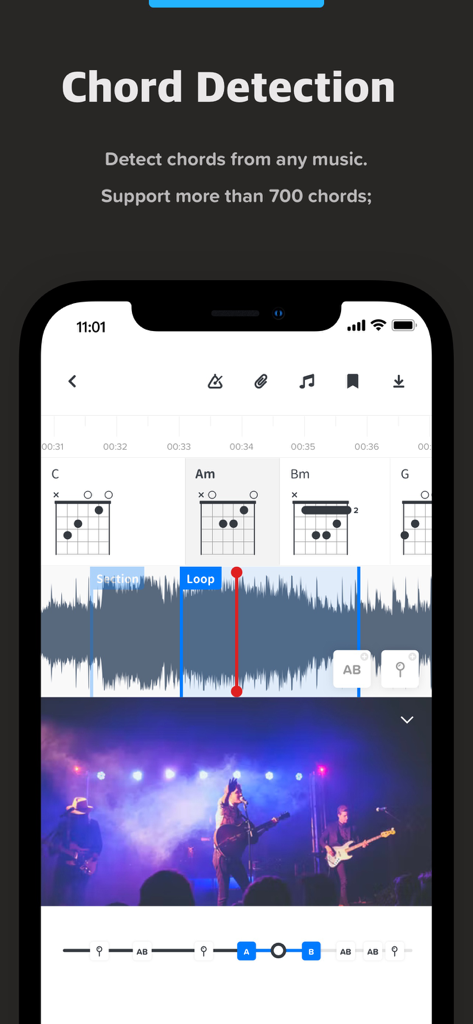
Audio Jamアプリインターフェース、AIコード検出とギターコードダイアグラムを表示
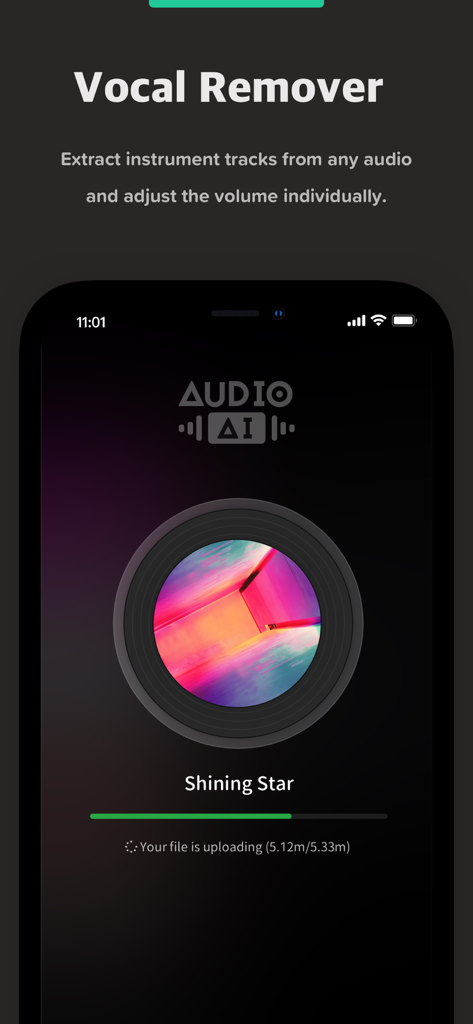
Audio Jamアプリ画面、AIボーカルリムーバー機能が曲から楽器トラックを抽出している様子を表示
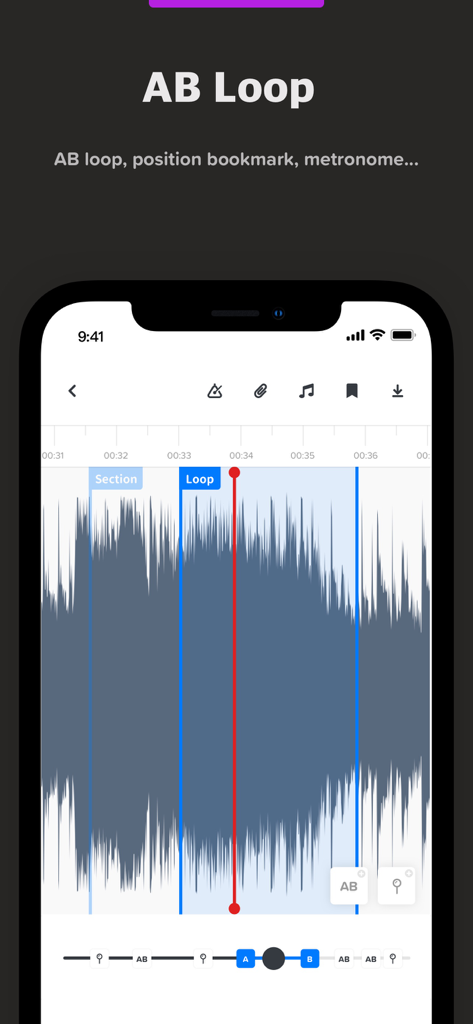
Audio Jamアプリインターフェース、オーディオ波形と音楽練習用のマーカーを表示するABループ機能
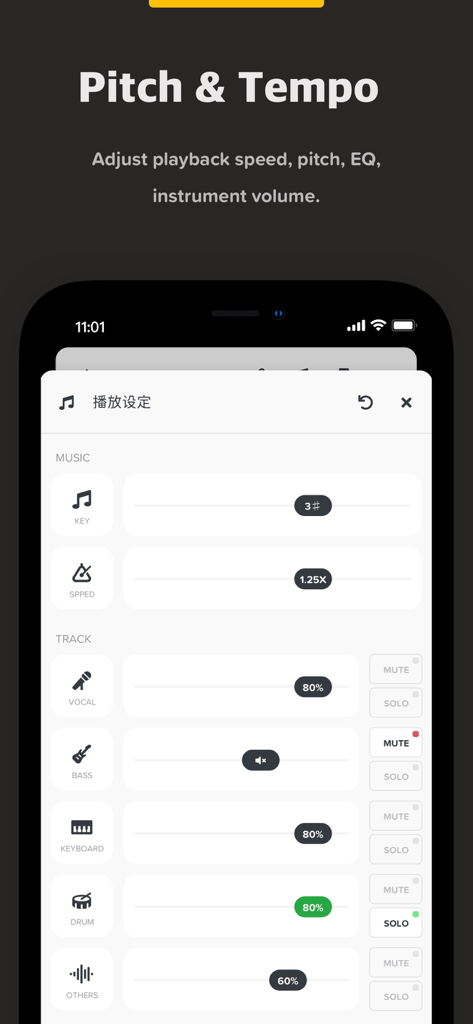
Audio Jamアプリインターフェース、音楽のピッチテンポと個々の楽器トラックの音量を調整
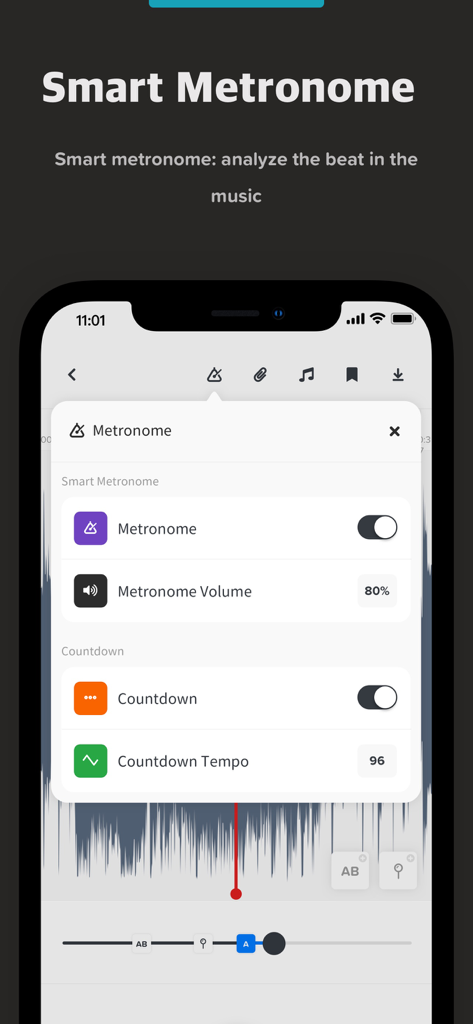
Audio Jamアプリのインターフェース、音量とカウントダウンテンポを含むスマートメトロノーム設定を表示
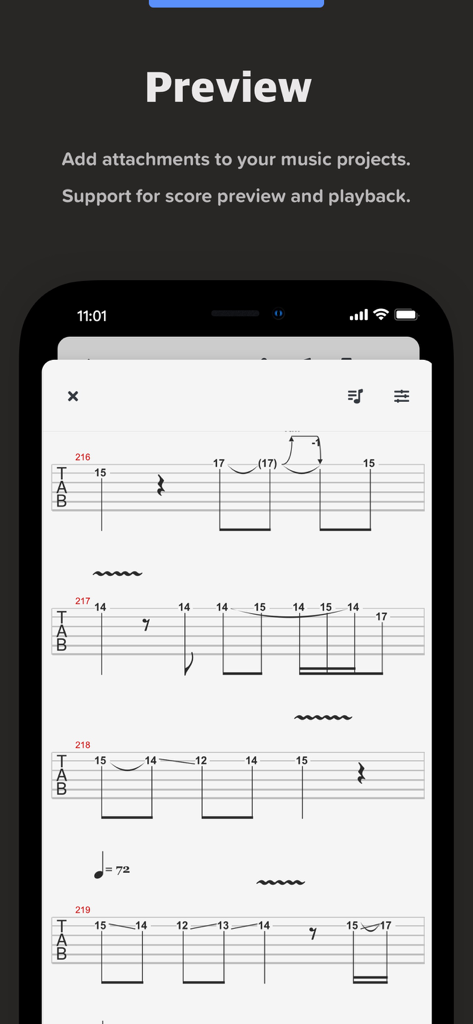
モバイル画面、Audio Jamアプリ内でギタータブ譜のプレビューを表示
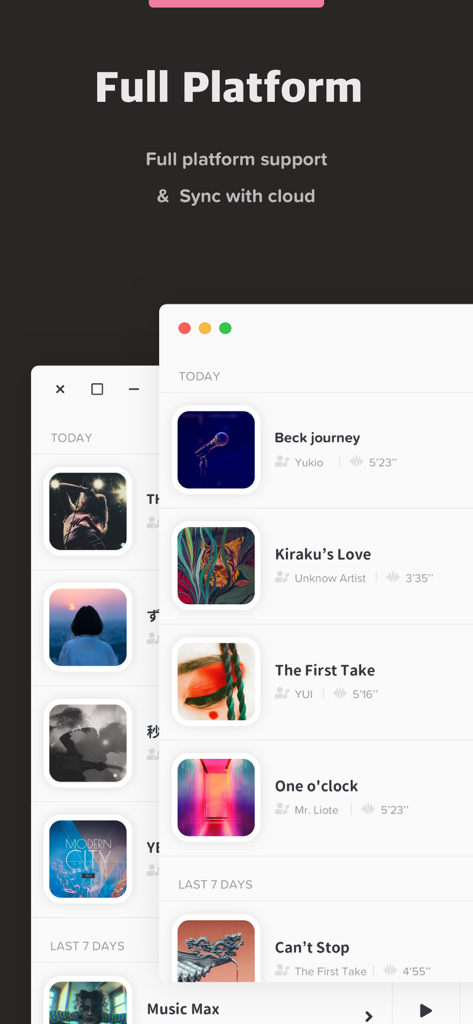
Audio Jam音楽アプリインターフェース、完全なプラットフォームサポートとクラウド同期機能を強調
ステージ上のミュージシャンのシルエット、ボーカル、ドラム、キーボード、ギターのステムを表すアイコン付き
説明
Download
類似アプリ
似た機能とユーザー体験を持つアプリ

Music Speed Changer ▶▶▶
Single Minded Productions, LLC

Vocal Remover - Musiclab
CHENGDU Yiwo Tech Development Co., Ltd

Audio Fusion
景睿 文

Anytune Pro+: Studio Tools
Anytune Inc.

Moises: The Musician's App
Moises Systems Inc

Strum - Play Guitar
W185 Holdings LLC

Chordify: Songs, Chords, Tuner
Chordify BV

Chord ai - Play any song!
Nomad AI OU

Audio Jam - AI for musicians
Mega e Limited
このページはアプリまたはその開発者の公式ページではなく、情報提供および論評を目的として作成された独立した編集出版物です。明示的に別段の記載がない限り、アプリおよびその開発者は、MWM、Apple、Google Play、アプリのパブリッシャー、またはアプリの開発者と提携、承認、後援、認可、またはその他の公式的な関係はなく、このページのいかなる内容も、アプリがMWMのサービスを使用して開発されたことを意味するものではありません。すべての商標、ロゴ、スクリーンショット、その他のコンテンツはそれぞれの所有者の財産です。