PC Remote

PC Remote

ダウンロード: App Store
ロゴ: PC Remote

PC Remote: PCのための究極のオールインワンコントローラー

スマートフォンをワイヤレスマウス、カスタムゲームコントローラー、プログレードのWebカメラに変身させましょう。最大4つの仮想ディスプレイと、どこからでも安全なリモートアクセスで生産性を向上させます。

開発元

Monect Company Limited

カテゴリ

Utilities

ダウンロード

333K+

ユーザー評価

2.8/5

評価数

100

対応言語

5

一目でわかるコントロール

このインターフェースを利用する 333K+ 人のユーザー.

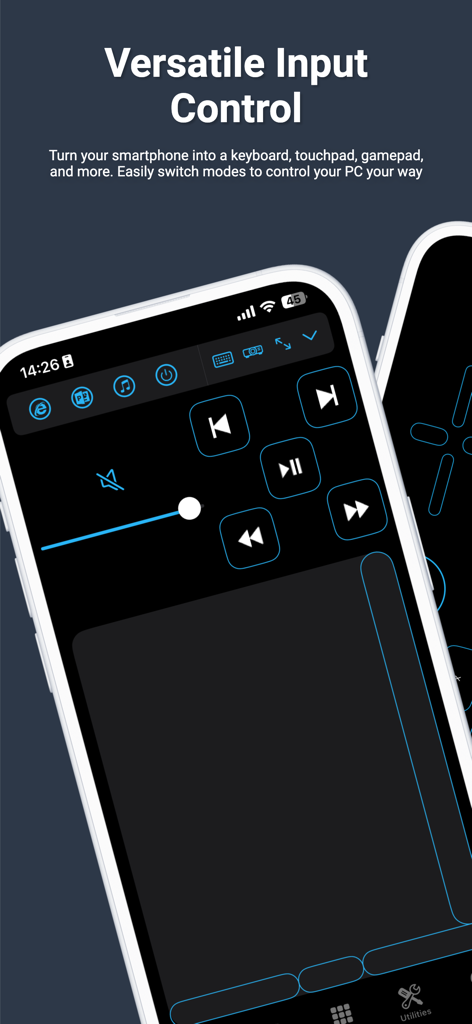
PC Remoteアプリのスマートフォンインターフェース。メディアコントロールと、リモートコンピューター操作用のタッチパッドが表示されています。

PC Remoteアプリのスマートフォンインターフェース。メディアコントロールと、リモートコンピューター操作用のタッチパッドが表示されています。

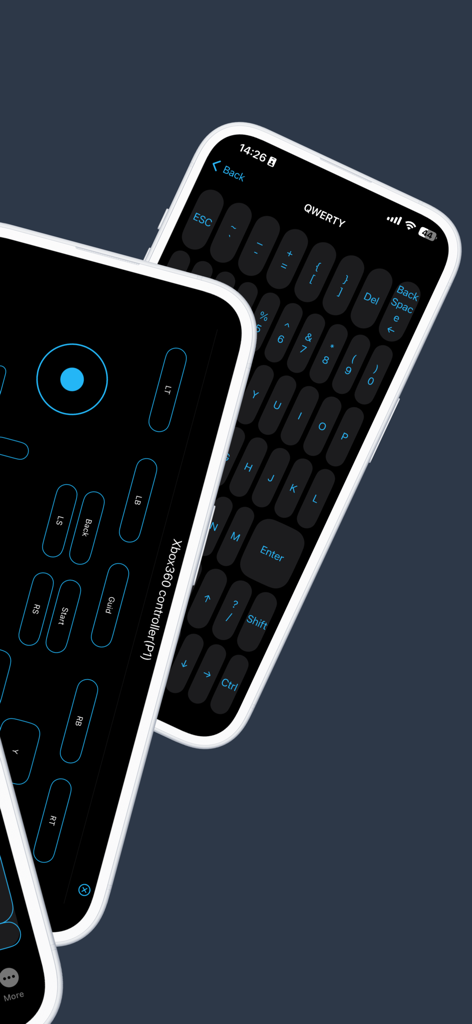
PC Remoteアプリの画面。バーチャルゲームコントローラーとQWERTYキーボードレイアウトが表示されています。

PC Remoteアプリの画面。バーチャルゲームコントローラーとQWERTYキーボードレイアウトが表示されています。

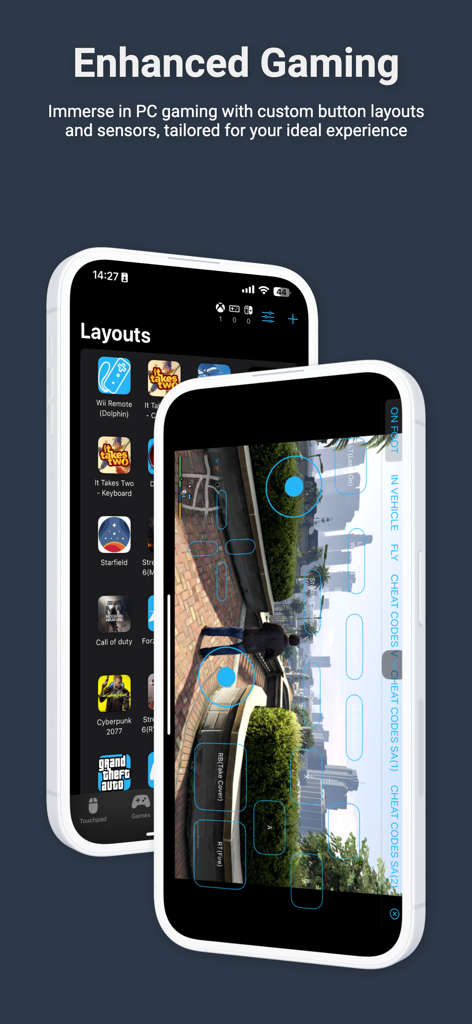
PCゲーム用のカスタムゲームボタンレイアウトとバーチャルコントローラーを表示するスマートフォンの画面。

PCゲーム用のカスタムゲームボタンレイアウトとバーチャルコントローラーを表示するスマートフォンの画面。

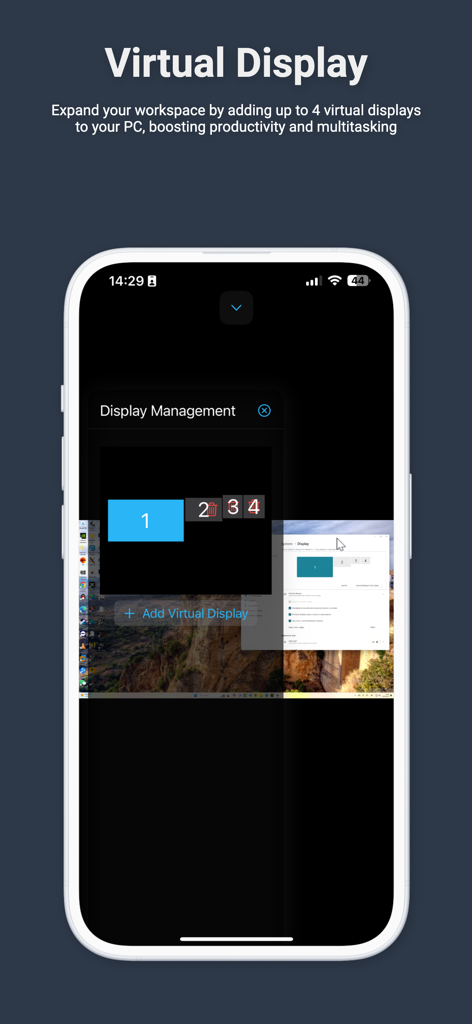
PC用の最大4つの仮想ディスプレイの管理を示すスマートフォンの画面。

PC用の最大4つの仮想ディスプレイの管理を示すスマートフォンの画面。

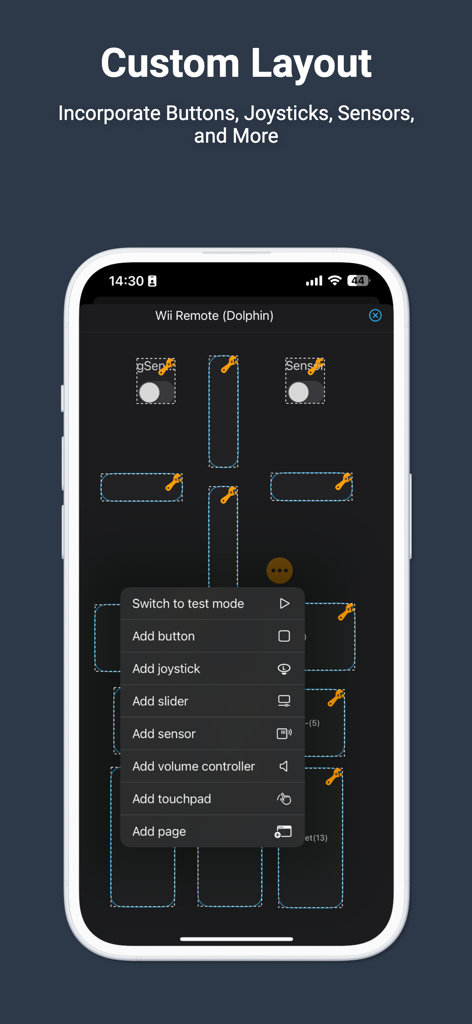
PC Remoteアプリのカスタムレイアウトエディタで、バーチャルゲームボタンとジョイスティックを設定するスマートフォン画面。

PC Remoteアプリのカスタムレイアウトエディタで、バーチャルゲームボタンとジョイスティックを設定するスマートフォン画面。

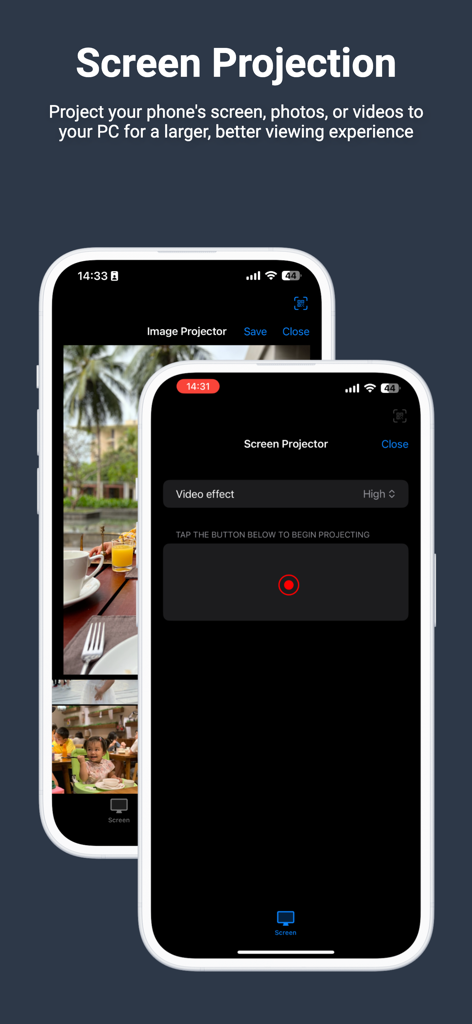
iPhoneからの画面および画像投影オプションを示すPC Remoteアプリインターフェース。

iPhoneからの画面および画像投影オプションを示すPC Remoteアプリインターフェース。

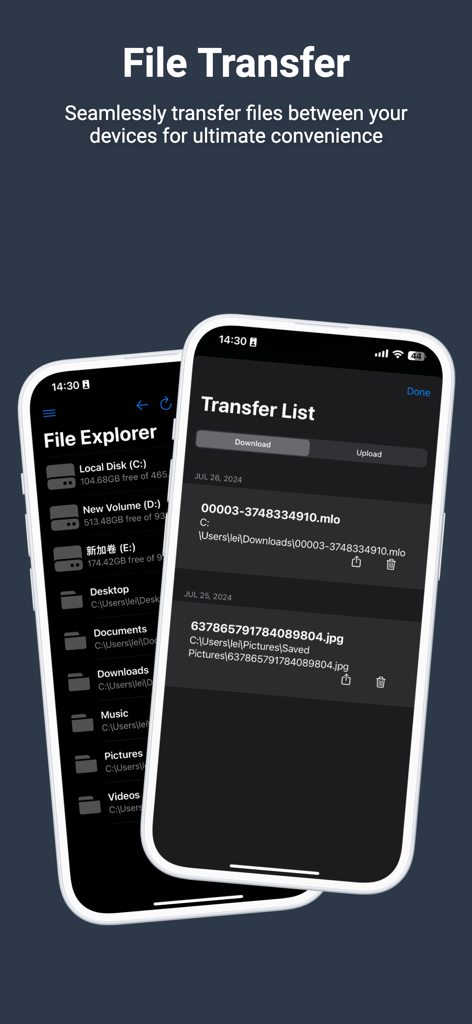
モバイルデバイスとコンピューター間でファイルを移動するためのファイルエクスプローラーと転送リストを示すPC Remoteアプリのスクリーンショット。

モバイルデバイスとコンピューター間でファイルを移動するためのファイルエクスプローラーと転送リストを示すPC Remoteアプリのスクリーンショット。

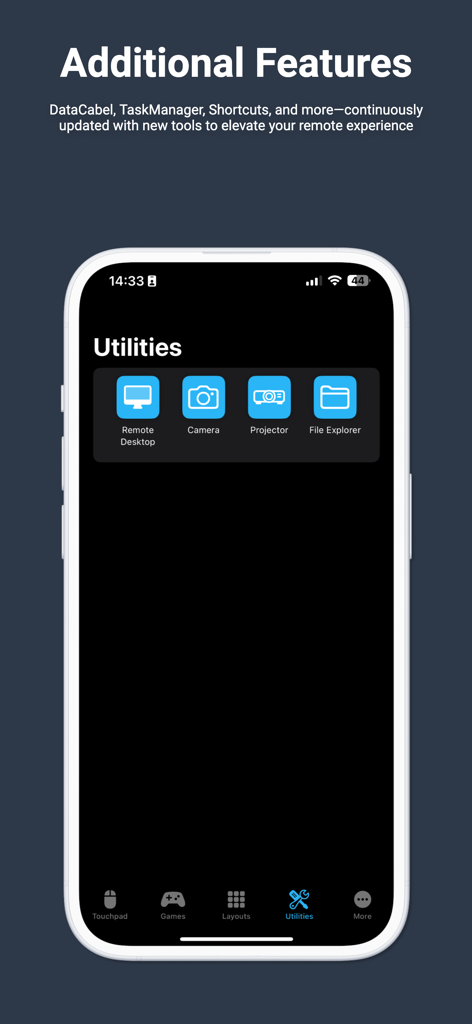
リモートデスクトップとファイルエクスプローラー機能を示すMonect PC Remoteアプリのユーティリティ画面。

リモートデスクトップとファイルエクスプローラー機能を示すMonect PC Remoteアプリのユーティリティ画面。

ポケットからPCを自在に操る

このアプリを際立たせるツール、 333K+ 人のユーザーが選択.

🎮

プロゲーミングコントローラー

かさばる周辺機器はもう不要です。カスタムボタンレイアウトとスマホのモーションセンサーを使用して、遅延なくベッドやソファからPCゲームをプレイできます。

📸

バーチャル4K Webカメラ

ハードウェア費用を数百ドル節約できます。iPhoneの優れたカメラを、Twitchストリーミング、Discord、Zoom通話用の高解像度ワイヤレスWebカメラとして使用しましょう。

🖥️

シームレスな生産性

最大4つの仮想ディスプレイでワークスペースを拡張し、スマホをワイヤレストラックパッドとキーボードとして使用して楽に操作できます。

🖱️

ワイヤレスマウス&キーボード

PCを離れることなく、プレゼンテーションを操作したり、コーディングしたり、デザインを作成したりできます。

📂

ファイル転送

USBケーブルなしで、PCとスマホ間でファイルを迅速かつ安全に転送できます。

アプリについて

について知っておくべきこと PC Remote.

説明

Elevate your PC experience with Monect PC Remote, a versatile and free app designed to give you full control of your computer — whether you're nearby or miles away. Key Features: * Enhanced Gaming: Immerse yourself in PC gaming with custom button layouts and onboard sensors. Tailor them to your preferences for an unbeatable gaming experience. * Real-time Screen and Camera Sharing: Share your PC screen and camera feed seamlessly with your smartphone. Experience your PC as if it's right in your hand. * Virtual Camera: Use your phone’s high-quality camera as a virtual webcam on your PC. Perfect for video calls, streaming, and online meetings with crystal-clear visuals. * Mouse and Keyboard Control: Use your phone as a wireless mouse and keyboard for your PC. Navigate, type, and control your computer effortlessly from anywhere. * Multi-Display Capabilities: Expand your workspace by adding up to 4 virtual displays to your PC, boosting productivity and multitasking. * Effortless File Transfer: Seamlessly transfer files between your devices for ultimate convenience. * Top-Notch Security: Rest easy with our 256 Bit AES Session Encoding for secure remote network connections. How to Use: 1. Installation: Download Monect PC Remote from Google Play and the PC Remote Receiver from [https://www.monect.com/](https://www.monect.com/) on your computer. 2. Connect Your Device: Choose from multiple connection options: * Local Wi-Fi (on the same network) * Remote Wi-Fi (across different networks) Experience the freedom and control that Monect PC Remote offers, making your PC a truly versatile and powerful tool for work, play, and creativity — now with Virtual Camera and wireless Mouse & Keyboard control for even more possibilities.

最新バージョン

9.1

サイズ

33.4 MB

リリース日

2014年10月4日

スマホをPCの究極の多機能ツールに

高価な周辺機器はもう不要です。シームレスなゲームコントロール、仮想ディスプレイ、ハイエンドWebカメラを、1つの無料アプリで手に入れましょう。333,000人以上のテクノロジー愛好家に加わり、今日からPCを完全にコントロールしましょう。

ダウンロード: App Store

App information, icons, screenshots, and descriptions displayed on this page are sourced from the Apple App Store and are the property of their respective developers. Download estimates and rankings are based on MWM's proprietary models and may not reflect actual figures. This page is provided for informational and analytical purposes only.

Believe this page infringes your intellectual property? File a dispute