PDF Converter - To Word, Excel

PDF Converter - To Word, Excel

ダウンロード: App Store
ロゴ: PDF Converter - To Word, Excel

PDF変換 - Word、Excelへ: プロフェッショナルなオールインワン文書スイート

ロスレス精度でファイルを即座に変換、結合、保護します。外出先での高品質なPDF編集と管理を必要とする忙しいプロフェッショナルや学生のために設計されています。

ダウンロード: App Store

開発元

鑫 王

カテゴリ

Utilities

ダウンロード

100

ユーザー評価

1.0/5

評価数

0

対応言語

40

効率的な操作

このインターフェースを利用する 100 人のユーザー.

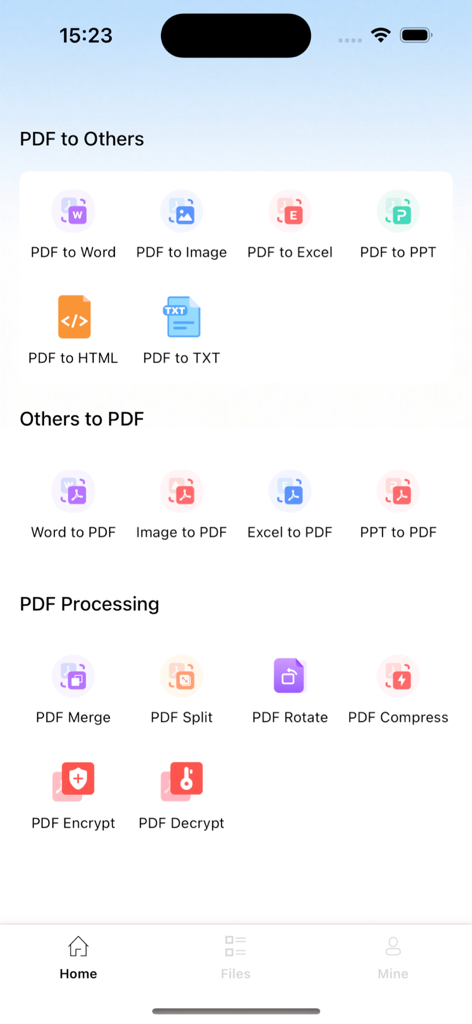
PDF変換アプリのホーム画面。文書変換およびPDF処理ツールが表示されています。

PDF変換アプリのホーム画面。文書変換およびPDF処理ツールが表示されています。

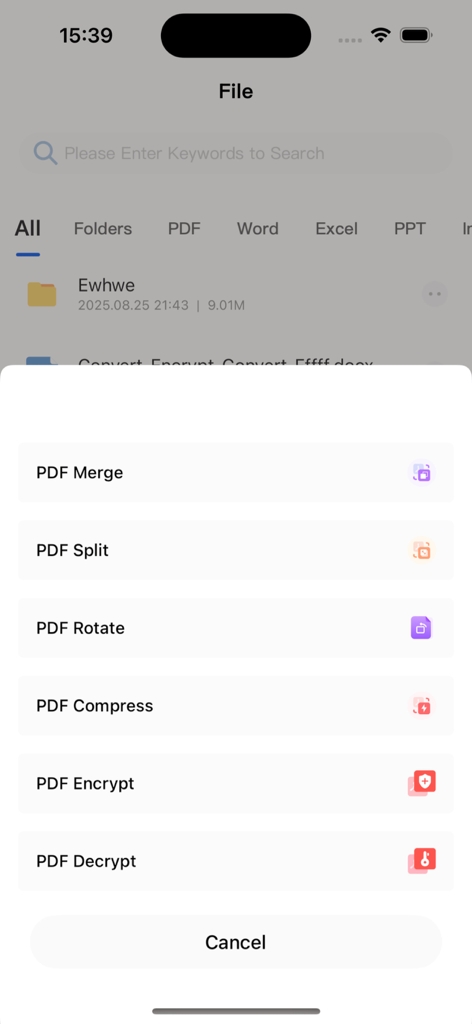
モバイルアプリのインターフェース。結合、分割、回転、圧縮、暗号化などのPDF編集ツールのリストが表示されています。

モバイルアプリのインターフェース。結合、分割、回転、圧縮、暗号化などのPDF編集ツールのリストが表示されています。

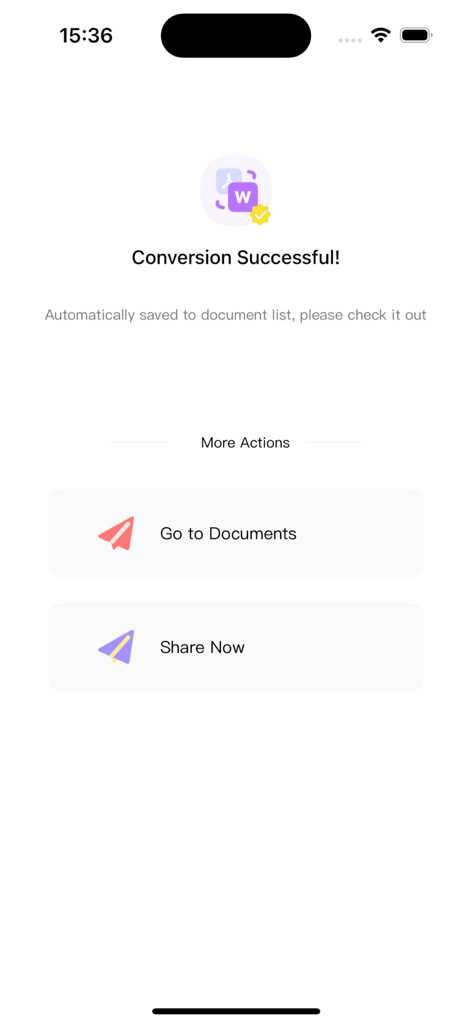
モバイルアプリの画面。PDFからWordへの変換が成功し、ドキュメントを表示またはファイルを共有するためのボタンが表示されています。

モバイルアプリの画面。PDFからWordへの変換が成功し、ドキュメントを表示またはファイルを共有するためのボタンが表示されています。

PDFに必要なすべて

このアプリを際立たせるツール、 100 人のユーザーが選択.

完璧なフォーマット変換

PDFを編集可能なWord、Excel、またはPPTファイルに変換しながら、すべてのフォント、レイアウト、テーブルを完璧な状態で保持します。

📎

シームレスな結合と分割

複数の契約書を結合したり、特定のページを抽出したりできます。外出先での文書構造を完全に制御できます。

🔒

エンタープライズグレードのセキュリティ

パスワード暗号化で機密データを保護し、最も重要なファイルをデバイス上で直接安全に管理できます。

アプリについて

について知っておくべきこと PDF Converter - To Word, Excel.

説明

# PDF Conversion Assistant: An All-in-One PDF Tool for Creation, Conversion, and Viewing Whether you need to organize files at work, browse materials for study, or handle daily format conversion tasks, PDF Conversion Assistant solves all PDF processing challenges with its "comprehensive features + simple operation" advantage. It simplifies complex operations and significantly boosts efficiency. ## I. Core Features: Meeting All PDF Needs ### 1. Flexible PDF Creation & Easy Document Structure Management - **Lossless Merging**: Efficiently combine multiple PDF files while preserving the original format and content, no need to switch between files repeatedly. - **Custom Splitting**: Split single or multiple PDFs by custom page numbers or ranges to accurately extract key pages and remove redundant content. - **Free Rotation**: Adjust the angle of any pages in a single PDF to fix page orientation issues caused by scanning or exporting. - **Security Encryption/Decryption**: Encrypt sensitive PDF documents for protection, or decrypt authorized files—balancing security and usability. ### 2. Accurate Format Conversion & Lossless Content Reuse Supports bidirectional conversion between PDF and Word, Excel, PPT, HTML, TXT, and images. Whether you extract PDF content for further editing or export files in other formats to standard PDFs, it strictly retains the original layout, fonts, and table styles—ensuring lossless content and unchanged formatting with no need for post-adjustments. ### 3. Smooth PDF Viewing & Convenient Multi-Channel Import Directly import PDFs from WeChat, QQ, or local phone storage—no tedious navigation, just one tap to open. It supports page zooming, rotation, and fast flipping, adapting to different screen sizes for smooth browsing even of large files, meeting your on-the-go viewing needs. ## II. 3 Reasons to Choose Us - **All-in-One Integration**: Combines core features of creation, conversion, and viewing. No need to download multiple tools—one app handles all your PDF management needs. ## III. Subscription Service Details 1. **Subscription Types**: Offers 4 continuous subscription plans—weekly, monthly, quarterly, and annual—allowing flexible choices for short-term trials or long-term use. 2. **Subscription Prices**: Continuous weekly: ¥15/week; continuous monthly: ¥38/month; continuous quarterly: ¥88/quarter; continuous annual: ¥198/year (long-term plans offer better value). 3. **Payment Rules**: After confirming the purchase, the fee will be deducted from the bound iTunes account. Apple’s iTunes account will automatically deduct the fee 24 hours before the subscription expires; upon successful deduction, the subscription period will be automatically extended by one cycle. 4. **Cancellation Method**: To cancel the subscription, go to "Settings" on your Apple phone → select "iTunes Store & App Store" → tap "Apple ID" → choose "View Apple ID" → access the "Account Settings" page → tap "Subscriptions" → select the corresponding service to cancel. **Important Note**: If auto-renewal is not turned off 24 hours before the end of the current subscription period, the subscription will be automatically renewed and trigger the next cycle’s fee deduction. ## IV. Relevant Agreements - Privacy Policy: https://docs.qq.com/doc/p/1a97492bc7826c34d507ee9fc3041a4ba8a83535?u=a8355287884a403b87ae1d0d2597c204&nlc=1 - User Terms: https://docs.qq.com/doc/p/d4a3ee6f2a77316a99c7406a02eaf5ecf6de21b5?u=a8355287884a403b87ae1d0d2597c204&nlc=1 - Subscription Agreement: https://docs.qq.com/doc/p/48cf46ffd5d58cac843ec81dfbb23fb70f602619?u=a8355287884a403b87ae1d0d2597c204&nlc=1 Download PDF Conversion Assistant now to make PDF processing efficient and simple!

最新バージョン

1.1.4

サイズ

24.1 MB

リリース日

2025年8月29日

文書ワークフローを簡素化する準備はできましたか?

外出先でのロスレス、安全、インスタントな文書管理のためにPDF変換アシスタントを信頼する何千人ものプロフェッショナルや学生に加わりましょう。

ダウンロード: App Store

App information, icons, screenshots, and descriptions displayed on this page are sourced from the Apple App Store and are the property of their respective developers. Download estimates and rankings are based on MWM's proprietary models and may not reflect actual figures. This page is provided for informational and analytical purposes only.

Believe this page infringes your intellectual property? File a dispute