PDF To Word: PDF Editor

PDF To Word: PDF Editor

ダウンロード: App Store
ロゴ: PDF To Word: PDF Editor

PDFからWordへ: PDFエディタ:オールインワンモバイルドキュメントスイート

iPhoneまたはiPadを強力なドキュメントワークステーションに変えましょう。忙しいモバイルライフスタイル向けに設計されたプロ品質のツールで、PDFをシームレスに変換、圧縮、結合、ロック解除できます。

ダウンロード: App Store

開発元

Parsottambhai Dhameliya

カテゴリ

Utilities

ダウンロード

13K+

ユーザー評価

4.4/5

評価数

300

対応言語

1

実践的な生産性

このインターフェースを利用する 13K+ 人のユーザー.

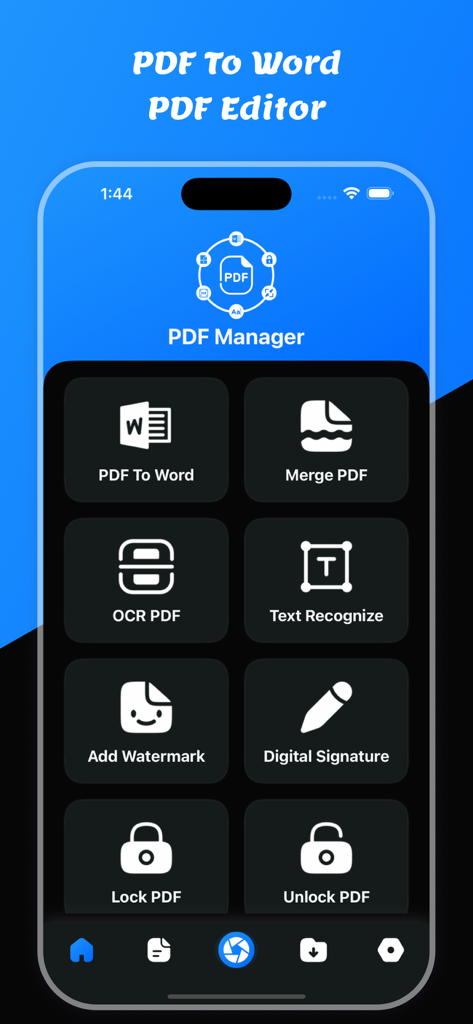
PDFからWordへアプリのメインメニュー。ドキュメントの変換、OCR、結合ツールが特徴です。

PDFからWordへアプリのメインメニュー。ドキュメントの変換、OCR、結合ツールが特徴です。

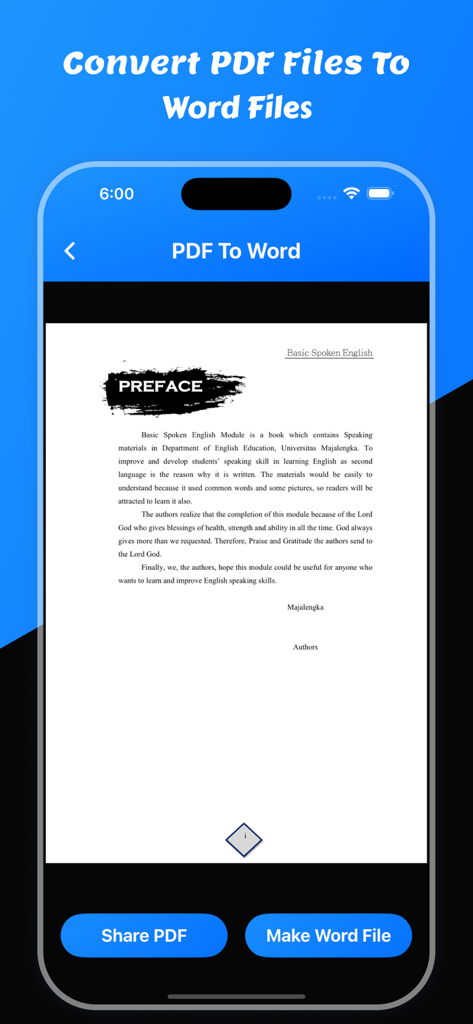
PDFファイルを編集可能なWordドキュメントに変換するためのモバイルアプリ画面。

PDFファイルを編集可能なWordドキュメントに変換するためのモバイルアプリ画面。

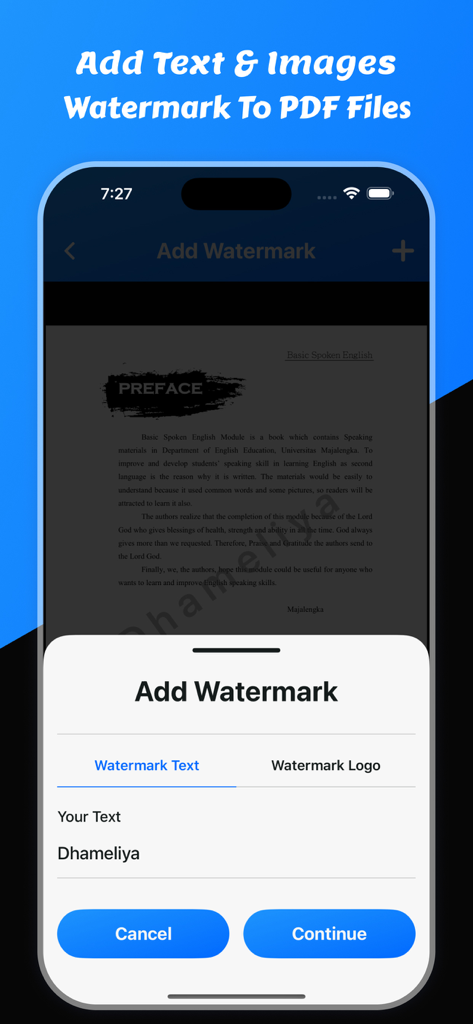
PDFドキュメントにテキストまたは画像ウォーターマークを追加するオプションを示すモバイルアプリインターフェイス

PDFドキュメントにテキストまたは画像ウォーターマークを追加するオプションを示すモバイルアプリインターフェイス

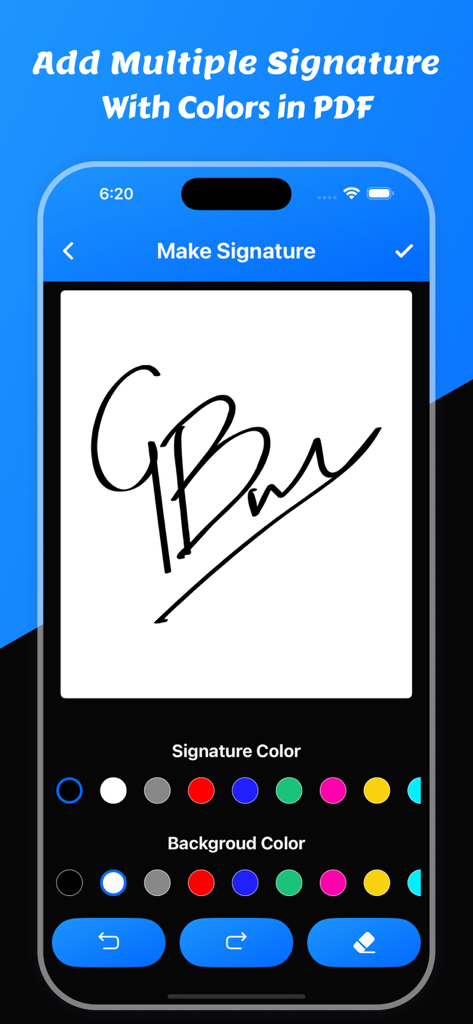
PDFエディタアプリで、さまざまな色のオプションを使用してデジタル署名を作成およびカスタマイズするためのインターフェイス。

PDFエディタアプリで、さまざまな色のオプションを使用してデジタル署名を作成およびカスタマイズするためのインターフェイス。

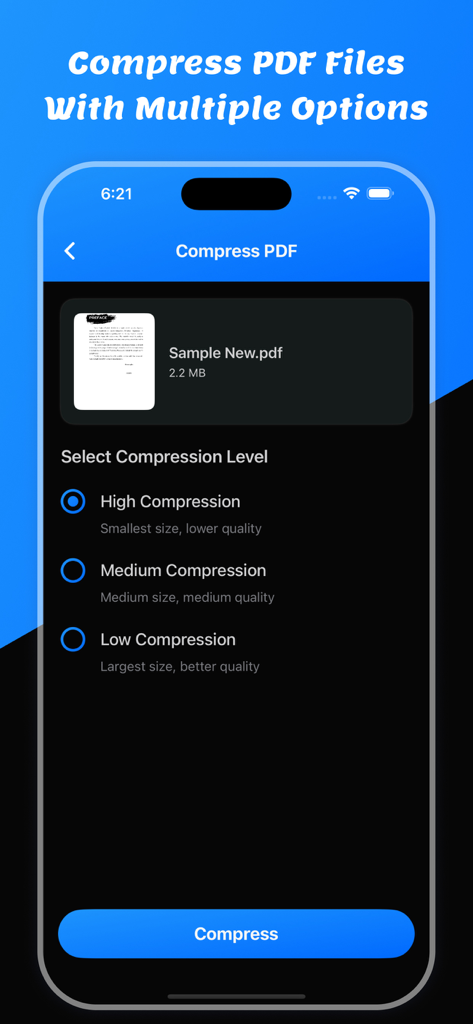
モバイルアプリインターフェイス。3つのPDF圧縮レベル(高、中、低)と圧縮ボタンが表示されています。

モバイルアプリインターフェイス。3つのPDF圧縮レベル(高、中、低)と圧縮ボタンが表示されています。

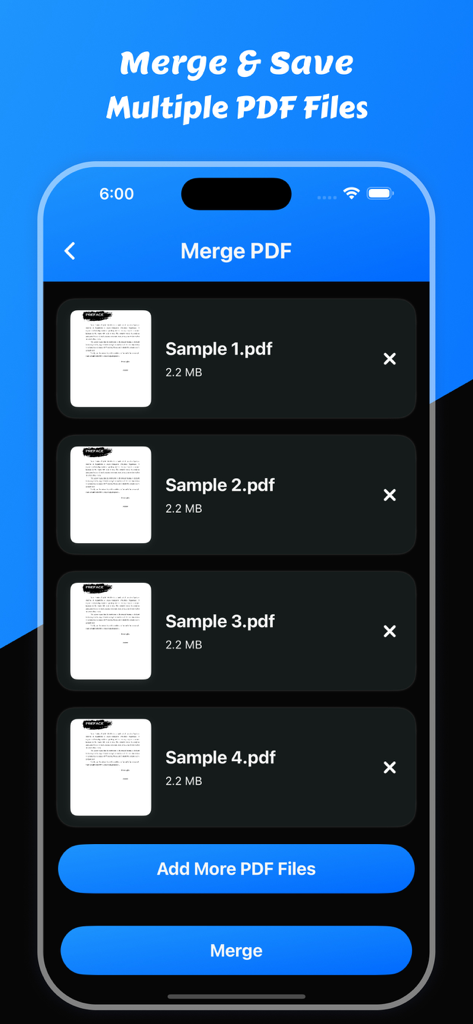
複数のPDFファイルのリストが表示され、1つのドキュメントに結合する準備ができたモバイルアプリ画面。

複数のPDFファイルのリストが表示され、1つのドキュメントに結合する準備ができたモバイルアプリ画面。

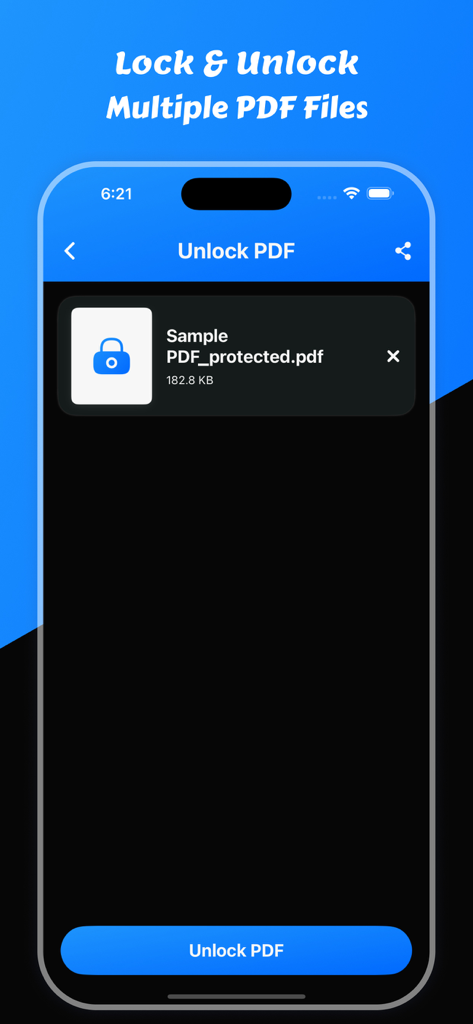
iPhoneで保護されたPDFファイルをロック解除するためのインターフェイス。

iPhoneで保護されたPDFファイルをロック解除するためのインターフェイス。

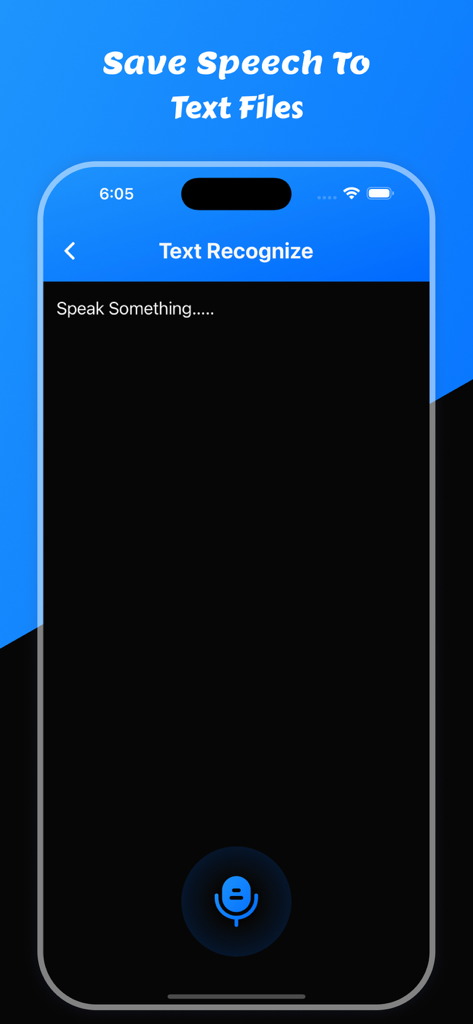
PDFエディタアプリ内の音声テキスト認識機能を示すモバイルインターフェイス。

PDFエディタアプリ内の音声テキスト認識機能を示すモバイルインターフェイス。

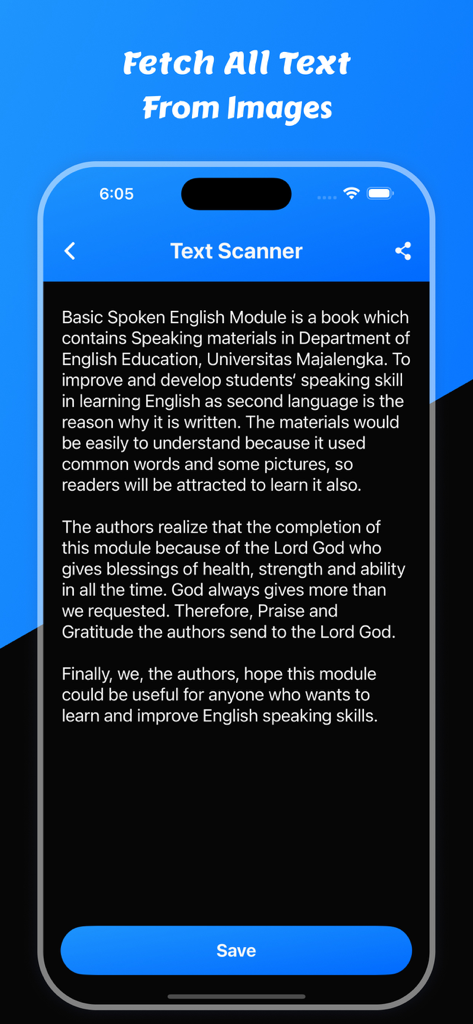
OCR技術を使用して画像からテキストを抽出するテキストスキャナー機能を備えたモバイルアプリ画面。

OCR技術を使用して画像からテキストを抽出するテキストスキャナー機能を備えたモバイルアプリ画面。

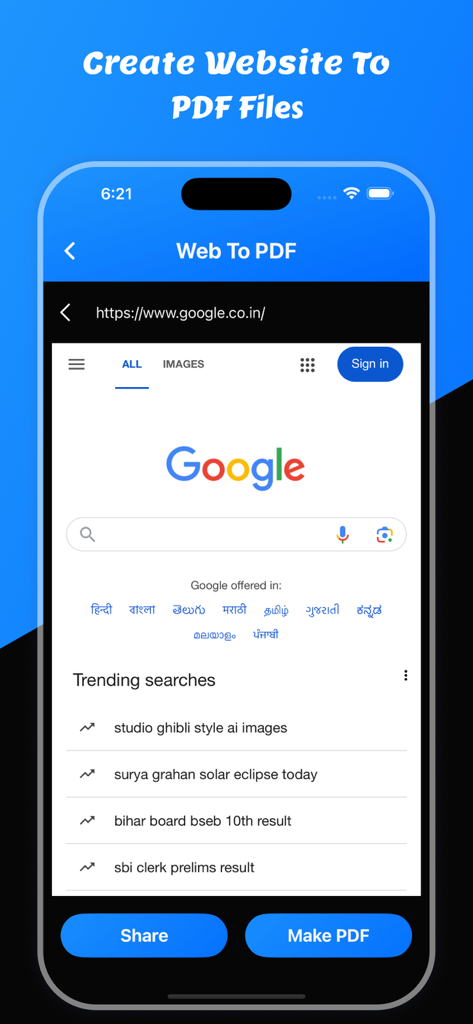
「共有」および「PDF作成」ボタンを使用してWebサイトをPDFドキュメントに変換するモバイルアプリインターフェイス。

「共有」および「PDF作成」ボタンを使用してWebサイトをPDFドキュメントに変換するモバイルアプリインターフェイス。

外出先でドキュメントをマスターする

このアプリを際立たせるツール、 13K+ 人のユーザーが選択.

🔄

シームレスなPDFからWordへ

フォーマットやレイアウトを失うことなく、静的なPDFを完全に編集可能なWordドキュメントに即座に変換します。

🔍

スマートOCR&テキスト認識

高度な光学文字認識を使用して、スキャンした用紙や画像を数秒で編集可能なテキストに変換します。

🛠️

圧縮、結合&ロック解除

メールの制限に対応するために大きなファイルを縮小し、複数のドキュメントを結合し、PDFパスワードをタップ一つで削除します。

アプリについて

について知っておくべきこと PDF To Word: PDF Editor.

説明

Welcome to PDF To Word: PDF Editor app Users can convert any pdf file to a word file. It is easy to use to convert word files. Users can share converted word files. Users can save converted word files in the word files section. Users can convert pdf to word files using pdf to word converter Users can compress pdf files using PDF To Word: PDF Editor app Users can merge pdf documents using this app. Users can convert pdf to text converter with OCR. Users can recognize text using text recognize. Users can remove pdf pages. Users can unlock pdf using unlock option. Users can convert pdf to images using this app. Users can make pdf using images to pdf files. Users can save all PDF, Word, Text, and all images in the saved files section. Features: - Easy to convert pdf to word - View Converted Word File - Save the Converted word file - Share Converted word file - Show Saved all word files - Delete & Share saved word files
- PDF To Word - Compress PDF Files - Merge PDF Files - PDF To Text
- Text Recognize - OCR PDF - PDF Page Remove - Unlock PDF Files
- PDF To Images
- Images To PDF File Download and enjoy the PDF To Word: PDF Editor app Privacy Policy: https://glistensolution.com/Apps/App_Privacy.html Terms of use: https://glistensolution.com/Apps/App_TOS.html

最新バージョン

4.4

サイズ

32.8 MB

リリース日

2022年10月21日

PDFを完全に編集可能にする準備はできましたか?

秒単位でドキュメントを変換、結合、圧縮している13,000人以上の学生や専門家に参加しましょう。今日のiPhoneに究極のオールインワンPDFツールキットを入手してください。

ダウンロード: App Store

App information, icons, screenshots, and descriptions displayed on this page are sourced from the Apple App Store and are the property of their respective developers. Download estimates and rankings are based on MWM's proprietary models and may not reflect actual figures. This page is provided for informational and analytical purposes only.

Believe this page infringes your intellectual property? File a dispute