PPTControl

PPTControl

ダウンロード: App Store
ロゴ: PPTControl

PPTControl:Apple WatchとiPhoneから会場を自在にコントロール

かさばるハードウェアクランカーはもう不要。お気に入りのAppleデバイスから直接、簡単なBluetooth操作でプロフェッショナルでシームレスなプレゼンテーションを行いましょう。

ダウンロード: App Store

開発元

Bastian Aunkofer

カテゴリ

Utilities

ダウンロード

2K+

ユーザー評価

3.4/5

評価数

0

対応言語

2

視覚でわかるシームレスなコマンド

このインターフェースを利用する 2K+ 人のユーザー.

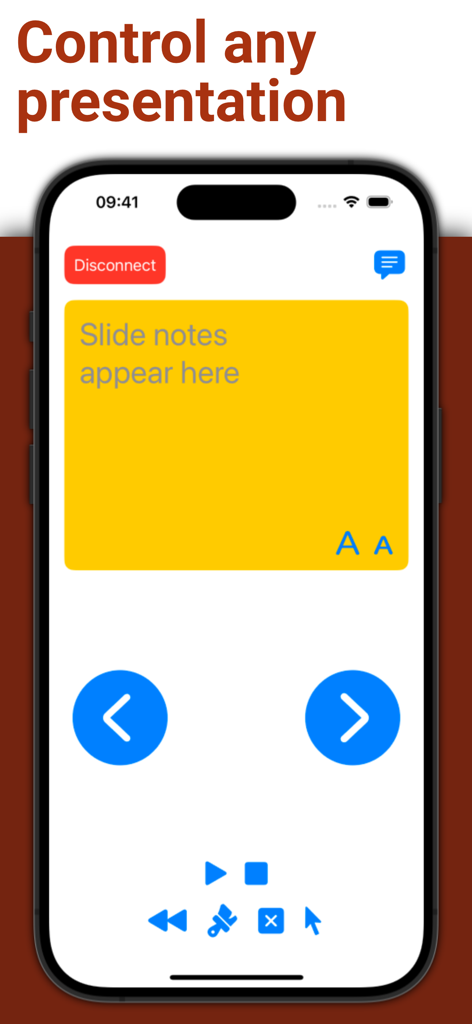
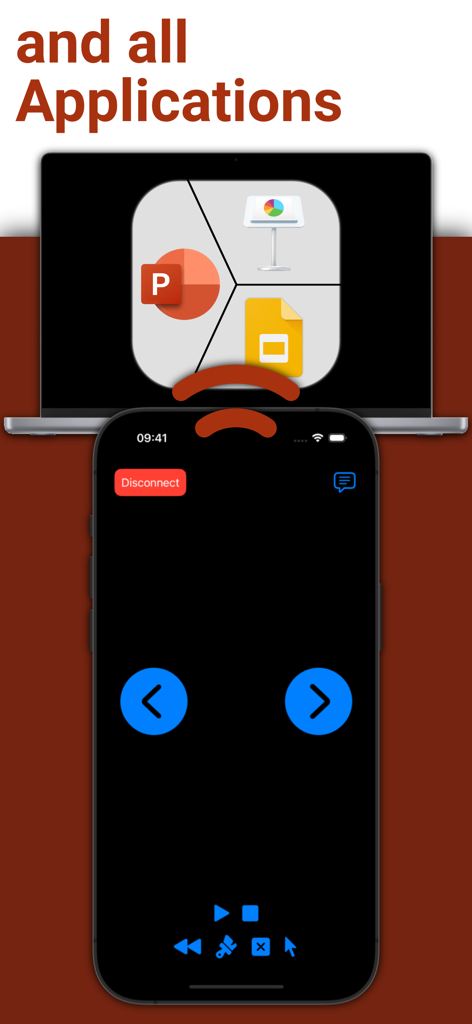
PPTControl iPhoneアプリのインターフェース。プレゼンテーション用のスライドノートとナビゲーションボタンが表示されています

PPTControl iPhoneアプリのインターフェース。プレゼンテーション用のスライドノートとナビゲーションボタンが表示されています

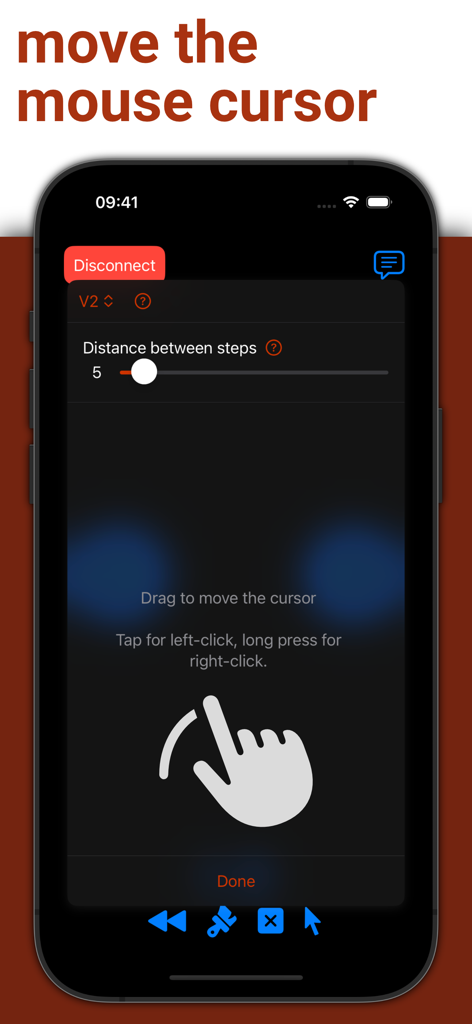
iPhone上のPPTControlアプリのインターフェース。リモートマウスポインターとトラックパッド機能が表示されています

iPhone上のPPTControlアプリのインターフェース。リモートマウスポインターとトラックパッド機能が表示されています

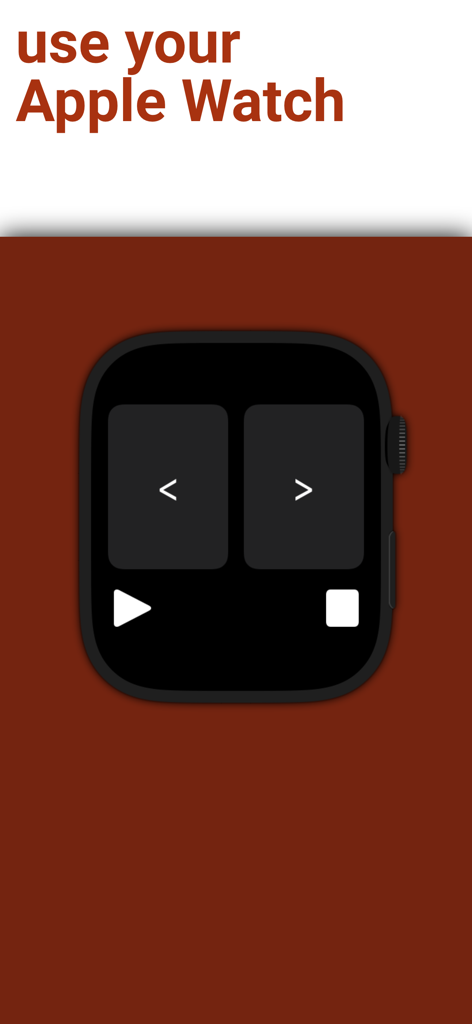
Apple Watch上のPPTControlアプリのインターフェース。前のスライドと次のスライドのナビゲーションボタンが表示されています

Apple Watch上のPPTControlアプリのインターフェース。前のスライドと次のスライドのナビゲーションボタンが表示されています

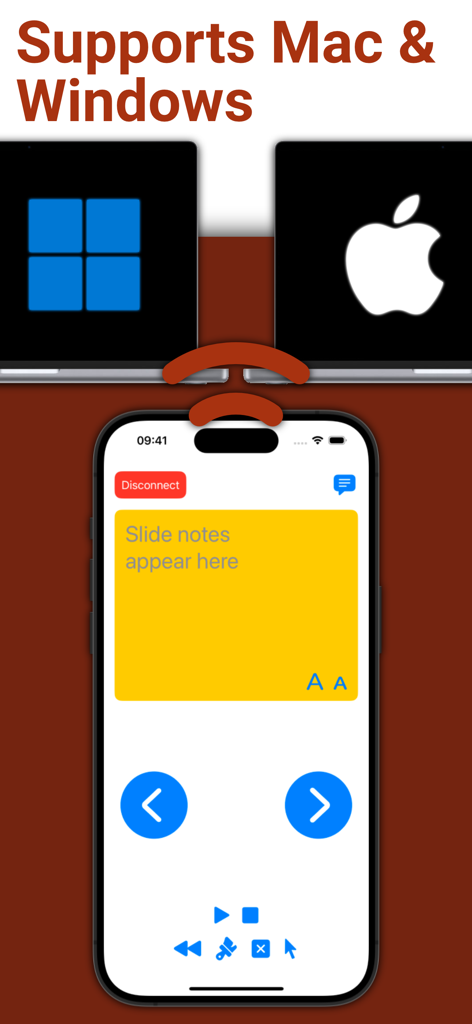
iPhone上のPPTControlモバイルアプリのインターフェース。MacおよびWindowsラップトップ用のスライドノートとリモートコントロールが表示されています

iPhone上のPPTControlモバイルアプリのインターフェース。MacおよびWindowsラップトップ用のスライドノートとリモートコントロールが表示されています

iPhone画面に、ラップトップ上のプレゼンテーションソフトウェアのリモートコントロールインターフェースが表示されています

iPhone画面に、ラップトップ上のプレゼンテーションソフトウェアのリモートコントロールインターフェースが表示されています

あらゆるプレゼンテーションをコマンド

このアプリを際立たせるツール、 2K+ 人のユーザーが選択.

Apple Watchマスター

手首のわずかなタップでスライド遷移を実行し、時間を追跡—あらゆるスピーカーにとって究極のパワームーブです。

📶

信頼性の高いBluetoothリンク

Wi-Fiやドングルの検索は忘れてください。当社の直接Bluetooth接続は、高セキュリティの企業環境でも即座に機能します。

プロフェッショナルなモビリティ

ラップトップから解放されましょう。部屋の中を自然に動き回り、観客を惹きつけながら、デッキの完全なコントロールを維持します。

アプリについて

について知っておくべきこと PPTControl.

説明

Take full control of your presentations with ease using your iPhone, iPad, or Apple Watch. Simply start PPTControl, follow the steps and connect seamlessly to your computer. With just a few taps, you can navigate through slides, highlight key points, and impress your audience — all from the palm of your hand. Getting started is simple: 1. Install and launch this PPTControl Desktop on the computer. You can download it at: bit.ly/pptl. Make sure you grant required permissions. 2. Open PPTControl and select your computer from the list. 3. Accept the connection on your computer, and you’re ready to go! Requirements: - A Bluetooth connection is necessary, so both your computer and iPhone/iPad must support Bluetooth. - To control via Apple Watch, ensure your iPhone is connected to the presentation device (due to Apple’s restrictions). Elevate your presentations with PPTControl — your remote control for effortless, professional presentations. For more information and downloads, visit https://pptcontrol.app.

最新バージョン

2.3.6

サイズ

2.2 MB

リリース日

2022年5月2日

PPTControlで会場を支配

ドングルは捨てて、自信を持ってプレゼンしましょう。Apple WatchとiPhoneを究極のプレゼンテーションリモートに変えた何千人ものプロフェッショナルに加わりましょう。

ダウンロード: App Store

App information, icons, screenshots, and descriptions displayed on this page are sourced from the Apple App Store and are the property of their respective developers. Download estimates and rankings are based on MWM's proprietary models and may not reflect actual figures. This page is provided for informational and analytical purposes only.

Believe this page infringes your intellectual property? File a dispute